Micro QR Codes and rMQR: The Small QR Codes Built for Parts, Not Phones
by KoloQR TeamBasics
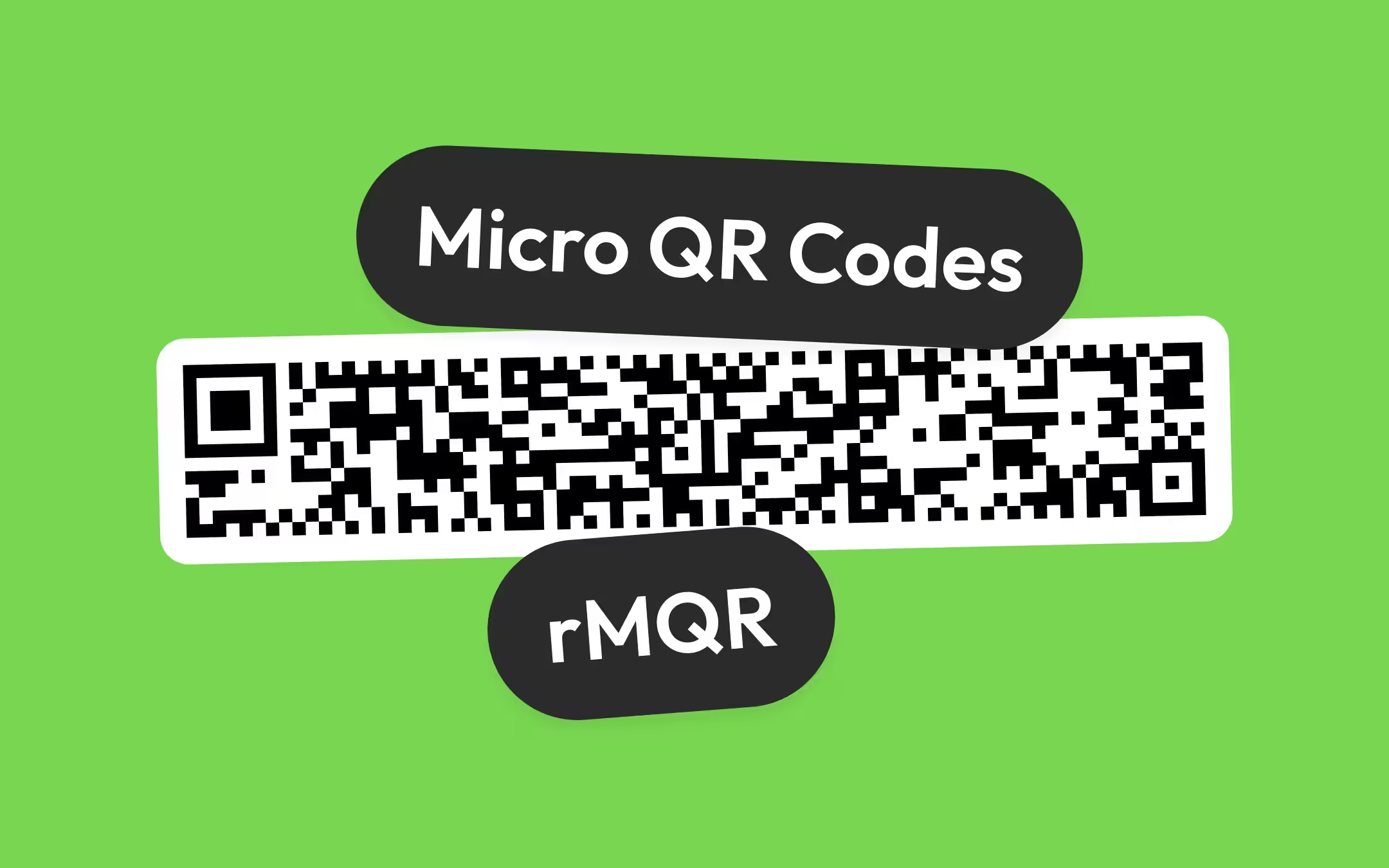
A Micro QR code is a small QR code variant with a single finder pattern, made in four sizes from 11 × 11 to 17 × 17 modules. The largest, M4, holds 35 digits or 15 bytes; rMQR, its rectangular sibling standardised in 2022, stretches to 17 × 139 modules and 361 digits. Both need only a two-module quiet zone, which is why they fit on circuit boards, components, test tubes and cable labels. Neither is something a customer's phone can be relied on to read: in our test, the open QR decoder behind this site's scanner read 0 of 16 Micro QR and rMQR attempts. For a small code the public will scan, use an ordinary version 1 QR code at 21 × 21 modules with a short payload.
Key Points
- Micro QR Code comes in four versions, M1 to M4, from 11 × 11 to 17 × 17 modules. M4, the largest, holds at most 35 digits, 21 alphanumeric characters, 15 bytes or 9 kanji, which is less than an ordinary version 1 QR code.
- rMQR, the rectangular Micro QR code, was standardised as ISO/IEC 23941 in 2022. It comes in 32 sizes from 7 × 43 to 17 × 139 modules and holds up to 361 digits or 150 bytes, with error correction levels M and H only.
- Both symbols save space mainly by dropping two of the three finder patterns and halving the quiet zone to two modules. At the same module size, an M4 Micro QR code with its margin covers about 52% of the area of a version 1 QR code with its margin.
- Ordinary phone camera apps cannot be relied on to read either code. In our test on 2 October 2026, jsQR read a version 1 QR code and none of eight Micro QR and rMQR symbols that zxing-cpp read without trouble.
- KoloQR does not make Micro QR or rMQR codes. For a code that the public scans, use a regular QR code with a short payload; for industrial marking, use a tool such as Zint, BWIPP or zxing-cpp and a reader that is documented to support the symbol.
What Is a Micro QR Code?
A Micro QR code is a small QR code variant with a single finder pattern, made in four sizes from 11 × 11 to 17 × 17 modules. DENSO WAVE, the company that invented the QR code, designed it for printing in spaces too small for a regular code. It is defined in ISO/IEC 18004 beside the ordinary QR code and was approved as a Japanese standard, JIS X 0510, in November 2004.
A module is one square cell of a QR code, and the smallest unit a scanner has to resolve. A Micro QR code is counted in the same modules, and its four versions are named M1, M2, M3 and M4, adding two modules per side at each step: 11, 13, 15 and 17. The ordinary QR code starts where Micro QR stops, at version 1 and 21 × 21 modules, and steps in fours up to version 40 at 177 × 177 - the QR code capacity guide has every one of those versions.
A Micro QR code is recognisable at a glance once you know the tell: one large square in one corner and nothing similar in the other three. A regular QR code always has three. That single difference is also why a phone's QR reader passes a Micro QR code by, which the section on phones below sets out.
Micro QR Versions M1 to M4: Size and Capacity
The largest Micro QR code, M4 at 17 × 17 modules, holds 35 digits, 21 alphanumeric characters, 15 bytes or 9 kanji at error correction level L. The smaller versions hold far less, and two of them cannot hold lowercase text at all: M1 stores digits only, and M2 stores digits and the 45-character alphanumeric set of capital letters, digits, space and eight symbols.
| Version | Modules | Error correction levels | Numeric | Alphanumeric | Bytes | Kanji |
|---|---|---|---|---|---|---|
| M1 | 11 × 11 | Error detection only | 5 | Not supported | Not supported | Not supported |
| M2 | 13 × 13 | L, M | 10 (L), 8 (M) | 6 (L), 5 (M) | Not supported | Not supported |
| M3 | 15 × 15 | L, M | 23 (L), 18 (M) | 14 (L), 11 (M) | 9 (L), 7 (M) | 6 (L), 4 (M) |
| M4 | 17 × 17 | L, M, Q | 35 (L), 30 (M), 21 (Q) | 21 (L), 18 (M), 13 (Q) | 15 (L), 13 (M), 9 (Q) | 9 (L), 8 (M), 5 (Q) |
Two consequences of that table catch people out. First, M1 has no error correction: it can detect that a read went wrong but cannot repair a single damaged module, so it is only suitable where marking is clean and reading is controlled. Second, level Q exists only on M4 and level H on no version at all, so a Micro QR code trades the damage tolerance that error correction levels give an ordinary code for its small size.
In practice a Micro QR code carries a part number, a lot code or a short serial, not a web address. The 15 bytes of M4 are enough for a 13-character string such as koloqr.com/m4 and very little else; a URL that starts with https:// has spent 8 of them before the domain.
How a Micro QR Code Differs From a Regular QR Code
A Micro QR code differs from a regular QR code in four structural ways: one finder pattern instead of three, a two-module quiet zone instead of four, no alignment pattern, and fewer options for error correction and encoding. Together these let it fit roughly half the area of the smallest regular QR code while holding slightly less data.
A finder pattern is one of the three concentric squares in a QR code's corners that a scanner uses to locate the symbol and work out its rotation. A Micro QR code keeps one, top-left, because three 8 × 8 blocks with their separators would fill most of a 17 × 17 grid. The orientation that three corners give a regular code for free, a Micro QR decoder has to recover from one square and the timing patterns that run along the top and left edges of the symbol. QR code finder patterns explains what the three squares do in an ordinary code and why the trade is acceptable for small parts.
The quiet zone halves from four modules to two on every side, and that is where most of the saving comes from. The quiet zone guide is explicit that the two-module allowance belongs to Micro QR only and does not transfer to an ordinary QR code.
- Footprint at the same module size. An M4 Micro QR code is 17 modules plus 2 + 2 of margin, so 21 modules across. A version 1 QR code is 21 modules plus 4 + 4, so 29 modules across. That is 72% of the width and about 52% of the area. At 0.4 mm per module, the floor for coated stock in the minimum print size guide, that is 8.4 mm against 11.6 mm.
- Capacity at that footprint. The same 13-byte payload fits an M4 Micro QR code at level L and a version 1 QR code at level L, with 2 bytes to spare in each. The saving is in function patterns and margin, not in a denser way of storing data.
- Fewer masks and options. Micro QR uses four mask patterns against the ordinary code's eight, has no level H, and supports none of ECI, Structured Append or FNC1, the regular code's mechanisms for other character sets, multi-symbol messages and GS1 data.
What Is an rMQR Code?
An rMQR code is a rectangular Micro QR code, standardised as ISO/IEC 23941:2022, made in 32 sizes from 7 × 43 to 17 × 139 modules. DENSO WAVE developed it for long, narrow surfaces - the edge of a part, the side of a test tube, a cable label - where a square code would have to shrink to the strip's height and carry almost nothing.
An rMQR code keeps one full finder pattern at the left end and adds a smaller finder sub pattern in the opposite corner, which DENSO WAVE describes as cutting the finder patterns from three to one and a half. Timing patterns run along the long edges, and the wider sizes add alignment patterns so a decoder can keep its place along a 139-module length. The symbol reads in either rotation and in mirror image, and the standard specifies error correction levels M (about 15% recovery) and H (about 30%) only, with no L or Q.
An rMQR code is more capable than a Micro QR code in two ways that matter in industry. It holds up to 361 digits, 219 alphanumeric characters or 150 bytes, ten times the largest Micro QR code, and it supports ECI for other character sets and, in encoders such as Zint, GS1 data.
| Height (modules) | Widths available (modules) | Smallest size at level M | Widest size at level M |
|---|---|---|---|
| 7 | 43, 59, 77, 99, 139 | R7x43: 12 digits or 5 bytes | R7x139: 102 digits, 62 alphanumeric, 42 bytes |
| 9 | 43, 59, 77, 99, 139 | R9x43: 26 digits or 11 bytes | R9x139: 147 digits, 89 alphanumeric, 61 bytes |
| 11 | 27, 43, 59, 77, 99, 139 | R11x27: 14 digits or 6 bytes | R11x139: 198 digits, 120 alphanumeric, 82 bytes |
| 13 | 27, 43, 59, 77, 99, 139 | R13x27: 26 digits or 11 bytes | R13x139: 251 digits, 152 alphanumeric, 104 bytes |
| 15 | 43, 59, 77, 99, 139 | R15x43: 76 digits or 31 bytes | R15x139: 301 digits, 182 alphanumeric, 125 bytes |
| 17 | 43, 59, 77, 99, 139 | R17x43: 90 digits or 37 bytes | R17x139: 361 digits, 219 alphanumeric, 150 bytes |
The size names read height first: R7x43 is 7 modules tall and 43 wide. With its two-module margin, R7x43 occupies 11 × 47 modules, which at 0.4 mm per module is a strip 4.4 mm tall and 18.8 mm long holding a 12-digit serial.
Can a Phone Scan a Micro QR Code?
Not reliably. The built-in camera apps on iPhone and Android are documented as QR code readers, and neither Apple nor Google documents Micro QR or rMQR support in them. A Micro QR code needs an app built on a decoder that supports it, and an rMQR code needs one with even rarer support, so neither belongs anywhere a customer is expected to scan.
We measured one decoder directly. On 2 October 2026 we drew nine symbols - one ordinary version 1 QR code, Micro QR M1 to M4, and four rMQR sizes from R7x43 to R17x139 - confirmed all nine were valid by reading them with zxing-cpp 3.1.1, and gave each to jsQR, the open decoder behind this site's QR code scanner and QR code decoder, at 10 and at 4 pixels per module. jsQR read the version 1 QR code at both sizes and returned nothing for all 16 Micro QR and rMQR attempts. The rig, fixtures and results are in the repository under scripts/micro-qr-decode-rig.mjs and reports/micro-qr-decode/.
The failure is structural rather than marginal. A QR detector of jsQR's kind starts by looking for three finder patterns in an L arrangement, and a Micro QR code offers one, so the detector never concludes there is a code in the frame. That is the same total silence the troubleshooting guide lists for a symbol that is not a model 2 QR code at all.
What the major platforms document, as of 2 October 2026:
| Platform or library | Micro QR | rMQR |
|---|---|---|
| Apple Vision and AVFoundation (iOS developer frameworks) | Yes: Vision from iOS 15, camera metadata from iOS 15.4 | Not listed |
| Apple Camera app | Not documented; not tested by us | Not documented; not tested by us |
| Google ML Kit barcode scanning (Android and iOS) | Not listed | Not listed |
| ZXing (Java, the original open-source library) | Not supported | Not supported |
| zxing-cpp (C++, with Python, Android and other bindings) | Reads and writes | Reads and writes |
| jsQR (JavaScript; this site's scanner and decoder) | Not supported: 0 reads in our test | Not supported: 0 reads in our test |
The practical rule follows: if a person with an unmodified phone is the reader, the code must be an ordinary QR code. For pointing a phone at an ordinary code, how to scan a QR code on iPhone covers the built-in route.
QR Code vs Micro QR vs rMQR vs Data Matrix
For a code people scan with a phone, use a QR code; for marking a small part read by an industrial scanner, Data Matrix is the most widely supported choice, Micro QR fits where the reading system is built around QR, and rMQR fits a long, narrow strip. The table sets the four side by side on the properties that decide between them.
| Property | QR code (model 2) | Micro QR code | rMQR code | Data Matrix (ECC 200) |
|---|---|---|---|---|
| Standard | ISO/IEC 18004 | ISO/IEC 18004 | ISO/IEC 23941:2022 | ISO/IEC 16022 |
| Shape and sizes | Square, 21 × 21 to 177 × 177 (40 versions) | Square, 11 × 11 to 17 × 17 (4 versions) | Rectangular, 7 × 43 to 17 × 139 (32 sizes) | Square 10 × 10 to 144 × 144, or rectangular 8 × 18 to 16 × 48 |
| How a scanner finds it | Three 7 × 7 finder patterns in three corners | One 7 × 7 finder pattern | One finder pattern plus a smaller finder sub pattern | An L-shaped solid border on two sides |
| Quiet zone | 4 modules | 2 modules | 2 modules | 1 module |
| Error correction | L, M, Q or H | Detection only on M1; L, M or Q on larger versions | M or H | Fixed per symbol size |
| Largest capacity | 7,089 digits or 2,953 bytes | 35 digits or 15 bytes | 361 digits or 150 bytes | 3,116 digits or 1,556 bytes |
| Built-in phone camera | Yes, on iPhone and most Android phones | No, needs an app built for it | No, needs an app built for it | Not reliably; supported by Apple's and Google's developer frameworks |
| Typical use | Links, menus, packaging, anything the public scans | Small parts and boards in QR-based systems | Narrow strips: tube sides, cable labels, part edges | Electronics, pharmaceuticals, medical devices, direct part marking |
Data Matrix is a 2D matrix code, defined by ISO/IEC 16022, that is located by an L-shaped solid border and is widely used to mark small parts and medical packaging. It needs only a one-module quiet zone and has the broadest base of industrial readers, which is why it, rather than Micro QR, is the default for part marking outside QR-centred supply chains. The wider family, including linear barcodes and Aztec, is laid out in QR code vs barcode.
Where Micro QR and rMQR Codes Are Used
Micro QR and rMQR codes are used where the surface is tiny, the reader is a dedicated scanner or a purpose-built app, and the data is a short identifier. Printed circuit boards, electronic components, small mechanical parts, medical sample tubes and cable labels are the typical homes, and in each the code is read by equipment the owner controls.
- If the reader is a member of the public with a phone, use an ordinary QR code. No exceptions for small packaging: shorten the payload until a version 1 to 3 code fits.
- If a regulation, customer specification or industry body names a symbology, use that one. Healthcare and pharmaceutical traceability schemes commonly specify GS1 Data Matrix; do not substitute a Micro QR code because it is smaller.
- If the space is a small square and the line already reads QR codes with industrial imagers, consider Micro QR. Check that every scanner in the chain lists Micro QR before committing, and prefer M3 or M4 so you have error correction.
- If the space is a long, narrow strip, consider rMQR. A strip 7 modules tall cannot hold any square QR-family code - the smallest Micro QR code is 11 modules - while rMQR at that height holds 12 to 102 digits, depending on its length. Reader support is the newest of the four, so confirm it in writing from the scanner vendor.
- If none of the above is clear, use Data Matrix for parts and a QR code for people. Those two have the widest reader support in their worlds.
How Do I Make a Micro QR Code?
Make a Micro QR or rMQR code with a barcode library or label tool that lists the symbology, not with a consumer QR code generator. KoloQR, a free QR code generator with circular and custom-shaped QR codes, makes ordinary model 2 QR codes only, and so do most online generators; the open-source route is Zint, BWIPP (and its JavaScript port bwip-js), or zxing-cpp, all of which write both symbols.
Segno, a Python library, also writes Micro QR. Commercial label and barcode software used in manufacturing often includes both symbols, and the scanner vendor's own tools are a sensible first stop because they produce what their readers are tested against. Laser software can make one too: LightBurn's Create Bar Code tool includes Micro QR, as covered in laser engraving a QR code.
- Confirm the Reader Supports the Symbol. Check the data sheet of every scanner and app that will read the code for Micro QR or rMQR by name. A reader that says only QR code should be assumed not to read either.
- Fix the Payload Before the Size. Write the exact string the code must carry and count its characters by type. Digits only or capital letters only fit far more than lowercase text or a URL.
- Choose the Version and Error Correction Level. Pick the smallest version that holds the payload at the level the marking needs. Prefer M3 or M4 over M1, which has no error correction, and level H for rMQR on rough surfaces.
- Generate It With a Library That Lists the Symbol. Use Zint, BWIPP or bwip-js, zxing-cpp, or your label software. In Zint the symbologies are named MICROQR and RMQR; in BWIPP they are microqrcode and rectangularmicroqrcode.
- Keep a Two-Module Quiet Zone. Leave at least two modules of clear margin on every side of the symbol, in the artwork and on the part. Text, board edges and other marks must stay outside it.
- Decode the File With a Supporting Decoder. Read the exported file with a decoder that supports the symbol, such as a zxing-cpp-based tool. An ordinary QR decoder that returns nothing proves nothing either way.
- Test the Marked Part on the Production Reader. Mark or print a real part and read it on the actual scanner, at the working distance and in the working light, before the run.
The Smallest QR Code a Phone Will Read
The smallest code a phone's camera app reads is an ordinary version 1 QR code, 21 × 21 modules, which holds 17 bytes at level L and 14 at level M. Printed, the working floor for a code people scan is about 2 × 2 cm including its four-module quiet zone, and that floor rises with every extra character in the payload.
The way to make a consumer code small is to make its payload short, not to change symbology. A bare domain such as koloqr.com, 10 characters, fits version 1 at level L or M; written as https://koloqr.com it is 18 characters and needs version 2. A long URL with tracking parameters can push the code to version 4 or beyond, which is 33 modules or more and needs proportionally more paper. The minimum print size guide has the size per medium and distance, and the print size calculator runs the arithmetic for a given payload.
A short payload in the KoloQR generator produces the smallest symbol version that holds it, exported as SVG or PNG with the quiet zone included. Keep the square module style for very small codes, because decorative module shapes put less ink in each cell, and check the export in the QR code validator at the printed width before the run.
Make Your QR Code
Free, with no account and no watermark. Choose a shape, add a logo, check the contrast, and export SVG, PDF, EPS or PNG - a static code with no subscription behind it.
Generate QR CodeQuestions? Answered
A Micro QR code has one finder pattern instead of three, a two-module quiet zone instead of four, and four sizes from 11 × 11 to 17 × 17 modules instead of forty from 21 × 21 to 177 × 177. It holds at most 35 digits or 15 bytes, and ordinary phone camera apps are not documented to read it, so it is used for parts marking rather than for anything the public scans.
Do not rely on it. Apple's developer frameworks have included a Micro QR symbology since iOS 15, so an app written for it can read one, but Apple's help for the Camera app describes scanning QR codes and does not mention Micro QR. For a code your customers will scan with an iPhone, use an ordinary QR code with a short payload.
If the code has one large corner square instead of three, it is probably a Micro QR code, and a QR-only reader does not recognise it as a code at all. In our test the open decoder jsQR returned nothing for all four Micro QR versions. Read it with an app built on zxing-cpp or a scanner that lists Micro QR, or ask the supplier what symbology it is.
At most 35 digits, 21 alphanumeric characters, 15 bytes or 9 kanji, in version M4 at level L. At level Q, the highest M4 offers, that drops to 21 digits or 9 bytes, and the smallest version, M1, holds only 5 digits. A version 1 QR code, the smallest ordinary one, holds 17 bytes at level L.
No. Both come from DENSO WAVE and use a single main finder pattern, but rMQR is rectangular and has its own standard, ISO/IEC 23941:2022. It comes in 32 sizes from 7 × 43 to 17 × 139 modules, holds up to 361 digits or 150 bytes, and uses only error correction levels M and H. Reader support for rMQR is narrower than for Micro QR.
Only if the reader is your own equipment. A customer pointing a phone at the pack will most likely get nothing, because camera apps read ordinary QR codes. For small packaging, keep a regular QR code and shorten the payload: a version 1 or 2 code with a short URL saves more space than switching symbology is worth.
No. KoloQR makes ordinary model 2 QR codes, the kind every phone camera reads, in square and custom shapes. For Micro QR or rMQR, use a library or label tool that lists the symbology, such as Zint, BWIPP, bwip-js or zxing-cpp, and test on the scanner that will read it in service.
Data Matrix, unless your system is already built around QR readers. Data Matrix needs only a one-module margin, scales from 10 × 10 to 144 × 144 modules, has the broadest base of industrial readers, and is what healthcare and pharmaceutical traceability schemes commonly specify. Micro QR makes sense where a supply chain already reads QR family codes and a customer specification asks for it.
Yes, two modules on every side, half the four-module margin an ordinary QR code needs. That allowance belongs to Micro QR and rMQR only; applying it to a regular QR code is a common cause of unreliable scans. On a part or board, keep edges, text and other marks out of the two-module band.
Keep Exploring
Pages that pick up where this one leaves off - the same setting, the same kind of code, or the next thing worth deciding.
Beauty Salons
Rebooking at the chair, per-service aftercare and a portfolio per stylist, with codes that survive acetone, colour and hairspray.
Barbershops
Window bookings, one code per chair for rebooking, reviews and Instagram - with sizes in cm and finishes that survive hairspray and station lights.
Google Review QR Code
Open your business's Google review form in one scan, with the stars ready to tap.
Trustpilot QR Code
Open your review form in one scan, from a parcel insert, a receipt, or a card.
Product Packaging
What a code on a carton, pouch, label or bottle has to survive - sizes, finishes that kill a scan, and what the scan should open.
How to Make QRIS for Your Business - Register, Print and Protect Your Payment Code
How to get a QRIS code in Indonesia: which bank or e-wallet to register with, the documents, the fees from 1 October 2026, static or dynamic QRIS, how to print the sticker, and how to check it has not been swapped.
Why KoloQR?
- Create QR codes for websites, menus, Wi-Fi, PDFs, and business cards
- Customize colors, logos, and unique shapes
- Download high-quality PNG and SVG files
- Built for both print and digital
