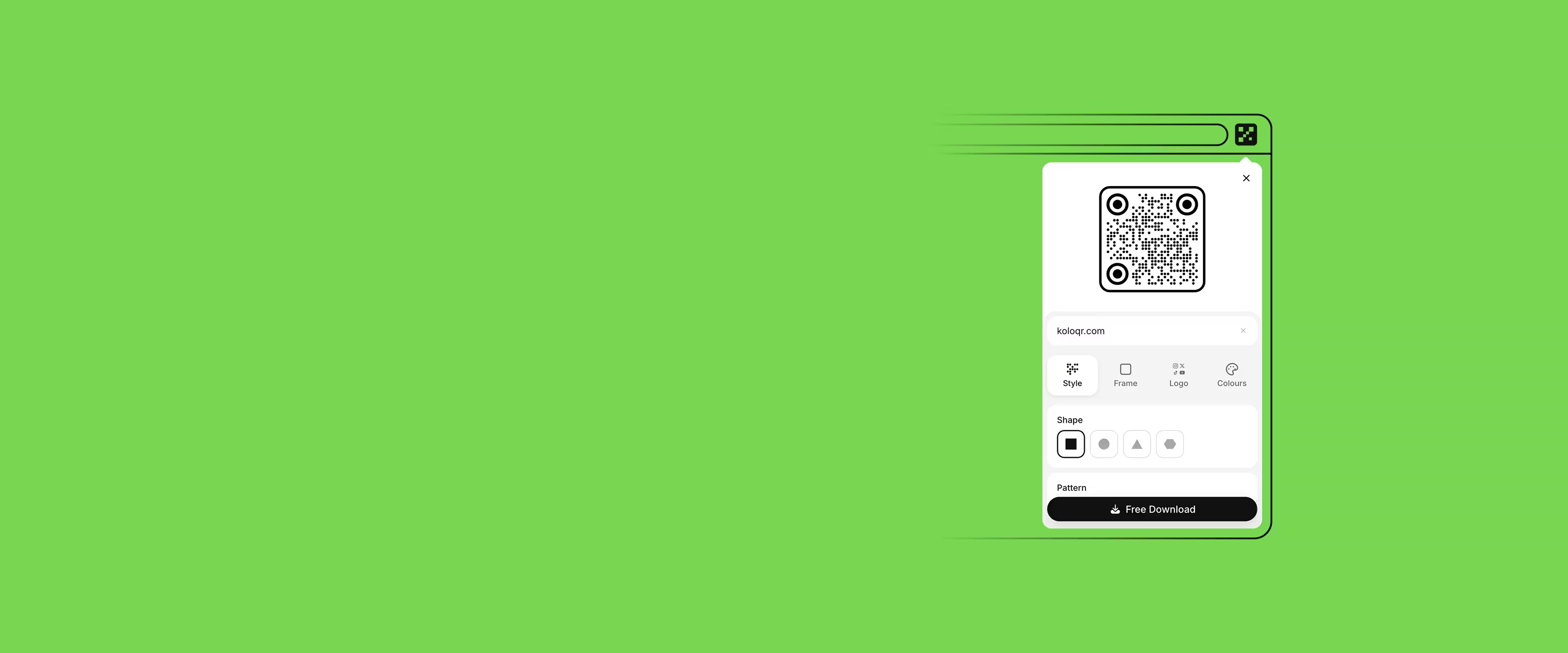
QR Code Generator Extension for Chrome, Edge, and Firefox
KoloQR, a free QR code generator with circular and custom-shaped QR codes, is also a browser extension for Chrome, Edge, and Firefox. It makes static codes for links, Wi-Fi, email, phone, SMS, and text in square, circular, triangular, or hexagonal shapes, adds a logo, colours, and a frame, and saves them as PNG, SVG, PDF, or EPS - offline, with no account.
 Add to Chrome


The KoloQR Extension at a Glance
What the extension does, where it runs, and what it deliberately leaves out - the facts worth knowing before installing anything into a browser.
A History of Your Codes
The KoloQR extension keeps a history of the codes you have made, stored in your browser rather than on a server, so a code from last week can be opened and downloaded again.
Six Kinds of QR Code
The KoloQR extension makes QR codes for links, Wi-Fi networks, email, phone calls, SMS, and plain text - the payloads people most often need while browsing.
Four Shapes, Logo, and Colours
Each code can be square, circular, triangular, or hexagonal, carry your logo in the centre, and take custom colours, dot and eye styles, and a frame with a call to action.
Four Export Formats
The KoloQR extension saves PNG for screens and SVG, PDF, or EPS for print. The three vector formats scale to any size without going soft at the edges.
Works Offline, Sends Nothing
The generator runs inside the extension itself, so it works with no connection and the link or Wi-Fi password you type never leaves the browser. There is no account.
Static Codes Only
A KoloQR code stores its content inside the symbol, so it never expires. The trade-off: a printed code cannot be re-pointed and reports no scan counts.
Which Browsers Can Install KoloQR
One extension, three store listings. Any browser built on Chromium can install from the Chrome Web Store, which covers most desktop browsers people use.
Google Chrome
Install from the Chrome Web Store. The KoloQR extension opens from the toolbar or in Chrome's side panel, and Chrome installs updates on its own.
Microsoft Edge
Install from Microsoft Edge Add-ons, Microsoft's own store, so Edge needs no extra setting to allow extensions from another store.
Mozilla Firefox
Install from Firefox Add-ons. The KoloQR add-on opens in a toolbar popup or in the Firefox sidebar, and asks for one permission: writing to the clipboard.


Brave, Vivaldi, and Arc
These browsers are built on Chromium and install extensions straight from the Chrome Web Store. Open the Chrome listing and click the install button as you would in Chrome.
Opera and Opera GX
Opera installs Chrome Web Store extensions once Opera's own "Install Chrome Extensions" add-on is enabled. With that add-on on, the Chrome listing installs KoloQR as usual.

Safari and Phones
There is no KoloQR extension for Safari, and Chrome on Android and iPhone does not run extensions. On those, the same generator works on koloqr.com in any mobile browser.
How to Install the KoloQR Extension
Installing takes under a minute and needs no account. The steps are the same in Chrome, Edge, and Firefox; only the store and the button label differ.
Use the Web Generator Instead- 1
Open the Store Listing for Your Browser
Use the Chrome Web Store for Chrome, Brave, Vivaldi, Arc, and Opera; Microsoft Edge Add-ons for Edge; Firefox Add-ons for Firefox.
- 2
Click the Install Button and Confirm
The button reads "Add to Chrome", "Get" in Edge, or "Add to Firefox". The browser shows the permissions and installs the extension once you confirm.
- 3
Pin KoloQR to the Toolbar
Open the puzzle-piece extensions menu and pin KoloQR, so its icon stays visible next to the address bar instead of hiding in the menu.
- 4
Make a Code and Download It
Click the KoloQR icon, pick the code type, type or paste the content, style it, then save PNG, SVG, PDF, or EPS. Scan the result with a phone before printing.
KoloQR Extension vs the Browser's Built-In QR Code
Chrome, Edge, and Firefox can each already draw a QR code for the page you are on, with no extension. For sending a link to your own phone, the built-in one is enough; the difference shows once a code carries something other than a web address or is going to be printed.
Nothing to Install
The built-in QR code ships with the browser; KoloQR is an extension you add once.
KoloQRNoChromeYesEdgeYesFirefoxYesQR Code for a Web Page
KoloQRYesChromeYesEdgeYesFirefoxYesWi-Fi, Email, Phone, and SMS Codes
The built-in tools encode the address of a page, so a Wi-Fi login or a phone number needs a separate tool.
KoloQRYesChromeNoEdgeNoFirefoxNoYour Own Logo in the Centre
KoloQRYesChromeNoEdgeNoFirefoxNoCircular, Triangular, and Hexagonal Shapes
Every built-in QR code is a plain square.
KoloQRYesChromeNoEdgeNoFirefoxNoCustom Colours, Dot Styles, and Frames
KoloQRYesChromeNoEdgeNoFirefoxNoPNG Download
KoloQRYesChromeYesEdgeYesFirefoxYesHistory of Codes You Made
The extension keeps past codes in the browser; a built-in QR code is gone once its window closes.
KoloQRYesChromeNoEdgeNoFirefoxNoVector Export (SVG, PDF, EPS)
Vector files scale to a poster or a sign without blurring; a PNG has a fixed pixel size.
KoloQRYesChromeNoEdgeNoFirefoxNo
Questions? Answered
Yes. The KoloQR extension is free in every store, with no account, no paid tier, no limit on how many codes you make, and no watermark on downloads. Codes you create are yours to use commercially. It stays free for the same reason the website does: the generator runs on your own device, so there is no server cost per code.
Yes. Brave, Vivaldi, and Arc install the KoloQR extension directly from the Chrome Web Store. Opera needs its "Install Chrome Extensions" add-on enabled first, after which the Chrome listing installs normally. Edge has its own listing on Microsoft Edge Add-ons, and Firefox has one on Firefox Add-ons.
No. KoloQR has no Safari extension, and Chrome on Android and iPhone does not support extensions at all. On a Mac with Safari or on any phone, open the KoloQR generator in the browser instead: it has the same styling options and export formats, and it also runs entirely on the device.
Right-click an empty part of the page and choose "Create QR code for this page", then download the PNG. Edge has the same right-click option, and Firefox has it under the tab's right-click menu, Share, then Generate QR Code. All three encode only the page address, in black and white, which is fine for opening a page on your own phone.
No. The QR code is generated inside the extension, which is why the KoloQR extension works with no internet connection. The link, Wi-Fi password, or phone number you enter is not sent to KoloQR and not stored on a server. The Firefox listing shows the only permission the add-on asks for: writing to the clipboard.
Yes. The KoloQR extension keeps a history of your codes in the browser, so you can reopen one and download it again without rebuilding it. The history lives on your device, not on a KoloQR server, so it is not synced to another computer and is lost if you remove the extension or clear its data.
No. The KoloQR extension makes static QR codes, which store the link or text inside the pattern itself, so a printed code can't be edited. That also means it never expires and depends on no subscription. If the destination may change, use a dynamic QR service - the guide on static vs dynamic QR codes covers the trade-off.
The usual causes are low contrast, a code printed too small, or a logo that covers too much of the pattern. Keep a dark code on a light background, print it at least 2 × 2 cm, and test it with a phone before printing. The contrast checker and the not-scanning guide walk through the rest.
Use the extension for quick codes while you browse: links, Wi-Fi, email, phone, SMS, and text, one click from any tab, with a history of past codes. Use the website when you need more kinds of code: it adds calendar events, map locations, and payment and crypto codes. Both draw the same four shapes, both are free, and both export the same four file formats.
You don't have to. Chrome, Edge, and Firefox install extension updates automatically in the background, usually within a few hours of a release. Each release is listed with its date on the changelog, so you can check which version you should have.
Why KoloQR?
- Create QR codes for websites, menus, Wi-Fi, PDFs, and business cards
- Customize colors, logos, and unique shapes
- Download high-quality PNG and SVG files
- Built for both print and digital
