
The Free, Open-Source Flowcode Alternative
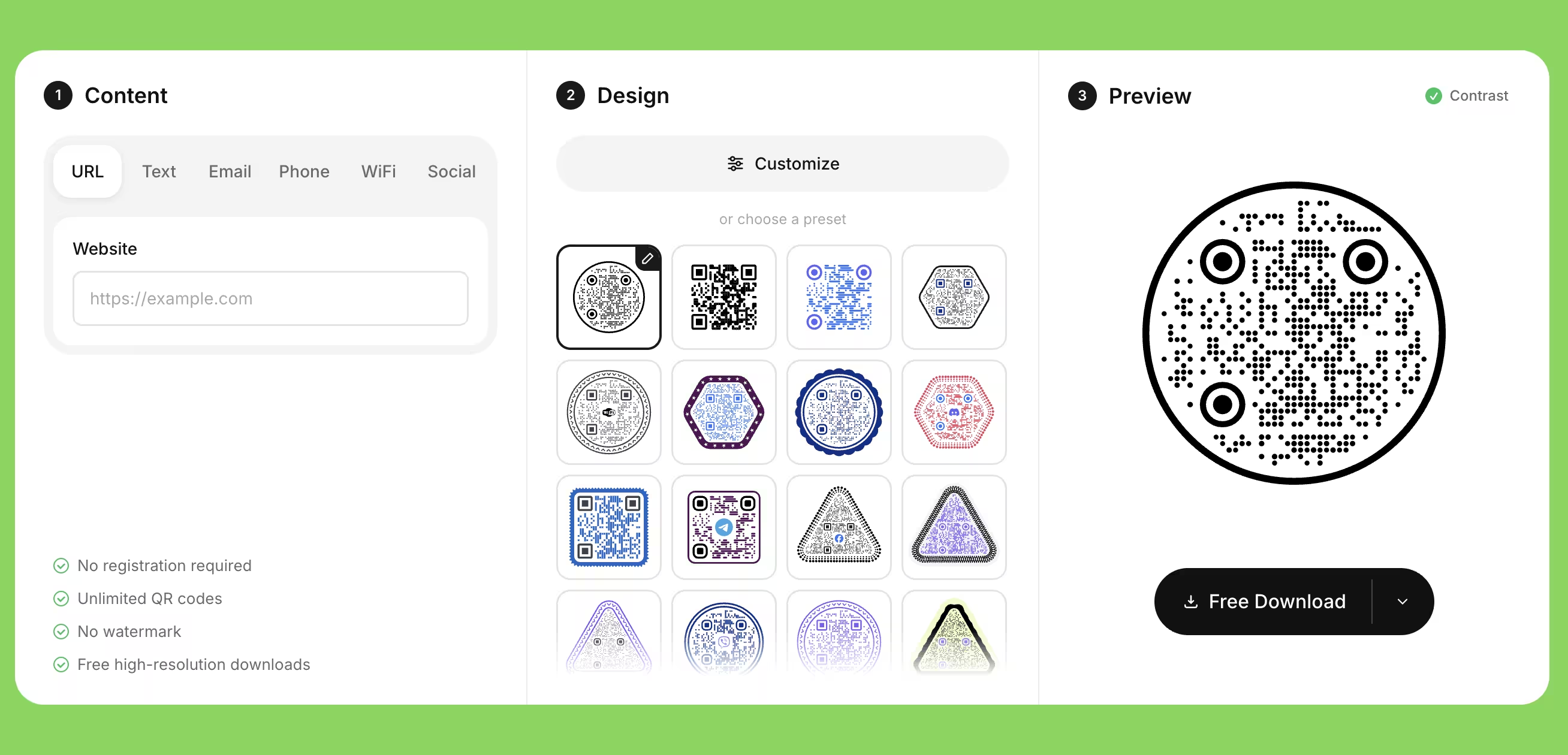
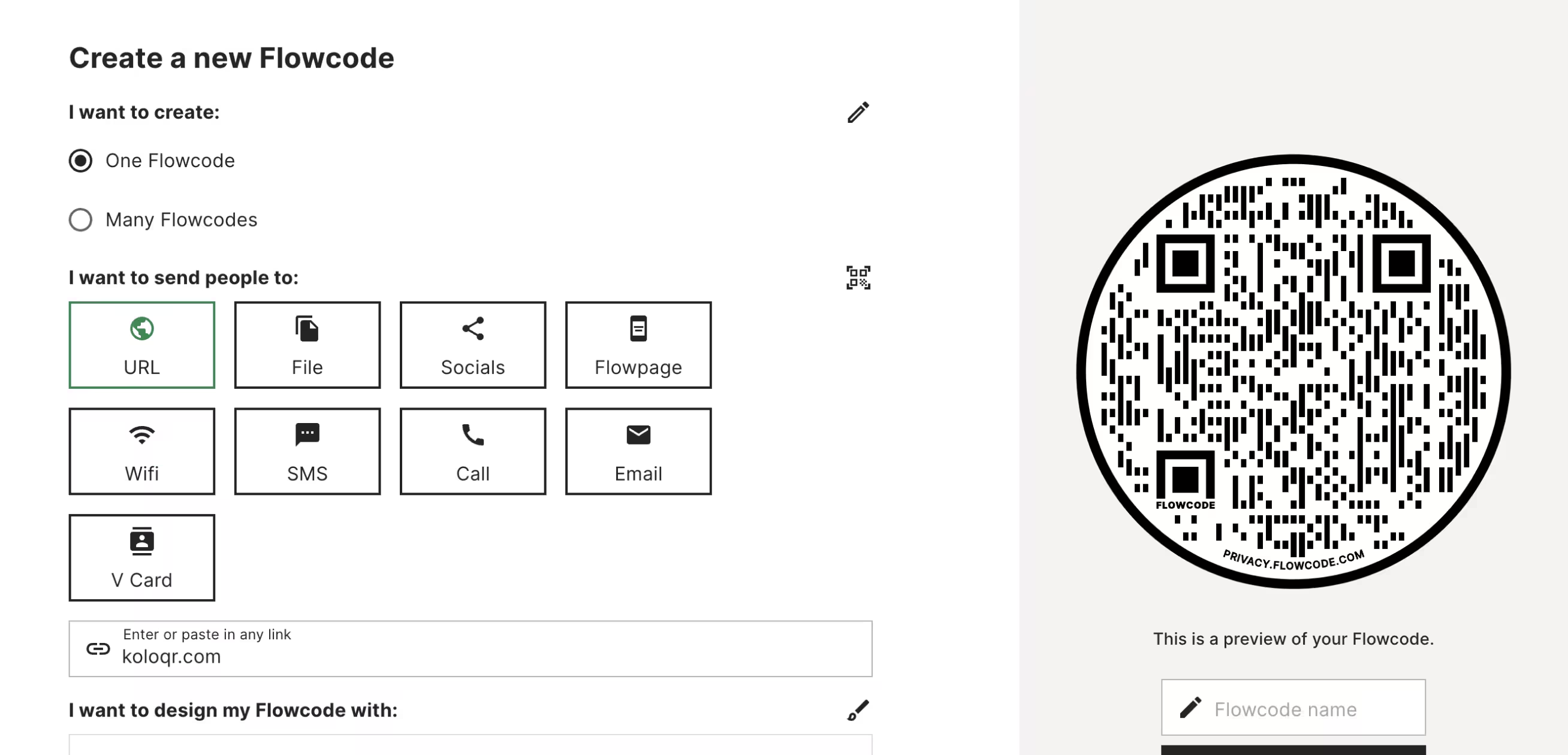
Both create QR codes, but they sit at opposite ends of the market. Flowcode is a premium, design-led platform built around dynamic codes, scan analytics, and landing pages - powerful, but account-based and paid for anything serious. KoloQR is a free, open-source generator for print-ready static codes you can design and download in seconds, with no account. Here's an honest side-by-side to help you choose.
Feature Comparison
The areas where KoloQR leads on design freedom and access. Flowcode's own strengths - dynamic codes, analytics, and landing pages - are covered in the overview below.
Downloads Without Sign-up
KoloQR downloads need no account. Flowcode requires you to create an account before you can download any code.
KoloQRYesFlowcodeNoOpen Source
Inspect, modify, and self-host the KoloQR source code. Flowcode is a proprietary, hosted platform.
KoloQRYesFlowcodeNoCustom QR Shapes
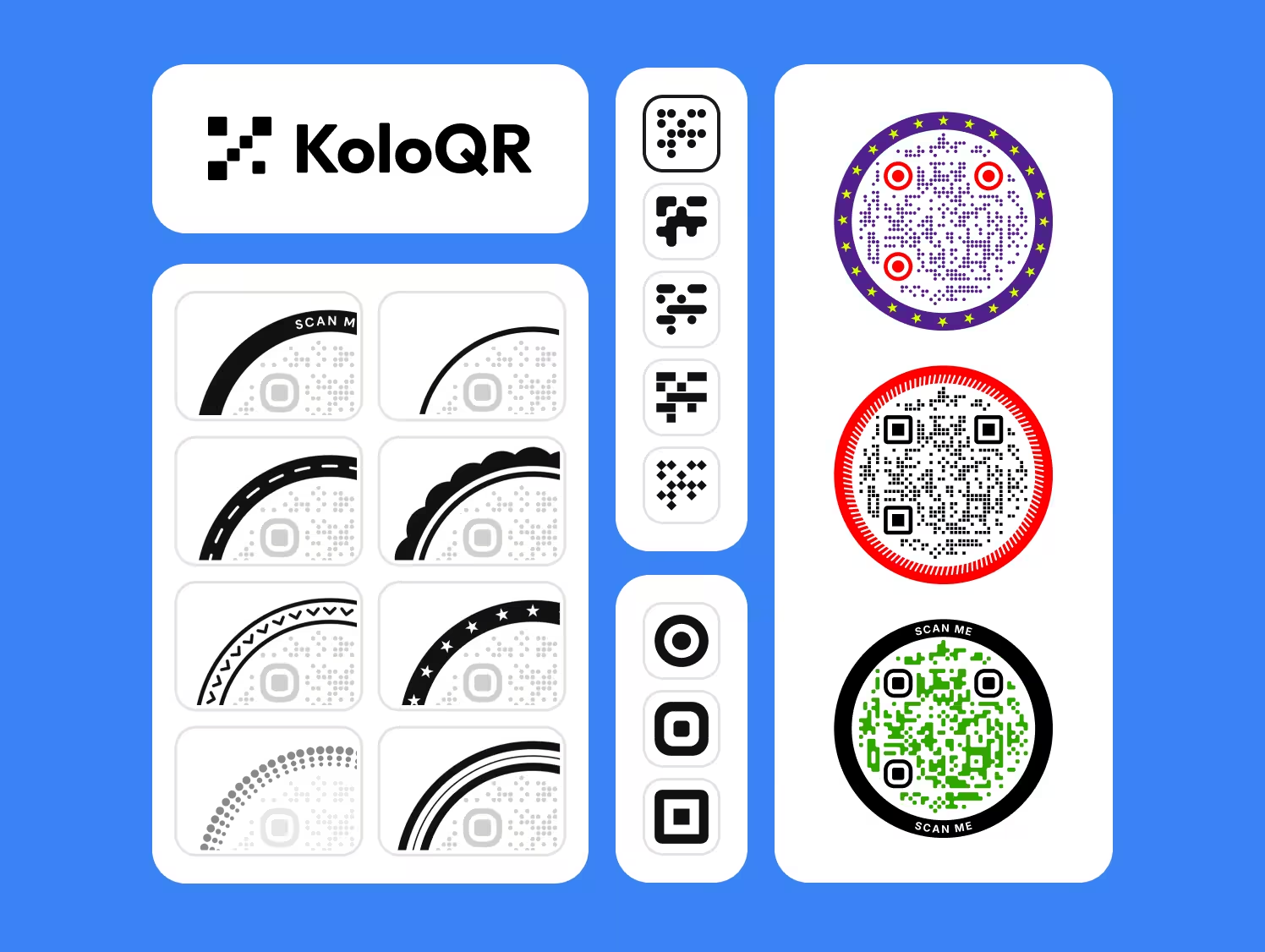
Circular, rectangular, triangular, and hexagonal outer shapes. Flowcode styles pattern, color, and frame within a square code.
KoloQRYesFlowcodeNoPremium QR Frames
Ready-made frames with a call to action. Both tools offer these.
KoloQRYesFlowcodeYesVector Export (SVG, PDF, EPS)
Both export vectors, but KoloQR's are free and unwatermarked. Flowcode's SVG needs a paid plan and free codes carry a watermark.
KoloQRYesFlowcodeYesCopy Straight to Figma
Paste a QR code into a Figma file without exporting and re-importing.
KoloQRYesFlowcodeNoChrome Extension
Generate a QR code from any open webpage in one click.
KoloQRYesFlowcodeNoBuilt-in Contrast Checker
Warns you when foreground and background contrast is too low to scan reliably.
KoloQRYesFlowcodeNo
Where Each Tool Actually Leads
The table only tells part of the story. KoloQR and Flowcode are built for different jobs. Here's the honest picture so you can choose the right tool rather than the one with the longest feature list.
KoloQR: Free, Permanent, Design-Flexible Static Codes
If you want a print-ready QR code in seconds - no account, no watermark, and a code that keeps working no matter what - KoloQR is the simpler path.
- Custom Shapes - Circular, hexagonal, triangular, and rectangular codes, plus logo support and full color control.
- No Account, No Watermark - Download high-quality PNG and vector files without signing up, and with no branding added to your code.
- Codes That Don't Expire - Static codes are encoded directly, so they never expire and don't depend on a platform account or subscription staying active.
- Print-Ready and Open Source - Free SVG, PDF, and EPS export, a contrast checker, plus source code you can inspect and self-host.
KoloQR makes static QR codes. Because the link lives in the code itself, it's platform-independent - you can switch tools anytime without reprinting. The trade-off is that you can't change the destination or track scans once it's printed.
What Is Flowcode? Premium Design, Tracking, and Landing Pages
If you want polished branded codes, scan analytics, landing pages, and lead capture in one platform, Flowcode is built for that - and KoloQR isn't.
Flowcode is a design-led marketing platform, known for high-quality branded codes, dynamic destinations you can edit after printing, and real-time analytics by location, device, and time. It adds Flowpage landing pages, first-party data collection, CRM integrations, bulk generation, an API, and strong privacy compliance (GDPR, CCPA, SOC2). The trade-offs: you need an account to download anything, the free plan adds a watermark and caps scans, SVG export and serious features sit on paid plans from $25/month, and because the codes are dynamic they're tied to Flowcode - if the subscription lapses, they stop working. Choose Flowcode when tracking, landing pages, and data collection matter more than free, permanent, platform-independent codes. If the subscription is the sticking point rather than the platform, the other options are weighed against each other in seven Flowcode alternatives.
Generate QR Code
How to Choose, and Where Brand Design Meets Scannability
Flowcode sells codes that look designed, and design is exactly where scanning quietly breaks. These are the checks that keep a beautiful code working once it is on paper.
Check What the Free Plan Adds to the Symbol
Before the artwork is signed off, download the actual file you intend to print and open it at full size. Flowcode's free tier stamps a watermark and caps how many scans a code will serve - both are easy to miss in a preview and impossible to fix once the run is off the press.
Confirm the Export Format Before the Layout Is Locked
SVG sits behind a paid plan, and that single fact sets your maximum print size. If the code will appear on anything larger than a flyer, settle the export question first: designing a billboard around a PNG is a problem you discover at the worst possible moment.
Separate What the Code Is From What Renders It
A dynamic code is a pointer at a vendor's redirect service, so the printed object outlives the thing that makes it work. A static code encodes the destination itself and keeps working with no account behind it. Decide which of the two you are printing before anyone opens a design tool.
Style Within the Limits, Not Against Them
Rounded modules, custom eyes and a brand palette are all fine, and none of them help a camera. Scanning is decided by contrast, quiet zone and module size, and every styling decision spends part of that budget. Design freely inside those three constraints and the code stays reliable.
Keep the Code Darker Than Its Background
Inverted codes - light modules on a dark field - do scan on many current phones and fail on enough of the rest to matter in print. If the brand guideline calls for it, test on an older Android as well as a recent iPhone before committing, and keep a conventional version ready.
Protect the Margin the Design Wants to Fill
The empty band around the symbol, four modules deep, is what tells a scanner where the code starts. It is also the first thing a layout borrows when space runs short. Treat it as part of the code rather than as padding, and never let a frame or a background image cross into it.
Size the Code for the Furthest Reader
Work from the reading distance rather than from the space the layout has left over. The symbol needs roughly a tenth of the distance it will be scanned from: a shelf label read at arm's length is fine at 3 cm, while a code in a shop window read from the pavement needs more width than a designer usually wants to surrender.
Pay for the Logo in Modules
A logo over the center removes modules the scanner expected to find, and error correction is what covers the loss - levels Q and H hold back roughly a quarter of the symbol for exactly that. It costs density: the same printed width now carries more, smaller modules. Keep the logo small enough that you barely need the higher level.
Proof It on the Real Material
Gloss lamination under a downlight is the classic failure - the highlight blows out part of the symbol and the camera never locks on. Test the printed proof, on the actual stock, at the actual distance, in the light the code will live in. A matte finish solves most of it.
Give People a Route That Is Not the Camera
Print the destination as short readable text beside the code, and a phone number where one makes sense. It costs a line of type and covers everyone with a cracked lens, an empty battery or no data allowance - the most common omission on otherwise careful print work.
Questions? Answered
Yes, if you want free, design-flexible static QR codes with no account and no watermark. KoloQR offers custom shapes, logos, and free vector export, and it's open source. It isn't an alternative for Flowcode's dynamic codes, analytics, or landing pages - those it doesn't offer.
KoloQR makes free static codes with no account and no watermark, and the codes are permanent. Flowcode is a premium platform built around dynamic codes, analytics, and landing pages, with an account required and paid plans for anything serious. One is about free, permanent codes; the other about tracking and marketing.
Yes. Flowcode's own generator asks you to create an account before you can download, even on the free plan. KoloQR lets you download PNG and vector files instantly, with no sign-up.
On its free plan, yes - free Flowcode codes carry a watermark and a 500-scan cap, and SVG export requires a paid plan from $25/month. KoloQR's codes are unwatermarked and its vector export is free.
No. KoloQR makes static codes, where the data is fixed in the code. They never expire and need no account, but you can't change the destination or track scans after printing. For that, a dynamic platform like Flowcode is the right choice.
No. Static codes are encoded directly and keep working as long as the destination page is live. Dynamic codes, like Flowcode's, route through the platform and can stop working if the subscription lapses.
Yes. Circular QR codes are a core KoloQR feature, along with rectangular, triangular, and hexagonal shapes. Flowcode offers strong branded styling - colors, logos, patterns - but keeps the standard square outer shape.
It depends on your needs. For a stable menu link, a free static KoloQR code is simple, unwatermarked, and never expires. If you update the menu often, want scan numbers, or want a branded landing page, Flowcode's dynamic codes and Flowpage are worth the subscription.
No. KoloQR doesn't track scans, since a static code carries no redirect to measure. If analytics matter - location, device, time - Flowcode is built for that and KoloQR isn't.
Yes. You can inspect, modify, and self-host the KoloQR source code. Flowcode is a proprietary, hosted platform, so its code isn't available to review or run yourself.
Yes. Export SVG, PDF, or EPS free and the code stays sharp at any size, from a business card to a billboard. Flowcode also offers vector export, though on a paid plan.

Design Your QR Code in Seconds - Free
If your project needs a beautiful, print-ready static QR code with no account, no watermark, and no subscription, KoloQR is the quickest way there.
And if you need dynamic codes, scan analytics, landing pages, or lead capture, Flowcode is a strong, design-led choice - we'd rather point you to the right tool than pretend one size fits all.
Generate QR CodeKeep Exploring
Pages that pick up where this one leaves off - the same setting, the same kind of code, or the next thing worth deciding.
Do QR Codes Expire? The Pattern Never Does
The pattern never expires, and four things behind it do. Which one failed, how to tell them apart, and which of them you can fix without reprinting.
Static or Dynamic? Decide It Before Anything Is Printed
The difference is where the destination lives, and price, analytics and every failure mode follow from it. Four questions that settle which one to print.
Best QR Code Generator in 2026: Six Free Tools Compared
Free resolves to three different arrangements - a code you keep, a code you rent, and a trial that ends - and the vendor's pricing page is rarely where the difference is stated.
Seven Flowcode Alternatives and What Each Replaces
Flowcode's free plan stops at 2 codes and 500 scans, and the first paid step is $25 a month - here is what seven alternatives cost, and why none of them can rescue a code that is already printed.
A Free QR Tiger Alternative, No Signup
A design-first, open-source QR generator compared with a campaign-focused tracking platform. See which one fits your project.
Custom Shapes QRCode Monkey Can't Make
Two free, no-signup static QR code makers with print-ready vector export. The difference is in shapes, open source, and designer workflow.
Why KoloQR?
- Create QR codes for websites, menus, Wi-Fi, PDFs, and business cards
- Customize colors, logos, and unique shapes
- Download high-quality PNG and SVG files
- Built for both print and digital
