Turn Your TikTok Profile Into a Scannable QR Code
Enter your username, style the code to match your brand, and download a QR code that opens your TikTok profile in the app or the browser in one tap.
Opens in Google Maps. Coordinates work too - "37.4224, -122.0841".
The code opens your business's "Write a review" form. Paste the Place ID, or a Google Maps link that carries one.
A UPI link carries no checksum, so a mistyped ID produces a code that scans perfectly and pays somebody else. Paste the ID from your payment app rather than typing it, and send yourself one rupee before printing.
Paste it exactly as copied. KoloQR does not assemble the payload - it encodes the one your bank issued, and checks it before you print it.
SVG, PNG, JPG • Max 2 MB
First month free
then $9/month
Dynamic QR Codes Are Coming
Change your link anytime, even after printing. See who scans, when and where.
- Edit without reprinting
- Scan analytics
- Bulk & custom domains
You're on the List
We'll email you once, when dynamic codes with scan analytics launch.
What Is a TikTok QR Code?
A TikTok QR code is a QR code that stores the web address of a TikTok profile, video, or hashtag page. Scanning it opens that page in the TikTok app if it is installed, or in a mobile browser if it isn't. The address lives in the pattern, so the printed code needs no account and no service behind it to keep working.

How a TikTok QR Code Works
Three things sit between the scan and the profile on screen:
- The Address - https://tiktok.com/@ followed by your username. Unlike an X profile, the @ is part of a TikTok address and the link does not resolve without it.
- The Pattern - the address encoded as modules. A TikTok username runs to at most 24 characters, so a profile link stays short and the pattern stays sparse.
- The Open - the phone hands the link to the TikTok app through its universal links; with no app installed, the same address opens the web profile.
The same pattern points anywhere on TikTok. A single video is tiktok.com/@username/video/ plus a 19-digit id, and a campaign hashtag is tiktok.com/tag/ plus the tag with no hash. Both work, but a video link is roughly three times the characters of a profile link, so its pattern is noticeably denser - print it a size larger.
A TikCode Is Not the Same Thing
TikTok generates a code of its own inside the app - the TikCode, a rounded pattern with your avatar in the middle, found under the profile menu. It is built to be read by TikTok's own in-app scanner and to be shared on a screen, and its appearance is fixed: no shape, no colours, no vector export. A QR code you generate holds the ordinary tiktok.com web address instead, so any native phone camera reads it, any printer reproduces it at any size, and the design is yours. For a screenshot passed between two people who both already have TikTok open, the TikCode is fine. For a shop window, a poster, or a product insert - where the person scanning is using the camera app and may not have TikTok at all - a standard QR code is the one that works. That is what KoloQR generates.
Generate QR Code
Where TikTok QR Codes Are Used
TikTok's audience is already holding the phone, so the useful placements are the ones that catch them somewhere the app isn't:
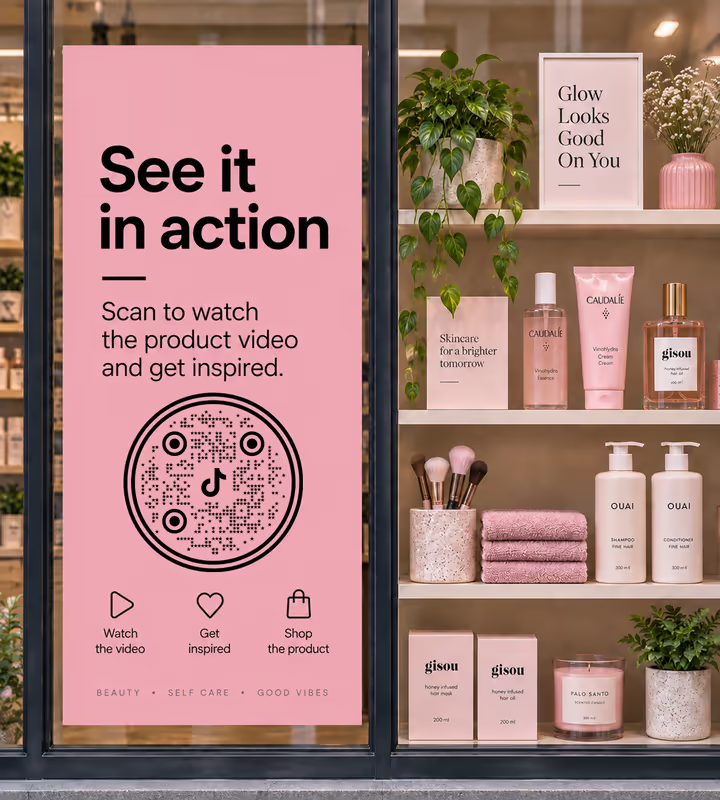
Shop Shelves and Window Displays
Link a product to the video showing it in use, which is the demo no shelf label can give.

Packaging and Unboxing Inserts
Catch someone at the moment the box opens and point them at the recipe, tutorial, or care video.

Restaurant Menus and Table Tents
Send diners to the kitchen's own account so the dish they just ordered has a face behind it.
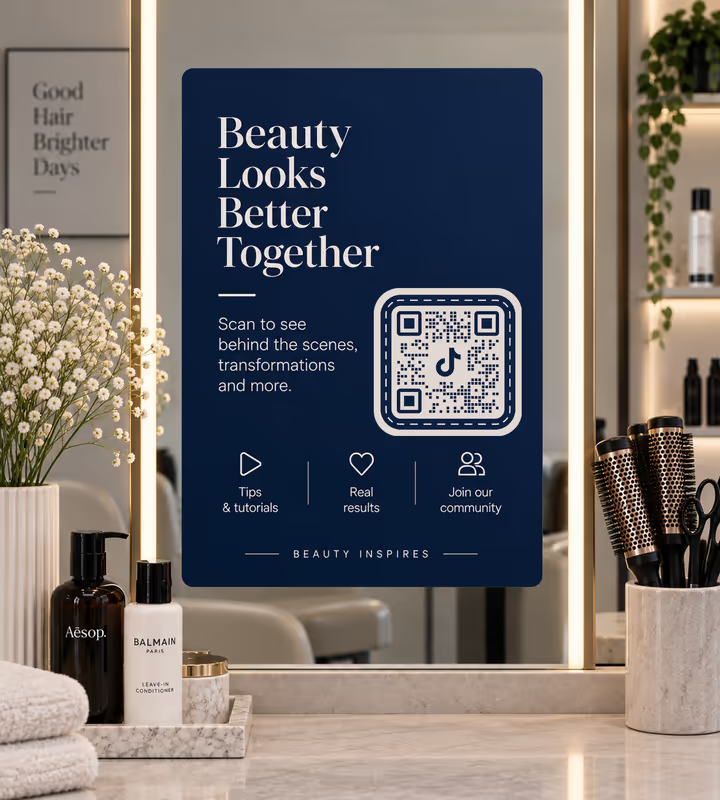
Studio and Salon Mirrors
A code where people already sit still and look forward turns a service into a follow.
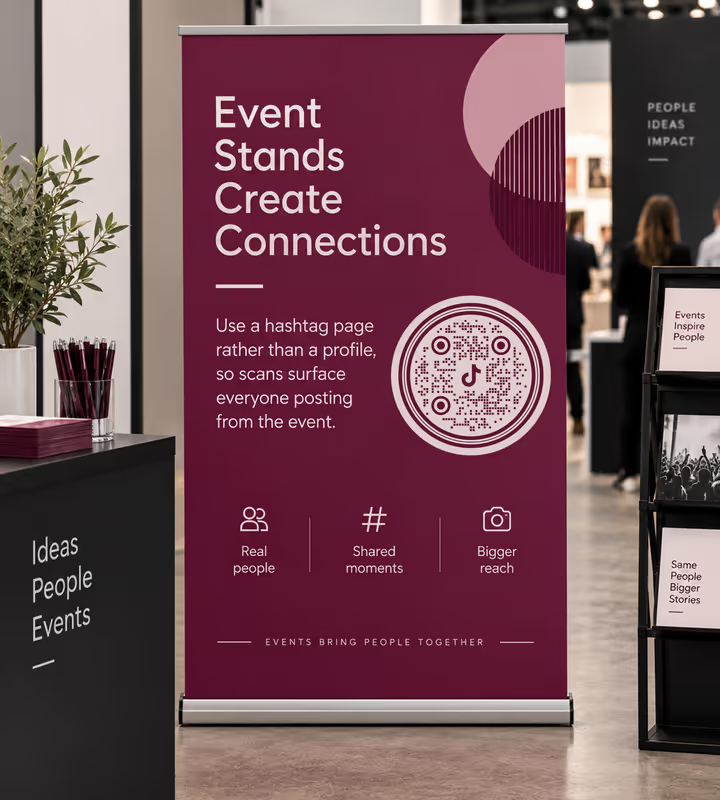
Event Stands and Pop-Ups
Use a hashtag page rather than a profile, so scans surface everyone posting from the event.
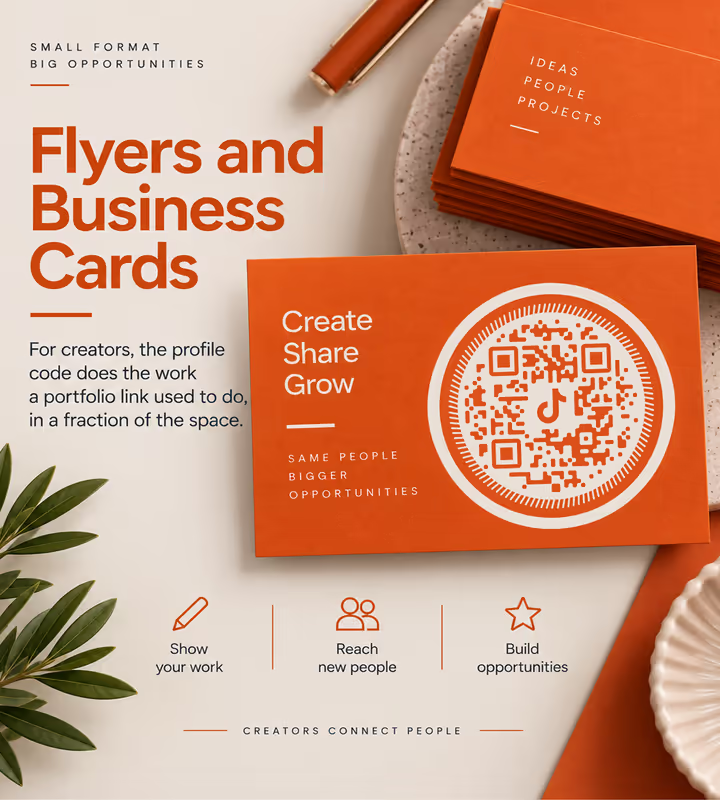
Flyers and Business Cards
For creators, the profile code does the work a portfolio link used to do, in a fraction of the space.
- 1
Pick TikTok and Enter Your Username
Type the username as it appears on your profile - KoloQR adds the tiktok.com/@ in front. Paste a full URL instead for a specific video or hashtag page.
- 2
Choose What the Scan Opens
A profile builds followers, a video sells one thing, a hashtag page collects a campaign. Pick one; a code that opens the wrong level of the app wastes the scan.
- 3
Customize the Design
Choose a shape, set the colors, and add a logo if you have one. Keep the pattern clearly darker than whatever sits behind it.
- 4
Test and Export
Scan it on a phone without TikTok installed as well as one with it - the two journeys differ. Then export PNG for screens, SVG or PDF for print.

Which File Format Should You Download?
KoloQR exports your TikTok QR code in three formats. Pick by where it will be seen:
- PNG for video end cards, stories, websites, and anywhere the code appears at a single fixed size.
- SVG for window vinyl, shelf strips, and anything a printer will scale up without softening the edges.
- PDF for handing to a print shop or dropping into a packaging artwork file at print-ready quality.
Packaging is where the difference bites. A TikTok video link is already a dense pattern, and printing that pattern from an upscaled PNG at small size is how a code that worked on screen stops working on the box.
Generate QR CodeBest Practices for TikTok QR Codes
Most TikTok codes fail for reasons that have nothing to do with TikTok - and a couple that have everything to do with it:
Keep the @ in the Address
A TikTok profile lives at tiktok.com/@username. Without the @ the address does not resolve, which is the most common way a hand-typed TikTok link ends up encoded wrong.
Point at a Profile Unless You Have a Reason Not To
Profile links are short, dense-free and permanent while the username holds. Video links carry a 19-digit id and stop working if the video comes down.
Settle the Username Before Printing
TikTok allows a username change every 30 days, and a changed username breaks every printed code pointing at the old one. Fix it before the print run, not after.
Expect Sound
TikTok opens playing, usually with audio. A code on a shelf in a quiet shop puts someone on the spot - place it where a burst of sound is not awkward, or say “scan for the video” so people can choose.
Label What the Code Opens
“Watch how it's made on TikTok” earns more scans than a bare square, and it warns the people who will not want it.
Keep Strong Contrast
TikTok's brand cyan and magenta are both too light to carry a pattern on white. Use them in the surrounding artwork and keep the modules themselves dark.
Protect the Quiet Zone
Four modules of clear margin on every side. On busy packaging this is the first space a layout borrows and the first reason the scan fails.
Size It for the Distance
Roughly a tenth of the reading distance: about 2 cm on a table tent, about 20 cm on a window code read from 2 metres away.
Test on a Phone Without TikTok
The app-less path is what most first-time scanners see, and it is the one that tells you whether the web page you are sending them to is worth arriving at.
Have a Fallback Where TikTok Is Blocked
TikTok is restricted on many corporate and school networks and unavailable in some countries. If that matters to your audience, print a second code or a short URL beside it.
Why Your TikTok QR Code Isn't Working
A TikTok code that scans cleanly can still land in the wrong place. These four cover nearly every case.
The Scan Opens a TikTok Search or Error Page
- Cause
- The @ was dropped from the address. tiktok.com/username is not a profile URL - only tiktok.com/@username is - so the site has nothing to resolve and falls back to search.
- Fix
- Enter the username in the Social form and let it build the address, or check the pasted URL contains the @ before you generate. Then scan the exported file once.
The Video Link Now Opens “Video Unavailable”
- Cause
- The video was deleted, made private, or taken down. A video URL is a permanent pointer to something the account can remove at any moment, and the printed code cannot know.
- Fix
- Point printed codes at the profile and pin the video to the top of it. The pin can be swapped in seconds; a printed code cannot.
Nothing Happens on a Work or School Phone
- Cause
- TikTok is blocked on many managed networks and devices, and in some jurisdictions entirely. The code and the link are both fine; the network refuses the destination.
- Fix
- Test on mobile data as well as venue Wi-Fi, and where the audience is likely to be on a managed network, print an alternative destination beside the code.
The Code Is Too Dense to Read at Small Size
- Cause
- A video URL runs to roughly 60 characters against a profile URL's 30, which pushes the symbol to a higher version - more modules in the same square, each one smaller.
- Fix
- Use the profile link, or increase the printed size. If the code must stay small and specific, use the short vm.tiktok.com link from TikTok's share sheet, accepting that it depends on TikTok's redirector.
Still not sure whether the fault is the file or the print? Drop the exported image into the QR code scanner - if it decodes on a desktop and not on paper, the fault entered after the file.
Questions? Answered
A TikTok QR code stores the web address of a TikTok profile, video, or hashtag page. Scanning it with a phone camera opens that page in the TikTok app if it is installed, or in the browser if it isn't.
Choose the Social type in KoloQR, pick TikTok, and enter your username. Adjust the shape, colors, and logo if you like, then download a PNG or SVG. No account is needed and no watermark is added.
No. A TikCode is TikTok's in-app code, built for TikTok's own scanner and fixed in appearance. A standard QR code holds the tiktok.com address, so any phone camera reads it and you control its shape, colors, and export format.
Yes. A TikTok profile lives at tiktok.com/@username, and the address does not resolve without the @. This is the opposite of X, where the handle goes in the URL bare - so the two are easy to mix up.
Yes, by encoding the full video URL. Two caveats: the link carries a 19-digit id and makes a denser pattern, and it breaks if the video is deleted. For anything printed, linking the profile and pinning the video is safer.
Every printed code pointing at the old username stops working. TikTok permits a change every 30 days, so decide on the username before a print run, or point the code at a redirect on your own domain instead. Posting on X as well? A Twitter QR code opens a profile, a post, or a follow prompt.
No. Without the app the link opens the web version of the profile or video in a mobile browser. With it, the phone deep-links straight into the app. Test both - the app-less view is what most new visitors get.
Yes, within one limit: the pattern has to stay clearly darker than its background. TikTok's cyan and magenta are too light to carry the modules on white, so use them around the code rather than in it.
Not on its own. A static QR code has no server in the middle to count anything. To measure scans, point the code at a link you control with tracking on it, then let that redirect to TikTok.
Check the @ is in the address, the pattern is darker than its background, there is clear margin around it, and it is printed about a tenth as wide as the reading distance. Those four cover most failures.
Keep Exploring
Pages that pick up where this one leaves off - the same setting, the same kind of code, or the next thing worth deciding.
Instagram QR Code
Send people straight to your Instagram profile, a single post, or a reel.
Snapchat QR Code
Open a Snapchat profile from any phone camera - not only from inside the app.
Beauty Salons
Rebooking at the chair, per-service aftercare and a portfolio per stylist, with codes that survive acetone, colour and hairspray.
Marketing Agencies
Produce campaign codes for client print runs: sized per placement, exported as vector, and pointed at a redirect the client keeps.
X (Twitter) QR Code
Send people straight to your X profile, a single post, or a one-tap follow prompt.
YouTube QR Code
Send people straight to a channel, a single video, a playlist, or the subscribe prompt.
Why KoloQR?
- Create QR codes for websites, menus, Wi-Fi, PDFs, and business cards
- Customize colors, logos, and unique shapes
- Download high-quality PNG and SVG files
- Built for both print and digital
