Make a Snapchat QR Code Anyone Can Scan
Enter your username, style the code to match your artwork, and download one that works from the ordinary camera app - which a Snapcode does not.
Opens in Google Maps. Coordinates work too - "37.4224, -122.0841".
The code opens your business's "Write a review" form. Paste the Place ID, or a Google Maps link that carries one.
A UPI link carries no checksum, so a mistyped ID produces a code that scans perfectly and pays somebody else. Paste the ID from your payment app rather than typing it, and send yourself one rupee before printing.
Paste it exactly as copied. KoloQR does not assemble the payload - it encodes the one your bank issued, and checks it before you print it.
SVG, PNG, JPG • Max 2 MB
First month free
then $9/month
Dynamic QR Codes Are Coming
Change your link anytime, even after printing. See who scans, when and where.
- Edit without reprinting
- Scan analytics
- Bulk & custom domains
You're on the List
We'll email you once, when dynamic codes with scan analytics launch.
What Is a Snapchat QR Code?
A Snapchat QR code is a standard QR code that stores a snapchat.com/add/username address. Scanning it with any phone camera opens that profile - in the Snapchat app if it is installed, or on Snapchat's web page for the account if it is not. It is an ordinary web link in an ordinary QR code, which is precisely what makes it different from a Snapcode.

A Snapcode Is Not a QR Code
The two look similar on a poster and behave completely differently in the street:
- A Snapcode - Snapchat's own dotted pattern around the ghost. It is read by the Snapchat camera, not by the phone's ordinary camera app, so it only works for people who already have Snapchat open.
- A QR Code Holding snapchat.com/add/username - read by every phone camera made in the last several years, and by every QR scanner app. It reaches the person who does not have Snapchat yet.
- Both, Side by Side - what the larger campaigns print, because the two audiences are genuinely different and the printed space is cheap.
This is the whole decision. If the code is going somewhere your existing audience will see it - inside the app, on a story, at a Snapchat-heavy event - the Snapcode is fine and it is what people expect. If it is going on a shop window, a product box, a poster in a bus shelter, or anywhere a passer-by might lift a phone, print a QR code: a passer-by opens their camera, not Snapchat, and a Snapcode gives them nothing at all.
What Happens for Someone Without the App
A snapchat.com/add/username link is a web address, so a phone without Snapchat opens Snapchat's web page for that account rather than failing. The visitor sees the profile and a prompt to get the app, which is a workable outcome and a very different one from the in-app experience - it takes an install and an account before they can do anything. That is the honest limit of a printed Snapchat code: it converts well among people who already use Snapchat and poorly among people who do not. It also means the username in the link is the whole address, so it must be exactly right, including case-insensitive spelling and any full stops or underscores that are easy to lose in artwork.
Generate QR Code
Where Snapchat QR Codes Are Used
Printed Snapchat codes work where the audience skews young and the moment is short:
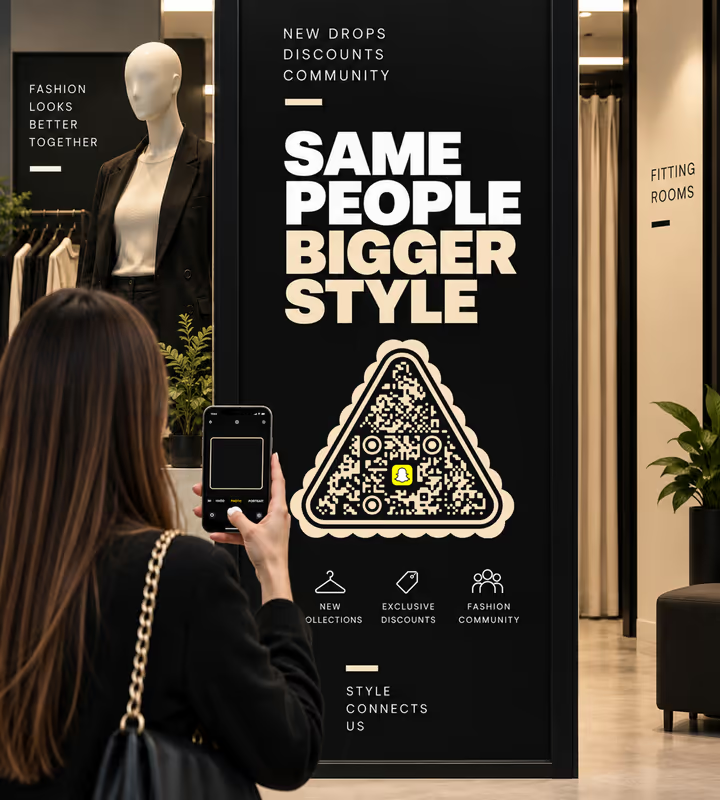
Retail Windows and Fitting Rooms
A code where a customer is already holding a phone, pointed at the account that posts the drops and the discount codes.
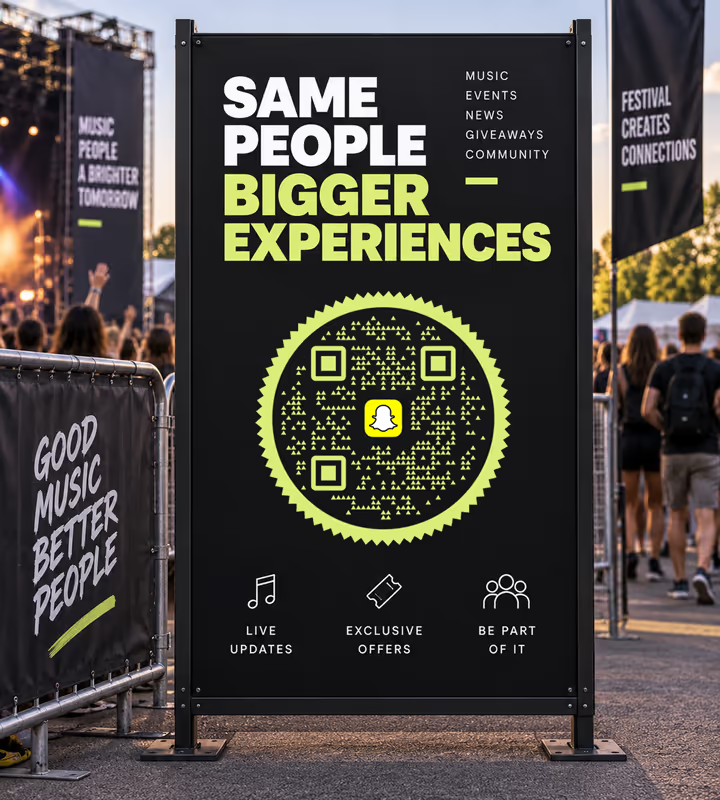
Festivals and Live Events
Wristbands, stage signage and entrance boards, where following an account takes one scan and no typing.
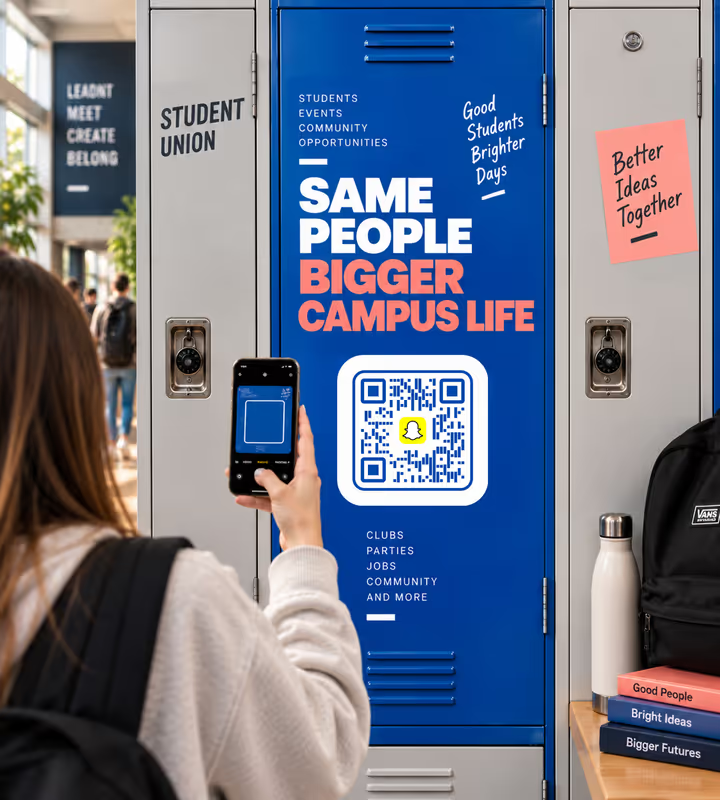
Campus and Student Union Notice Boards
The one audience where Snapchat is still the default place a message gets read.
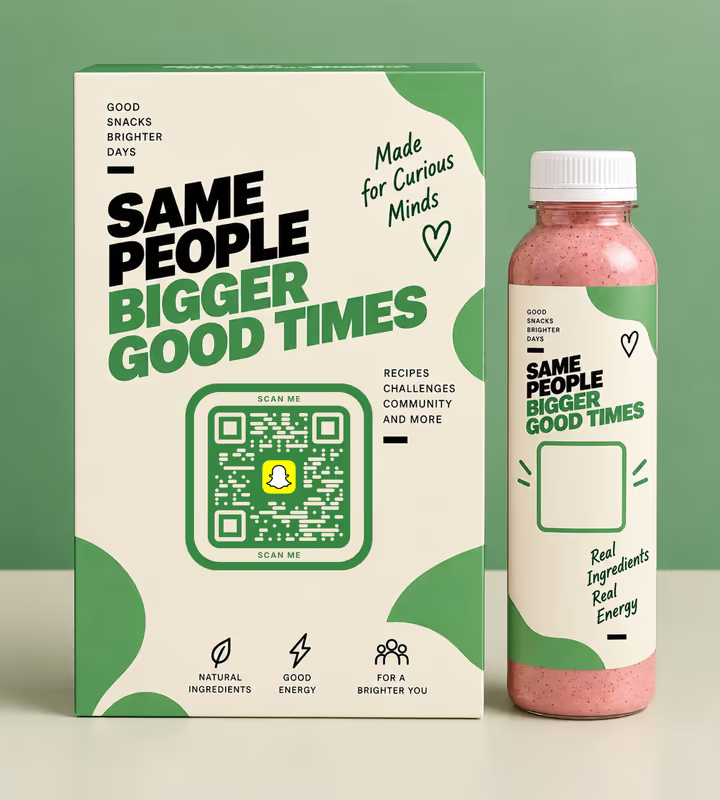
Product Packaging for Younger Ranges
A code on the box that opens the brand account rather than a website nobody visits twice.

Creator Merch and Stickers
A sticker that adds the creator directly, instead of a handle that gets misspelled from memory.

Restaurant and Café Table Cards
Where the account is doing the work a loyalty card used to - specials, giveaways, and the queue-jumping code.
- 1
Check the Username Character by Character
The username is the entire address. A missing underscore or a transposed digit produces a code that opens a stranger's profile, and printing does not forgive that.
- 2
Pick Snapchat and Enter the Username
Choose the Social type, pick Snapchat, and type the username. KoloQR puts snapchat.com/add/ in front of it. For a public profile or a Lens link, paste the full URL instead.
- 3
Customize the Design
Choose a shape, set the colors, add a logo. Snapchat's yellow is far too light to carry the modules - use it as the background and keep the pattern dark.
- 4
Test and Export
Scan with an ordinary camera app on a phone that does not have Snapchat installed, then export SVG or PDF for print and PNG for screens.
How to Scan a Snapchat QR Code
Two cameras, two behaviours. Knowing which is which is what stops a printed code from silently reaching half its audience - and when all you have is a screenshot, the QR code scanner reads it from the image file.
From the Phone's Camera App
Open the ordinary camera, point it at the code, and tap the link that appears. This is the path a passer-by takes, and it works on a standard QR code holding a snapchat.com address:
- With Snapchat Installed the link opens the app at that profile, ready to add.
- Without Snapchat the link opens Snapchat's web page for the account, with a prompt to get the app.
- On a Snapcode nothing happens - the ordinary camera does not act on Snapchat's own pattern.
From Inside the Snapchat App
Snapchat's own camera reads both formats. Point it at a Snapcode and it offers to add the account; point it at an ordinary QR code and it handles that too, opening the link. This is why a code printed for an existing Snapchat audience can be either format, and a code printed for the public has to be a QR code.
- Press and Hold on the Snapchat camera screen is the gesture that scans a Snapcode.
- A Screenshot of a Snapcode can be scanned from the camera roll inside the app, which a printed code cannot offer.

Which File Format Should You Download?
KoloQR exports your Snapchat QR code in three formats. Pick by where it will be seen:
- PNG for stories, websites, and slides, where the code appears at one fixed size on a screen.
- SVG for stickers, window graphics, and packaging - anything a printer scales without softening the edges.
- PDF for handing to a print shop or a signage supplier at print-ready quality.
A snapchat.com/add/username payload runs to around 30 characters, which keeps the pattern sparse enough to print small on a sticker. That headroom is worth spending on size rather than on a longer link - Snapchat codes are scanned outdoors, at events, in movement, which is the least forgiving set of conditions a printed code meets.
Generate QR CodeBest Practices for Snapchat QR Codes
The format decision is the big one. After that, it is a printed link like any other - with a very unforgiving palette:
Print a QR Code for the Public, a Snapcode for the App
A passer-by opens their camera, not Snapchat. A Snapcode on a bus shelter reaches only the people who already had the app open.
Consider Printing Both
Where space allows, the two formats side by side cover both audiences and cost nothing but a few square centimetres.
Never Put Snapchat Yellow in the Modules
The brand yellow against white is one of the lowest-contrast pairs in common use. Use it as the background behind a dark pattern, which is how Snapchat's own mark is built.
Verify the Username on a Second Phone
The username is the whole address. Scan the finished code from a phone that has never seen the account and confirm the profile it opens is yours.
Say What the Scan Adds
“Scan to add us on Snapchat” tells the reader which app they are about to be sent to, which matters more here than on a plain web link.
Design for Movement
Event and street codes are scanned by people walking. Print larger than the distance rule suggests and keep the surrounding artwork quiet.
Watch Out for Renames
A changed username leaves every printed code pointing at an address Snapchat does not redirect. Settle it before printing, or encode a redirect on your own domain.
Protect the Quiet Zone
Four modules of clear margin on every side, and keep the yellow background field wide enough that the margin is genuinely clear.
Size It for the Distance
Roughly a tenth of the reading distance: about 2 cm on a sticker, about 20 cm on a window read from 2 metres, more for anything read on the move.
Test With the Camera App, Not the Scanner in Snapchat
Testing inside Snapchat proves nothing about the passer-by, because Snapchat's camera reads formats an ordinary camera ignores.
Why Your Snapchat QR Code Isn't Working
Most Snapchat code failures come down to one of two things: the wrong format was printed, or the yellow went in the wrong half of the pattern.
The Phone Camera Does Nothing at All
- Cause
- The printed square is a Snapcode rather than a QR code. Ordinary camera apps do not act on Snapchat's own pattern, so nothing appears on screen.
- Fix
- Generate a QR code holding snapchat.com/add/username and print that, either instead of the Snapcode or beside it. Test with the camera app rather than inside Snapchat.
The Code Scans Slowly or Only in Bright Light
- Cause
- Snapchat yellow was used for the modules. Against white it is close to the lowest contrast a camera can resolve, so the pattern is barely distinguishable from the background.
- Fix
- Invert the roles: yellow as the background field, dark modules on top. Then rescan in the dimmest light the code will realistically be read in.
The Scan Opens the Wrong Profile
- Cause
- The username was mistyped in the artwork - a lost underscore, a doubled letter, or a full stop dropped by a designer tidying up the copy.
- Fix
- Rebuild the code from the username copied out of the app, scan it from a phone that has never seen the account, and check the profile name before signing off the print run.
People Scan It and Never Add the Account
- Cause
- They do not have Snapchat, so the scan lands on a web page asking them to install an app and create an account before anything happens.
- Fix
- Match the placement to the audience - campuses, events, younger retail - and print the reason to add beside the code. A Snapchat code is not a general-purpose link.
Still not sure whether the fault is the file or the print? Drop the exported image into the QR code scanner - if it decodes on a desktop and not on paper, the fault entered after the file.
Questions? Answered
A Snapchat QR code is a standard QR code holding a snapchat.com/add/username address. Any phone camera reads it and opens that profile - in the app if it is installed, or on Snapchat's web page if it is not.
No. A Snapcode is Snapchat's own dotted pattern, read by the Snapchat camera rather than by the phone's ordinary camera app. A QR code is read by every phone camera, which is why it works on public signage.
Yes. Snapchat's camera reads both its own Snapcodes and ordinary QR codes. The asymmetry runs the other way: the phone's ordinary camera does not act on a Snapcode.
A QR code for anything the public will see, because a passer-by opens their camera rather than Snapchat. A Snapcode is fine inside the app or at an event where the audience already has it open.
To add the account, yes. Without it the link opens Snapchat's web page for the profile with a prompt to install, so the code converts well among existing users and poorly among everyone else.
As the background, yes - as the modules, no. Yellow on white is one of the lowest-contrast pairs there is. Dark modules on a yellow field is the arrangement that stays scannable and still looks like Snapchat.
Every printed code pointing at the old address stops leading to your profile, and Snapchat provides no redirect. Settle the username before printing, or encode a URL on your own domain that redirects.
About 2 cm for a sticker read at arm's length. The payload is short - around 30 characters - so the pattern is sparse, but codes scanned on the move need more room than the distance rule suggests.
Yes - any Snapchat web address can go into a QR code the same way. Paste the full URL rather than a username, and test it on a phone without the app to see what a new visitor gets.
Not by itself. Snapchat's own insights show new followers, which is the more useful figure. To compare printed placements, point each code at a different redirect on your own domain.
Keep Exploring
Pages that pick up where this one leaves off - the same setting, the same kind of code, or the next thing worth deciding.
TikTok QR Code
Send people straight to your TikTok profile, a single video, or a campaign hashtag.
Instagram QR Code
Send people straight to your Instagram profile, a single post, or a reel.
Beauty Salons
Rebooking at the chair, per-service aftercare and a portfolio per stylist, with codes that survive acetone, colour and hairspray.
Marketing Agencies
Produce campaign codes for client print runs: sized per placement, exported as vector, and pointed at a redirect the client keeps.
X (Twitter) QR Code
Send people straight to your X profile, a single post, or a one-tap follow prompt.
OnlyFans QR Code
Open your profile in one scan, from a card, a screen, or a stream overlay.
Why KoloQR?
- Create QR codes for websites, menus, Wi-Fi, PDFs, and business cards
- Customize colors, logos, and unique shapes
- Download high-quality PNG and SVG files
- Built for both print and digital
