Aesthetic QR Codes That Keep Their Contrast
An aesthetic QR code is a standard QR code drawn with a restricted palette, rounded or dotted modules and a generous margin, so that it sits inside a soft design instead of interrupting it. The grid, the data and the way a phone reads it do not change. What changes is the risk: the pastel-on-white look most people reach for first is the one combination a camera cannot read. Make one below, then see the pairs that keep the look and the numbers that keep it scanning.
Opens in Google Maps. Coordinates work too - "37.4224, -122.0841".
The code opens your business's "Write a review" form. Paste the Place ID, or a Google Maps link that carries one.
A UPI link carries no checksum, so a mistyped ID produces a code that scans perfectly and pays somebody else. Paste the ID from your payment app rather than typing it, and send yourself one rupee before printing.
Paste it exactly as copied. KoloQR does not assemble the payload - it encodes the one your bank issued, and checks it before you print it.
SVG, PNG, JPG • Max 2 MB
$9 $4 / month
55% off for early supporters
Dynamic QR Codes Are Coming
Change your link anytime, even after printing. See who scans, when and where.
- Edit without reprinting
- Scan analytics
- Bulk & custom domains
You're on the List
We'll email you once, when dynamic codes with scan analytics launch.
Ten Aesthetic QR Code Designs, and Why Each One Scans
Every code below is drawn rather than photographed, so each is a working symbol you can point a phone at. Under each design: the pattern and eye setting that made it, its two colours, and the measured contrast between them. Notice that no pattern colour here is pale - the softness comes from the module shape and the warm, off-white grounds, while the ink stays deep.
Midnight Dots on Cream
Dots at 80% of the cell in a deep navy on warm cream measure 13.84:1, nearly twice the 7:1 print target. The cream is what reads as soft; the navy is doing the work a camera needs.
- Pattern
- Dots
- Eyes
- Circle
- Colors
- #10243F#F5F1E8
- Contrast ratio
- 13.84:1
Deep Sage on Pale Sage
Small squares in a dark sage on a pale sage ground measure 9.28:1 - the closest thing here to a one-hue code, and the pattern that shows a muted palette still clears the print target when the ink is dark enough.
- Pattern
- Small squares
- Eyes
- Rounded
- Colors
- #33422F#EDF0E6
- Contrast ratio
- 9.28:1
Plum Speckle on Blush White
Two-size dots in a deep plum on a barely pink white measure 12.90:1. The texture comes from varying the dot radius module by module, not from lightening the ink, so nothing is spent on contrast.
- Pattern
- Two-size dots
- Eyes
- Circle
- Colors
- #3B1F47#F7F2F7
- Contrast ratio
- 12.90:1
Berry Pills for Stationery
Horizontal pills in a deep berry on blush measure 10.72:1, and the joined runs of modules print cleaner on textured card than separate dots would - the pair for an invitation set beside a serif.
- Pattern
- Horizontal pills
- Eyes
- Rounded
- Colors
- #6B1839#FDF4F7
- Contrast ratio
- 10.72:1
Terracotta Diamonds on Off-White
Rotated squares in terracotta on off-white measure 7.73:1, just past the 7:1 print target and the lowest pair on this page - the honest marker of how dark a warm mid-tone has to be before it qualifies.
- Pattern
- Diamonds
- Eyes
- Rounded
- Colors
- #7A3B21#FBF3EC
- Contrast ratio
- 7.73:1
Charcoal Stars on Oatmeal
Stars in a warm charcoal on oatmeal measure 12.74:1. A star covers less of its cell than a dot, so this is the one design here that asks for the largest print size rather than the highest contrast.
- Pattern
- Stars
- Eyes
- Rounded
- Colors
- #26231F#EFE7D9
- Contrast ratio
- 12.74:1
Deep Teal Pills
Vertical pills in a near-black teal on a mint-tinted white measure 11.34:1. The hue is unmistakable in daylight, yet the ink is dark enough that the camera sees it as ink.
- Pattern
- Vertical pills
- Eyes
- Circle
- Colors
- #0B3B3C#F0F7F6
- Contrast ratio
- 11.34:1
Forest Pills on Pale Green
Vertical pills in a deep forest green on a pale green-white measure 11.26:1, with rounded eyes to match. Green is the hue that fails most often as a pastel, and the fix is exactly this: keep the green in the ground and darken the ink.
- Pattern
- Vertical pills
- Eyes
- Rounded
- Colors
- #1E3A2B#F2F5F0
- Contrast ratio
- 11.26:1
Cobalt Dots on Warm White
Dots in a saturated cobalt on warm white measure 8.61:1 - the brightest pattern colour on the page, and it clears the print target because blue contributes least to the luminance a camera measures.
- Pattern
- Dots
- Eyes
- Square
- Colors
- #1D3FA8#FFF9F0
- Contrast ratio
- 8.61:1
Graphite Bars, Minimal
Vertical bars in graphite on a barely warm white measure 13.78:1. This is the minimalist version of the look: no hue at all, square eyes, and a texture that comes from the merged runs of modules alone.
- Pattern
- Vertical bars
- Eyes
- Square
- Colors
- #23262B#F4F4F2
- Contrast ratio
- 13.78:1
What Makes a QR Code Aesthetic?
An aesthetic QR code is a standard QR code styled with a restricted palette, rounded or dotted modules, a generous quiet zone, a frame or none, and at most one small logo and one accent colour. None of those choices touches the data; each one is a decision about how the same grid is drawn. Two of them - the pattern colour and the module pattern - cost scanning margin, and the rest are free. QR code shapes maps the outline families, and creative QR codes collects the wider design directions; this page is about the soft, minimal end of that range, which is also where a round QR code most often sits.
The Six Choices Behind the Look
Aesthetic in QR code terms is restraint, applied in a particular order. The list below is that order, from the choice that carries the most risk to the ones that carry none.
- A Restricted Palette - two colours on the code itself, a dark one for the pattern and a light one for the ground. The palette can be as soft as you like as long as the dark colour stays genuinely dark; colored QR codes covers which hues qualify.
- Rounded or Dotted Modules - grouped rounded modules keep most of the ink of a square code and are the safest soft pattern; separate dots at 80% of the cell carry about half the ink and need more size. Dot QR codes has the measurements.
- A Generous Quiet Zone - the empty margin around the code, four modules on every side by the standard, and more looks better. White space is the cheapest aesthetic decision on the page because it costs nothing and helps the scanner. QR code quiet zone has the millimetre figures.
- A Frame, or None - a thin ring or a rounded rectangle with a short label reads as intentional; no frame at all reads as minimal. Neither is read by the scanner, so the frame can carry any colour. QR code frames compares the options.
- A Small Logo, or None - an initial, a monogram or a tiny mark in the centre, inside about 20% of the symbol area at error correction level H. Anything larger spends the recovery budget the printed code needs for itself.
- One Accent Colour at Most - if the design has a bright or pastel accent, it goes on the frame, the eyes or the label, never on the pattern. A second accent is where a code starts to look busy instead of designed.
KoloQR, a free QR code generator with circular and custom-shaped QR codes, draws all of these: eleven module patterns including Grouped rounded and Dots, circle or rounded eyes, a separate eye colour, frames with a label, a centre logo, and a contrast badge that measures the pair you pick before you download.
Why Pastel on White Is the Failure Mode
The pastel-on-white QR code fails because a camera reads brightness, not hue, and a pastel is a bright colour. A blush pink pattern on white measures about 1.47:1 by the WCAG formula, mint about 1.34:1 and peach about 1.31:1 - all a fraction above the roughly 1.24:1 at which, as our contrast post reads off the ZXing source, the decoder stops seeing an edge at all, and far below the 7:1 that same post sets as the print target. The fix keeps the palette and moves the darkness: a deep version of the same hue as the ink on cream, or the pastel as the background with near-black modules on top. Both are shown in the numbers further down.
Generate QR Code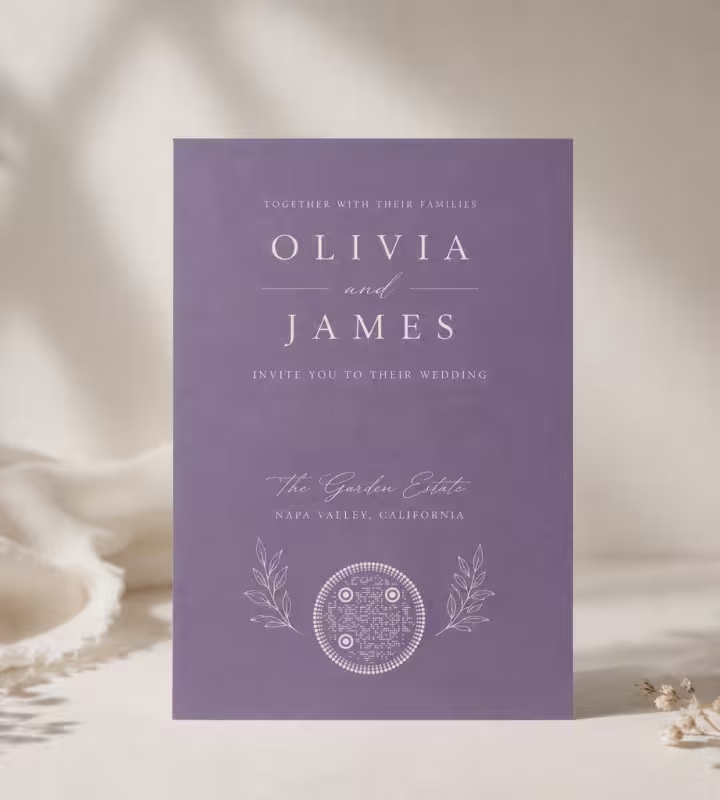
Where Aesthetic QR Codes Go
The soft look belongs where the code is part of a designed object - stationery, labels, a bio link sticker, a planner page - rather than a utility mark. Each placement below has a size or contrast detail that decides whether the printed code works. The wedding, Instagram, Linktree and packaging cards open the pages that cover each placement in full.
Wedding Stationery
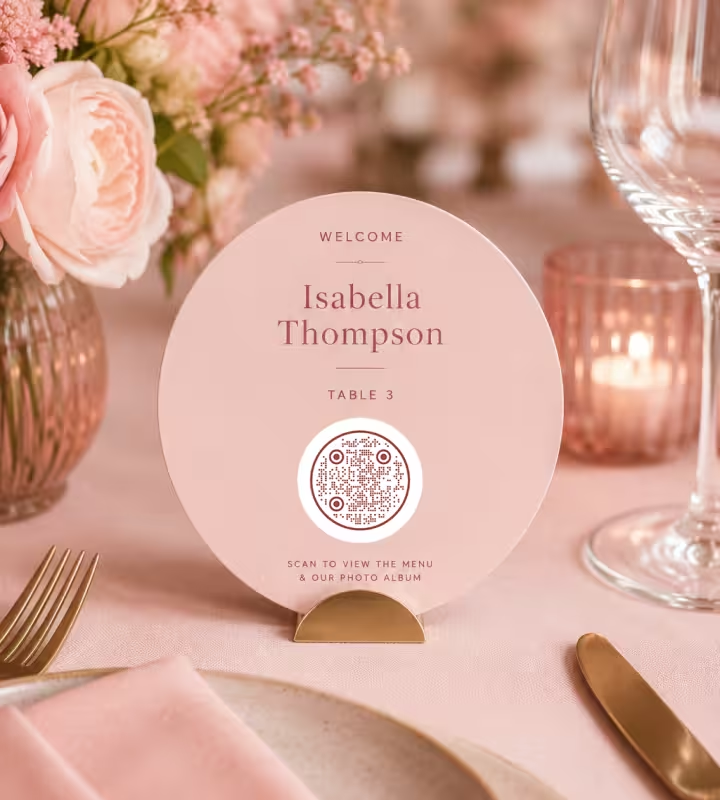
RSVP cards, details cards, place cards and thank-you notes. Textured cotton card spreads ink, so give the code 2.5 cm and a dark ink in the invitation's own hue rather than the pastel the flowers use.
Instagram, Spotify and Linktree Bios
A bio sticker on a market stall, a playlist card at a party, a Linktree code on a flyer. These are scanned by phones from close up and mostly on screen or coated paper, which is the most forgiving place for a dotted pattern.
Planners, Journals and Stickers
A code in a bullet journal spread or on a planner sticker links to a playlist, a shared album or a habit tracker. Matt sticker paper and pen-friendly journal stock are absorbent, so use grouped rounded modules rather than fine dots.
Candle, Soap and Skincare Labels
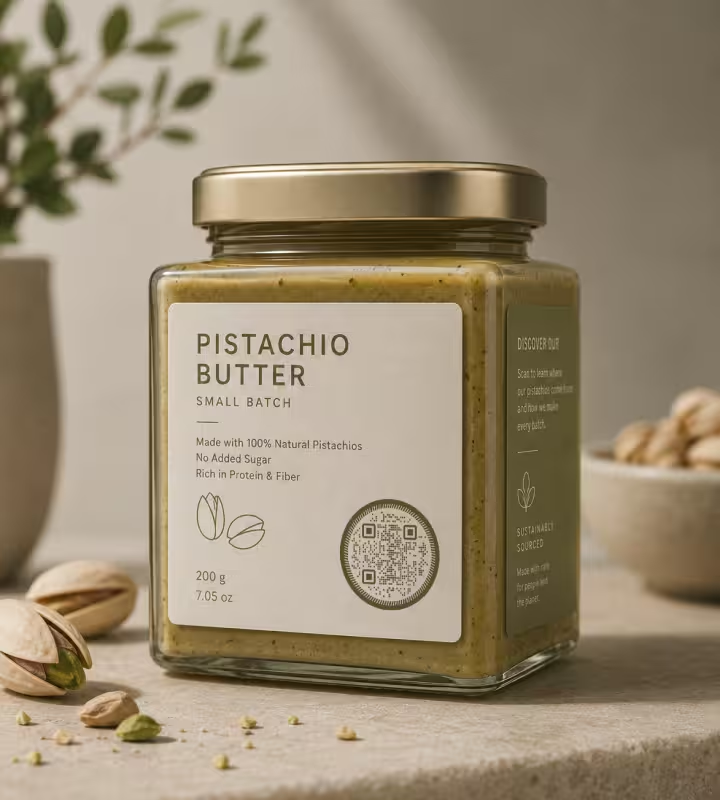
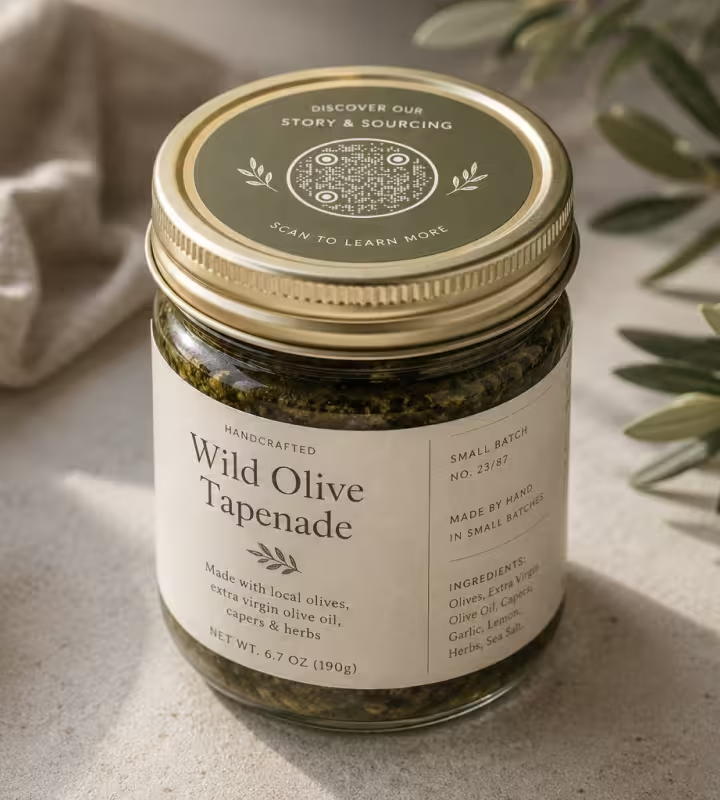
Small-batch labels carry the ingredients, the story or the reorder link. A label is often 5 cm wide and kraft or textured, so the code stays at 2.5 cm or wider and the ink stays near-black in the brand's hue.
Cafe Menus and Table Cards
A muted code on a cream table card reads as part of the menu design. Scanned from about 30 cm, it wants 3 cm of width; a thin frame with “Menu” underneath does the explaining.
Small-Business Packaging and Inserts
Thank-you inserts, box sleeves and hang tags. The insert is where the pastel belongs: print the card in the pastel and the code in near-black on it, and the contrast stays above 11:1 for each of the four pastels measured below.
The Numbers That Keep an Aesthetic QR Code Scanning
Three figures decide whether a soft-looking code works off paper: the contrast ratio between its two colours, the size of each module after the pattern has taken its share, and the margin around it. The targets below are design targets with print losses priced in, quoted from the site's own measurements and the guides they came from, not thresholds measured on any named phone.
Contrast: What Pastels and Muted Inks Measure
The site's contrast checker and the generator's badge compute the WCAG contrast ratio, and our contrast post sets the targets: 7:1 for print, 4:1 for a screen, and 3:1 as the line below which a code should not ship. The pairs below were computed from their hex values with that same formula on 22 September 2026, so anyone can reproduce them in the QR code contrast checker.
- Pastel Patterns on White Fail - blush #F8C8DC on white measures 1.47:1, lavender #C7CEEA 1.56:1, mint #B5EAD7 1.34:1 and peach #FFDAC1 1.31:1. Yellow, the worst case in our contrast post, measures 1.07:1 with a luminance difference of 29 levels out of 255, barely above the 24 at which ZXing stops looking for an edge.
- Near-Black on a Pastel Background Passes - the same four pastels as the ground under a #1A1A1A pattern measure 11.84:1 (blush), 11.14:1 (lavender), 13.02:1 (mint) and 13.30:1 (peach). Every one clears the print target with room for the paper. This is the pair for anyone who wants a pastel code.
- Dark Ink in a Muted Hue on Cream Passes - deep navy #10243F on cream #F5F1E8 measures 13.84:1, deep plum #3B1F47 on blush white 12.90:1, deep sage #33422F on pale sage 9.28:1 and terracotta #7A3B21 on off-white 7.73:1. Cream costs little: fifty QR code colour pairs measures black on cream at 19.47:1.
- Muted Ink on a Pastel Ground Is the Tightest Pair - deep sage on blush measures 7.28:1 and deep navy on blush 10.61:1. Two soft colours together can work, but the ink has to be at the darkest end of its hue; a mid sage or a dusty rose on blush lands under 4:1 and should stay on screen.
- Inverted Codes Are a Bet on the Reader - cream modules on a dark ground compute to the same high ratio as the reverse, and our contrast post explains why that is misleading: current iPhone and Android cameras generally read inverted codes, fixed scanners often do not, and solid dark coverage spreads into the light modules in print. Keep light-on-dark for screens.
The practical rule: choose the pattern colour first and make it near-black in your hue, then choose the ground from the soft end of the palette. A pale pattern is never rescued by a darker frame, a logo or a higher error correction level.
Size, Dots and Margin
Soft module patterns carry less ink than squares, and the size rules below give that ink back. Each rule is quoted from the page that measured or sourced it.
- Keep Dots at 80% of the Cell - in the decoder test on dot QR codes, dots at 80% of the cell width decoded at 16 of 16 positions between 2.5 and 4 captured pixels per module, 70% was the floor, and below it the working range collapsed. That test used the open-source jsQR decoder only. KoloQR's Dots pattern draws at 80%.
- Print Dotted Codes at 2.5 cm, Squares at 2 cm - the minimum print size guide sets a 2 cm floor including the quiet zone; the dot page adds half a centimetre for separate dots because each carries about half the ink of a square. Grouped rounded modules can stay at the 2 cm floor.
- Size by Distance: 1 cm per 10 cm - above arm's length, allow about 1 cm of code width for every 10 cm of scanning distance, so a table card read from 30 cm wants 3 cm and a shop sign read from 1 m wants 10 cm. The rule assumes a short link.
- Leave Four Modules of Quiet Zone - ISO/IEC 18004 sets the margin at four modules on every side, and it is measured in the code's own module width, so a small code needs a proportionally small margin, not a fixed number of millimetres. Extra margin never hurts and usually looks better.
- Keep the Logo Inside 20% of the Area - a centre mark up to about 20% of the symbol area is reliably recoverable at level H, the level every KoloQR code uses; QR code error correction shows the arithmetic. A monogram at half the code's width covers about that.
- Shorten the Link - a shorter URL makes a lower-version code with fewer, larger modules, so every dot and pill is bigger at the same printed width. For an Instagram or Spotify link, the plain profile or playlist URL is short enough.
Aesthetic QR Code Ideas
Eight ideas of the kind that circulate on Pinterest, each with the detail that keeps it scanning when it leaves the screen.
How to Make an Aesthetic QR Code
An aesthetic QR code takes a minute or two to make. The Grouped rounded pattern is already selected and the Colors tab is open when the generator loads on this page.
Generate QR Code- 1
Add Your Content
Paste the link - a wedding website, an Instagram profile, an open.spotify.com playlist, a Linktree - or choose another type. The shortest form of the link keeps the modules large.
- 2
Pick the Pattern and the Eyes
Keep Grouped rounded for the safest soft look, or switch to Dots, Vertical pills or Two-size dots for more texture. Set the eyes to Circle or Rounded so the corners match.
- 3
Set the Colours From the Dark End
Choose the pattern colour first and make it the darkest version of your hue, then set the background to cream or a pastel. The contrast badge under the preview turns green at 4:1; aim for 7:1 or more if the code will be printed.
- 4
Add a Frame or a Small Logo, Test, Export
Add a frame with a short label if you want one, keep any centre logo small, scan the preview with a phone, then download SVG or PDF for print or PNG for screens.
Soft Look, Same Reliable Grid
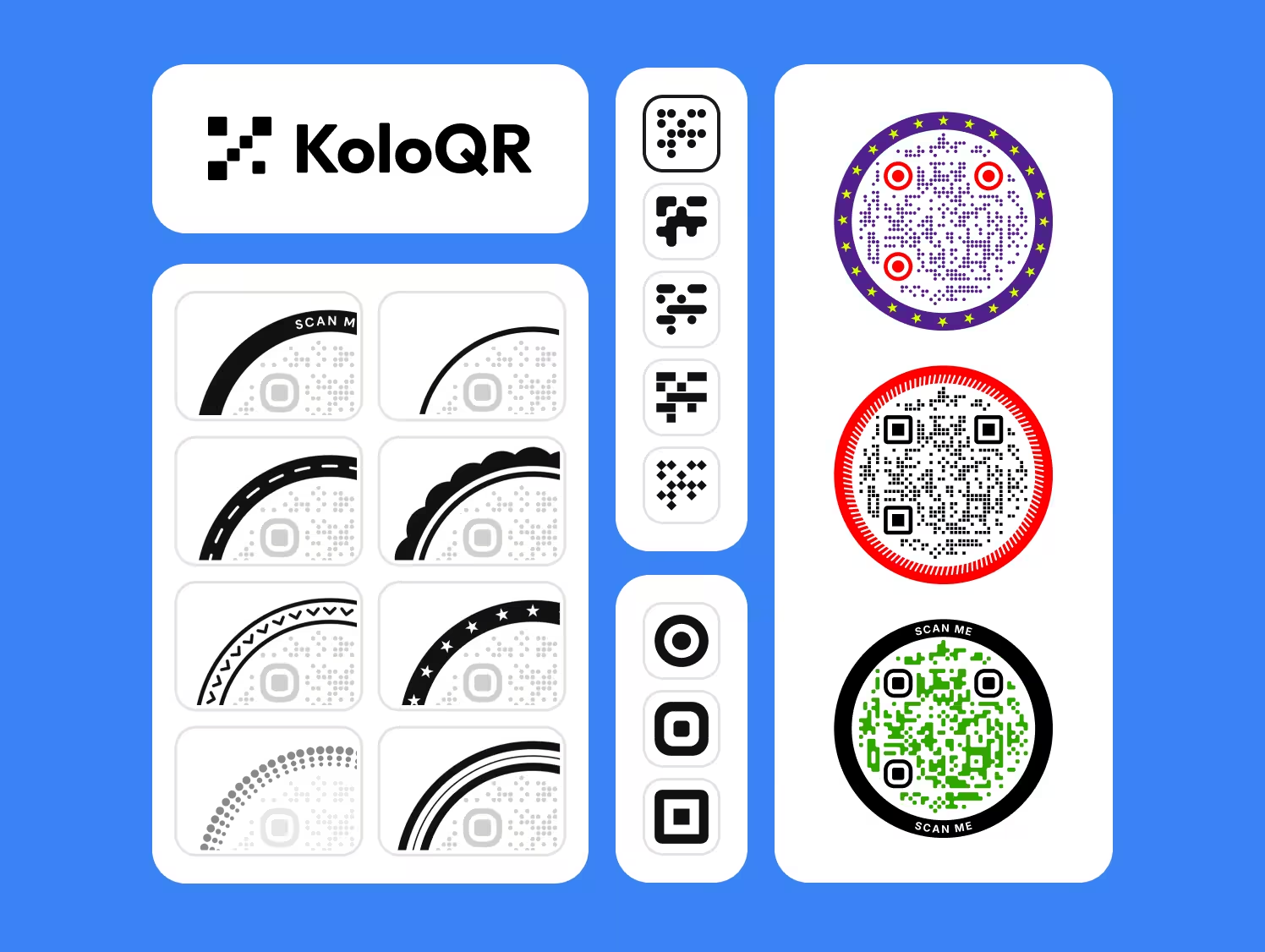
An aesthetic QR code does not need a design tool or a template pack. KoloQR draws the soft patterns directly, keeps the three finder patterns solid so a phone can find the code, measures the contrast of the pair you choose, and puts the accent colour where it costs nothing - on the eyes, the frame and the label.
KoloQR exports SVG, PDF and EPS for print and PNG for screens, with no account and no watermark. KoloQR makes static QR codes only, so the code cannot be re-pointed after printing and no scans are tracked; where that matters, point the code at a redirect on your own domain.
Generate QR CodeExport Formats for Aesthetic QR Codes
Soft patterns are more sensitive to the file format than plain squares, because a rounded edge has no line that falls on a pixel grid.
PNG
For Instagram, Canva, screens and stickers printed from a phone. Export large: a small rounded module at low resolution becomes a grey smudge, which is the failure the size rules above guard against. A transparent PNG drops straight onto a pastel card, which is the transparent QR code style.
SVG
For anything printed and for invitation suites built in a design tool. Every rounded module and dot is stored as a true curve, so the code stays sharp from a 2.5 cm place card to a welcome sign.
PDF or EPS
For handing artwork to a stationer or a label printer. Both keep the modules as vectors and the colours as the hex values you chose, so the proof matches the file.
Questions? Answered
Usually not on white. A pastel pattern on a white ground measures between about 1.3:1 and 1.6:1 for the common blush, mint, lavender and peach tints, close to the roughly 1.24:1 at which the open-source ZXing decoder stops seeing an edge. The pair that does scan is the reverse: the pastel as the background and a near-black pattern on top, which measures above 11:1 for all four.
Yes, if the pattern colour is dark in its own hue. Deep navy on cream measures 13.84:1, deep plum on blush white 12.90:1 and deep sage on pale sage 9.28:1, all above the 7:1 print target, and none of them contains black. What you cannot do is make both colours soft: at least one has to be near-black in brightness, and it should be the pattern.
KoloQR makes aesthetic QR codes for free, in the browser, with no account and no watermark: rounded, dotted, pill and star patterns, circle or rounded eyes, custom colours with a contrast badge, frames, a centre logo and SVG, PDF, EPS and PNG export. The codes are static, so there is no scan tracking and a printed code cannot be re-pointed later.
A styled code never scans better than plain black on white, and some choices scan worse. Separate dots and stars carry less ink than squares, and any pattern colour lighter than near-black lowers the contrast. Grouped rounded modules, a dark ink in a muted hue and a wide margin cost almost nothing; pastel patterns and tiny dots cost a lot. Test the printed piece on a phone before the run.
Use one dark ink and one light ground, grouped rounded or plain square modules, no logo, a hairline frame or none, and more margin than the four modules the standard requires. Graphite on warm white measures 13.78:1 and is the version on this page. Minimalism removes decoration, which is why it is the safest aesthetic style to print.
Yes. Paste the profile URL or the open.spotify.com playlist link into the generator and style it like any other code; any phone camera reads the result. A Spotify Code - the bar-chart pattern in the share menu - is not a QR code and only scans inside the Spotify app, so a printed card or sticker should carry the QR code instead.
Yes, as long as the pattern stays near-black and the card is a light tint. Black on cream measures 19.47:1 in our colour-pairs table, so a cream or blush card barely costs anything. Kraft is darker and more absorbent, so use the darkest ink available, grouped rounded modules rather than dots, and print a proof on the real stock before the run.
At least 2.5 cm wide for a short link, compared with 2 cm for the same code in square or grouped rounded modules, because dots at 80% of the cell carry about half the ink. Above arm's length, allow about 1 cm of width for every 10 cm of scanning distance. Two-size dots and stars want more still, so keep them at 4 cm or larger.
Yes. Keep it inside about 20% of the symbol area - a circle about half the code's width - and on a solid background. KoloQR generates every code at error correction level H, which can recover close to 30% of the symbol, and staying at 20% leaves the rest for ink spread, glare and a slightly shaky camera.
A gradient on the pattern is safe only if its lightest stop still measures 7:1 against the ground, which rules out most pastel gradients. A watercolour or photo behind the code varies the background under every module, so put the code on a solid light panel and let the wash surround it. The panel is part of the design, and it is also the quiet zone.
Keep Exploring
Pages that pick up where this one leaves off - the same setting, the same kind of code, or the next thing worth deciding.
Photographers
Client galleries, print reorders, portfolio links and guest photo uploads, on cards, albums, prints and event signs.
QR Code Shapes
The whole shape taxonomy - modules, eyes and frames - with the trade-offs behind round, triangle, hexagon and square codes.
Colored QR Codes
Put your palette on a QR code without breaking it: which color goes on the pattern, and which belongs on the frame.
Branded QR Codes
Match QR codes to your brand with a logo, colors, and custom shapes - without sacrificing scannability.
Business Cards
85 x 55 mm leaves room for one code and nothing else - where it goes, how small it can get, and which finishes kill it.
Halloween QR Codes
Pumpkin, purple, slime and bone palettes for invitations, porch signs, scavenger hunts and costumes - with the contrast and size numbers that keep each one scanning in the dark.
Why KoloQR?
- Create QR codes for websites, menus, Wi-Fi, PDFs, and business cards
- Customize colors, logos, and unique shapes
- Download high-quality PNG and SVG files
- Built for both print and digital
