QR Code Frames That Tell People What to Scan and Why
A QR code frame is a border drawn around a QR code, usually carrying a short call to action such as Scan for the menu. A frame makes a code easier to notice and tells people what they will get, and it costs nothing in scanning as long as it stays outside the quiet zone. This page covers frame styles, the wording that works, physical frames and stands, and the sizing mistakes that break framed codes.
Opens in Google Maps. Coordinates work too - "37.4224, -122.0841".
The code opens your business's "Write a review" form. Paste the Place ID, or a Google Maps link that carries one.
A UPI link carries no checksum, so a mistyped ID produces a code that scans perfectly and pays somebody else. Paste the ID from your payment app rather than typing it, and send yourself one rupee before printing.
Paste it exactly as copied. KoloQR does not assemble the payload - it encodes the one your bank issued, and checks it before you print it.
SVG, PNG, JPG • Max 2 MB
First month free
then $9/month
Dynamic QR Codes Are Coming
Change your link anytime, even after printing. See who scans, when and where.
- Edit without reprinting
- Scan analytics
- Bulk & custom domains
You're on the List
We'll email you once, when dynamic codes with scan analytics launch.
What Is a QR Code Frame?
A QR code frame is a decorative border placed around a QR code, outside the code's quiet zone, that often includes a line of text telling people what the code does. A frame is not part of the QR code: it holds no data, a scanner ignores it, and removing it changes nothing about how the code works. The phrase is also used for a physical holder, such as an acrylic stand, that displays a printed code. Frames are one of several ways to style a code; the wider set is in creative QR codes, and a frame pairs well with the plainest module style, pixel QR codes, because the border carries the decoration while the code stays easy to scan.
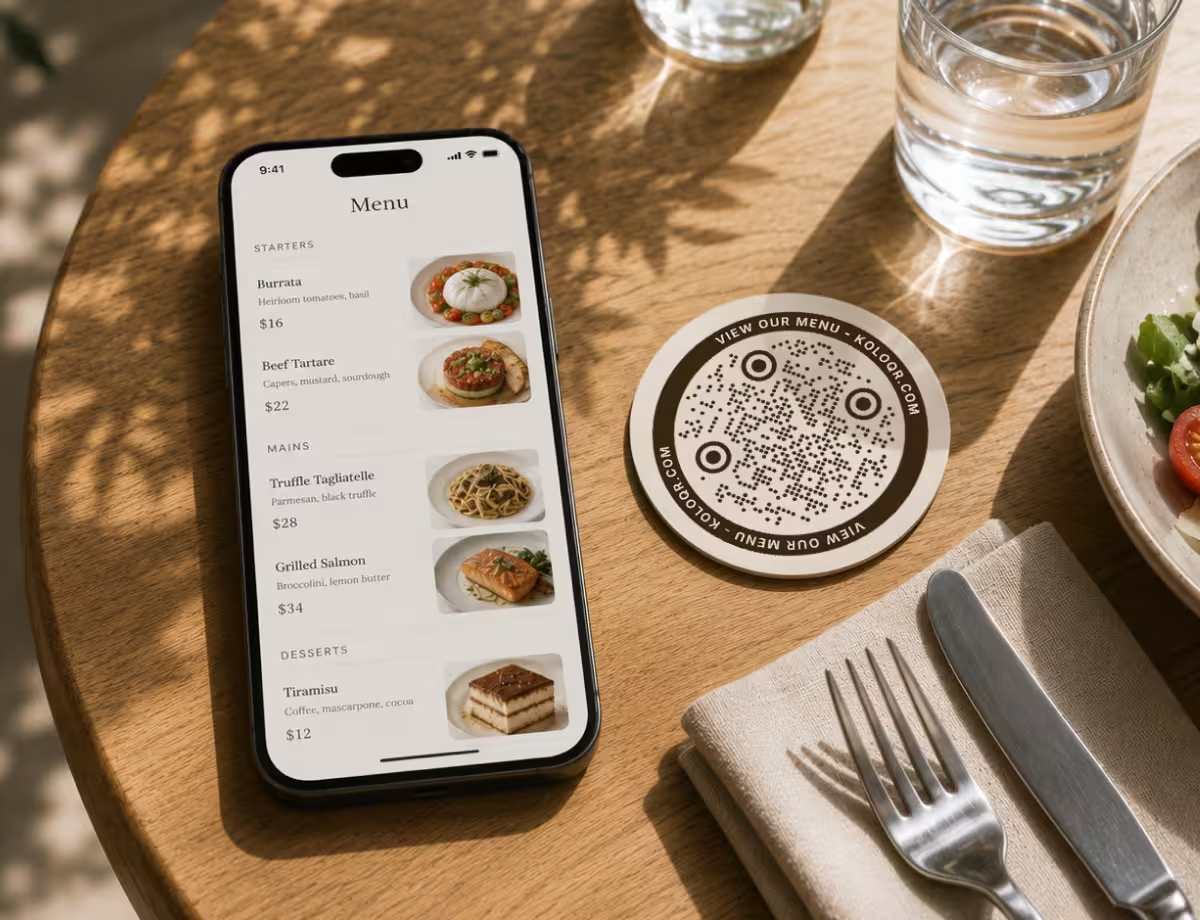
What a Frame Adds to a QR Code
A bare QR code says nothing about where it leads. A frame is the cheapest way to fix that, and it does three separate jobs.
- A Reason to Scan - a short label such as View the menu or Join our Wi-Fi tells a reader what happens next. A code with no label asks people to scan on trust.
- Visual Weight - a border makes a small code read as a deliberate element on a busy poster or a crowded package, instead of something that was added at the end.
- A Protected Margin - a frame drawn outside the quiet zone reserves that space in the layout. Other designers, and later edits, are far less likely to push text up against a framed code than a bare one.
- Brand Colour Without Risk - the frame can carry a bright or pale brand colour that would be unsafe for the modules themselves, because a scanner never reads the frame.
A frame does not make a QR code scan better, and it cannot repair one that scans badly. A frame affects whether people notice the code and choose to scan it; module size, contrast and the quiet zone still decide whether the scan works.
The One Rule a Frame Must Follow
A quiet zone is the empty margin around a QR code that lets a scanner detect where the symbol begins and ends. The QR code standard, ISO/IEC 18004, sets the quiet zone at four modules on every side. A frame has to start outside that margin. A border drawn tight against the modules looks neat and is the most common reason a framed QR code fails, because the scanner can no longer tell where the code ends and the border begins.
Generate QR Code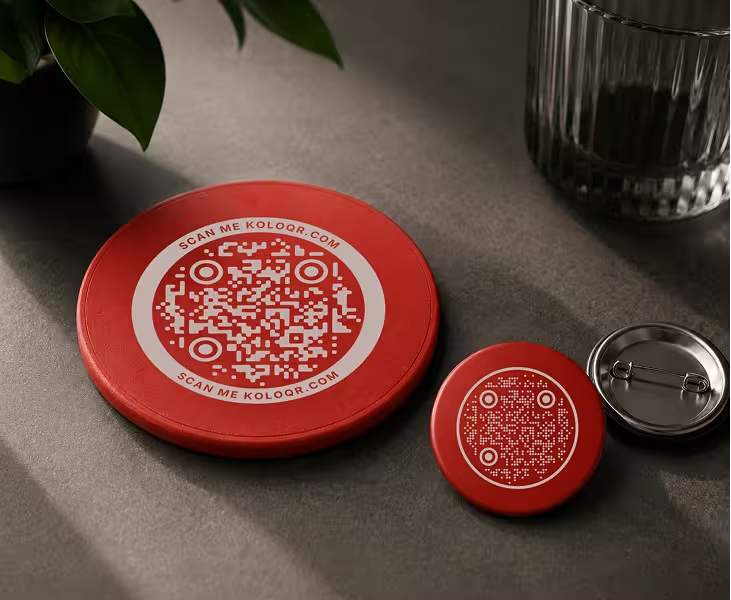
Where QR Code Frames Work Best
A frame earns its space wherever a QR code has to explain itself quickly to someone who was not looking for it.
Table Tents and Menus
A framed code labelled Scan for the menu removes the question of what the code is for. At a table the code is read from about 30 to 40 cm, so 3 to 4 cm of code width inside the frame is comfortable.
Shop Counters and Checkouts
Leave a review, Join the loyalty club, Pay here. A counter usually holds several notices at once, and a frame with a label makes each code's purpose distinct.
Posters and Flyers
On a busy poster a frame separates the code from the artwork and guarantees its margin. Size the code at about a tenth of the distance it will be scanned from.
Product Packaging
A small frame reading Setup guide or Recipe ideas tells a buyer the code is worth scanning after purchase. Keep the code itself at 2 cm or more; the frame is extra.
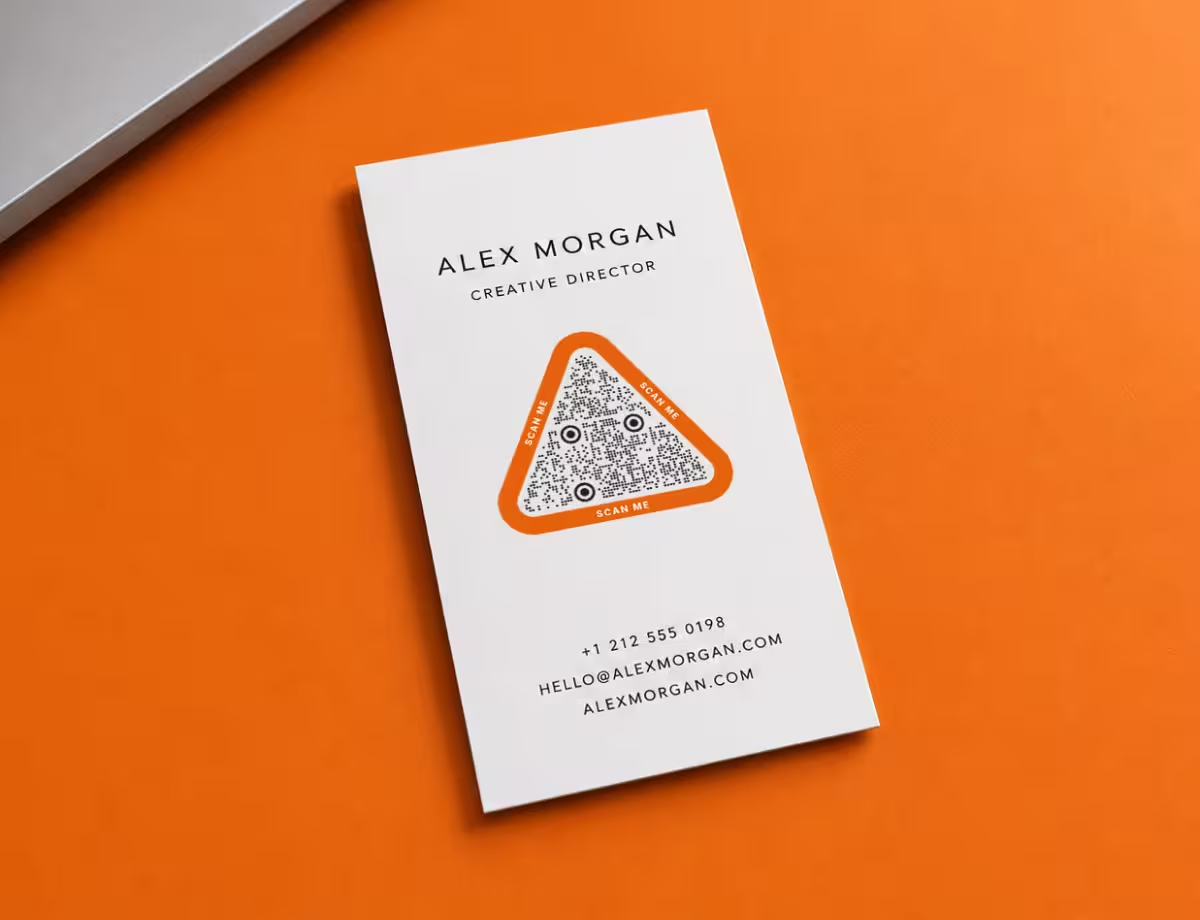
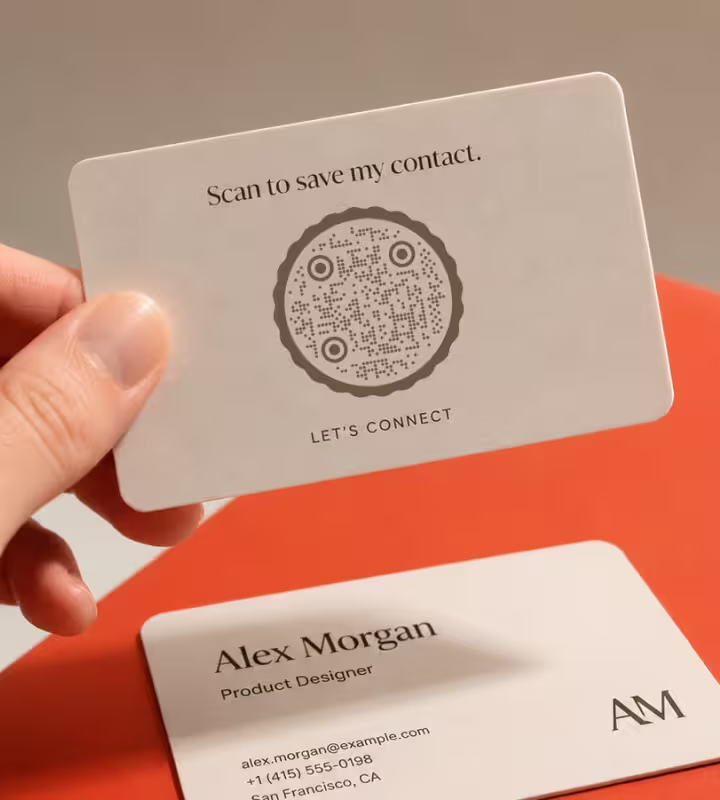
Business Cards and Badges
A thin frame with Save my contact turns a code into an instruction. Space is tight, so use a thin border and one line of text rather than a heavy label.
Wi-Fi Signs for Guests
A framed Wi-Fi code on a wall or in a rental apartment. The label should name the network, so guests can confirm what they are joining.
How to Frame a QR Code Without Breaking It
A frame is safe when it stays outside the quiet zone, leaves the code at full size, and carries a label of a few plain words. Most framed codes that fail break the first or second of those rules.
Margin and Size
A frame takes space, and in a fixed layout that space usually comes out of the code. These rules keep the code the right size with a frame around it.
- Start the Frame Outside the Quiet Zone - four modules of clear space between the outermost modules and the inside edge of the frame. On a 25-module code printed 25 mm wide, a module is 1 mm, so the gap is 4 mm on every side.
- Size the Code, Not the Frame - a framed design that measures 4 cm across may hold a code only 2.5 cm wide. The scanning distance rule, about 1 cm of code width for every 10 cm of distance, applies to the code alone.
- Measure After Placing - when a framed code is scaled to fit a layout, measure the distance between the outer edges of two finder patterns. That is the real code width, whatever the frame measures.
- Keep the Inside of the Frame Light and Flat - the area inside the frame is the code's background. A frame filled with a colour, a gradient or a photo puts that fill behind the modules and lowers their contrast.
- Match the Frame to the Code's Outline - a square frame for a square code, a ring for a circular one. A circular frame around a square code has to be much larger than the code to clear its corners and their quiet zone.
The Words on the Frame
The label is the part of the frame that people read, and it works when it names the result of the scan rather than the act of scanning.
- Say What Happens, Not Just Scan Me - View the menu, Get the app and Join our Wi-Fi each tell a reader what they get. Scan me names an action people already understand and gives no reason to take it.
- Keep It to Two to Five Words - a frame label is read at a glance. A sentence belongs in the layout beside the code, not inside the frame.
- Print Text at a Readable Size - as a rule of thumb, no smaller than 7 pt on handheld print, and larger for anything read from a distance. If the label has to shrink below that to fit, shorten the label.
- Match the Reader's Language - a frame label in the language of the venue, with a second line where visitors commonly speak another. The code is universal; the instruction is not.
- Add the Address for People Who Do Not Scan - a short readable URL under the frame serves anyone whose camera fails or who prefers to type. It also keeps the print useful if the code itself ever stops resolving.
Physical QR Code Frames and Stands
A QR code frame is also the object a printed code sits in. The holder changes how the code scans as much as the artwork does.
How to Add a Frame to a QR Code
A framed QR code takes a couple of minutes, and the frame, text and code export as one file.
Generate QR Code- 1
Add Your Content
Paste the link, or choose another type such as Wi-Fi or email, and generate the code.
- 2
Open the Frame Tab and Pick a Style
Choose a frame such as Simple, Double, Label, Dashed or Bubble. The generator keeps a clear margin between the modules and the frame; leave the space around the whole framed code clear in your layout as well.
- 3
Write the Label
Replace the default SCAN ME with a few words that name the result, such as VIEW THE MENU. The top and bottom text fields take up to 30 characters each.
- 4
Set the Colours, Test and Export
Give the frame a brand colour, keep the modules dark on light, scan the preview with a phone, and download SVG or PDF for print or PNG for screens.
Frames That Keep Their Distance
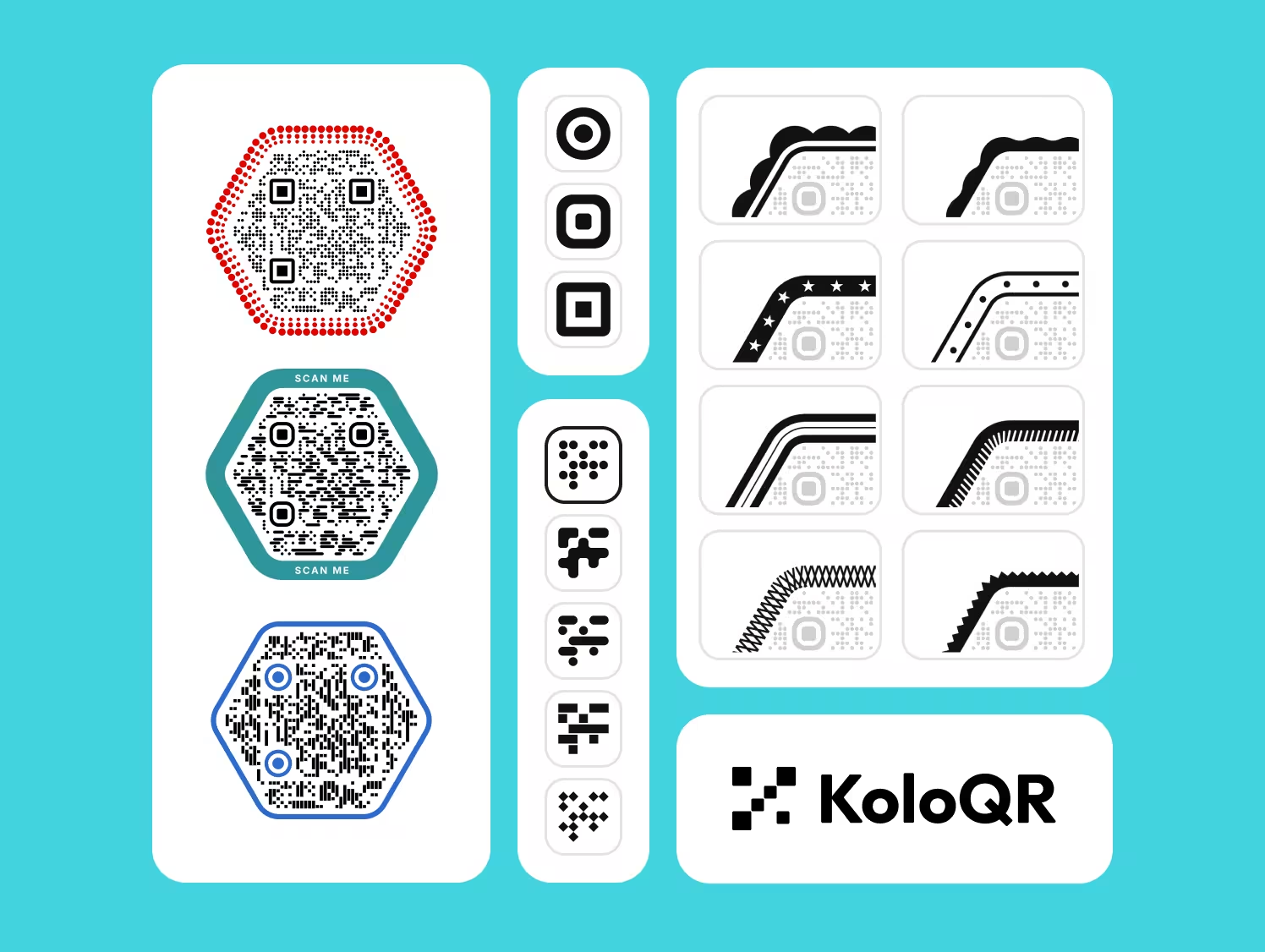
KoloQR, a free QR code generator with circular and custom-shaped QR codes, includes 13 frame styles - Simple, Double, Label, Scalloped, Organic, Dashed, Star, Dotted, Hatch, Double Line, Bubble, Crosshatch and Spike - plus designed frames for square, circular, triangular and hexagonal codes. Each one keeps a clear light margin between the modules and the border, and has its own colour and editable top and bottom text.
The frame, the text and the code export together as SVG, PDF, EPS or PNG, with no account and no watermark. KoloQR makes static QR codes only. KoloQR does not sell physical stands or print inserts; the exported file goes to whichever printer or sign maker you use.
Generate QR CodeExport Formats for Framed QR Codes
A frame adds thin lines and small text to the artwork, and both are less forgiving of low resolution than the modules are.
PNG
For screens, email signatures and social posts. For print, export large: frame text is usually the first thing to look soft in a low-resolution PNG, before the code itself is affected.
SVG
Keeps borders, text and modules sharp at any size, and lets a designer recolour the frame later without regenerating the code. The format to use for print.
PDF or EPS
For handing a finished framed code to a print shop or an engraver. Both keep the frame and the code as vectors in a single file.
Questions? Answered
Not when the frame stays outside the quiet zone, the four-module margin around the code. A scanner ignores everything beyond that margin. A frame causes problems in two cases: when its border touches or crowds the modules, and when fitting the frame into a layout forces the code itself to shrink.
Name what the person gets: View the menu, Get 10% off, Join our Wi-Fi, Save my contact. Two to five words is enough. Scan me is better than nothing, but it describes the action rather than the result, and a reader learns nothing about where the code leads.
At least four modules, which is the quiet zone the QR code standard requires. To convert that to millimetres, divide the printed code width by the number of modules across and multiply by four. For a 25-module code printed 25 mm wide, that is a 4 mm gap on every side.
Yes. In a design tool, draw the border around the existing code and keep four modules of clear space inside it. Do not stretch or crop the code to fit a template. If the original file is low resolution, decode it and generate a new code with a frame instead.
Make the code itself 3 to 4 cm wide, measured across the modules, not across the frame. A table tent is scanned from 30 to 40 cm, and the rule of thumb is about 1 cm of code width for every 10 cm of scanning distance. The frame and label are added around that size.
Almost always glare. Clear acrylic reflects ceiling lights and windows into the camera, which washes out part of the code. Tilt the stand back about 15 degrees, move it out from directly under a downlight, use a matt insert, or switch to non-glare acrylic. Matte vs gloss QR code printing covers the finishes.
Yes, and it is the safest place to use a bright or pale brand colour. A scanner does not read the frame, so its colour has no effect on the scan. Keep the modules dark and the area inside the frame light, and let the frame carry the colour. Halloween QR codes put this to work on a seasonal palette: pumpkin orange measures only 2.69:1 against white, so it belongs on the frame or the background, never on the modules.
Yes. A circular code takes a ring-shaped frame, often with the text set along the curve at the top and bottom. KoloQR includes designed frames for circular, triangular and hexagonal codes as well as square ones. The spacing rule is the same: the frame stays outside the code's margin.
Yes. KoloQR includes its frame styles and editable frame text for free, with SVG, PDF, EPS and PNG downloads, no account and no watermark. The codes are static, so they have no scan limit and do not expire.
Keep Exploring
Pages that pick up where this one leaves off - the same setting, the same kind of code, or the next thing worth deciding.
Colored QR Codes
Put your palette on a QR code without breaking it: which color goes on the pattern, and which belongs on the frame.
Transparent QR Codes
Codes with no background of their own - which surfaces they scan on, which ones break them, and how to place one on photos, video, glass and clear labels.
Why a QR Code Is Not Scanning, and How to Tell Which Fault You Have
The three ways a QR code fails - never detected, read badly, or read perfectly into a broken destination - and how the symptom tells you which one you have before you measure anything.
Nine Things to Check Before a QR Code Goes to Print
The nine checks between a QR code file and a print run that works, each with the number it has to clear and the page that explains why.
Fifty QR Code Colour Pairs, and Which of Them Survive Print
Fifty QR code colour pairs with the contrast ratio computed for each, grouped by whether they clear the print threshold, the screen one, or neither.
Aesthetic QR Codes
Soft palettes, rounded modules and minimal layouts for invitations, bios, planners and packaging - with the contrast and size numbers that keep each one scanning.
Why KoloQR?
- Create QR codes for websites, menus, Wi-Fi, PDFs, and business cards
- Customize colors, logos, and unique shapes
- Download high-quality PNG and SVG files
- Built for both print and digital
