How to Use QR Codes on For-Sale Signs and Property Listings
A QR code on a for-sale board turns a printed sign into the full listing: the photo gallery, the floor plan, the video tour and a viewing request form. This page covers what the code should link to, what size it needs on a sign versus a brochure, where it belongs on the board, and what happens to a printed code once the property sells.
Generate QR Code- Free, no account
- Print-ready SVG and PNG
- Brokerage logo and colors
Why Estate Agents Put QR Codes on Signs and Brochures
A for-sale board has room for one photo, a price and a phone number. The listing behind the QR code has room for everything a buyer actually decides on.
The Whole Gallery at the Kerb
A buyer standing in front of the property can open thirty photos, the floor plan, the EPC or energy rating and a video walkthrough without typing an address into a portal search. Interest is highest in the ninety seconds someone spends looking at the front of a house, and that is exactly when a printed sign normally runs out of information.
Enquiries Outside Office Hours
Most drive-by and walk-past interest happens in the evening and at weekends, when nobody answers the office phone. A QR code that opens a viewing request form or a calendar booking page captures that enquiry while the agency is closed, instead of relying on the person remembering to call on Monday.
One Code per Property, Not per Agency
A QR code on a for-sale board can point at a single property page, so the buyer never lands on a homepage and searches for the listing they were just standing in front of. Every extra tap between the sign and the floor plan loses people, and a property-specific code removes all of them.
You Can See Which Sign Works
Give the board, the window card and the brochure each their own URL or UTM parameter, and web analytics will show which printed surface produces enquiries for a given property. Static QR codes carry no analytics of their own, so per-placement URLs are the only reliable way to compare a board against a leaflet.
What You Need Before You Generate the Code
Two things decide whether a property QR code still works in three months: the page it opens, and whether anyone tested the printed version.

A Property Page You Control
Point the code at a property page on your own domain rather than at a portal listing. Portal URLs are usually deleted or redirected to a search page once the property is marked as sold, which quietly kills every board, brochure and window card that was printed with that link inside it. A page on the agency site can stay live, show a sold banner, and offer similar properties instead.
A Scan Test at the Real Distance
Print the code at final size, take it to the property, and scan it from the pavement on both an iPhone and an Android phone. Test it again at dusk, because a board that reads perfectly at midday can be washed out by a low sun or a street light reflecting off laminate. Fixing size or contrast costs nothing before the print run and costs a reprint afterwards.
Generate QR Code
How to Make a QR Code for a Property Listing
Generating the code takes under a minute. The decisions that matter are the destination URL and the print size.
Generate QR Code- 1
Paste the Property Page URL
Copy the link to the individual property page and paste it into KoloQR, a free QR code generator with circular and custom-shaped QR codes. Shorter URLs produce fewer modules, and fewer modules mean larger, more forgiving squares at the same printed size, so trim tracking parameters down to one short UTM tag before generating.
- 2
Set the Shape, Colors and Logo
Choose a round or square module style, set the brand colors, and add the brokerage logo in the center if you use one. Keep the modules darker than the background and keep the logo well under a quarter of the code area. Styling changes how the code looks, not how well it scans, so contrast and size still decide whether it reads.
- 3
Download SVG for the Board, PNG for the Listing Email
Download SVG for anything a printer handles, because a vector file scales to a 30 cm board or a 2 cm brochure corner with no loss of edge sharpness. Download PNG for the listing email, the portal description image or a social post. Both formats are free and carry no watermark.
Where to Put the QR Code on Property Marketing
Each surface is read from a different distance, and distance sets the size. As a working rule, a QR code needs about 1 cm of width for every 10 cm of scanning distance, with 2 x 2 cm as the practical floor for any printed code.
For-Sale Board or Yard Sign
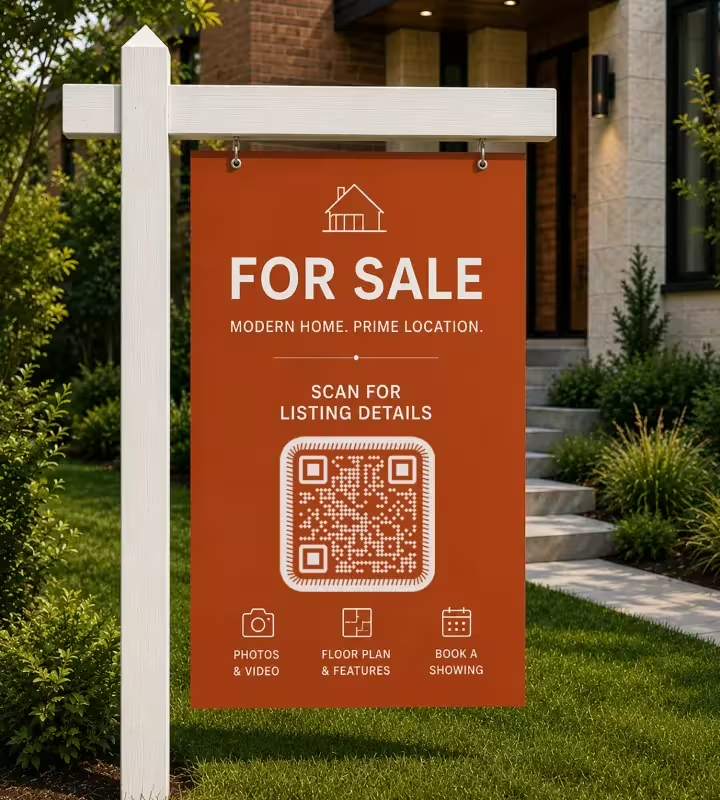
Print the code 20-30 cm wide and place it in the lower third of the board, between roughly 120 cm and 150 cm from the ground, so a phone held at chest level sits square to it. Someone on the pavement stands 2-3 m from a front-garden board. Do not size a board code for drivers: a car at 10 m would need a 100 cm code, and a driver cannot hold a camera steady anyway.
Window Display Card
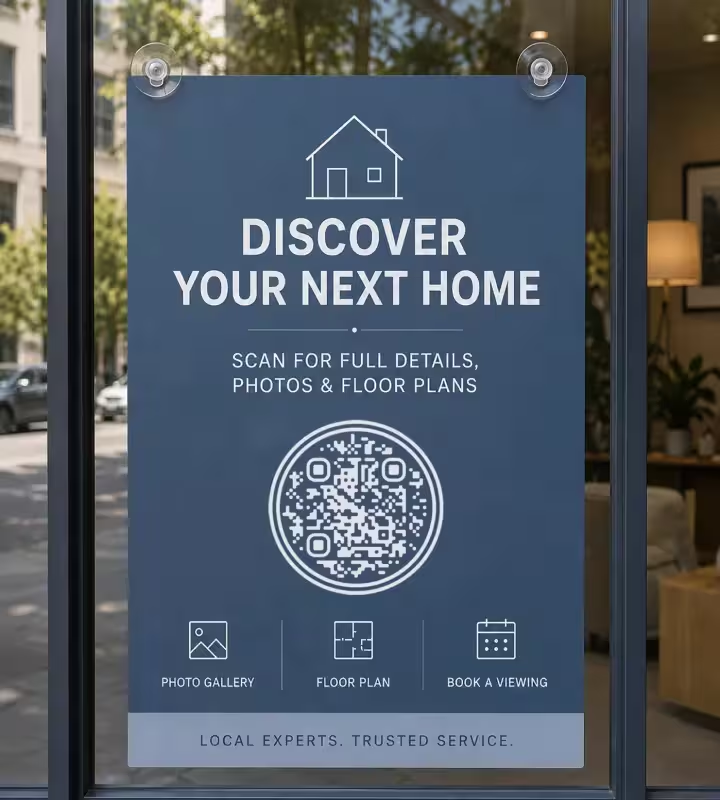
Print the code 6-8 cm wide on an A4 window card, which is read from 50-70 cm on the other side of the glass. Mount the card at eye height and use matte laminate, because a glossy card behind shop glass reflects both the street lighting and the phone screen back into the camera. Leave the code near the bottom of the card so a hand can hold a phone against the glass comfortably.
Property Brochure or Leaflet
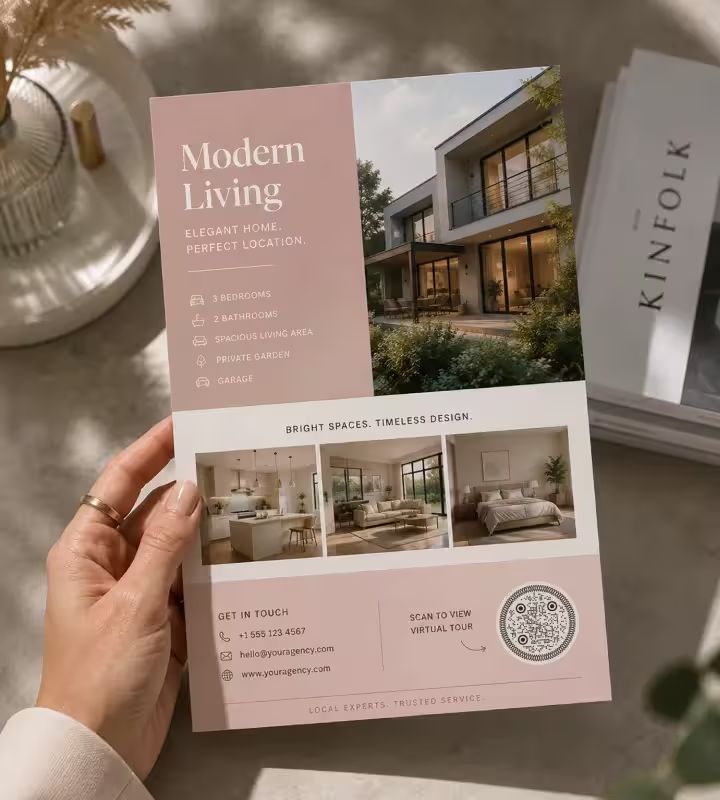
Print the code 2-2.5 cm wide on a brochure or leaflet, held at 20-25 cm in the hand. Put it on the back page next to the contact details, or beside the floor plan if it opens a video tour, and label it with what it opens. A brochure that has been folded through the code stops scanning, so keep it at least 1 cm away from any fold line.
Open House and Directional Signage
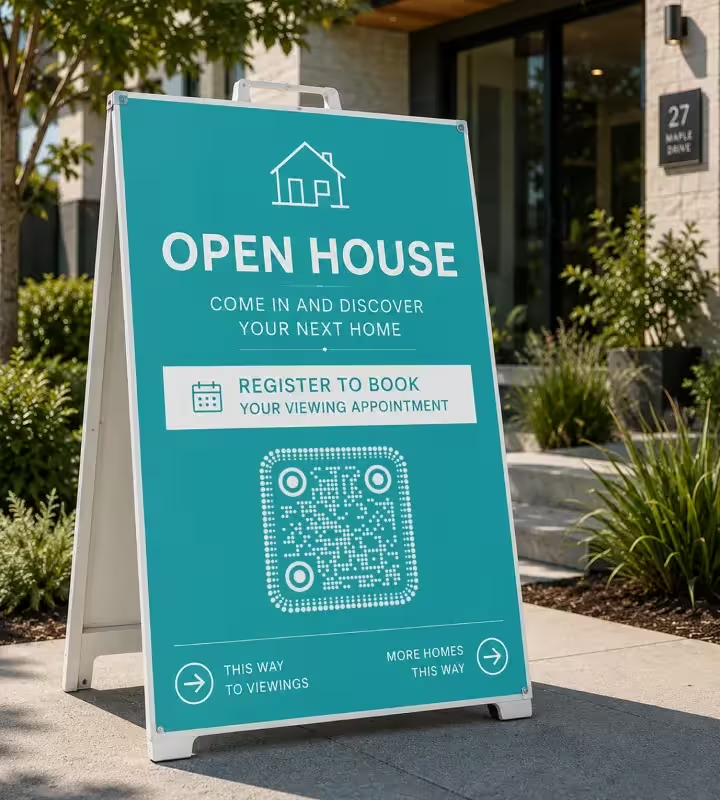
Print the code 15-20 cm on an open house A-board or rider sign that people approach on foot. An open-house code is worth pointing at a booking or registration form rather than the listing, because the visitor is already at the door and the useful next action is signing in or reserving a viewing slot for a second look.
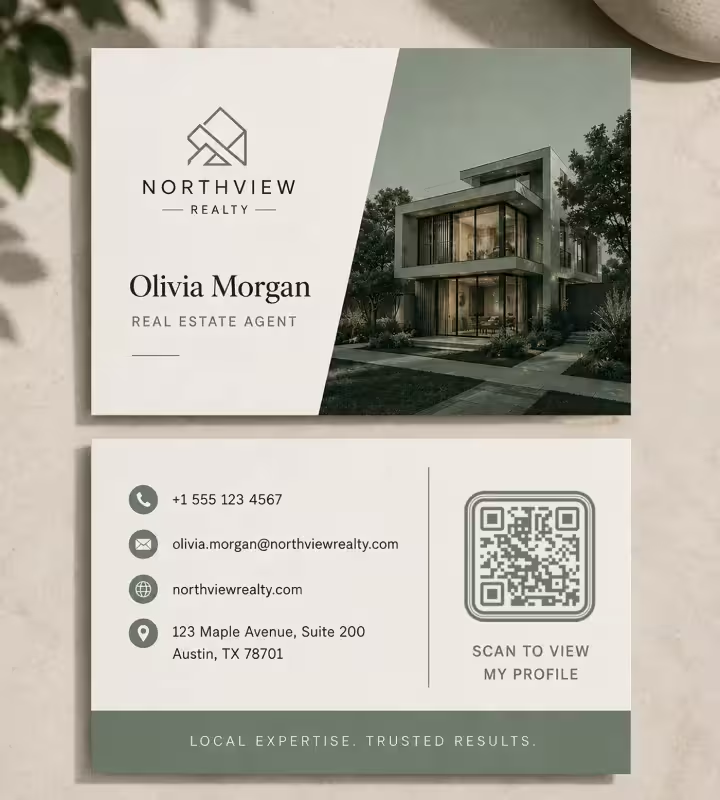
Agent Business Card
Print the code 2 cm wide on a business card and keep the 4-module quiet zone clear of the card edge and of any text. A business card code is better pointed at an agent profile page than at a vCard file, because a page can be updated when the phone number, portrait or agency changes, while a vCard encoded in the pattern is frozen at the moment of printing.
Rules That Keep a Property QR Code Working
Almost every failed property QR code fails for one of the same handful of reasons: the destination disappeared, the code was too small for the distance, or nobody tested the printed version outdoors.
Link a Page You Own, Not a Portal Listing
Portal listings are removed or redirected once a property is sold, and a printed board cannot be edited afterwards. A property page on the agency domain can outlive the sale, which is the difference between a dead code and a code that shows a sold banner and three similar properties.
Size the Code for the Distance, Not the Sign
A QR code needs roughly 1 cm of width for every 10 cm of scanning distance, and never less than 2 x 2 cm. A board read from 2.5 m needs about 25 cm; a brochure read from 25 cm needs about 2.5 cm. Measure the real standing distance rather than scaling the code to look proportionate on the artwork.
Keep the Price Band Out of the Quiet Zone
A quiet zone is the empty margin around a QR code that lets a scanner detect where the symbol begins and ends, and it needs to be at least 4 modules wide. On property boards the quiet zone is usually eaten by a price band, a phone number or the edge of the sign, which is one of the most common reasons a large, well-printed code still refuses to read.
Print Dark Modules on a Light Background
Native camera apps on iOS and Android expect dark modules on a light background, and inverted light-on-dark codes fail on a noticeable share of phones. Agency branding often pushes towards a dark board with a white code, so keep the code panel light even when the rest of the sign is dark.
Use Matte Laminate Outdoors
Gloss laminate on a for-sale board reflects direct sun and street lighting straight into the camera, and a reflected highlight across the middle of a code blocks the scan completely. Matte film, matte vinyl or an uncoated printed panel avoids the problem. UV-stable ink also matters, because a faded code loses the contrast the scanner depends on within a season or two.
Shorten the URL Before Generating
The number of characters encoded in a QR code decides how many modules the pattern contains, and denser patterns need larger printing to stay readable. A short URL such as agency.com/p/1428 produces a sparse, forgiving code; the same listing with a full tracking string produces a dense grid that struggles on a laminated board at 20 cm.
Tell People What the Code Opens
A code with a one-line label such as Scan for 32 photos, floor plan and video tour gets scanned far more often than a bare square. The label sets the expectation, and on a for-sale board it also signals that the code leads to the property itself rather than to a generic agency homepage.
Keep the Phone Number Visible
A QR code should sit next to the phone number on a property sign, not replace it. A meaningful share of buyers, particularly older ones, will not scan a code at all, and some phones still need a scanner app. The code is an additional route to the listing, not the only contact method on the board.
Give Each Placement Its Own URL
Static QR codes report nothing on their own, so use a separate URL or UTM parameter for the board, the window card and the brochure. Web analytics then shows which surface generated the visits for each property. The figures run slightly low because they count page views rather than raw scans, but the comparison between placements is reliable.
Set Up the Redirect Before the Boards Are Printed
KoloQR generates static QR codes, which means the destination is encoded in the pattern itself and cannot be edited after printing. The standard way to keep flexibility is to encode a short URL on your own domain and redirect it server-side, so the printed board stays the same while the destination moves. That redirect has to exist before the print run, not after it.

Generate a QR Code for Your Next Listing
Paste the property page URL, set the shape and brand colors, and download SVG for the board and PNG for the listing email. KoloQR is free, requires no account, and adds no watermark or expiry to the code.
Before the print run, scan the final artwork at full size from the distance the buyer will actually stand at, on one iPhone and one Android phone. That single test catches nearly every problem worth catching: a code that is too small, a quiet zone clipped by the price band, or laminate that reflects the afternoon sun.
Generate QR CodeQuestions? Answered
Copy the URL of the individual property page, paste it into a QR code generator, and download the result as SVG for print. With KoloQR the whole process is free and needs no account. The only two decisions that matter are pointing the code at a page you control and printing it large enough for the distance it will be read from.
Print it 20-30 cm wide for a front-garden board read from the pavement, 15-20 cm on an open house A-board, 6-8 cm on an A4 window card, and 2-2.5 cm on a brochure. The underlying rule is about 1 cm of code width per 10 cm of scanning distance, with 2 x 2 cm as the minimum for any printed code.
Link to your own property page. Portal listings are removed or redirected to a search page once the property is sold, and a printed board cannot be corrected afterwards, so every code printed with a portal URL eventually leads nowhere. A page on the agency domain can stay live after the sale and show similar properties instead.
No, on any current iPhone or Android phone. The native camera app recognizes QR codes and offers to open the link, so a buyer only has to point the camera at the board. Some older and budget Android handsets still need a separate scanner app, which is one more reason to keep the code large and high contrast.
Not with a static QR code, which is what KoloQR generates: the destination lives inside the printed pattern. The usual workaround is to encode a short URL on your own domain and redirect it server-side, so the printed board stays identical while the destination changes. Set the redirect up before printing, because it cannot be added retroactively.
Board codes usually fail for one of four reasons: the code is too small for the distance from the pavement, gloss laminate is reflecting sun or street light into the camera, the quiet zone is clipped by a price band or the sign edge, or the code is printed light on a dark background. Check those four before blaming the phone.
Only if you give each printed surface its own URL or UTM parameter, because static QR codes report nothing themselves. A board pointing to /p/1428?src=board and a brochure pointing to /p/1428?src=brochure show up separately in web analytics. The counts sit slightly below real scan numbers, since they measure page visits rather than camera reads.
Yes. KoloQR supports a center logo, custom colors and round or square module shapes, including fully circular codes. Keep the modules darker than the background, keep the logo well under a quarter of the code area, and rescan the finished file before printing. Styling never improves scan performance, so size and contrast still decide whether the code reads. For an agent's business card, the QR code business card maker takes the same logo and colors and lays out the front and back with the code on it, exported as a print-ready PDF with 3 mm bleed.
Leave the property page live and add a sold banner with links to similar listings, rather than deleting the page. Boards come down slowly, brochures stay in kitchen drawers for months, and a scan that lands on a sold page with three alternatives is a lead. A scan that lands on a 404 page is a lost one.
Yes, including commercial print runs. KoloQR is free, adds no watermark, and sets no expiry on the codes it generates. The codes are static, so the destination is encoded in the pattern rather than stored on a server, which means a printed board keeps working without a subscription and without depending on KoloQR remaining online.
Keep Exploring
Pages that pick up where this one leaves off - the same setting, the same kind of code, or the next thing worth deciding.
Google Maps QR Code
Put your address, pin, or coordinates one scan away from turn-by-turn directions.
Business Cards
The one surface where a code is read at arm's length - so it is designed into the card's layout rather than dropped in the corner of it.
Event QR Codes
One scan connects guests to tickets, schedules, directions and RSVPs - on invites, posters and signage.
Healthcare
Booking pages, intake forms and aftercare instructions on posters, leaflets, prescription bags and bedside cards.
Colored QR Codes
Put your palette on a QR code without breaking it: which color goes on the pattern, and which belongs on the frame.
Schools & Classrooms
Permission forms, newsletters, library links and student work, with the print sizes and privacy rules a school actually needs.
Why KoloQR?
- Create QR codes for websites, menus, Wi-Fi, PDFs, and business cards
- Customize colors, logos, and unique shapes
- Download high-quality PNG and SVG files
- Built for both print and digital
