How to Use QR Codes in a Clinic, Hospital or Pharmacy
A QR code in a healthcare setting is a printed shortcut to one page: a booking form, an intake questionnaire, aftercare instructions or a feedback survey. It is not a private channel, so patient data never belongs inside the code. This page covers what to link, where to place the code, what size to print it, and how to keep it readable after the surface has been wiped down a hundred times.
Generate QR Code- Free, no account
- Print-ready SVG and PNG
- Logo and brand colors
Why Clinics and Hospitals Use QR Codes
Most QR codes in healthcare replace one of two things: a phone call to reception, or a verbal instruction the patient will not remember by the time they get home.
Aftercare Instructions Patients Can Re-Read at Home
Patients forget a large part of what they are told in a consultation, and printed leaflets get lost or thrown away with the pharmacy bag. A QR code on a discharge sheet or prescription label leads to the same instructions as a web page, where the text can be enlarged, read aloud by the phone, translated, or shown to a family member who was not in the room.
Fewer Routine Calls to Reception
Reception phone lines fill up with requests that need no clinical judgement: booking, rescheduling, repeat prescriptions, opening hours, directions to the right entrance. A QR code on the door, the appointment card and the waiting room noticeboard sends those requests to the same online forms the practice already runs, which keeps the phone free for the calls that need a person.
Intake and Consent Forms Completed Before the Appointment
A QR code on an appointment reminder or the check-in desk opens the intake questionnaire on the patient's own phone. Answers typed by the patient remove a transcription step at the desk, and a form completed at home shortens the queue at reception during the morning peak.
Accessible and Multilingual Versions of the Same Leaflet
One printed leaflet fits one language and one type size. A QR code on that leaflet can lead to a page offering large text, a screen-reader-friendly version, several languages and a short video, which is usually cheaper and faster than printing four separate leaflets for the same procedure.
What a Healthcare QR Code Needs Before You Print It
Two things decide whether a QR code works in a clinic: the page it opens, and whether anyone scanned a printed sample in the room where it will hang. Both are far cheaper to fix before a print run of 5,000 leaflets than after.

A Destination That Behaves on a Phone Inside the Building
When a scan disappoints a patient, the landing page is almost always the reason, not the QR code. Three things matter more than the rest in a healthcare setting.
- A Public Page, With Any Login on the Page Itself - a QR code is readable by anyone who photographs it, so the code should carry a plain public URL and the patient portal should ask for identity after the page opens.
- A URL Short Enough for a Label - fewer characters mean fewer modules, and larger modules survive small prescription labels, thermal printing and a 3 cm bedside card.
- A Page That Loads Where the Signal Drops - mobile reception is poor in basements, imaging departments and thick-walled older buildings, so heavy PDFs and video headers fail exactly where the code is scanned.
One Test Scan on the Printed Material, in the Room It Will Live In
Test a printed sample, not the file on your monitor. Screens are backlit and perfectly flat, which hides every problem a real poster or label has. Print one copy, put it where it will hang, and scan it with both an iPhone and an Android phone from the distance a patient will actually stand or sit at. Repeat the scan through the reception glass screen and with gloves on, because a partition adds reflections and gloves change how close people hold a phone.
Generate QR Code
How to Make a QR Code for a Clinic or Hospital
Generating the code is the fast part. Choosing what sits behind it, and whether that page will still be right in a year, is where the time goes.
Generate QR Code- 1
Paste the Link the Patient Should Land On
Use the booking form, the intake questionnaire, the aftercare page or the feedback survey, not the hospital home page. Never paste a link that contains a patient name, a record number or a one-time access token, because a static QR code cannot be revoked once it is printed. If the destination may move later, encode a short URL on your own domain and redirect it server-side.
- 2
Match the Code to the Practice's Branding
Choose a shape, set your colors and drop your logo in the center. Modules stay dark against a light field, and the logo stays modest. Circular and custom-shaped QR codes sit more comfortably on a leaflet or a bedside card than a plain square, and they scan the same as long as contrast and the quiet zone are respected.
- 3
Export SVG for the Print Run, PNG for Screens
SVG is a vector format, so one file prints cleanly on a 2.5 cm prescription label and a 30 cm waiting room poster without soft edges. If a supplier will only accept a raster file, export PNG at 300 DPI at the exact printed dimensions - a small PNG stretched to fill a poster loses the module edges.
Where QR Codes Work in a Clinic or Hospital
Every surface in a healthcare building is scanned from a different distance, and distance decides the print size. One rule covers all of them: allow about 1 cm of code width per 10 cm of reading distance, and never drop below 2 cm whatever the layout demands.
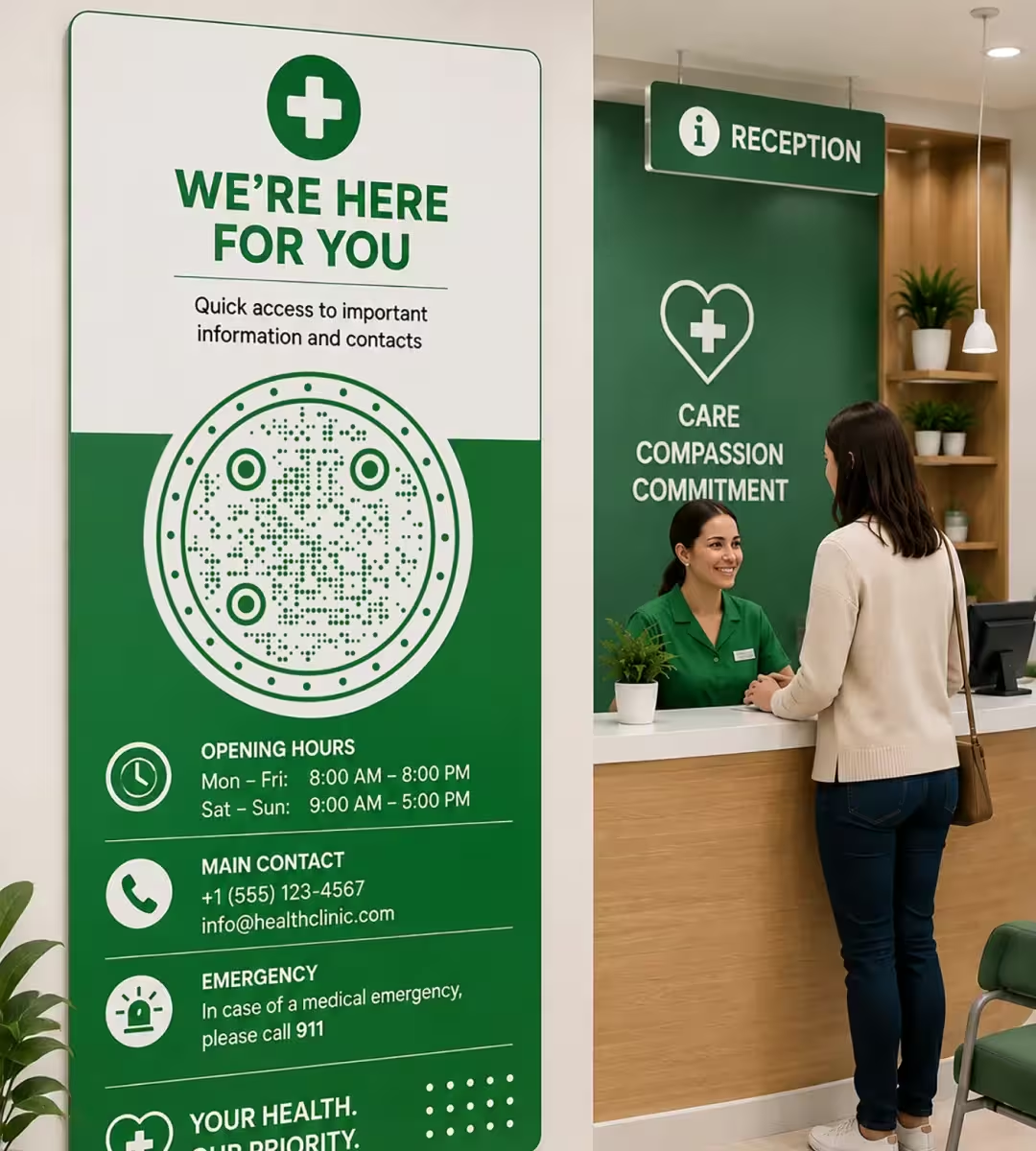
Reception and Check-In Desks
Desk signs are scanned at arm's length, so 5 cm is comfortable. Reception is the right place for exactly one code - self check-in or the intake form - because a patient standing at a desk with a queue behind them will not compare three options. If the desk has a glass partition, use a matte print and check the scan through the glass, since a spotlight reflecting off the screen is the most common failure at this spot.
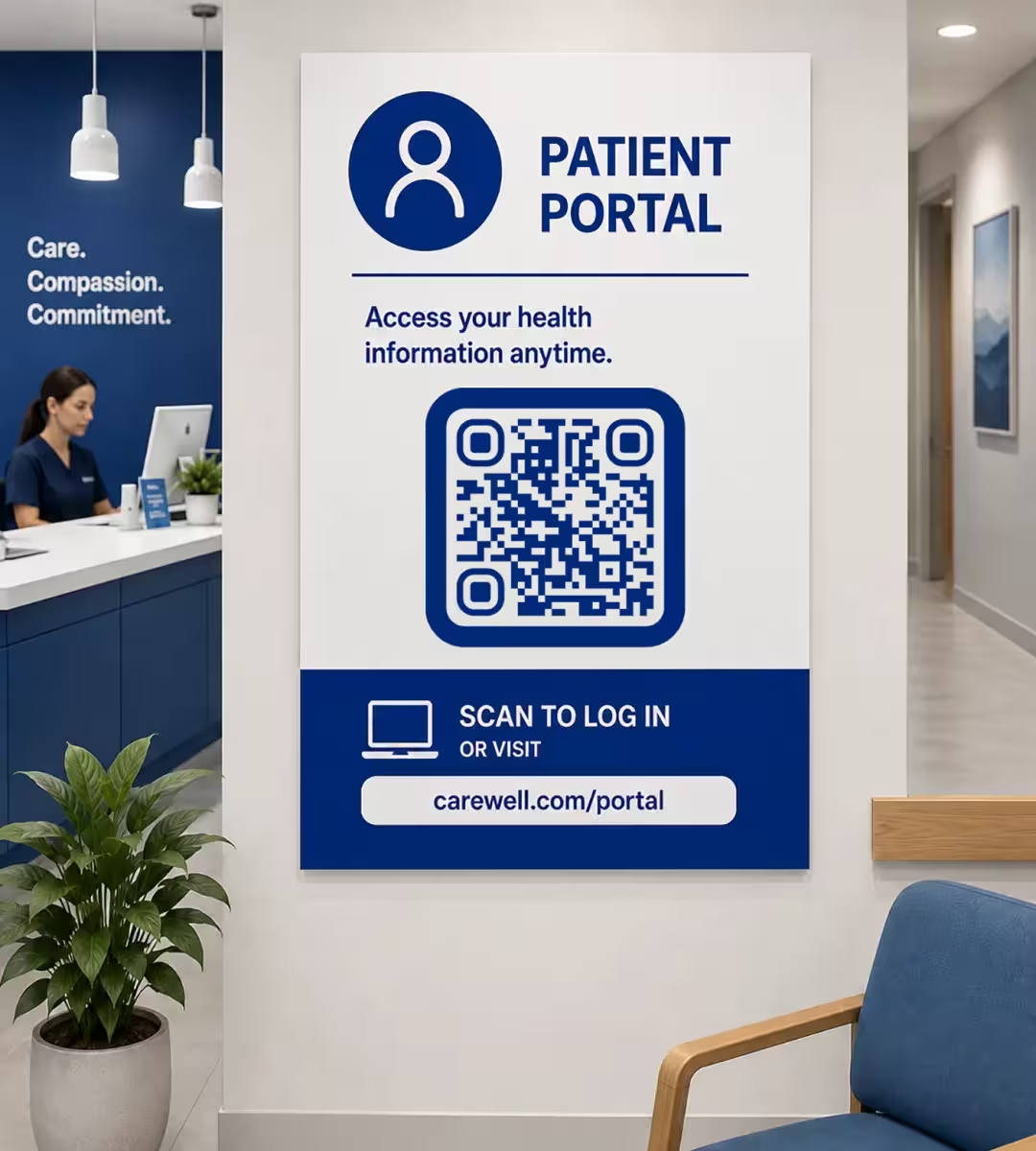
Waiting Room Posters and Noticeboards
Waiting room codes are read by seated patients about 2-3 meters away, so print them 20-30 cm wide and mount them at 140-160 cm from the floor. Keep one topic per poster: booking, repeat prescriptions, the patient portal, guest Wi-Fi and the feedback survey each deserve their own sheet, because a noticeboard with five codes on one page produces almost no scans. Print the plain URL under the code for anyone who cannot scan.
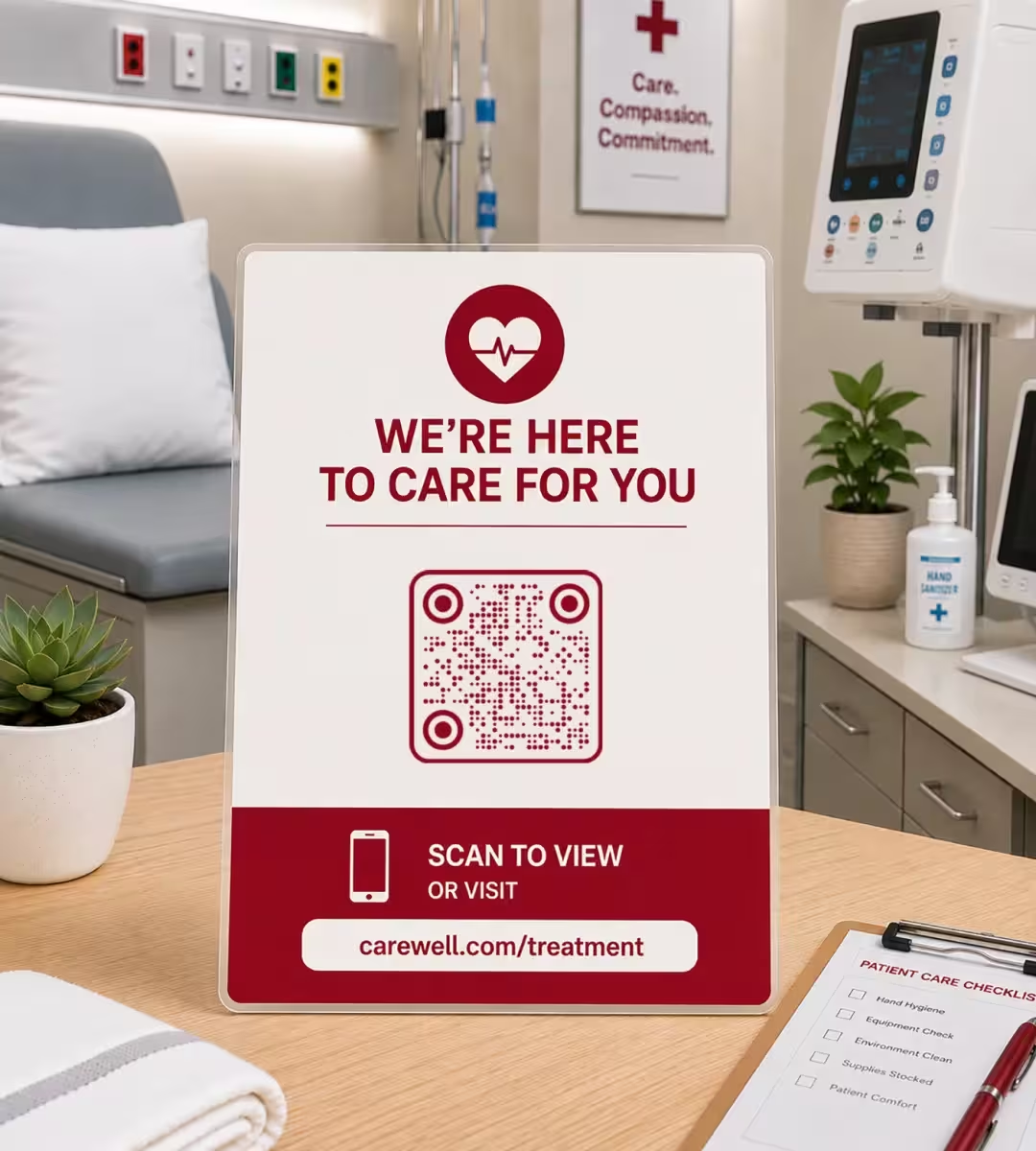
Treatment Rooms, Bedside Cards and Equipment Labels
A bedside or chairside card is scanned from about 30 cm, so a 3 cm code is enough. This is the placement most affected by cleaning: unlaminated inkjet prints smear under alcohol wipes within days, so use a laminated card or a synthetic polypropylene label with a matte finish. Staff-facing codes on equipment - cleaning logs, calibration records, instruction manuals - work well here, as long as they point to internal pages and carry no patient identifiers.
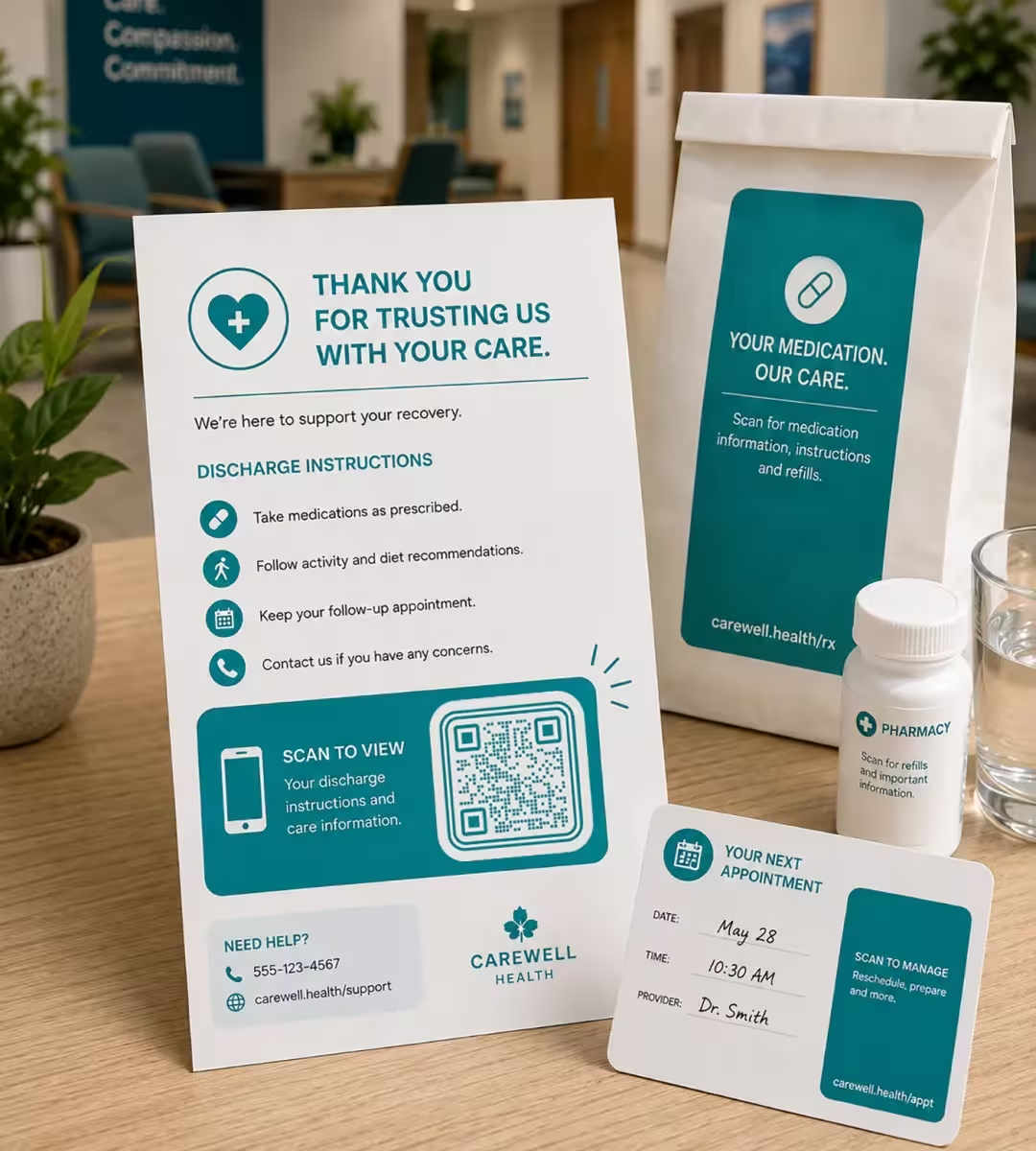
Discharge Paperwork, Prescription Bags and Appointment Cards
Take-home paper is the strongest placement in healthcare, because it is scanned at home where the signal is good and there is time to read. A 2.5-3 cm code fits an A5 discharge sheet, a pharmacy bag label or an appointment card. Keep the URL very short if the label comes off a thermal printer: thermal receipt printing at roughly 203 DPI blurs dense module grids, and thermal paper loses contrast within weeks.
Best Practices for QR Codes in Healthcare
The rules below are the ones that decide whether a healthcare QR code is safe, scannable and still working in six months.
Never Encode Patient Information
A QR code is not encrypted or private: anyone who photographs it can decode its contents in seconds. Names, dates of birth, record numbers, appointment details and direct links to results must never be inside a printed code. Encode a public page and let the patient identify themselves on that page.
Print the Plain URL and a Phone Number Beside the Code
A visible web address and phone number keep the information reachable for patients with older phones, low vision, shaky hands or no data allowance. In healthcare, a QR code should be a shortcut to something already available another way, never the only route to it.
Match the Print Size to Where It Is Read
Use roughly 1 cm of code width for every 10 cm of scanning distance, with 2 cm as the absolute minimum. In practice that means 2.5-3 cm on paperwork, 3 cm on a bedside card, 5 cm on a desk sign and 20-30 cm on a waiting room poster.
Keep the Quiet Zone Clear
A quiet zone is the empty margin around a QR code that lets a scanner detect where the symbol begins and ends, and the QR standard specifies four modules. Clinical print is crowded, so check that dosage text, patient labels, folds and staples stay out of that margin.
Keep the Modules Darker Than the Background
Phone cameras expect dark modules on a light background. Pale brand palettes, light-on-dark inversion and low-contrast pastels are the most common reason a well-designed clinic poster does not scan. Test any inverted design on several phones before printing, and fall back to dark-on-light if it hesitates.
One Code, One Action
Each printed code should lead to a single task with a clear label above it, such as Book an appointment or Read your aftercare instructions. Patients in a waiting room decide in a second or two, and a code offering three destinations usually gets none of them scanned.
Choose Materials That Survive Disinfection
Anything in a clinical area gets wiped with alcohol or detergent. Laminated cards and synthetic polypropylene labels with a matte finish keep their contrast, while plain inkjet prints and bare thermal labels smear or fade. Matte also avoids the glare that gloss creates under ceiling lighting.
Keep the Logo Small and Rescan After Adding It
A center logo relies on error correction, the redundancy built into a QR code that keeps it readable when part of the symbol is covered. Keep the logo well under a quarter of the code area and scan the finished file before print. Styling never improves scan performance, so size and contrast still decide whether the code works.
Plan for the Destination Changing
A static QR code is a code whose destination is encoded in the pattern itself, which means it cannot be changed or switched off after printing. KoloQR generates static codes, so point them at a short URL on your own domain and redirect it server-side. Set the redirect up before printing, not after.
Measure Scans With Per-Placement URLs
Static codes carry no analytics, so give every placement its own URL or UTM parameter and read the traffic in your existing web analytics. A poster code pointing to /waiting-room and a discharge code pointing to /discharge show which surface actually works, which is the cheapest way to decide what to reprint.
Get the Code Signed Off Before the Print Run
A print run of patient-facing material is hard to recall once it is distributed across a site. Three approvals are worth collecting first: information governance on the destination and what the URL reveals, whoever owns accessibility on the printed alternative, and the clinical team on the wording above the code. A single sign-off round costs a day and prevents a reprint of 5,000 leaflets.

Create a QR Code for Your Clinic or Practice
Pick the one page a patient should reach - booking, intake, aftercare or feedback - paste the link, style the code to match your practice, and download an SVG for print or a PNG for screens.
KoloQR, a free QR code generator with circular and custom-shaped QR codes, produces static codes with no watermark, no account and no expiry. Static means the destination lives in the pattern itself, so the code keeps working without a subscription, and it also means the destination cannot be changed after printing - which is why a redirect on your own domain is worth setting up first. If your service needs scan analytics or the ability to switch a printed code off, a dynamic QR code provider fits that requirement better.
Generate QR CodeQuestions? Answered
Generating the code is a one-minute job for whoever produces the printed piece. The decisions around it are not, and they belong to three other people: information governance approves the destination and what the URL discloses, the accessibility or patient-experience lead approves the printed alternative, and the clinical team approves the wording above the code. Agree those three before a design goes to the printer, because a distributed print run is expensive to withdraw.
No. A QR code is not encrypted, and anyone who photographs it can read its contents in seconds, so patient names, dates of birth, record numbers and appointment details must never be encoded. Encode a public page instead and let the patient authenticate on that page. A printed static code also cannot be revoked if the paperwork is lost. A code that opens the department's email address or its phone line carries nothing patient-specific at all.
The QR code itself is neither compliant nor non-compliant: it is a printed pointer, and the obligations attach to the page it opens and the data that page handles. Keep personal data out of the encoded URL, host the destination on a system your organization has already assessed, and involve your data protection or compliance lead before printing. This is general guidance, not legal advice.
Print it 20-30 cm wide. Seated patients scan from roughly 2-3 meters, and the working rule is about 1 cm of code width for every 10 cm of scanning distance. Mount the poster at 140-160 cm from the floor, which is where a standing adult's phone naturally points, and keep the code clear of the poster edge.
Yes, on anything patient-facing. A QR code assumes a working camera, a data allowance, steady hands and enough vision to aim - assumptions that fail across a large share of a hospital's population, and the groups they fail for are often the ones the leaflet matters most to. Print the plain URL and a phone number as well, and treat the code as a shortcut to something already reachable another way rather than the only route to it.
Not with a code made in a public generator. Wristband and chart codes identify a patient, so they must be produced by the patient administration or EPR system that controls those identifiers, inside your own infrastructure. A code generated on a public website is suitable for public destinations only, such as visiting information, ward orientation or a feedback survey.
Alcohol wipes smear unlaminated inkjet prints and accelerate fading on bare thermal labels, which is enough to break a scan within days in a busy treatment room. Use a laminated card or a synthetic polypropylene label with a matte finish for anything that gets cleaned, and replace the sample you tested if it shows wear after a week.
Yes, and this is where a code earns its place against print. One printed leaflet carries one language at one type size; the page behind a code can offer a language switcher, large text, a screen-reader-friendly layout and a short video from the same sheet of paper. For a procedure leaflet issued across a site, that is usually cheaper and considerably faster than commissioning four printed translations.
Printed clinic codes usually fail for one of three reasons: the code is too small for the distance patients sit at, the design uses light modules on a dark background or a low-contrast pastel, or something has been placed inside the four-module quiet zone. Reprint at the distance rule, switch to dark modules on light, and clear the margin.
Yes. KoloQR is free to use, including for printed materials in commercial and public healthcare settings, and the generated codes carry no watermark and no expiry. The codes are static, so they keep working without a subscription and without depending on KoloQR staying online, because the destination is encoded in the pattern rather than stored on a server.
Keep Exploring
Pages that pick up where this one leaves off - the same setting, the same kind of code, or the next thing worth deciding.
Event QR Codes
One scan connects guests to tickets, schedules, directions and RSVPs - on invites, posters and signage.
Clinics
Booking at the desk, self check-in, waiting room Wi-Fi and a window code that works when the practice is closed.
Fitness & Gyms
Class booking, machine demo videos and paperless waivers, with label sizes and materials that survive daily disinfectant wipes.
URL QR Code
Send anyone straight to a web page, landing page, or link with a single scan.
Booking QR Code
Take an appointment, table, or room booking straight from a printed sign.
Dental Practices
Booking links at the desk, review cards at the card machine, and recall mailers that still work months later.
Why KoloQR?
- Create QR codes for websites, menus, Wi-Fi, PDFs, and business cards
- Customize colors, logos, and unique shapes
- Download high-quality PNG and SVG files
- Built for both print and digital
