Free QR Codes for Gyms and Fitness Studios
Gyms use QR codes for four jobs: booking classes, opening machine demo videos, signing up new members and sharing Wi-Fi. Size follows the read distance - roughly 1 cm of code width for every 10 cm of scanning distance - and the material matters more than the design, because gym codes get wiped with disinfectant every day.
Generate QR Code- Free, no sign-up
- SVG and PNG export
- Logo and custom colors
What Gyms Actually Use QR Codes For
Four jobs come up in almost every gym: booking, equipment guidance, onboarding paperwork and feedback. Each one works best as its own code with its own destination.
Class Sign-Ups Without a Queue at the Desk
A code on the studio door or beside the schedule board opens the booking page on a member's own phone. Members can see what is running tonight and reserve a spot while staff are coaching instead of typing at the desk.
Equipment Instructions on the Equipment
A small label on a machine frame can open a 30-second video showing seat height, pad position and the first working set. Members get the answer at the machine instead of copying the person next to them or waiting for a free trainer.
Paperless Waivers and Health Screening Forms
New members can open the liability waiver and the pre-exercise screening questionnaire from a code at reception and complete both on their phone before the first session. No clipboard, and no re-typing handwriting into your member system.
Feedback and Reviews Before Members Leave
A code at the exit or on the water station asks for a review right after a session rather than in an email three days later. The same placement works for a fault-reporting form, so a broken cable gets logged by the member who found it.
Two Things to Settle Before You Print Anything
A gym QR code needs a destination that will still be correct next season, and one real test scan taken in the room where the code will hang.

A Destination That Survives a Reprint
A static QR code stores its data inside the symbol, so a printed code cannot be repointed later. The address behind the code therefore matters more than the code artwork: point each code at a stable URL you control, and change the content that lives at that URL.
- One Stable URL per Code - for example /schedule rather than /schedule-autumn, so next term's timetable arrives at the same address.
- One Destination per Code - the label on a rowing machine should open that machine's demo, not a library of forty videos.
- A Page That Loads in a Basement - basement weight rooms and metal racks swallow cellular data, so avoid heavy PDFs and autoplaying video.
Test the Scan From Where the Member Will Stand
Scan the printed code from the exact position a member occupies - arm's length from a machine, three meters from a wall poster - using one iPhone and one Android phone, under the room's own lighting. A code that scans perfectly from a monitor can still fail as a matte vinyl label under a studio spotlight, and the only way to find out is the physical test.
Generate QR Code
How to Make a QR Code for Your Gym
Three steps, no account. KoloQR, a free QR code generator with circular and custom-shaped QR codes, builds the code as you type.
Generate QR Code- 1
Paste the Destination
Drop in the booking page, waiver form, machine demo video or Wi-Fi details the code should open. Use one link per code rather than a single code that leads to a menu of everything.
- 2
Match It to Your Brand
Choose a shape, set your colors and place your logo in the center. Keep the code darker than its background, keep the logo small enough that the surrounding modules stay intact, and leave the margin around the symbol clear.
- 3
Download Print-Ready Files
Export SVG for anything printed larger than a membership card, and PNG at 300 DPI for the exact final size. Scaling a small PNG up to poster size blurs the module edges and is the most common reason a printed code fails.
Where QR Codes Belong in a Gym
Each surface in a gym has a different read distance, a different cleaning routine and a different light. Size and material follow the surface, not the design.
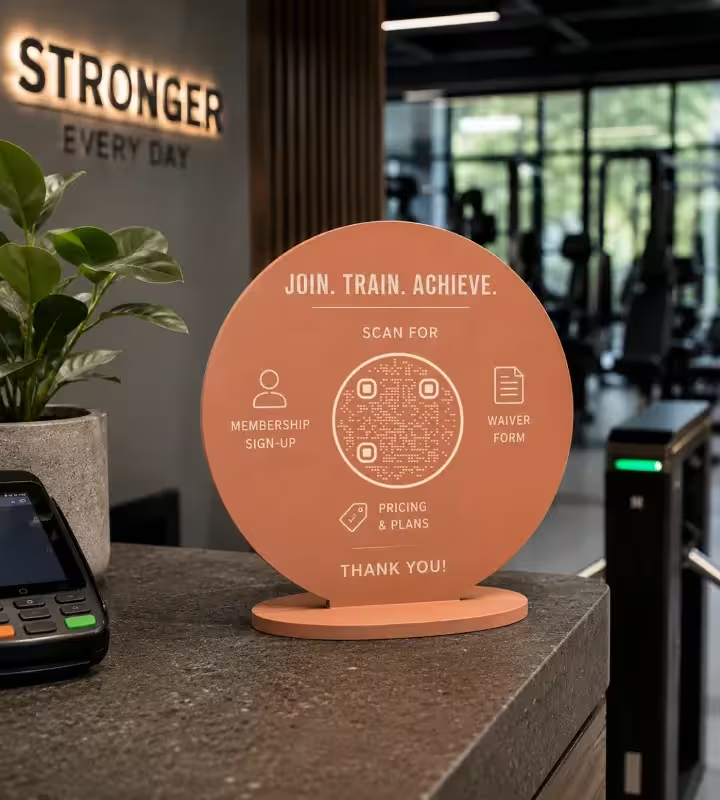
Reception Desk and Entrance
The desk code carries the paperwork: membership sign-up, the waiver and the price list. An A5 counter stand read from about 40 cm needs a code of roughly 4 cm, placed where someone can hold a phone without leaning across the card reader.
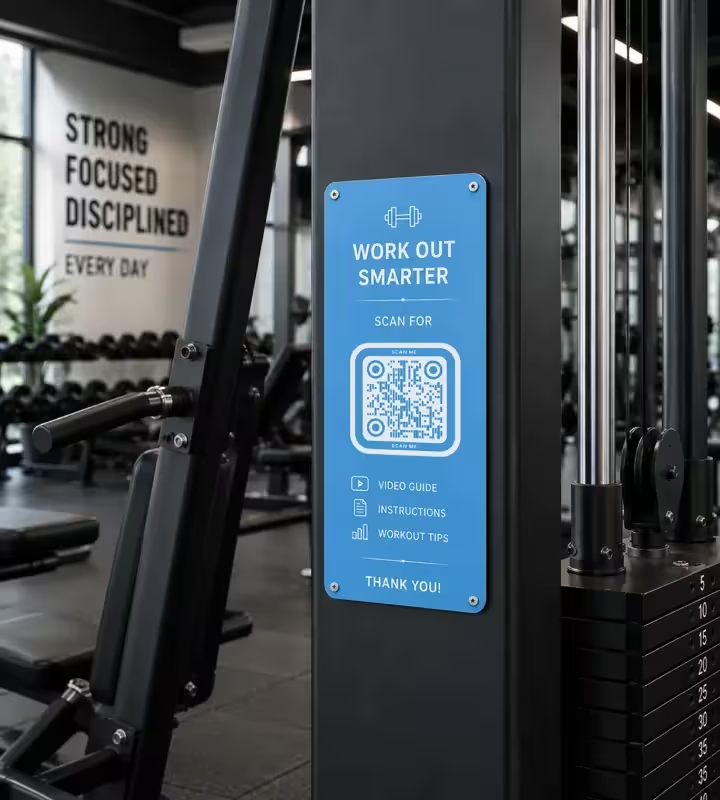
Machine Frames and Racks
One code per machine type, printed at 2.5-3 cm and fixed at standing eye level on a flat part of the frame. Keep labels off weight stacks, floor plates, grips and any tube narrow enough to curve the sticker, because a code bent around a bar stops decoding.
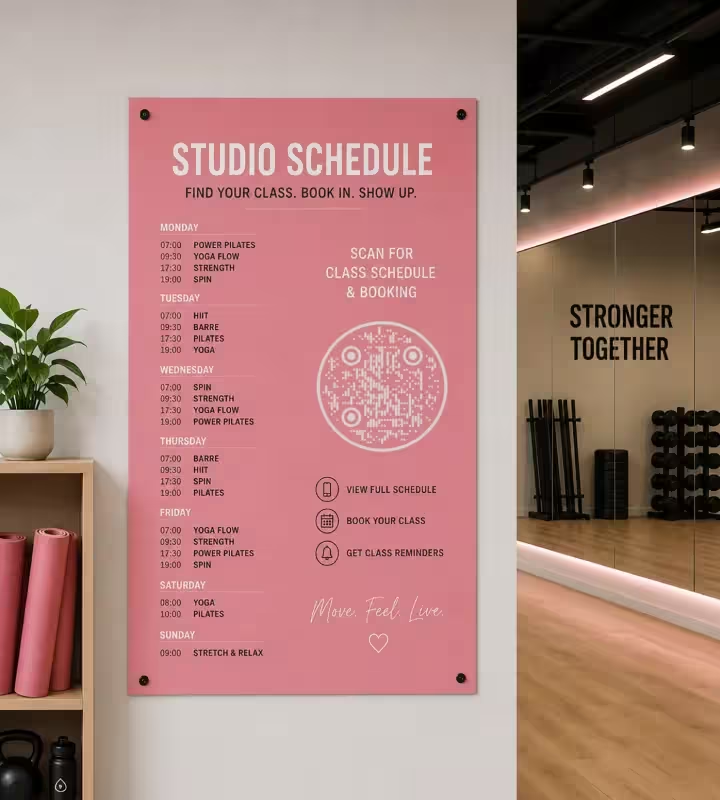
Studio Walls and the Schedule Board
A code read from across a studio needs about 1 cm of width for every 10 cm of distance, so a timetable poster read from 3 m needs roughly 30 cm of code. Matte laminate keeps track lighting and spin-room spotlights from washing the symbol out.
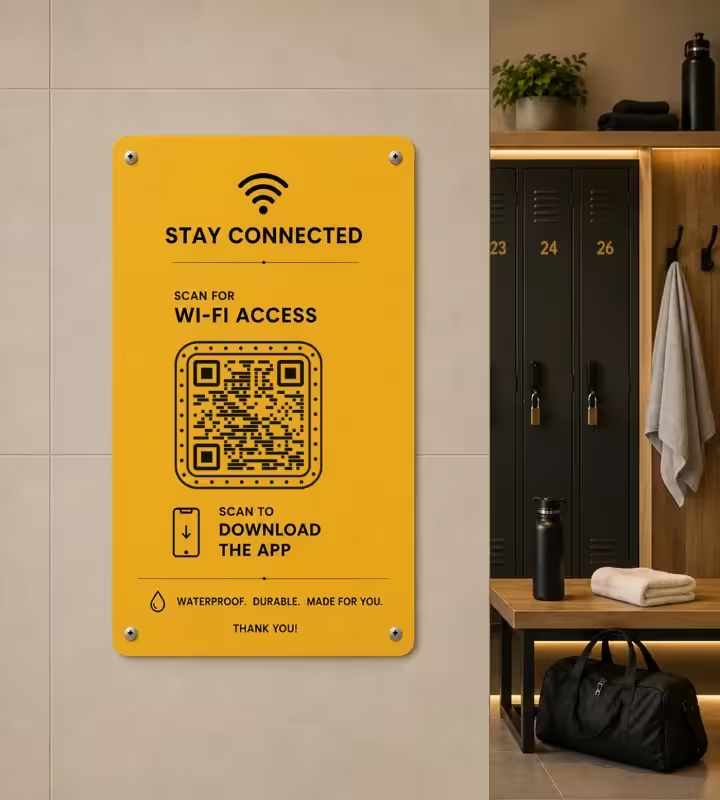
Locker Rooms and Wet Areas
Wi-Fi and app-install codes belong in the locker room, printed on waterproof vinyl rather than paper in a frame. Steam and daily cleaning destroy inkjet prints, and a code behind glass picks up glare from overhead lights.
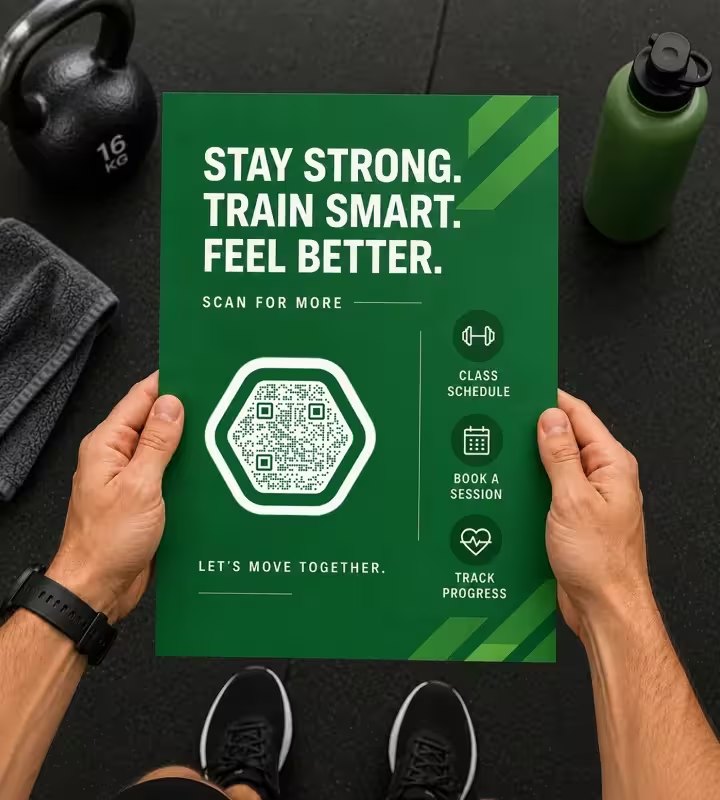
Windows, Flyers and Member Cards
A window decal has to be printed the right way round for the face it is applied to: a code stuck on the inside of the glass but scanned from the street comes out mirrored, and most phone cameras will not read a mirrored QR code. Flyers, class cards and water bottles work down to about 2 cm.
Rules That Keep Gym QR Codes Scannable
Most failed gym codes fail for one of ten reasons, and all ten are decided before printing.
Keep the Code Darker Than Its Background
Scanners expect dark modules on a light background. Inverted light-on-dark codes read on many modern phones but fail on some scanner apps, so save the inversion for artwork and use dark-on-light anywhere a member scans in a hurry.
Size the Code for the Read Distance
Use about 1 cm of code width for every 10 cm of scanning distance, with 2 x 2 cm as the practical floor. A machine label scanned at 50 cm needs roughly 2.5 cm; a poster read from 4 m needs about 40 cm.
Keep the Margin Around the Code Clear
A quiet zone is the blank margin around a QR code that lets a scanner find where the symbol begins. Keep at least four modules of clear space and do not let a sticker border, price bubble or logo strip touch the code.
Choose Materials That Survive Disinfectant
Gym codes are wiped with alcohol or spray cleaner every day. UV-laminated vinyl, polycarbonate labels and engraved plates hold up; unlaminated inkjet paper fades and abrades, usually within weeks on high-traffic machines.
Keep the Center Logo Small and Retest
Error correction is the redundancy built into a QR code that keeps it readable when part of the symbol is covered, and it has a limit. Keep a center logo small relative to the symbol, then scan the printed label again - a logo that works on screen can fail at 2.5 cm.
Say What the Scan Does
Label every code with its outcome: "Scan for the seat setup video", "Scan to book tonight's class". A bare code beside a logo gets ignored, because nobody scans when they cannot tell what they will get.
Avoid Gloss Where There Are Spotlights
Glossy lamination reflects track lighting straight back into the camera. Matte and satin finishes cost the same and stay readable in dim class spaces and spin rooms.
One Code, One Job
Split destinations instead of routing everything through one code and a landing menu. A member at a lat pulldown wants that machine's demo; a member at the door wants tonight's timetable.
Be Honest About Static Versus Dynamic
KoloQR generates static QR codes: the data sits in the symbol, so a printed code cannot be repointed and cannot count scans. If you need to change destinations after printing or measure scans per machine, use a dynamic QR service - or point the static code at a URL you control and change what lives there.
Re-Scan After Every Reprint
Test the physical item, not the file. Print scaling, upscaled PNGs and cheap thermal labels all lose module edges, and that damage only shows up on the sticker in your hand.

Create Your Gym's QR Codes
Paste the destination, style the code, download SVG and PNG. Free, no account, unlimited codes.
A practical order of work: make the reception code for sign-up and the waiver first, then the studio schedule code, then machine labels one equipment family at a time. Print a single test label, scan it from where the member stands, and only then order the full batch.
Generate QR CodeQuestions? Answered
Paste the link you want members to open - the booking page, a waiver form, a machine demo video or your Wi-Fi details - into a QR code generator, style the code, and download it as SVG or PNG. KoloQR, a free QR code generator with circular and custom-shaped QR codes, needs no account. Print at the size the read distance requires, then scan the printed copy before ordering more.
Yes. Generating static QR codes on KoloQR is free, with no account, no limit on how many you create, and both SVG and PNG exports included. Costs only appear if you choose a dynamic QR service, which hosts a redirect so you can change the destination after printing and count scans per code.
No. The built-in camera on iPhones running iOS 11 or later and on Android 8 or later reads QR codes directly - members point the camera and tap the link that appears. Some older Android phones need Google Lens or the Google app. Nobody has to install your gym's own app in order to scan a code.
About 2.5-3 cm for a label read at arm's length, and never smaller than 2 x 2 cm. The working rule is 1 cm of code width for every 10 cm of scanning distance, so a code read from 50 cm needs roughly 2.5 cm, while a wall poster read from 3 m needs about 30 cm.
At reception for sign-up and waivers, on machine frames at eye level for demo videos, on studio walls for the class timetable, and in the locker room for Wi-Fi. Keep codes off floors, weight stacks, grips and curved tubes: a code bent around a bar will not decode.
Yes, as long as the code points at a stable URL you control. Point it at an address like yourgym.com/schedule and update the timetable on that page - the printed code never changes. What a static QR code cannot do is point somewhere else after printing; changing the address itself requires a dynamic QR service.
Usually wear rather than the code. Sweat, chalk and daily disinfectant wipes abrade unlaminated paper and fade inkjet ink until the module edges blur. Print gym labels on UV-laminated vinyl or polycarbonate, keep them off grips and seat pads, and replace machine labels on a schedule instead of waiting for members to report a dead code.
The scan itself works offline, because a static QR code is decoded entirely on the phone - but the page it opens will not load without data or Wi-Fi. Basement weight rooms and areas behind metal racks often have almost no cellular signal, so put a Wi-Fi QR code at the entrance and keep destinations light: a short mobile page rather than a large PDF or an autoplaying video.
Yes. KoloQR supports a center logo, custom colors and circular or custom-shaped modules. Two limits are worth knowing: the code must stay darker than its background, and the logo must stay small enough that the surrounding modules remain intact. Styling never improves scan performance, so test the printed version at its final size.
Static codes suit anything pointed at a URL you control: schedule pages, waiver forms, Wi-Fi, machine demos on your own site. Dynamic codes are worth paying for when you need scan counts per code, campaign tests, or the ability to repoint printed codes later. Most gyms use static codes for permanent signage and dynamic codes only for marketing campaigns.
Keep Exploring
Pages that pick up where this one leaves off - the same setting, the same kind of code, or the next thing worth deciding.
Retail Stores
Product details, stock and review links on shelf labels, shop windows and checkout signs.
Healthcare
Booking pages, intake forms and aftercare instructions on posters, leaflets, prescription bags and bedside cards.
Clinics
Booking at the desk, self check-in, waiting room Wi-Fi and a window code that works when the practice is closed.
Booking QR Code
Take an appointment, table, or room booking straight from a printed sign.
URL QR Code
Send anyone straight to a web page, landing page, or link with a single scan.
Bars & Pubs
Drinks menus, rotating tap lists, Wi-Fi and gig calendars on codes that still scan in a dim room.
Why KoloQR?
- Create QR codes for websites, menus, Wi-Fi, PDFs, and business cards
- Customize colors, logos, and unique shapes
- Download high-quality PNG and SVG files
- Built for both print and digital
