How Bars and Pubs Use QR Codes for Menus, Tap Lists and Wi-Fi
A QR code in a bar is a printed shortcut to one page: the drinks menu, this week's tap list, the Wi-Fi password or the gig calendar. Two things decide whether it works - the destination has to be a page you can update, and the printed code has to survive a dim room, a wet table and a phone held at arm's length. Both are covered below, with sizes in centimeters.
Generate QR Code- Menus and tap lists
- Print-ready SVG and PNG
- Free, no watermark
What Bars and Pubs Actually Use QR Codes For
A QR code earns its place in a bar when the alternative is a reprint, a queue or a shouted password. These four jobs come up in almost every venue.
A Tap List That Changes Weekly
Rotating taps are the strongest case for a QR code in a pub, because the list changes faster than anything can be reprinted. Point one printed code at a tap-list page you edit yourself, and the table tents from January still show tonight's cask and keg lines. The physical code never changes; only the page behind it does.
Fewer People Waiting at the Bar
A code on the table that opens the drinks menu lets a group decide before anyone stands up, which shortens the queue at the bar during a rush. In venues that take orders at the table, each table needs its own code carrying its own table number, otherwise the order arrives without a destination.
Wi-Fi Without Shouting the Password
A Wi-Fi QR code encodes the network name, security type and password, so a guest joins the network by scanning instead of asking over the music. Keep this code separate from the menu code and label it clearly - a single code cannot do both jobs, because one connects to a network and the other opens a page.
Turning One Visit Into the Next
Gig calendars, quiz nights, mailing lists and Google review links are worth a code because the guest is already sitting still with a phone in hand. A code beside the till or on the back of the restroom door reaches people at the two moments they have nothing else to look at.
Two Things to Prepare Before You Print
A QR code cannot store a menu - it stores a short piece of text, usually a web address. So the work happens before the code exists: decide where it points, then prove that a phone can read it in your room.

A Destination You Control
Point the code at a page on your own domain, such as yourbar.com/menu, rather than at a link from a delivery app, a social post or a cloud file. A URL you own can be redirected later; a third-party link disappears when the platform changes it. Prefer a normal web page over a PDF menu, because a PDF opens as a fixed page that a guest has to pinch and drag to read on a phone.
A Scan Test in Your Own Lighting
Print one code at final size, put it where it will live, and scan it with an iPhone and an Android phone with the house lights at their evening setting. Low light is where bar codes fail: the camera drops shutter speed, the image blurs, and a code that scanned perfectly on a bright desk stops working at 9 pm. Test again after lamination, because gloss film reflects downlights straight back into the lens.
Generate QR Code
How to Make a QR Code for a Bar in Three Steps
Creating the code takes about a minute. The decisions that matter - destination, size, finish - are made before and after this part.
Generate QR Code- 1
Paste the Link the Code Should Open
Paste the full address of your menu, tap list, booking form or review page, including https://. For Wi-Fi, enter the network name, the security type and the password instead of a URL. Check the link on a phone first - a code pointing at a broken page is still a working code.
- 2
Style It to Match the Venue
Choose the shape, module style and colors in KoloQR, and drop in your logo if you have one. Keep the dark parts genuinely dark and the background genuinely light, and keep the clear margin around the symbol. Styling changes how the code looks, not how well it reads - the contrast and the size do that.
- 3
Download SVG for Print, PNG for the Bar Screen
Download SVG for anything a printer will handle - table tents, coasters, window vinyl, A-boards - because SVG scales to any size without softening the edges. Use PNG for a screen behind the bar, a social post or an email. Both exports are free and carry no watermark.
Where to Put the Code, and What Size to Print It
Size follows scanning distance. As a rule of thumb, a QR code needs roughly 1 cm of width for every 10 cm of distance it will be read from, with 2 x 2 cm as the practical floor for any printed code. Each spot below sits at a different distance, so each one needs a different size.
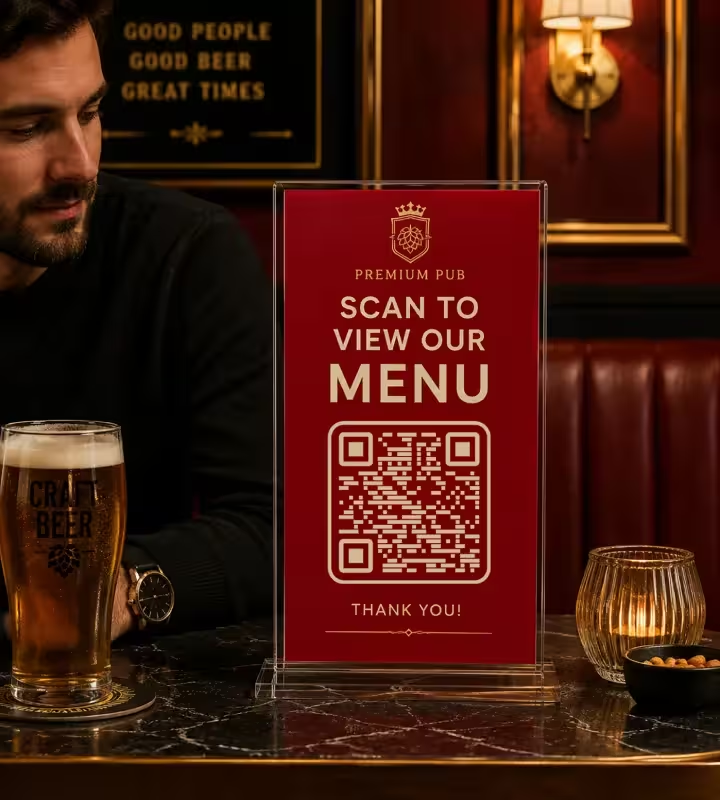
Table Tents and Table Talkers
A seated guest reads a table tent from about 30-40 cm, so print the code 3-4 cm wide and mount it vertically at eye level rather than flat on the table where glasses cover it. Rigid acrylic holders outlast folded card in a wet-table environment. Put the code on both faces so nobody has to turn it around.
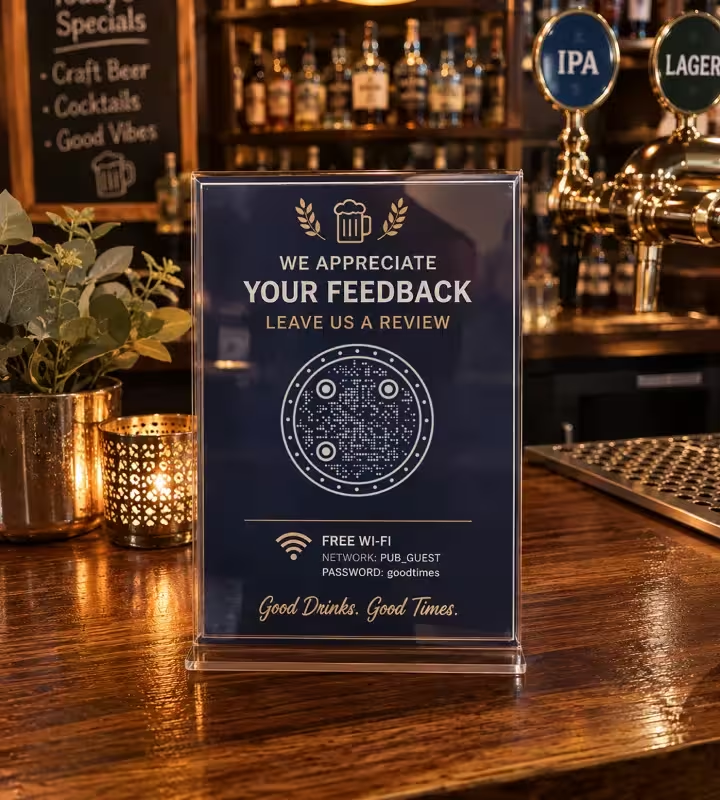
The Bar Counter and Till Area
A code on the bar counter is read from roughly 40-50 cm by someone standing and leaning in, so 4-5 cm is a comfortable size. This is the best position for a review link or a mailing-list signup, because the guest is already paying and pausing. Use a laminated decal or an under-counter mat - bare paper on a bar top has a short life.
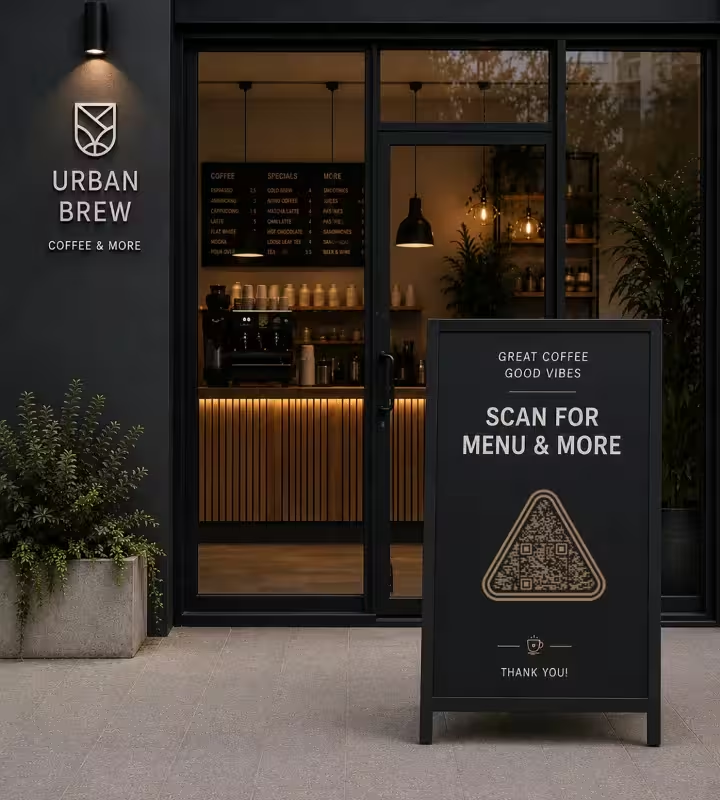
The Window and the Pavement A-Board
A code read from 1.5-2 m outside needs to be 15-20 cm wide, placed at eye height around 120-150 cm from the ground. Mount window codes on the inside of the glass facing out and expect reflections - move the code away from the brightest reflection rather than making it bigger. On an A-board, print the code on a laminated insert instead of chalking it by hand.
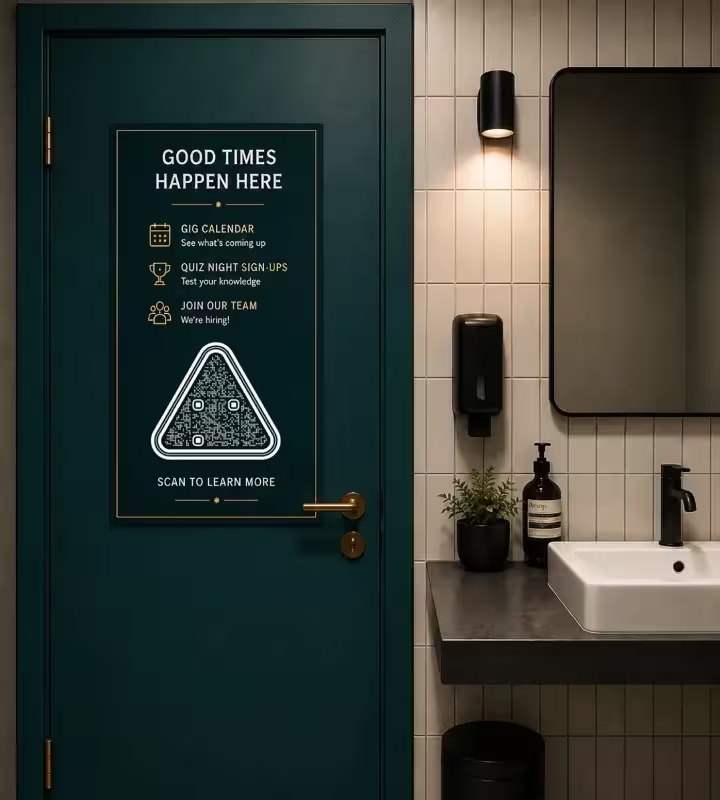
Restroom Doors and Above the Hand Basins
A poster on the back of a restroom door is read from about 50-70 cm and works at 5-7 cm wide. This is the highest-attention surface in the building, which makes it the right place for gig calendars, quiz-night signups and staff-hiring pages rather than the menu. Laminate it: this is the spot most likely to get splashed.
Beer Garden and Outdoor Tables
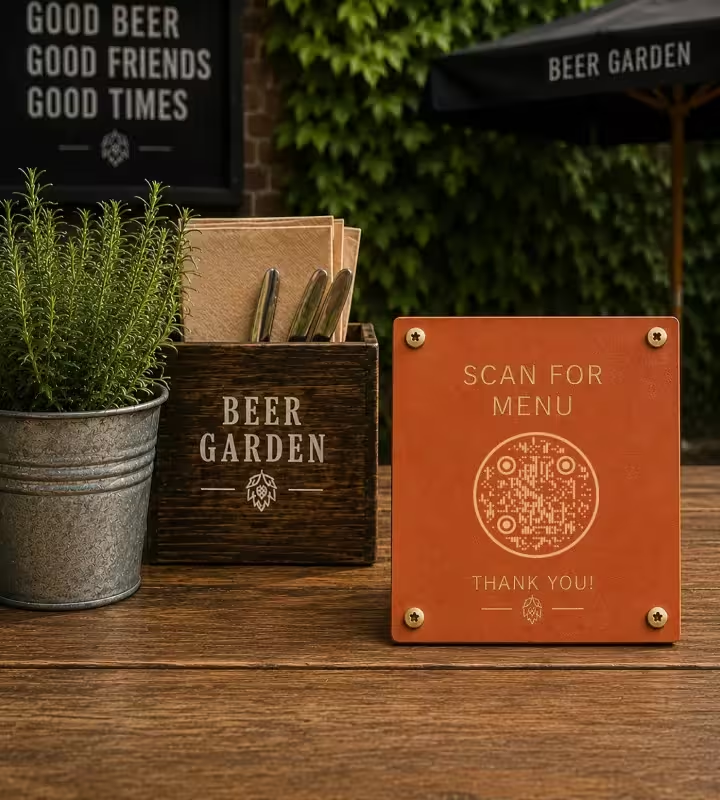
Outdoor tables need a code that survives sun and rain, so use UV-resistant laminate or an engraved or printed acrylic plate rather than card. Direct sunlight causes glare on any shiny surface, so choose matte and mount at an angle away from the sun's line. Signal is often weaker outside the building - a lightweight menu page matters more here than anywhere else.
Practical Rules for QR Codes in a Bar
Most failed bar codes fail for one of a small number of reasons: too dark, too glossy, too small, or pointing somewhere that moved. These rules cover all four.
Keep the Code Dark and the Panel Light
A QR code scans most reliably as dark modules on a light background, which is the arrangement every phone camera expects. Inverted codes - light modules on a dark or black background - are read by some scanners and refused by others, and they lose most of their remaining margin in a dim room. If the venue's look is dark, put the code inside a light panel rather than inverting it.
Print Matte, Never Gloss
Matte stock and matte laminate scatter light; gloss reflects a spotlight straight back into the camera and creates a white patch across part of the symbol. Bars are lit by narrow downlights, which makes this a common failure on glossy menu cards and gloss-laminated table tents. Matte lamination still protects against spills.
Size the Code for the Distance, Not the Layout
Use about 1 cm of code width per 10 cm of scanning distance, with 2 x 2 cm as the minimum for print. That means 3-4 cm on a table tent, 4-5 cm on the bar, and 15-20 cm on a window read from the pavement. When a designer shrinks a code to fit a layout, the code stops working before the layout looks wrong.
Keep Taps and Price Text Out of the Margin
A quiet zone is the empty margin around a QR code that lets a scanner detect where the symbol begins and ends. The QR standard specifies a quiet zone of four modules - four of the smallest squares - on all four sides. Beer taps, price text and decorative borders pushed into that margin are a frequent cause of a code that reads on one phone and not another.
Never Draw a QR Code by Hand on a Chalkboard
Hand-drawn or chalked QR codes almost never scan, because the modules end up uneven, the contrast is low and chalk on black is an inverted code. Print the code on a laminated insert and clip or tape it to the board instead, keeping the chalk for the words around it.
Say What the Code Opens, in a Verb
Label every code with the action and the reward: "Scan for tonight's tap list", not "Scan me". A guest who cannot tell what happens next usually does not scan, and staff get asked instead. Tell the bar team what each code does before the codes go out, because they are the people who will be asked.
Link a Fast Web Page, Not a Heavy PDF
Link a mobile web page rather than a PDF menu: a PDF loads as a fixed-size document that has to be pinched and dragged, and it is slow to open on a weak connection. Cellar bars and stone-walled pubs often have poor mobile signal, so keep the menu page light and place a Wi-Fi QR code nearby so guests can join the network first.
Keep a Logo Small and Rescan After Adding It
A center logo covers modules, and the code survives only because of error correction - the redundancy built into a QR code that allows it to stay readable when part of the symbol is damaged or covered. The highest level recovers roughly 30% of the symbol, but a bar code has to work in low light too, so keep the logo well under that, around 20% of the area or less, and rescan the printed version before ordering a run.
Give Order-at-Table Codes a Printed Table Number
If guests order and pay from the table, each table needs its own code and the table number printed beside it in normal type. When a scan fails or a guest switches to calling the bar, the number is the only way the order finds the table. Number the codes in the same sequence as the floor plan, not the order you printed them.
Plan for the Destination Changing Before the Print Does
KoloQR generates static QR codes: the destination is encoded in the pattern itself, so it cannot be edited after printing, and the code keeps working without an account or subscription. To keep the option of changing the target later, point the code at a short URL on your own domain, such as yourbar.com/menu, and redirect that URL whenever the menu moves. If you need per-scan analytics or a destination you can swap remotely, a dynamic QR service is the better fit.

Make a QR Code for Your Bar
Paste your menu, tap list, Wi-Fi details or booking link, style the code to match the room, and download SVG for print or PNG for screens. Free, no watermark, no expiry.
Print one at final size before ordering a full run, and scan it at the table with the house lights down. A code that reads on a bright screen and fails at 9 pm is the single most common problem in venues, and a two-minute test catches it before 200 table tents do.
Generate QR CodeQuestions? Answered
Put the menu on a page on your own website, copy that address, paste it into KoloQR, and download the code as SVG for print. It takes about a minute and costs nothing. Skip the step of uploading the menu as a PDF to a file-sharing service - those links change and expire, which turns every printed code into a dead end.
No. The built-in camera app reads QR codes on iPhones running iOS 11 or later and on most Android phones from Android 9 onward, so the guest points the camera and taps the link that appears. A small number of older or budget Android handsets need Google Lens, which is usually already installed. Never ask guests to download an app to see a menu. See how to make a Wi-Fi QR code for the guest network sign by the bar.
Yes, if it is dark-on-light, matte and large enough. Dim light makes the camera slower and the image blurrier, which eats the margin that a small or low-contrast code depends on. Print at 3-4 cm on table tents rather than 2 cm, avoid gloss laminate under downlights, and test in the room at night before committing to a print run.
Not in the code itself - a static QR code stores the address permanently. The workaround is to encode a short URL on your own domain, such as yourbar.com/menu, and change where that URL redirects. Set this up before printing, because retrofitting it means reprinting. Bars that swap destinations weekly may prefer a paid dynamic QR service.
No, keep some printed menus. Guests with a dead battery, no data allowance, poor eyesight or an older phone are excluded by a QR-only menu, and screen-reader support on a badly built menu page is often worse than paper. Treat the code as the fast path and a handful of printed menus as the fallback the bar team can hand over without a discussion.
Absorbent coaster board is the usual cause: the ink spreads slightly into the fibre, the smallest squares merge, and the pattern loses definition. Ask the printer for a code with fewer, larger modules by shortening the URL, print at 3 cm or more, and check a physical proof rather than a screen mock-up. A wet coaster with a glass on it also has no chance, whatever the print quality.
No. A QR code only carries text, so it cannot verify anything about the person scanning it. If the code leads to an online shop selling alcohol, the age check has to live on the destination page, in the checkout flow or with the delivery driver. A code on a bottle or a takeaway can point to age-restricted content, but the restriction is enforced by the page, not by the code.
Yes. KoloQR supports custom colors, circular and custom-shaped codes, and a logo in the center. Two constraints apply: keep real contrast between the dark modules and the background, and keep the logo small enough that error correction can still recover the covered area. Rescan the styled version in the venue's own lighting - styling never improves readability, and it can reduce it. For a Halloween night at the pub, the Halloween QR code designs show which pumpkin-orange, purple and bone-on-black palettes still pass that contrast check in dim light.
No. Order-at-table systems identify the table from the link, so each table needs a distinct code, usually one URL per table number. A single shared code means every order arrives with no table attached. Print the table number in readable type next to each code so staff and guests have a fallback.
Yes, with two caveats. Thermal receipt printers are low resolution, so keep the code at 2 cm or wider and use the shortest possible URL to keep the modules chunky. Thermal paper also fades in heat and sunlight, so a receipt left in a car for a week may no longer scan. For reviews, a code at the till or on the card terminal usually outperforms one on the receipt. The same holds in a coffee shop, where the till is the one place every customer stops.
Yes. KoloQR is a free QR code generator with circular and custom-shaped QR codes, and the exports carry no watermark and no expiry, including for commercial printing. The codes are static, so the destination is encoded in the pattern and keeps working without an account, a subscription or KoloQR staying online.
Keep Exploring
Pages that pick up where this one leaves off - the same setting, the same kind of code, or the next thing worth deciding.
Coffee Shops
Menu, Wi-Fi, loyalty signup and review links on table tents, takeaway cups and window signs.
WiFi QR Codes
Guests scan once and connect - no password read out letter by letter, no app to install.
Tripadvisor QR Code
Send guests straight to your review form instead of asking them to search for you.
Menus & Table Tents
The code sits 40 cm from a seated guest in dim light on a laminated card - what that costs in size, finish and page speed.
Restaurant Menus
Table cards and takeaway packaging that open the current menu in one scan - update a price and every table shows it, with nothing reprinted.
Hotel QR Codes
Menus, WiFi, check-in and guest info - one scan from every room, desk and table.
Why KoloQR?
- Create QR codes for websites, menus, Wi-Fi, PDFs, and business cards
- Customize colors, logos, and unique shapes
- Download high-quality PNG and SVG files
- Built for both print and digital
