How to Use QR Codes in a Coffee Shop
A QR code in a coffee shop is a printed link to one page: today's menu, the Wi-Fi network, a loyalty signup or a review form. The seated scanning distance is short, so a table tent code works at about 3 cm, while a window sign read from the pavement needs 20 cm or more. This page covers what to link, what size to print, which surfaces survive milk and sanitiser, and what usually breaks.
Generate QR Code- Menu, Wi-Fi, loyalty
- Print-ready SVG and PNG
- Free, no account
Why Coffee Shops Print QR Codes
A coffee shop changes its menu faster than it reprints its furniture. A QR code that points at a page you control lets the words change without the print run changing.
The Seasonal Menu Changes, the Printed Code Does Not
Point the QR code at a fixed URL on your own domain, such as yourcafe.com/menu, and edit the page behind it. Swapping the oat-milk flat white for a winter drink then takes a text edit instead of a new batch of table tents. The printed pattern never changes because the pattern encodes the address, not the menu.
Guests Join the Wi-Fi Without Asking a Barista
A Wi-Fi QR code encodes the network name, security type and password, so a phone joins the network from the camera app in one tap. iOS 11 and later and Android 10 and later read this format natively. For a café with one barista at peak hour, it removes the most repeated question of the day.
Reviews Get Asked for While the Coffee Is Still Hot
A review request works best in the two minutes after a good drink is served, not in an email that evening. A small code on the receipt, the counter card or the table sends the guest straight to your Google review form. Never offer a discount in exchange for a positive review - Google's policies prohibit incentivized reviews.
Loyalty and Pre-Orders Without an App Download
Most guests will not install a café app for a free tenth coffee, but they will scan a code that opens a signup page in the browser. The same applies to pre-orders: a code on the door that opens your order page lets a queue of commuters order while waiting rather than at the till.
What You Need Before Printing a Café QR Code
Two things decide whether a coffee shop QR code works: the page it opens on a phone, and a scan test done on the printed piece rather than on the screen.

One Mobile Page You Control, on Your Own Domain
Give each code a single destination that loads well on a phone: a mobile menu page, a Wi-Fi credential, a loyalty signup or a review link. Use an address on your own domain, such as yourcafe.com/menu, and redirect it wherever you need. That redirect is what lets you move from a PDF to a proper page, or from one review platform to another, without reprinting anything. Avoid linking a PDF menu directly - a PDF forces pinch-zoom on a phone, and a guest holding a cup has one hand free. The tip jar by the till is the exception: in the US it can carry a Venmo code or a Cash App code that opens your business profile directly.
A Scan Test on the Printed Piece, in Café Lighting
Print one sample at final size and scan it with both an iPhone and an Android phone, seated, at the distance a guest will actually hold it. Test it under your own lighting: cafés are dim, and a glossy laminate under a spotlight produces glare that hides part of the pattern where a matte laminate does not. Check that the page loads on mobile data as well as Wi-Fi, because basements and thick-walled buildings often have one bar of signal.
Generate QR Code
How to Create a QR Code for a Coffee Shop
Creating the code takes about a minute. The order matters: fix the destination first, because changing it later means regenerating the code.
Generate QR Code- 1
Paste the Menu, Wi-Fi or Review Link
Enter the URL of the page the code should open - your menu page, loyalty signup or review link - or choose the Wi-Fi type and enter the network name, security type and password. Use the full address including https://, and check it on your own phone before generating anything.
- 2
Style It to Match the Café
Choose a shape, add your logo and set your brand colors in KoloQR, a free QR code generator with circular and custom-shaped QR codes. Keep the pattern dark on a light background and keep the empty margin around it. Styling makes the code fit the room; it does not make the code easier to scan.
- 3
Download SVG for the Print Shop, PNG for Social
Download SVG for anything a printer produces - table tents, window vinyl, cup stickers, bean bags - because SVG is vector and stays sharp at any size. Use PNG for your own screens and social posts. Then scan the printed proof before approving the run.
Where to Put a QR Code in a Coffee Shop, and What Size
Size follows scanning distance. The working rule of thumb is about 1 cm of code width for every 10 cm of distance, with 2 cm as the practical floor for any printed QR code. The sizes below apply that rule to the six surfaces a café actually prints on.
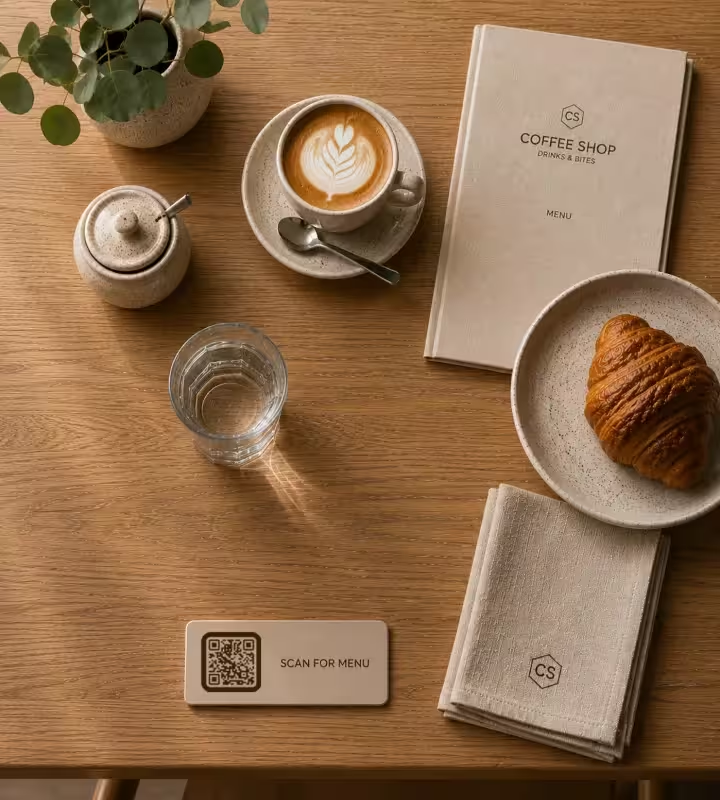
Table Tents and Table Stickers - 3 cm
A seated guest holds a phone 25-40 cm from the table, so a 3 cm code scans comfortably and 4 cm gives margin for older phones. Print on an acrylic stand or a laminated card rather than plain paper: bare card stock absorbs a coffee ring or a milk splash within a week and a stained code stops scanning. Add a three-word instruction such as Scan for menu - an unlabeled code gets ignored.
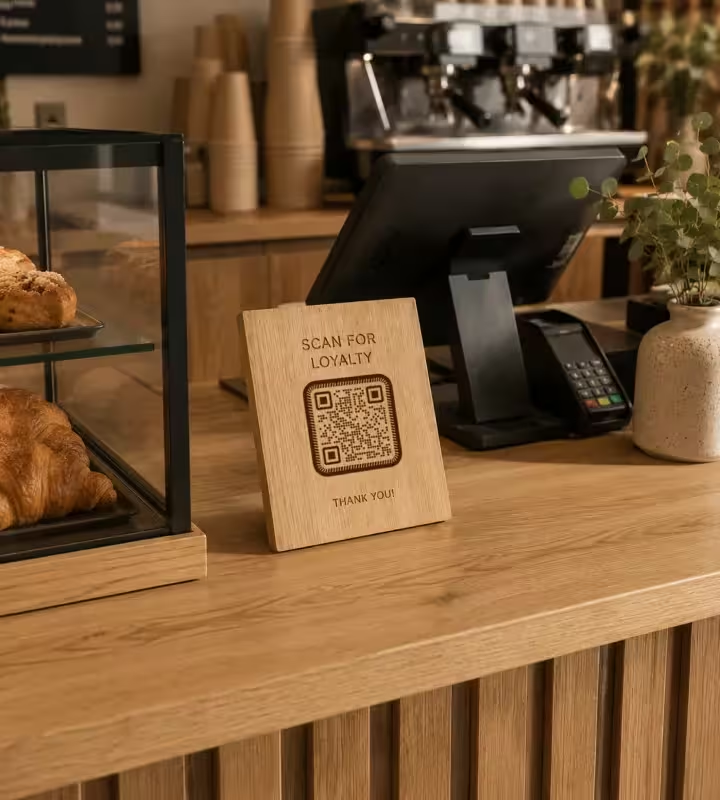
Counter Card at the Till - 5 cm
A guest at the counter stands 40-60 cm from the card and often has a wallet in one hand, so print at 5 cm and angle the card towards the guest rather than laying it flat. The counter is the right place for the loyalty signup and the review link, because that is where the transaction ends. Keep the counter card to one code: two codes side by side halve the scan rate of both.
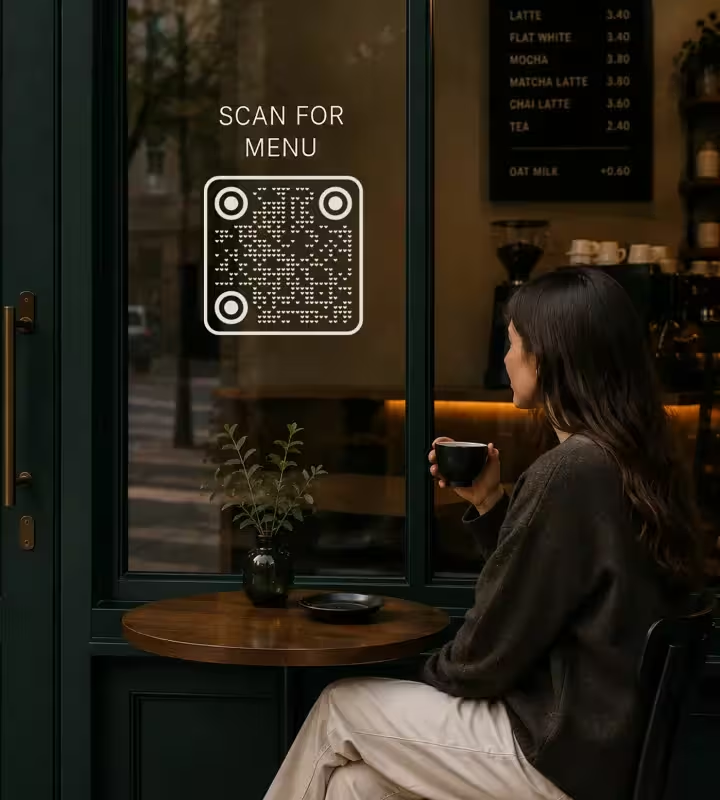
Window and Pavement Sign - 20 cm or More
A code read from the pavement, roughly 2 m away, needs about 20 cm of width, and 30 cm if people scan it from across a narrow street. Mount it at eye level, 140-160 cm from the ground, and on the inside of the glass so weather cannot lift it. Glass reflects, so avoid placing the code where a bright sky sits directly behind the phone. Window codes work best for opening hours, the menu and hiring pages.
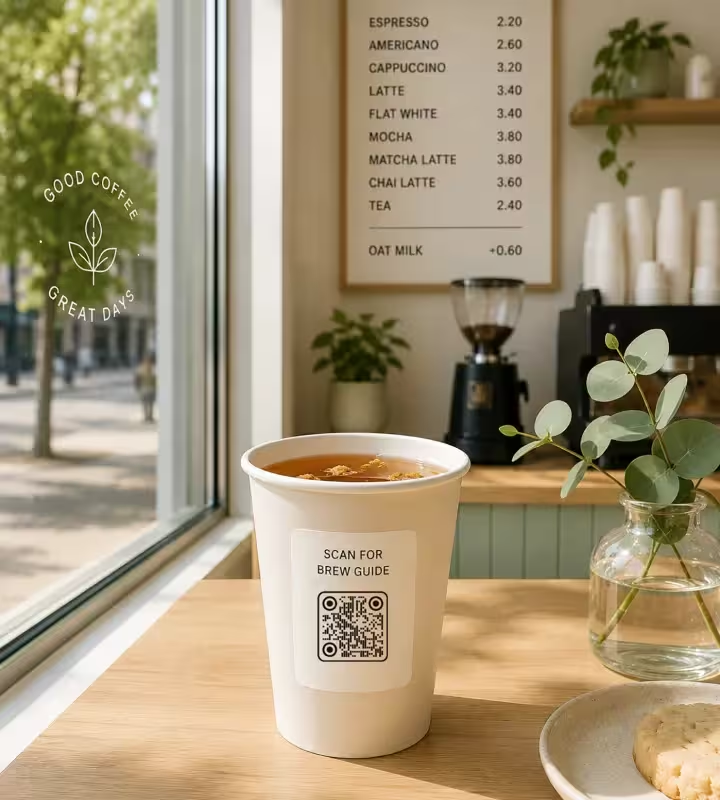
Takeaway Cups and Cup Sleeves - 2.5-3 cm
A curved cup bends the pattern, so keep the code at 2.5-3 cm on a standard 8-9 cm diameter cup and place it on the flattest available area, away from the seam. Kraft-brown board lowers contrast against a black pattern, so print the code inside a white patch rather than directly on the brown. A takeaway cup is the one surface that leaves the building, which makes it the best place for a social or brew-guide link.
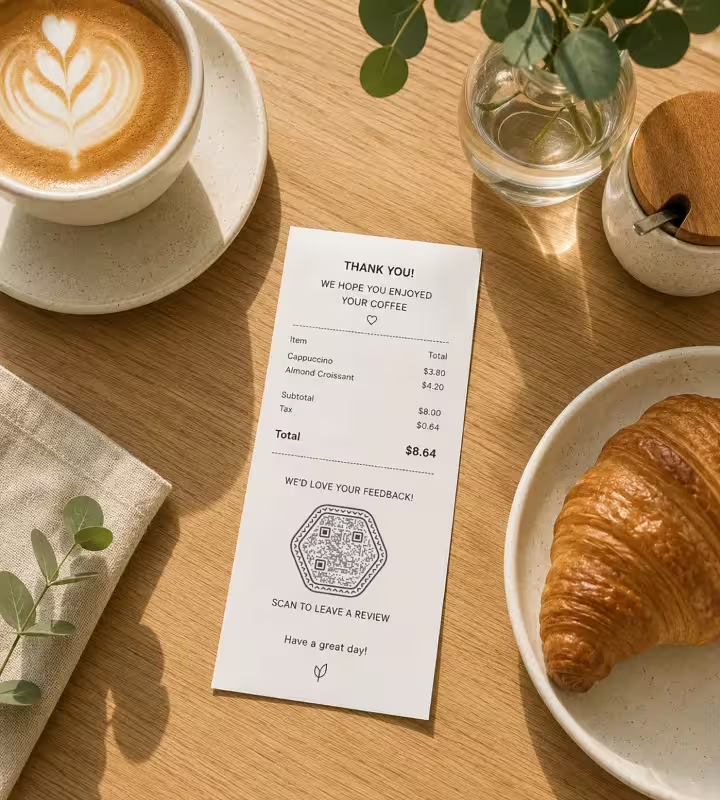
Receipts - 2 cm, and Treat It as Short-Lived
Thermal receipt printers commonly print at 203 DPI, which is enough for a 2 cm code but not for anything smaller, so set the minimum at 2 cm and test it on your own printer roll. Thermal paper darkens in heat and fades in months, so a receipt code suits a same-day action like a review request rather than a loyalty card a guest keeps in a wallet.
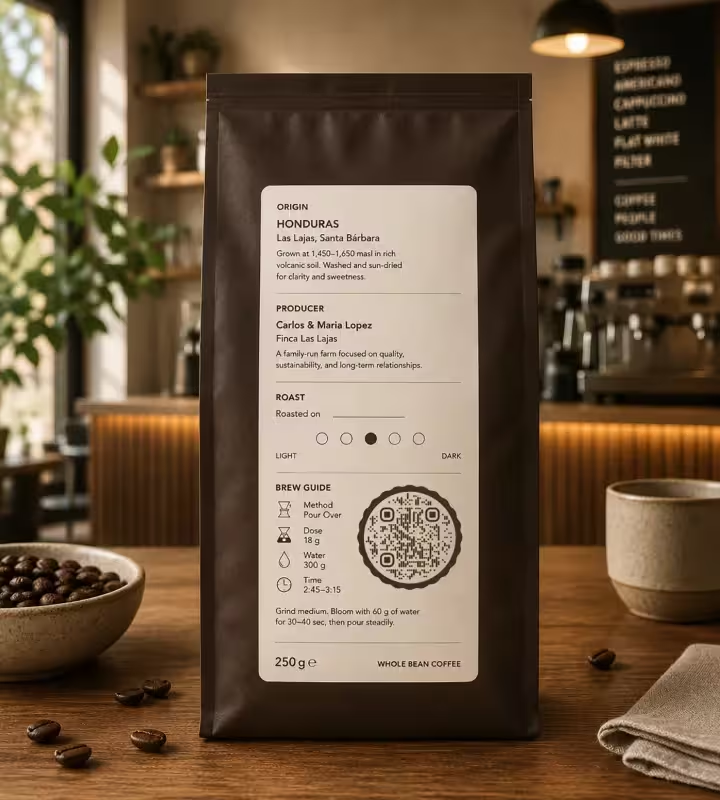
Retail Bean Bags - 2.5 cm on the Back Label
A 250 g bag of beans has room for a roast date and little else, so a 2.5 cm code on the back label can carry the full origin story, the producer, and a brew recipe with dose, water weight and time. Coffee bought to take home is the case where the code earns the most: the guest is at their own grinder, guessing. Matte labels beat gloss here, because bags are handled and gloss scuffs.
Rules That Keep a Café QR Code Working
Most QR code failures in a coffee shop are physical rather than digital: the wrong size, the wrong surface, or a code nobody was told to scan.
Keep the Pattern Dark on a Light Background
A QR code scanner expects dark modules on a light field. Inverted codes - light pattern on a dark background - are read inconsistently by the native iOS and Android camera apps, so a light-on-dark code that works on your phone may fail on a guest's. Brand colors are fine as long as the pattern stays clearly the darker of the two.
Keep the Clear Margin Free of Decoration
A quiet zone is the empty margin around a QR code that lets a scanner detect where the symbol begins and ends. The QR code standard specifies four modules of clear space on every side. Decorative frames, price text or a cup illustration crossing that margin is one of the most common reasons a printed café code reads slowly or not at all.
Tell the Guest What Happens When They Scan
Print three to five words next to every code: Scan for menu, Join our Wi-Fi, Rate your coffee. A bare code asks the guest to gamble on where it leads, and in a café most guests will not bother. The label also survives being photographed and shared, which a bare code does not.
Cap the Logo at Roughly a Third of the Width
A logo in the center covers part of the pattern, and error correction recovers the covered area only up to a point. Keeping the logo within about 30% of the code's width, at level H error correction, works reliably in practice. Always scan the finished code with the logo in place - the only meaningful test is the printed one, not the preview.
Print From SVG, Never From a Screenshot
SVG is a vector format, so the same file prints cleanly on a 3 cm table card and a 30 cm window decal. A screenshot or a small PNG scaled up produces soft module edges, and soft edges at small sizes are what make a scanner hesitate. Send SVG to the print shop and keep PNG for your own screens.
Choose Matte Over Gloss for Anything Under a Light
Matte lamination scatters light; gloss reflects it into the camera as a bright patch that hides part of the pattern. Cafés are full of spotlights and pendant lamps directly above tables, which makes glare the most likely failure on a glossy table tent. Matte also hides fingerprints, and table cards get handled constantly.
Test With Both an iPhone and an Android Phone
The native camera apps on iOS and Android use different decoders, and a code that is marginal - slightly too small, slightly low contrast, logo slightly too large - often works on one and fails on the other. Test both, from the real distance, on the real printed piece, before the print run is approved.
Escape Special Characters in a Wi-Fi Password
A Wi-Fi QR code encodes the network name, security type and password as plain text, and the characters backslash, semicolon, comma, colon and double quote must be escaped with a backslash inside that text. An unescaped semicolon in a password is why a Wi-Fi code silently joins the wrong network or fails. Generate it, then forget your saved network and test the join.
Keep the Menu Page Light Enough for One Bar of Signal
A guest scanning at a corner table may be on mobile data in a building with thick walls. A menu page that needs several megabytes of images or JavaScript to show a price list will time out there. Plain HTML with text prices, one column, no carousel, loads in poor signal - and stays readable for someone using a screen reader.
Keep a Printed Menu Alongside the Code
A QR-only menu excludes guests with an old phone, a flat battery, poor eyesight or no data plan, and it slows down anyone ordering for a table of four. Treat the code as the fast path, not the only path. Several jurisdictions also require an accessible non-digital menu on request, so check local rules before removing print entirely.

Generate a QR Code for Your Coffee Shop
Paste your menu, Wi-Fi or review link, style the code to match the room, and download SVG for the print shop. KoloQR is free to use, adds no watermark, and the codes have no expiry date.
KoloQR generates static QR codes, which means the destination is stored in the pattern itself rather than on a server. A static code keeps working without a subscription and without depending on KoloQR staying online, but it cannot be edited after printing and it reports no scan statistics. If you need editable destinations or scan analytics, either point the code at a redirect on your own domain - the practical workaround, and the one worth setting up before a large print run - or use a dynamic QR code service instead.
Generate QR CodeQuestions? Answered
Put your menu on a mobile-friendly page at a fixed address on your own domain, then paste that address into a QR code generator and download the result as SVG for printing. Do not link a PDF: a PDF menu forces pinch-zoom on a phone. Test the printed code on an iPhone and an Android phone before you approve a print run.
Publish the off-menu drinks on a separate page that nothing else on your site links to, such as yourcafe.com/secret, and put that address in its own QR code. Print it somewhere a regular finds rather than a passer-by - the bottom of a cup sleeve, the back of a loyalty card, a small sticker on the counter - and leave the address itself off the print, so the code is the only way in. Secret here means unlisted, not private: anyone holding the code can open the page, so keep prices and allergens on it as accurate as on the main menu. Because the code points at your own page, you can rotate the drinks every season without reprinting, and the visits to that one address show how many guests went looking.
About 3 cm wide, with 4 cm giving extra margin on older phones. The rule of thumb is roughly 1 cm of code width for every 10 cm of scanning distance, and a seated guest holds a phone 25-40 cm from the table. Below 2 cm, printed QR codes become unreliable regardless of distance.
No. The built-in camera app on iOS 11 and later and on Android 10 and later recognizes QR codes without any extra app, so the guest points the camera and taps the link that appears. A small number of older Android phones need Google Lens or a scanner app, which is one reason to keep a printed menu available.
Yes, if the code points to a page you control rather than to the menu file itself. Encode a stable address such as yourcafe.com/menu, then change the page or its redirect target whenever the menu changes. The printed pattern encodes only the address, so it never needs reprinting. A code pointing at a PDF file name breaks the moment the file is replaced.
Usually curvature, contrast or size. On an 8-9 cm cup, keep the code at 2.5-3 cm and place it on the flattest area away from the seam, because a code wrapped around a tight curve distorts the pattern. Printing a black code directly on kraft-brown board lowers contrast - print it inside a white patch instead.
No. One QR code carries one destination, so a Wi-Fi code and a menu code are two separate codes. Keep them physically apart as well: put the Wi-Fi code near the seating or on the wall, and the menu code on the table. Two codes side by side on the same card reduces the scan rate of both, because the guest has to read before acting. For a one-off guest at the counter, staff can also share the Wi-Fi password from an iPhone as a QR code on screen. The same goes for a payment code: an Indonesian QRIS sticker belongs on its own stand at the till, apart from every other code, so nobody tries to pay into a menu.
Yes. A logo in the center and custom colors both work, within limits: keep the logo to roughly 30% of the code's width, and keep the pattern clearly darker than its background. KoloQR also generates circular and custom-shaped codes with a logo. Styling makes a code fit your interior - it does not make it easier to scan, so scan the printed proof.
For same-day actions, yes; for anything a guest keeps, no. Thermal receipt printers typically print at 203 DPI, so a receipt code needs at least 2 cm to be reliable, and thermal paper fades within months and darkens in heat. Use receipt codes for review requests, such as a Google review QR code, and put loyalty signups on a laminated card or the counter instead.
A single static QR code can open a loyalty signup page, but it cannot count visits by itself, because every guest scanning it sends the same data. Per-visit stamping needs a loyalty platform that issues a unique code or link per customer. A café running loyalty from a printed code should treat the code as the entry point and let the platform track the visits.
It depends on where the café operates, and accessibility rules are the usual constraint: several jurisdictions require a menu in an accessible non-digital form on request. Beyond the legal question, a QR-only menu excludes guests with a flat battery, no data plan or poor eyesight. Keeping a few printed menus behind the counter solves both at almost no cost.
Keep Exploring
Pages that pick up where this one leaves off - the same setting, the same kind of code, or the next thing worth deciding.
Bars & Pubs
Drinks menus, rotating tap lists, Wi-Fi and gig calendars on codes that still scan in a dim room.
Tripadvisor QR Code
Send guests straight to your review form instead of asking them to search for you.
WiFi QR Codes
Guests scan once and connect - no password read out letter by letter, no app to install.
Menus & Table Tents
The code sits 40 cm from a seated guest in dim light on a laminated card - what that costs in size, finish and page speed.
Restaurant Menus
Table cards and takeaway packaging that open the current menu in one scan - update a price and every table shows it, with nothing reprinted.
Real Estate
Send passers-by straight to the photo gallery, floor plan and video tour from a for-sale board, window card or brochure.
Why KoloQR?
- Create QR codes for websites, menus, Wi-Fi, PDFs, and business cards
- Customize colors, logos, and unique shapes
- Download high-quality PNG and SVG files
- Built for both print and digital
