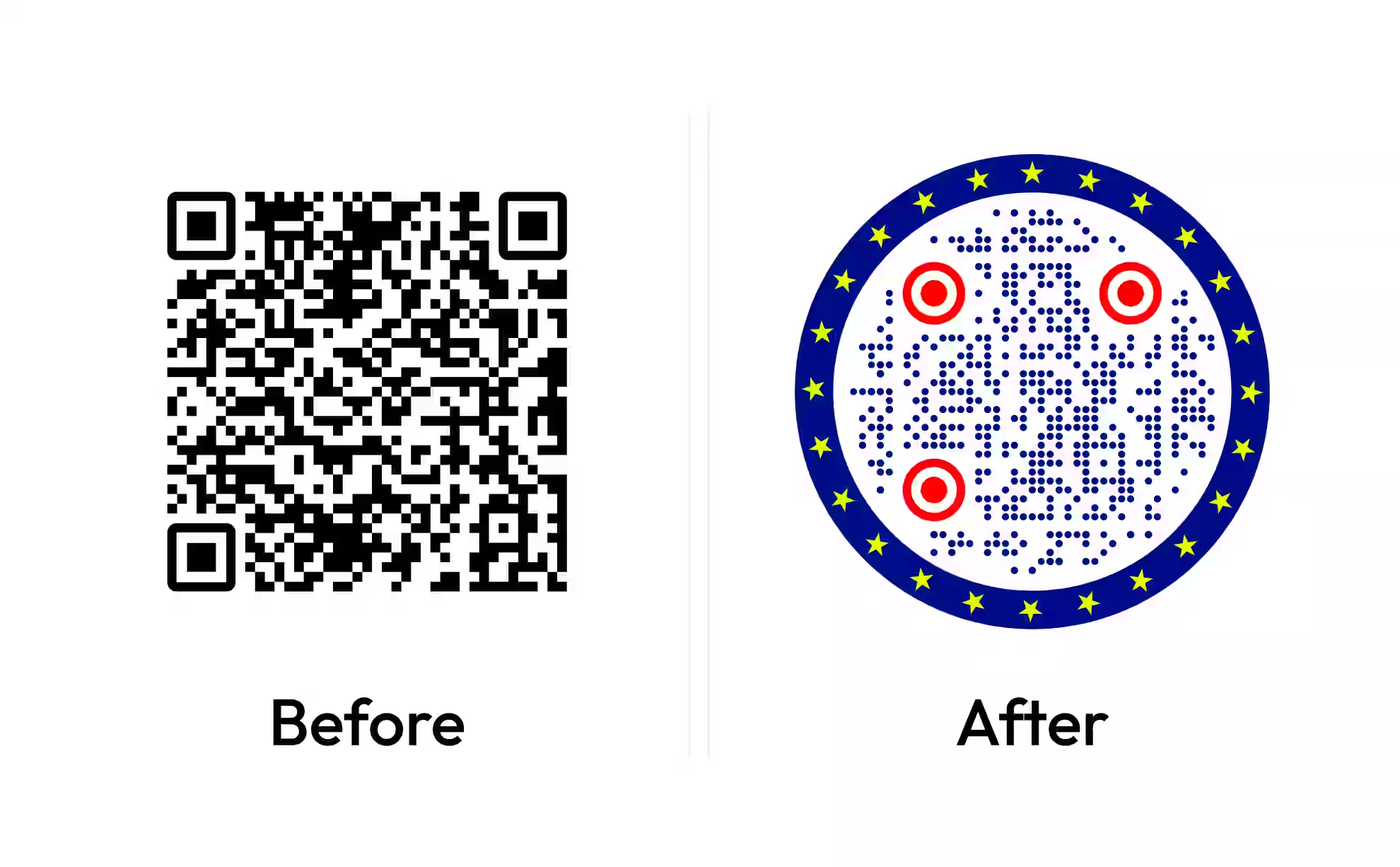
Make a Printable QR Code for Your Cash App $Cashtag
Paste your Cash App link - cash.app/$yourcashtag - style the code in black and white or your own colours, and download it sized for a sign, a flyer or a tip jar. Any phone camera opens it.
Opens in Google Maps. Coordinates work too - "37.4224, -122.0841".
The code opens your business's "Write a review" form. Paste the Place ID, or a Google Maps link that carries one.
A UPI link carries no checksum, so a mistyped ID produces a code that scans perfectly and pays somebody else. Paste the ID from your payment app rather than typing it, and send yourself one rupee before printing.
Paste it exactly as copied. KoloQR does not assemble the payload - it encodes the one your bank issued, and checks it before you print it.
SVG, PNG, JPG • Max 2 MB
First month free
then $9/month
Dynamic QR Codes Are Coming
Change your link anytime, even after printing. See who scans, when and where.
- Edit without reprinting
- Scan analytics
- Bulk & custom domains
You're on the List
We'll email you once, when dynamic codes with scan analytics launch.
What Is a Cash App QR Code?
A Cash App QR code is a QR code that opens a Cash App profile so the person scanning it can pay that $cashtag. Cash App shows a code inside the app; a code made from your cash.app/$cashtag link does the same job and can be printed at any size and in any colour. Either way the code carries a link to your profile, never your card number, bank details or PIN.
Cash App's Own Code and a Code You Make Are Two Different Things
Both send the payer to you, but they come from different places and suit different jobs:
- The in-app code - the code Cash App shows for your account on your phone. It is drawn in Cash App's style, made to be shown on a screen or shared as an image, and read by the scanner in the top-left corner of the payer's Payments tab.
- A code made from your link - a QR code that stores cash.app/$yourcashtag. Any phone camera opens it, it can be black and white or match your stall's colours, and it prints sharp at any size because you export it as SVG.
- A code at a checkout - the code a shop shows when you pay with Cash App Pay. It belongs to that one purchase, is made by the merchant's payment system, and is not something a generator can make for you.
Your link is your $cashtag after cash.app/, so $yourname becomes cash.app/$yourname. Cash App says a $cashtag must include at least one letter and be no longer than 20 characters, so the link stays under about 30 characters and the printed code stays simple. A $cashtag can only be changed twice, which makes a printed code a fairly stable thing to rely on. Because a printed payment code is the kind most often covered by a scam sticker, read how fake QR codes work before the sign goes up somewhere you cannot watch.
Selling Something? Check Which Account You Are Using
Cash App's terms describe person-to-person payments as being for personal, non-commercial purposes. For tips, shared costs and team dues, a personal account and a code from your link are the intended fit. For selling goods or services, Cash App offers a Business account: as of November 2026, its fees page lists 2.6% + $0.15 on each payment received from a customer's Cash App account and 3% through Tap to Pay. Since September 2026, Cash App has also been piloting Earn in P2P, which lets eligible sole proprietors take goods-and-services payments on a personal account with no fees. A code printed from your link reaches whichever account the $cashtag belongs to - the code does not change the rules, the account does. Check Cash App's current fees before you print prices around them. For payers who use Venmo instead, a Venmo QR code does the same job with a venmo.com/u/ link.
Generate QR Code
Where Cash App QR Codes Are Used
A printed Cash App code works anywhere in the US where people pay each other without a card reader:
- 1
Write Out Your Cash App Link
Open your profile in Cash App and note your $cashtag. Your link is cash.app/ followed by it, dollar sign included - for example cash.app/$yourname.
- 2
Paste It Into the URL Field
Choose the Cash App tile in the generator above and paste the link. Keep the $ and leave off anything after the $cashtag - the shortest link makes the simplest code.
- 3
Style It and Add Your $Cashtag
Black on white scans most reliably; a dark brand colour on white works too. Print your $cashtag in text beside the code so payers can compare it with the profile that opens.
- 4
Scan It Before You Print
Scan it with a phone that is signed into a different Cash App account. Check that your name and $cashtag appear, then download SVG or PDF for print.
Which File Format Should You Download?
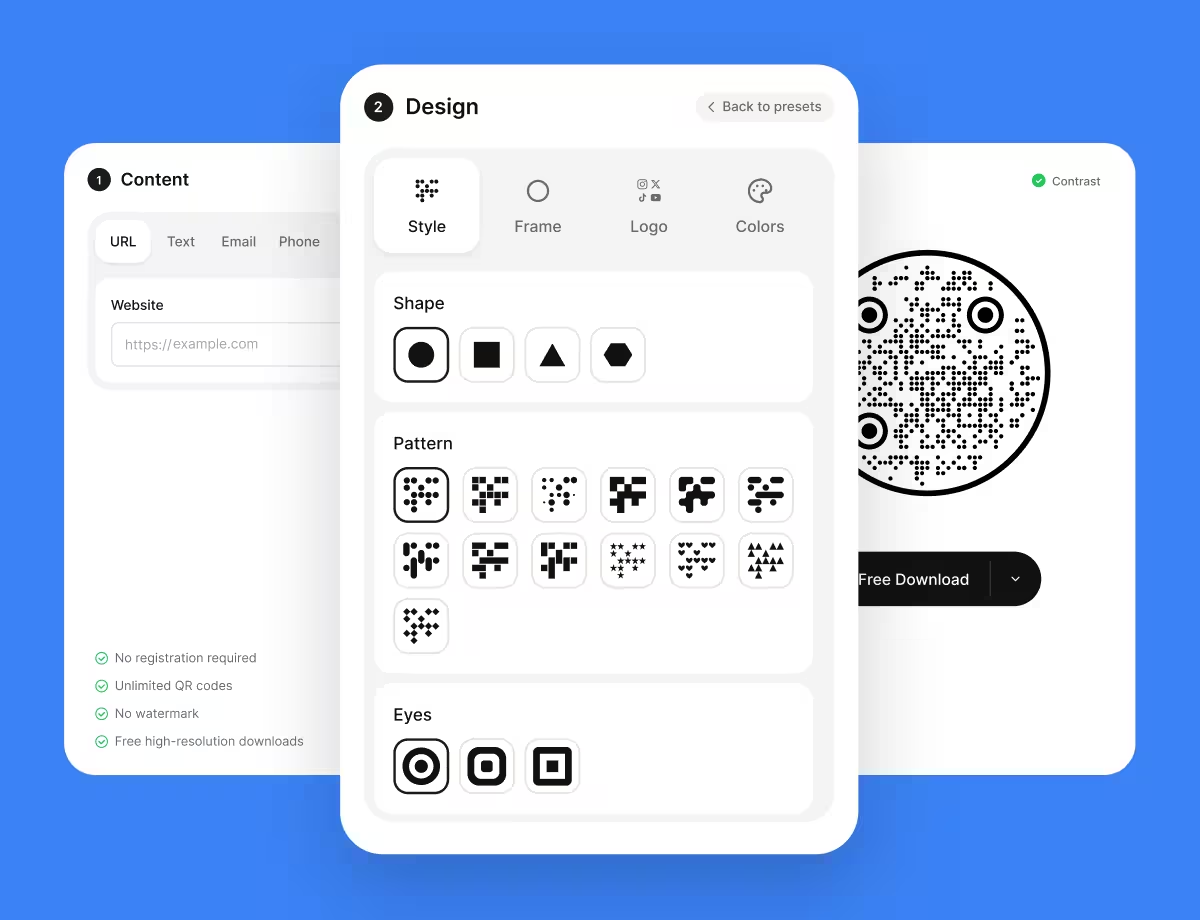
KoloQR exports your Cash App QR code in three formats. Pick by where it will be seen:
- PNG for a group chat, an Instagram story, a link-in-bio page or an email, where the code appears at one size.
- SVG for chair-side signs, banners and stickers - anything a print shop scales up without the edges going soft.
- PDF for printing at home or sending straight to a copy shop as a sign or a flyer.
A cash.app/$ link is at most about 30 characters, because a $cashtag is capped at 20, so the code stays sparse and reads from a distance. On a market table, about 10 cm wide is comfortable for a payer standing a metre away; on a flyer or a business card, keep it above 2 cm, and add about 1 cm of width for every 10 cm of extra distance.
Generate QR CodeBest Practices for Cash App QR Codes
A printed payment code is a target as well as a convenience, so these are as much about the sign as about the pattern:
Print Your $Cashtag Next to the Code
After a scan, Cash App shows the name and $cashtag of the account being paid. Printing $yourname beside the code gives payers something to check against.
Check Your Sign for Stickers
A fraudulent code stuck over a real one is the standard attack on unattended payment signs. Laminate the sign and look at it each time you set up.
Use the Right Kind of Account
Tips and shared costs suit a personal account. Regular selling belongs on a Business account or, where you are eligible, Earn in P2P, under Cash App's own terms.
Write the Price, Not Just the Code
A link-based code opens your profile, and the payer types the amount. Put prices on the sign in large type so nobody pays $5 for a $50 item.
Keep It Dark on Light
Cash App green on white is a low-contrast pair, and black on white scans in worse light. Save the green for the frame and the text around the code.
Keep the Cash App Mark Recognisable
The generator puts the Cash App mark in the middle of the code in Cash App green, and the Logo colour in the Colors tab changes it. Green, black or white keeps it recognisable; keep the default size and don't stretch or redraw the mark.
Verify Your Account Before a Big Event
Cash App limits unverified accounts to $1,000 sent and received in any 30 days. Verify your identity in the app before a fundraiser or a busy market day, not halfway through it.
Test From Someone Else's Phone
Your own phone may open your profile from memory. Scan with a friend's phone and their Cash App to see what a customer sees.
Why Your Cash App QR Code Isn't Working
A payment code fails in front of someone holding a phone and waiting, so check these before the sign goes up.
The Scan Opens a Page That Says the Account Can't Be Found
- Cause
- The $cashtag in the link is misspelled, the $ was dropped, or the $cashtag was changed after the code was made.
- Fix
- Open the link in a browser on another phone, correct the $cashtag, and regenerate the code from the fixed link.
The Scan Opens Cash App's Website Instead of the App
- Cause
- The payer does not have Cash App, is signed out, or their phone opens links in the browser for this address.
- Fix
- Nothing is wrong with the code. A payer with the app can also open the Payments tab, tap the scanner in the top-left corner and scan your sign from inside the app.
Payers Say the Amount Is Blank
- Cause
- A code made from your link opens your profile, not a payment with the amount filled in. Cash App does not document a supported way to preset the amount in a link.
- Fix
- Print the price beside the code in large type. For a fixed amount at a till, Cash App Pay at a point of sale makes a code per purchase.
Payments Stop Arriving Partway Through the Day
- Cause
- An unverified account has reached Cash App's limit of $1,000 received in 30 days, or a payment is pending review.
- Fix
- Verify your identity in Cash App to raise the limits, and check the Limits screen in your account settings before the next event.
The Payment Went to Someone Else
- Cause
- A fraudulent sticker was placed over your code, or the payer chose a similarly named $cashtag.
- Fix
- Replace the sign with a laminated one showing your $cashtag, and ask payers to check the name and $cashtag before they confirm.
Still not sure whether the fault is the file or the print? Drop the exported image into the QR code scanner - if it decodes on a desktop and not on paper, the fault entered after the file.
Questions? Answered
Cash App shows a code for your account from your profile in the app; its exact place moves between app versions. To print a larger or black-and-white version, write out your link, cash.app/$yourcashtag, and make a QR code from it. Both send the payer to the same $cashtag.
Point the phone camera at it and tap the link that appears, or open Cash App, go to the Payments tab and tap the scanner in the top-left corner. Cash App's help pages say a third-party QR scanner app works too. Check the name and $cashtag on screen before you confirm.
Not reliably. Cash App does not document link parameters that fill in an amount, so a link-based code opens your profile and the payer types the amount. Links such as cash.app/$name/20 circulate online; if you use one, test it on several phones before printing, and still print the price on the sign.
Personal payments between friends carry no receiving fee. As of November 2026, Cash App lists 2.6% + $0.15 per payment received by a Business account from a customer's Cash App account. The QR code itself adds nothing; check Cash App's fees page for current rates.
Only within Cash App's rules. Its terms say person-to-person payments are for personal, non-commercial purposes; sellers use a Business account, or Earn in P2P, a fee-free option for eligible sole proprietors that Cash App began piloting in September 2026. The code works the same with either kind of account.
Yes. On this page the generator adds the Cash App mark to the centre by default, in Cash App green. You can recolour it in the Colors tab, remove it, or swap in your own logo. Keeping it at the default size leaves more of the code readable.
No. Receiving money on Cash App never requires you to scan anything - a payment to your $cashtag simply arrives. A stranger who sends a code "to release your payment" is running a scam. Scan Cash App codes only when you are the one paying, and check the $cashtag first.
No. Cash App, Venmo and PayPal are separate services, and a payer needs a Cash App account to pay a $cashtag. A phone camera will still open the link in a browser. If your payers mostly use Venmo, print a Venmo QR code beside this one.
Cash App's US terms are for US residents, so a visitor without a US account cannot pay a $cashtag. The UK version of Cash App uses £Cashtags and cash.app/£ links instead. Offer another way to pay at events with international guests.
A code made from your link does not expire, because the link is stored in the pattern itself. It keeps working as long as the account and the $cashtag exist. If you change your $cashtag, make a new code. A Cash App bitcoin Lightning invoice is different: its QR code expires after 72 hours.
Keep Exploring
Pages that pick up where this one leaves off - the same setting, the same kind of code, or the next thing worth deciding.
Venmo QR Code
Turn your venmo.com/u/ profile link into a print-sized code for a stall, a tip jar or a team fund.
Photographers
Client galleries, print reorders, portfolio links and guest photo uploads, on cards, albums, prints and event signs.
LinkedIn QR Code
Share your LinkedIn profile or company page with a code any phone camera can read.
GitHub QR Code
Send a scan to a profile, a repository, or the latest release of a project.
Invitations
Weddings, parties and formal invitations - where the code belongs, how small it can go, and which finishes and overlays block it.
Pix QR Code
Encode the Pix Copia e Cola string your bank issued as a code you can style and print.
Why KoloQR?
- Create QR codes for websites, menus, Wi-Fi, PDFs, and business cards
- Customize colors, logos, and unique shapes
- Download high-quality PNG and SVG files
- Built for both print and digital