Fake QR Codes and Quishing: How to Spot One Before You Scan
by KoloQR TeamBasics
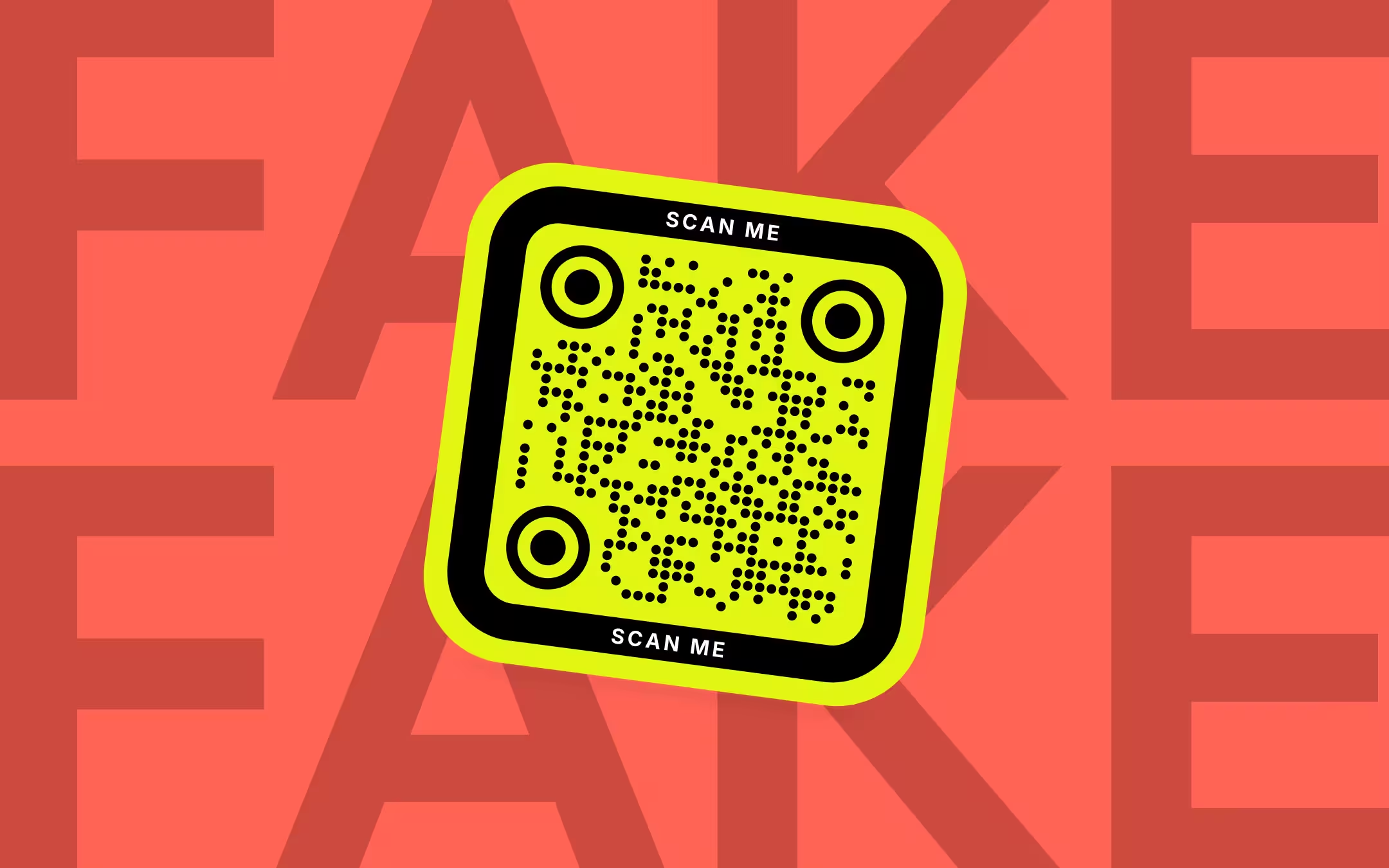
A fake QR code is a QR code planted by a scammer - a sticker over a real code, a code in an unexpected email, letter or parcel - that opens a page built to take your money, password or card details. The code itself is only a link, so the defence is to read that link before you open it: check the domain in your camera's preview, look for a sticker on top of the original, and never pay or sign in through a page a code opened. The FBI, the FTC and the UK's National Cyber Security Centre all give that same advice.
Key Points
- A QR code is a link printed as a pattern. A fake QR code is dangerous because of the page it opens or the action it starts, such as a payment or an app download.
- The most common physical scam is a printed sticker placed over a real QR code on a parking meter or pay station. Several US cities and UK councils have warned about it since December 2021.
- Quishing is phishing through a QR code. A code in an email can slip past security tools that do not scan images, and it moves the victim onto a personal phone that company protections do not cover.
- Before opening any code, read the domain in the phone's preview. If the code is on a meter, a sign or a letter, check for a sticker on top and pay through the operator's official app or website instead.
- If you entered a password or card number after scanning, change the password, turn on two-factor authentication and call your bank the same day.
What Is a Fake QR Code?
A fake QR code is a QR code planted by a scammer that opens a phishing page, a fake payment page or a download instead of what its setting suggests. The pattern is a perfectly ordinary QR code - there is nothing in the squares that marks it as fake. What makes a code fake is where it was put and where it leads.
A QR code stores text, and in almost every scam that text is a web address, which is all a URL QR code stores. Scanning the code does not run anything on the phone; the camera reads the address and offers to open it. The harm starts on the page that opens: a copy of a parking operator's payment page, a login page dressed as Microsoft 365, a parcel-redelivery form asking for card details, or a prompt to install an app.
The FBI warned about this in a public service announcement on 18 January 2022, saying criminals were tampering with both digital and physical QR codes to redirect victims to malicious sites that steal login and financial information. The FTC repeated the warning in a consumer alert on 6 December 2023.
What Is Quishing?
Quishing is phishing carried out through a QR code instead of a clickable link, a word the security industry formed from QR and phishing. The QR code usually arrives in an email or a PDF attachment that copies a familiar sender - a password reset, a multi-factor authentication notice, a shared document or a parcel delivery - and asks you to scan it with your phone.
Email quishing works for two technical reasons. First, the link is inside a picture: the UK's National Cyber Security Centre noted in February 2024 that not all email security tools scan images, so a link that would be blocked as text can pass as a QR code. Second, scanning moves the victim from a work computer to a personal phone, which Cisco Talos pointed out in February 2024 sits outside most company security monitoring.
Email filters are catching up. Microsoft said in November 2024 that Defender for Office 365 can now extract URLs hidden in QR code images early in mail flow, so they are checked like any other link. That narrows the gap without closing it, because the same code can arrive as a PDF, a letter or a text message instead.
One sign separates most quishing from legitimate mail: a real service rarely asks you to scan a QR code from an email on your computer to sign in. A message that tells you to pick up your phone and scan, urgently, to keep your account is the pattern to stop at.
Where Fake QR Codes Turn Up
Fake QR codes turn up wherever people expect to pay or act quickly and cannot easily check who put a code there. The NCSC's February 2024 assessment was that most QR code fraud happens in open spaces such as stations and car parks. The documented cases cluster in a few settings:
| Setting | What the fake code does | Documented example |
|---|---|---|
| Parking meters and pay stations | A sticker over the real code, or on a machine that never had one, opens a fake parking payment page | Austin and San Antonio, Texas, December 2021 to January 2022; Fort Lauderdale, Florida, November 2024; Kensington and Chelsea and Hartlepool, UK, 2025 |
| Fake parking tickets | A paper notice on the windscreen with a QR code to pay a fine | Alhambra, California police warning, 2024: real city tickets carry no QR code |
| Parcels you did not order | A package with no sender and a QR code inviting you to find out who sent it | FTC alert, 23 January 2025; FBI announcement, 31 July 2025 |
| Email and PDF attachments | A copy of a password reset, MFA notice or shared document asking you to scan to sign in | Campaigns described by Cofense, Cisco Talos and Microsoft, 2023 to 2024 |
| Electric vehicle chargers | A sticker on the charger that opens a fake payment page | Reported in France, and in Spain in December 2024 |
Several councils have answered parking fraud by saying plainly that they do not use QR codes. Kensington and Chelsea said in January 2025 that its parking system does not use QR codes at all, and Hartlepool said in May 2025 that its pay-and-display machines will never use them. A QR code on a machine whose operator says that is fake by definition.
How to Spot a Fake QR Code
Spot a fake QR code by checking three things before you open it: whether the code is a sticker on top of something, whether you expected a code in that place at all, and whether the domain in the phone's preview belongs to the organisation you think you are dealing with. The domain check catches the most, because it is the one a scammer cannot fake.
| Warning sign | Why it matters | What to do |
|---|---|---|
| A sticker over another code, or peeling edges | The FBI's first physical check: a sticker placed on top of the original code | Do not scan it. Pay through the operator's app, website or the machine itself |
| A domain that is close to, but not, the real one | Lookalike domains use a typo, an extra word or a different ending | Type the organisation's address yourself instead of following the code |
| A link shortener or an unfamiliar domain | A short link or a redirect hides the final destination until you open it | Do not pay or sign in on the page it opens |
| A code in an email, text or parcel you did not expect | The FTC's advice is not to scan unexpected codes, especially urgent ones | Contact the sender through a channel you already know |
| The page asks for a login, card number or app install | That is the payoff of almost every QR scam | Close the page; never install an app from a QR code |
A domain is the name of the website a link opens, the part between https:// and the next single slash. In https://parking.example-city.gov/pay the domain is parking.example-city.gov; in https://example-city.gov.pay-now.io it is pay-now.io, whatever the start of it says. Read from the right: the part just before the first single slash is the one that decides where you are.
A padlock or https at the start of the link does not mean a page is genuine. It only means the connection is encrypted, and scam pages use https as routinely as real ones.
How to Check a QR Code Before You Open It
Check a QR code before opening it by reading the link the phone shows you, without tapping it. On an iPhone or iPad, Apple's instructions are to point the camera at the code and then tap the link to open it - the gap between those two steps is where you read it. Android camera apps and Google Lens typically show the link as a button to tap, which gives you the same moment to read it.
- Look at the Code Before You Scan It. Run a finger over the edge of the code. A sticker on top of a printed code, a code on a machine that has its own card reader, or a code on a notice with no organisation's name on it are reasons to stop here.
- Scan With the Phone's Own Camera. Use the camera app or Google Lens, not a downloaded scanner app. The FBI and the NCSC both advise using the scanner built into the phone.
- Read the Domain in the Preview. Before tapping, read the domain the phone shows. It should be the organisation's own domain, spelled correctly, with nothing odd after it.
- Decode a Photo if the Preview Is Unclear. Photograph the code and open the photo in an in-browser QR code scanner, which shows the full link as text without opening it.
- Go to Payments and Logins Yourself. If the code leads to a payment or a sign-in, close it and type the organisation's address or open its official app instead. The FBI's advice is to avoid paying through a site a QR code took you to.
The full link is worth reading when the preview shows only part of it. Unit 42, Palo Alto Networks' research team, noted in April 2025 that phone camera apps show only the domain, and that scammers bounce victims through redirects on legitimate websites so the first domain looks harmless. KoloQR, a free QR code generator with circular and custom-shaped QR codes, has a QR code scanner that reads a screenshot or photo in your browser, uploads nothing, and shows the whole link as text, including any redirect parameter inside it. For more ways to read a code from a picture, see how to scan a QR code from an image.
Are QR Codes Safe?
QR codes are as safe as the link or action inside them. Scanning a code with the phone's camera only reads its text; the risk starts when you open the link, enter details on the page, install an app it offers, or approve an action such as joining a Wi-Fi network or starting a payment. A code you expected, from an organisation you trust, on something it printed, is low risk.
Phones themselves have had QR bugs, which is why keeping the system updated is on the FTC's list. In March 2018 a researcher showed that the iOS 11 Camera app could display one website in its preview and open another; Apple fixed it in iOS 11.3. A preview you can trust depends on an up-to-date phone.
Other payloads ask for something different from a link. A Wi-Fi QR code asks to join a network, a contact code asks to save a card, and a phone or SMS code fills in a call or message for you to send. Read what the phone proposes before you accept it, exactly as you would read a link.
Downloaded scanner apps add risk rather than removing it. The FBI's 2022 announcement says not to download a QR code scanner app, because most phones already have one in the camera. A separate scanner is one more app with permissions on your phone, and it reads codes no better than the camera does.
What to Do if You Scanned a Fake QR Code
If you only scanned a fake QR code and closed the page, you are very likely fine: reading a link does not give anyone your details. If you entered anything on the page, act the same day, in the order below. The FTC's January 2025 alert gives the same steps for anyone who typed information into a page a QR code opened.
- Card or bank details: call the number on the back of your card and ask the bank to block it and review recent payments.
- A password: change it on the real site, and on every other site where you use the same one. Turn on two-factor authentication.
- An app you installed: delete it, and check the phone's settings for any device-management profile or permission it added.
- Personal details such as your address or date of birth: check your credit reports and watch your statements for new accounts.
- Report it: to the parking operator or council for a sticker, to your email provider or employer's IT team for an email, and in the US to the FBI's IC3 or the FTC, in the UK to Action Fraud.
If the code was on a parking meter, tell the operator so the sticker comes off before the next driver uses it, and pay your parking through the official route so you do not also get a real ticket.
How Businesses Can Protect Their Printed QR Codes
Businesses protect printed QR codes mainly by making a sticker on top easy to notice and the real destination easy to verify. No official standard covers this; the measures below are the practical ones that follow from how the parking scams work, and they apply to a menu, a payment sign or a poster alike.
- Print the domain under the code. A line such as "Opens pay.yourshop.com" gives the scanner something to compare with the preview. A sticker would have to cover the text too.
- Print the code into the sign rather than sticking it on. A code printed into the artwork, laminated or behind glass shows a stuck-on replacement immediately.
- Inspect unattended signs on a schedule. Some UK councils that found fake stickers now have officers check machines and remove them; a payment sign you cannot see from the counter deserves the same.
- Use your own domain. A code that opens yourshop.com is easier to trust than one that opens a short-link service, and it stays under your control.
- Name the payee on payment signs. For a Venmo QR code or a PayPal QR code, print the username beside the code so payers can check it against the page that opens.
- Tell customers what you do not use. If you never take payment by QR code, say so on the machine, as several councils now do.
Static codes are the easier kind to verify, because the link printed in the pattern is the final destination. A dynamic code sends every scan through a redirect first, which is useful when the destination must change but means the visible link is not the page that opens. Static vs dynamic QR codes sets out when each is the right choice.
Need a Fake QR Code for a Mockup or Test?
For a design mockup, a prop or a test print, use a real QR code that points at a harmless reserved address such as https://example.com. RFC 2606 reserves example.com, example.net and example.org for documentation, so the code scans, opens a placeholder page, and can never lead anyone somewhere unexpected after the domain changes hands.
Avoid two shortcuts. A random pattern of squares that is not a valid code looks wrong to anyone who knows QR codes and makes a scanner hang. A code that points at a real site you do not own - or at a link shortener that might later be reused - can send someone who scans your mockup to a page you never saw.
The KoloQR generator makes a placeholder code from any address in a few seconds, in the shape and colours of the final design, so the mockup shows the real size and look. Swap in the live link before the artwork goes to print.
Make Your QR Code
Free, with no account and no watermark. Choose a shape, add a logo, check the contrast, and export SVG, PDF, EPS or PNG - a static code with no subscription behind it.
Generate QR CodeQuestions? Answered
Scanning alone is very unlikely to: the camera reads the code's text and offers to open it. The danger is what happens next - a page that asks for your password or card, or an app you are told to install. Keep your phone updated, read the link before tapping it, and never install an app from a QR code.
Look for a sticker on top of another code, then read the domain the phone shows before tapping. A fake code usually opens a domain that is misspelled, unrelated to the organisation, or hidden behind a short link. If the code is for a payment or a login, go to the organisation's app or website yourself instead.
Only if you are sure the code is the operator's. Parking meters are the most reported target for fake QR stickers, and several councils say they never use QR codes for payment. The safe route is the operator's official app, the website printed on the sign, or the machine's card reader.
The FTC and the FBI have both warned about this. The code is usually meant to take you to a phishing page that asks for personal or payment details. Do not scan it; if you already did, do not enter anything, and if you did, change passwords and contact your bank. In the US you can keep unordered merchandise.
Because a link inside an image can pass security tools that do not scan images, and because scanning moves you onto your phone, away from your computer's protections and onto a small screen where a lookalike domain is harder to notice. A real service rarely asks you to scan a code from an email to sign in.
No. The FBI and the NCSC both advise using the scanner built into the phone's camera. A downloaded scanner app is one more app with permissions on your phone and reads codes no better than the camera. To read a code from a screenshot, use an in-browser scanner that shows the link without opening it.
Not by editing the printed pattern, but a scammer can cover it with a sticker, or change the destination if the code is dynamic and the account behind it is taken over. A static code with your own domain printed under it gives scanners the most to check.
No. HTTPS means the connection is encrypted, not that the site is genuine. Scam pages use HTTPS too. What tells you where you are is the domain, read correctly - the name just before the first single slash after https://.
Tell the owner of the thing it was stuck to - the parking operator, the council, the shop - so it is removed. Report phishing emails to your email provider or IT team. In the US, report fraud to the FBI's IC3 or the FTC; in the UK, to Action Fraud.
Keep Exploring
Pages that pick up where this one leaves off - the same setting, the same kind of code, or the next thing worth deciding.
Calendly QR Code
Let someone book a time with you by scanning a card, a sign, or a badge.
Venmo QR Code
Turn your venmo.com/u/ profile link into a print-sized code for a stall, a tip jar or a team fund.
Event QR Codes
One scan connects guests to tickets, schedules, directions and RSVPs - on invites, posters and signage.
Hotel QR Codes
Menus, WiFi, check-in and guest info - one scan from every room, desk and table.
Posters
A3 to A0 - how big the code has to be for the distance people can actually stand at, and how high off the floor it belongs.
QR Code vs Barcode: How They Differ and When to Use Each
Capacity, scanning hardware, print size, damage tolerance and cost - a side-by-side comparison of linear barcodes and QR codes, with a rule for choosing.
Why KoloQR?
- Create QR codes for websites, menus, Wi-Fi, PDFs, and business cards
- Customize colors, logos, and unique shapes
- Download high-quality PNG and SVG files
- Built for both print and digital
