QR Codes for Dentists: Booking, Reviews and Recall Cards
Most of what a dental practice wants from a QR code happens in two places: the thirty seconds a patient spends paying at the desk, and the moment weeks later when they find a recall card in a coat pocket. This page is about those moments - which link goes on which printed piece, how big it has to be on a card that fits a wallet, and why the code beside the card machine outperforms the one on the waiting room wall.
Generate QR Code- Free, no account
- SVG for print
- Your clinic colors
What a Dental Practice Actually Gets Out of a QR Code
Four jobs where a code beats a phone number, and all four are about the patient acting while they are still in front of you - or long after, from a card they kept.
Bookings Made Outside Reception Hours
The patients who most want to book are the ones who cannot phone during surgery hours. A code on the appointment card, the recall letter or the practice door opens your scheduling page at 10 p.m. on a Tuesday, and the slot is filled before reception opens. Nobody mistypes a long practice-management booking URL along the way.
Reviews Asked for at the Right Second
Google reviews are the single biggest lever on how a local practice ranks, and willingness to leave one collapses within hours of the appointment. A small code beside the card machine, handed over while the payment goes through, catches the review in the only window where the patient is standing still, pleased, and holding a phone.
Recall Cards That Still Work Six Months Later
A recall or reactivation card sits in a wallet or on a fridge for months before it does anything. A printed phone number needs the patient to call during working hours; a code needs one scan whenever they remember. Point it at a permanent booking page rather than a dated offer, and the same card design keeps working through every recall cycle.
Aftercare a Patient Cannot Lose at 11 p.m.
Post-extraction bleeding, an implant that aches on day three, whitening sensitivity - the questions that generate out-of-hours calls all arrive after the leaflet has been thrown away. A code on the aftercare slip opens the same instructions on the phone, and you can correct the wording on the page without reprinting a single slip.
Two Things to Have Ready Before You Generate the Code
A QR code is a shortcut to a web address and nothing more. What it needs is a destination worth arriving at and a printed proof somebody has actually scanned.

One Code per Job, Each Pointing at a Page You Own
Resist the single practice code that leads to a home page. A patient at the card machine and a patient reading a recall card want different things, and each printed piece can only be labelled with one of them. Three destinations cover almost every practice.
- Booking Page - your scheduling page or the booking link from your practice-management software, never the practice homepage.
- Review Link - the direct Google review URL for your practice, so the star rating opens rather than the map listing.
- Aftercare or Recall Page - a mobile-friendly page on your own site, at a web address you are willing to keep permanently.
Scan the Printer's Proof, Not the File on Your Screen
A dental code fails in print for reasons a monitor cannot show you. Appointment cards are the smallest thing most practices print, and designers shrink the code to fit the layout; uncoated card stock spreads ink and thickens the modules; and gloss lamination, which most practices order by default, throws the overhead surgery light straight back into the camera. Ask the printer for a proof, scan it with an iPhone and an Android phone at wallet distance, and only then approve the run.
Generate QR Code
How to Make a QR Code for Your Dental Practice
Three steps, no account, and a print-ready file at the end.
Generate QR Code- 1
Paste the Destination Link
Copy your booking, review or aftercare URL into KoloQR, a free QR code generator with circular and custom-shaped QR codes. Open the link once in a phone browser first: practice-management booking pages are the usual culprit for a desktop-only layout nobody noticed.
- 2
Match It to Your Practice Branding
Set the code in your clinic's darkest brand color on a white background and place your logo in the center. Dental palettes tend to be pale blues and mint greens, and a code drawn in the light half of that palette is the most common reason a well-designed card refuses to scan.
- 3
Send Vector to the Printer, PNG to the Website
Export SVG for anything the printer produces - appointment cards, recall mailers, aftercare slips, window decals - because vector artwork stays sharp at any size. Use PNG for your website, your email signature and the waiting room screen.
Where to Put a QR Code in a Dental Practice
A practice has four printed surfaces worth a code, and they rank in a fixed order: the ones handed to a patient beat the ones hanging on a wall, every time.
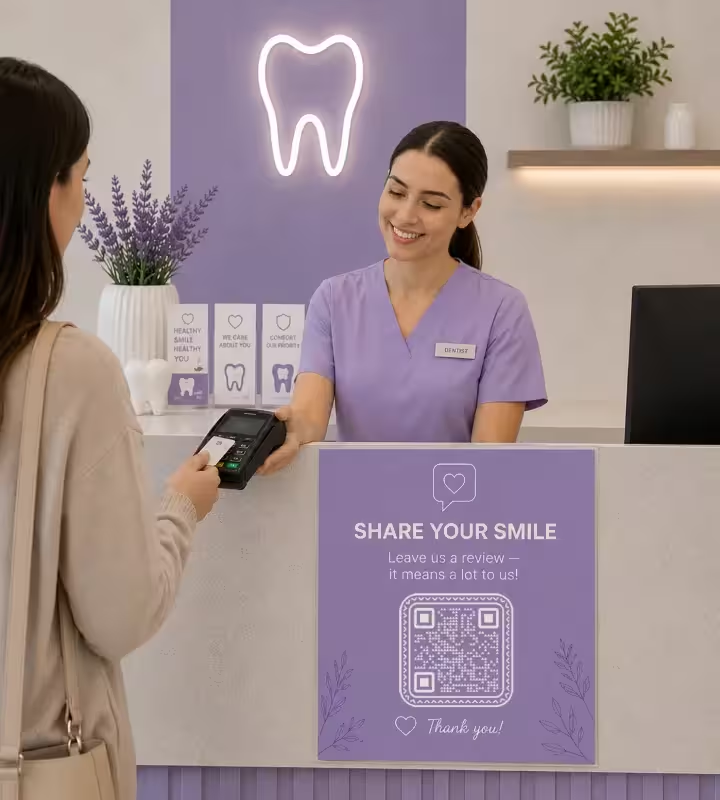
Payment Counter and Card Machine
A 5 cm code in a small stand beside the card machine is the highest-scanning spot in a practice, because the patient is already standing still with a phone out. Reserve it for the review request and nothing else, and have reception ask out loud as they hand it over - an unmentioned code on a counter is decoration.
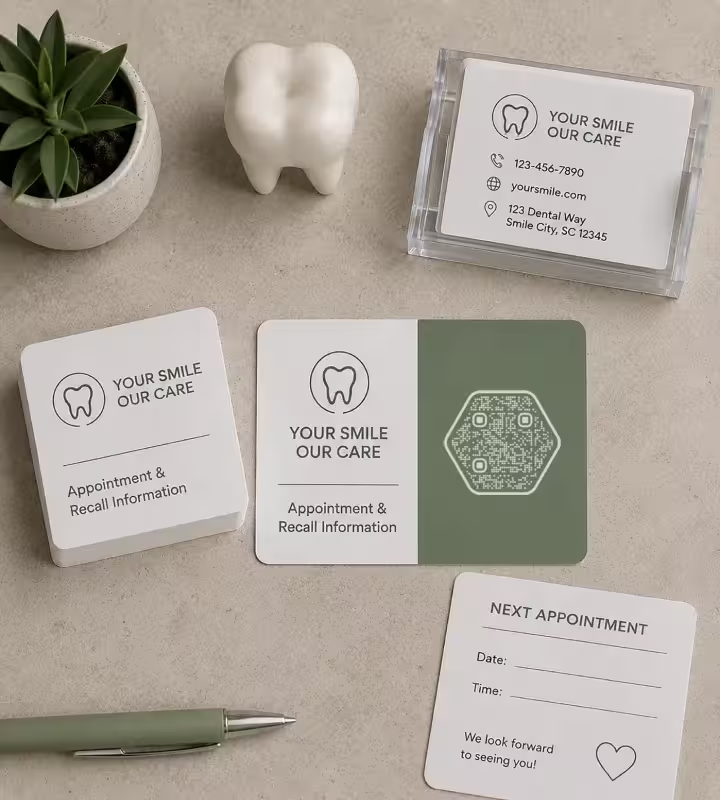
Appointment and Recall Cards
Print at 2-2.5 cm with one line of text saying what it opens. This is the tightest size constraint in the practice, so keep the URL short: a long practice-management link raises the module count until each module is too fine for the print. Because the card is read months later, it must point at a page that will still exist.
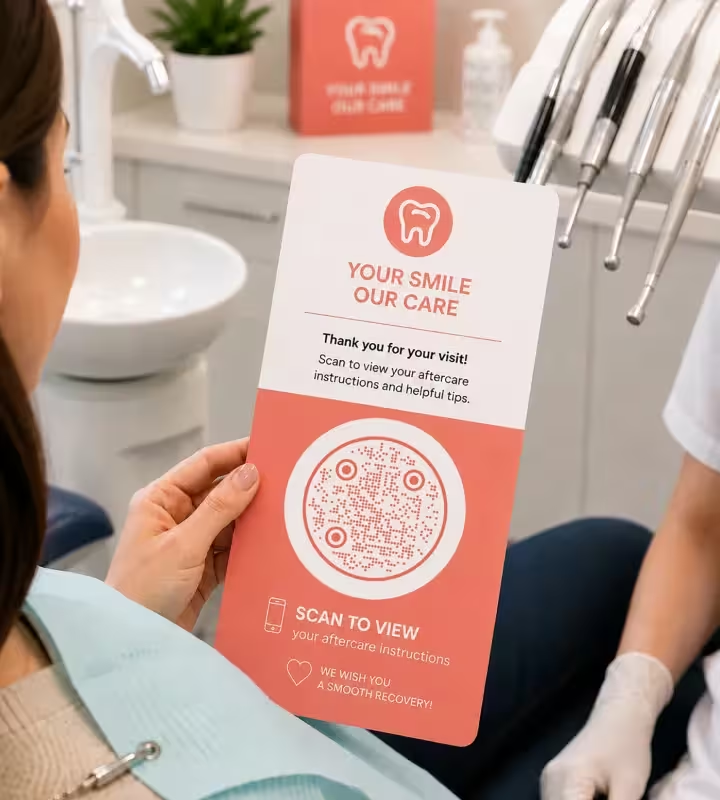
Chairside Aftercare Slips
A patient reclined in the chair scans at arm's length and at an angle, so 3 cm is a safer floor here than 2 cm. This is the one placement where the finish decides everything: order aftercare slips on matte stock, because operating lights are the brightest source in the building and gloss lamination reflects them straight across the symbol.
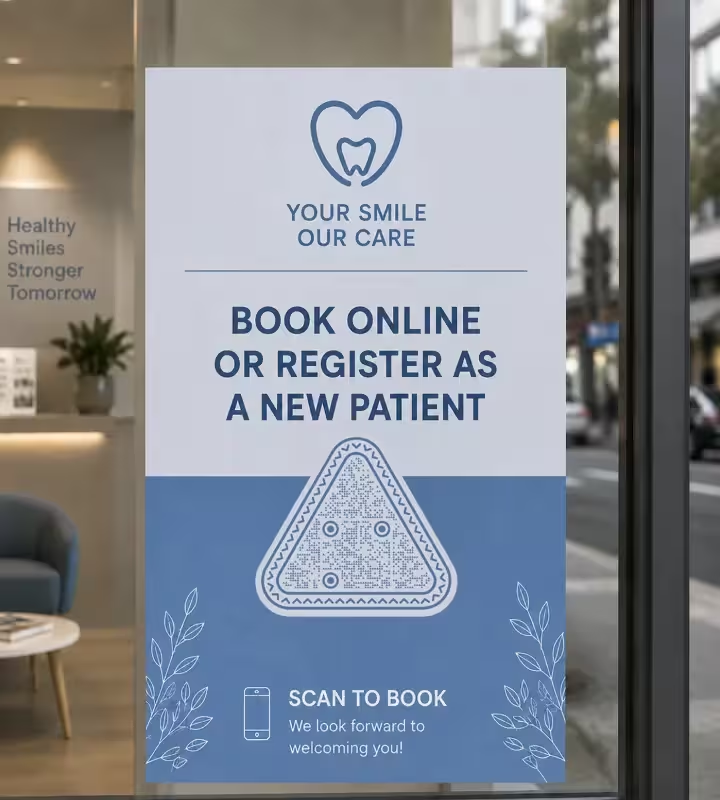
Practice Window and Front Door
The only code that works on a wall, and it works because it is scanned when you are closed. Print it 15-20 cm for a 1-2 metre reading distance, mount it inside the glass at about 140 cm, and point it at booking or new-patient registration. Use matte film - a glossy decal under a street light is a mirror after dark.
Practical Rules for Dental QR Codes
Ten rules drawn from where dental codes actually fail: cards too small, slips too glossy, and codes nobody was asked to scan.
Ask Out Loud, Then Hand Over the Card
The review code is the one placement where the printed piece does not do the work - the sentence does. A code left on a counter is scanned by almost nobody, while the same code handed over with "would you mind leaving us a review?" converts a large share of a day's patients. Budget for the conversation, not the print run.
One Code per Job, Not One Code for the Practice
Separate codes for booking, reviews and aftercare can each be labelled with a single action, and any one of them can be reprinted or retired without touching the other two. A single practice code pointing at the homepage asks a patient to navigate, and at the card machine nobody will.
Keep Appointment-Card Codes at 2-2.5 cm
A wallet card is read from roughly 20-25 cm, which the distance rule turns into about 2-2.5 cm of code. Below 2 cm ordinary print variation starts breaking scans, and if you are also placing a logo in the center, take the upper end of that range rather than shrinking the symbol to make room.
Shorten the Link Before You Generate the Code
Practice-management booking URLs are long, and every extra character adds modules that have to fit inside the same 2 cm square. A short redirect on your own domain produces a visibly chunkier code at the same print size - the cheapest fix available for the smallest piece you print.
Order Matte for Anything That Goes Near the Chair
Gloss lamination is the default at most print shops and the wrong choice for a dental practice. Operating lights, uplighters over the reception desk and the treatment room's ceiling array all reflect off gloss as a white patch, and a camera cannot read the modules underneath one.
Avoid the Pale End of a Dental Palette
Contrast is what a phone camera detects, and dental branding runs to mint, sky blue and soft grey. Keep the modules dark on white, and check the artwork in a grayscale preview: if the code looks washed out with the color removed, it is too light to scan reliably in print.
Keep the Patient's Details Out of the Link
A QR code is plain text anyone can decode with a phone camera, so a name, date of birth or record number must never appear in the address it carries - not even as a parameter that pre-fills a form. Encode a public page and let the patient identify themselves on it. If your practice is part of a larger provider, the wider guidance on this sits with the healthcare use case.
Point Recall Codes at Something Permanent
A recall card is scanned months after it is printed, so a static code on it must lead somewhere that will still be there. Avoid dated offers, campaign landing pages and anything with a season in the URL, and prefer a booking page whose address you are prepared to keep for years.
Send Vector Artwork to the Printer
Supply SVG for cards, slips and decals; SVG is a vector format that scales without losing edge definition. When a print shop insists on a raster file, export PNG at 300 DPI at the final printed size, and never let anyone enlarge a small PNG to fill the space.
Know What a Static Code Cannot Do
KoloQR generates static QR codes: the address is fixed at the moment of printing, and there is no scan counter or dashboard. You can rewrite the destination page whenever you like, but redirecting the code itself means a reprint - unless you aimed it at a short URL on your own domain, which is also how you count scans, from your own web analytics.

Make the QR Code for Your Practice
Paste your booking, review or aftercare link, set it in your clinic colors, and download print-ready SVG. Free, and no account needed.
Start with the review code at the card machine: it is the smallest print job in the practice, the fastest to test, and the one with a measurable result within a fortnight. Booking and aftercare codes can follow the next time those pieces are reprinted. If you also run hospital or group-practice signage - ward posters, prescription labels, accessibility duties on printed patient material - the healthcare use case covers that side of the same subject.
Generate QR CodeQuestions? Answered
Paste the web address you want patients to reach - your booking page, your Google review link or an aftercare page - into a QR generator, style it, and download SVG for print. It takes about a minute. The decision worth spending time on is which link goes on which printed piece, because each piece can only carry one clearly labelled action. If the action is simply "call us" or "email us", a phone number QR code or an email QR code skips the page entirely.
Yes. A static QR code is an encoded web address, so generating one costs nothing and carries no license fee, subscription or expiry date. KoloQR is free and needs no account. The paid plans you see elsewhere are for dynamic codes, where a redirect service and scan analytics are hosted on your behalf.
No. The built-in camera on current iPhones and Android phones recognizes QR codes without extra software - the patient opens the camera, points it at the code, and taps the link that appears. Some older handsets still need a scanner app, which is one reason to keep the practice phone number printed alongside the code on cards that go home with patients.
2-2.5 cm square. An appointment card is read at roughly 20-25 cm, and the working rule is about 1 cm of code width for every 10 cm of scanning distance. Below 2 cm ordinary print variation starts causing failures, so if a logo is going in the center, move to the upper end of that range instead of shrinking the code.
Beside the card machine, in a small stand about 5 cm wide, and handed over verbally as the payment goes through. That is the only moment when a patient is stationary, finished, and pleased at the same time. Review codes on waiting room walls perform badly, because patients waiting for treatment have nothing to review yet.
No. A QR code is not encrypted, and anyone who photographs a recall card or appointment card can decode the address it carries, so names, dates of birth and record numbers must stay out of the URL - including as parameters that pre-fill a form. Link to a public page and let the patient identify themselves there.
Not a static code - the address is baked into the pattern, so pointing it elsewhere means a reprint. You can still rewrite the destination page freely. If a printed piece may need to change target one day, which recall cards usually do, aim the code at a short URL on your own domain and change that redirect instead.
Nearly always size, ink or finish, and in that order. The code was scaled down to fit the card layout, or it was printed on uncoated stock where ink spread thickens the modules, or it came back gloss-laminated and the reception light reflects off it. Ask the printer for a proof, scan that at wallet distance, and fix the size before the full run.
Yes. A center logo and a brand color are both safe as long as the modules stay darker than the background and the logo covers no more than about a fifth of the symbol. Styling does not improve scan performance, but it does affect whether a patient trusts the code enough to scan it, which in a clinic setting matters more than it sounds.
Not from a static code itself, which has no counter and no dashboard. Two workarounds cost nothing: add a UTM parameter to the destination and read the visits in your website analytics, or point the code at a redirect on your own domain and count the hits in your server logs. Giving the desk and the recall card different links also tells you which one is working.
Keep Exploring
Pages that pick up where this one leaves off - the same setting, the same kind of code, or the next thing worth deciding.
Business Cards
The one surface where a code is read at arm's length - so it is designed into the card's layout rather than dropped in the corner of it.
Phone Number QR Code
Turn a phone number into a code that opens the dialer, ready to call in one tap.
SMS QR Code
Open a new text message with your number - and the wording - already filled in.
Healthcare
Booking pages, intake forms and aftercare instructions on posters, leaflets, prescription bags and bedside cards.
Clinics
Booking at the desk, self check-in, waiting room Wi-Fi and a window code that works when the practice is closed.
Business Cards
85 x 55 mm leaves room for one code and nothing else - where it goes, how small it can get, and which finishes kill it.
Why KoloQR?
- Create QR codes for websites, menus, Wi-Fi, PDFs, and business cards
- Customize colors, logos, and unique shapes
- Download high-quality PNG and SVG files
- Built for both print and digital
