How to Use QR Codes in a Beauty Salon
A QR code in a beauty salon is a printed link to one page: the booking calendar, the aftercare for one service, a stylist's portfolio or the Wi-Fi. Size follows the read distance - roughly 1 cm of code width for every 10 cm of scanning distance - so a mirror station code works at about 3 cm, while a window sign read from the pavement needs 20 cm. The material matters as much as the size, because salon codes live next to acetone, colour and hairspray.
Generate QR Code- Booking, aftercare, reviews
- Print-ready SVG and PNG
- Free, no account
What Beauty Salons Actually Use QR Codes For
Four jobs come up in almost every salon: rebooking, aftercare, portfolios and retail. Each one works best as its own code pointed at its own page.
Rebooking While the Colour Processes
A client sitting in foils with 35 minutes of processing time is the easiest rebooking a salon gets all day. A code on the mirror frame or the trolley opens the booking calendar on the client's own phone, so the next appointment is made before anyone reaches the desk and before the till is busy with someone else.
Aftercare That Goes Home With the Client
Aftercare explained at the chair is forgotten by the time the client reaches the car. A code on the aftercare card opens the instructions for that one service - 48 hours before washing fresh colour, no steam after lash extensions, how to file a chipped gel edge. The client reads it when the question actually comes up, which is at home on day two.
A Portfolio for Every Chair
Each stylist can carry a different code on a station card or the back of a business card, opening that stylist's own portfolio rather than the salon's front page. A new client is trying to judge the person holding the scissors, and a code at the station shows exactly that person's work.
Retail That Explains Itself
A small code on a shelf edge opens the product page: what the product is for, which hair or skin types it suits, how much to use. Clients answer their own questions, and a stylist who is mid-blow-dry does not have to break off to explain the difference between two bond builders.
Two Things to Settle Before You Print Anything
A salon QR code needs a destination that will still be right after the price list changes, and one real test scan taken at the station where the code will live.

A Destination That Outlives the Print Run
A static QR code stores its data inside the symbol, so a printed code cannot be repointed later. The address behind the code therefore matters more than the code artwork: point each code at a stable URL you control, such as yoursalon.com/book, and change the content that lives at that address.
- One Stable URL per Code - for example /book rather than a booking link with this season's offer code in it, so next season's prices arrive at the same address.
- One Destination per Code - a lash aftercare card should open lash aftercare, not a page that lists every service in the salon.
- A Page That Works One-Handed - clients scan in a gown, in foils or with wet nails, so avoid PDFs that need pinch-zoom and pages that ask for a login first.
Test the Scan From the Chair, Not From Your Desk
Scan the printed code from where the client actually is - a station card from the chair, a shelf label at arm's length, a window sign from the pavement - using one iPhone and one Android phone, under the salon's own lighting. Mirror strip lights and ring lights bounce off glossy laminate, and a code that scans perfectly on a monitor can still fail as a foil-printed card on a lit station.
Generate QR Code
How to Make a QR Code for Your Salon
Three steps, no account. KoloQR, a free QR code generator with circular and custom-shaped QR codes, builds the code as you type.
Generate QR Code- 1
Paste the Destination
Drop in the booking page, the aftercare instructions, a stylist's portfolio, a product page or your Wi-Fi details. Use one link per code rather than a single code that lands on a menu of everything the salon does.
- 2
Match It to Your Brand
Choose a shape, set your colors and place your logo in the center. Keep the code darker than its background, keep the logo small enough that the surrounding modules stay intact, and leave the margin around the symbol clear.
- 3
Download Print-Ready Files
Export SVG for anything printed larger than a gift card, and PNG at 300 DPI for the exact final size. Scaling a small PNG up to window size blurs the module edges, and that is the most common reason a printed salon code fails.
Where QR Codes Belong in a Beauty Salon
Each surface in a salon has a different read distance, a different chemical standing next to it and a different light above it. Size and material follow the surface, not the design.
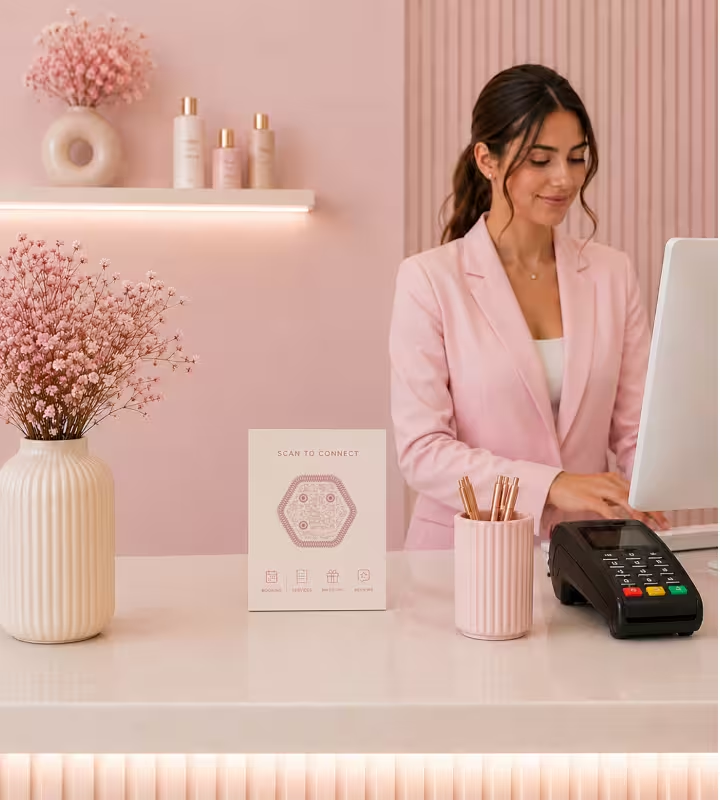
Reception, the Price List and the Till
The desk code carries what clients handle standing up: booking, the price list, gift vouchers and the review link. An A5 counter card read from about 40 cm needs a code of roughly 4 cm, placed where someone can hold a phone without leaning across the card machine.
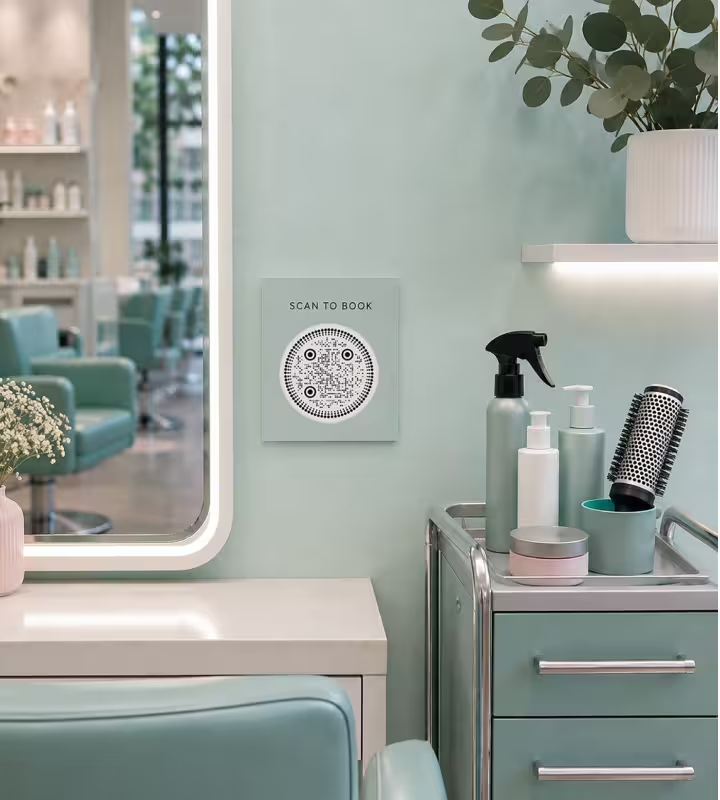
Mirror Stations and Styling Trolleys
A station code is read from about 50-70 cm, so print it at 3 cm or slightly more. Fix it to the mirror frame, the trolley or a small standing card - never in a position where the client scans its reflection, because a code seen in a mirror reaches the camera reversed and most phones will not decode a mirrored QR code.
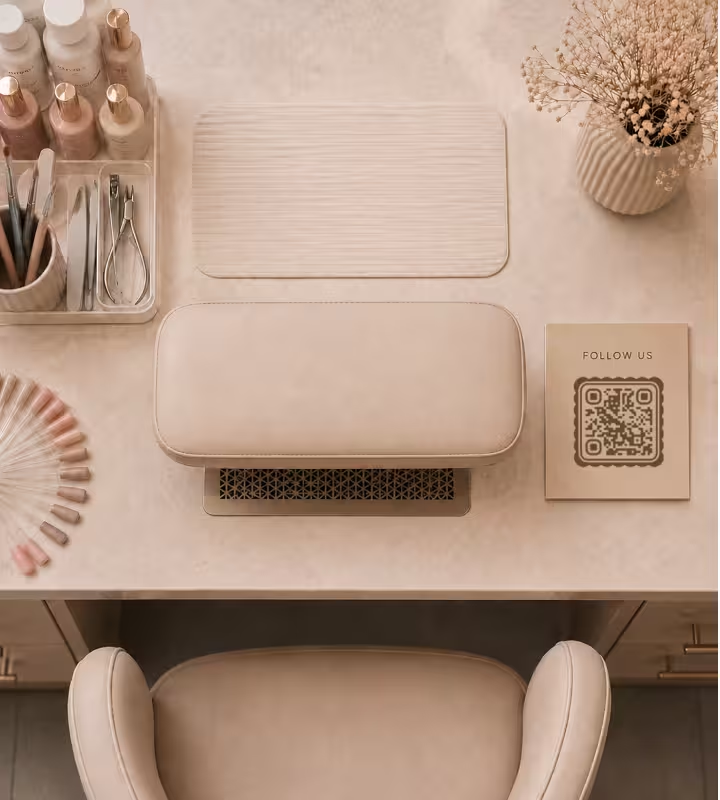
Nail Desks, Colour Bars and Wash Areas
Acetone, peroxide, bleach and water sit on these benches all day, and they take unlaminated prints apart within weeks. Print the codes for these stations on UV-laminated vinyl, polycarbonate or an engraved plate, and keep them off the spot where the remover bottle actually stands.
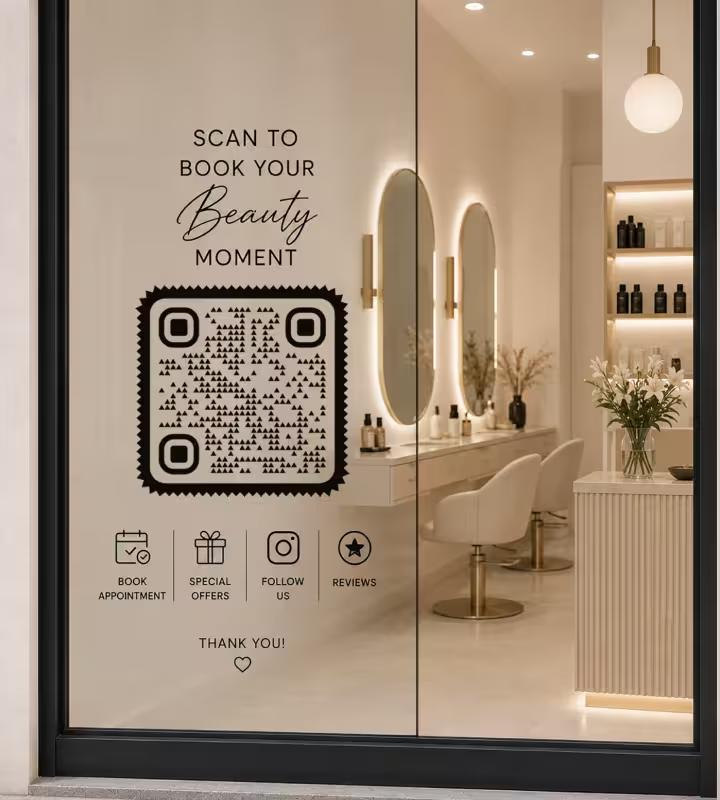
Windows and Street-Facing Signs
A window code read from the pavement at 2 m needs about 20 cm of code width. A decal applied to the inside of the glass has to be ordered as a reverse-read print when people scan it from the street: a normal decal seen from the other side of the window is mirrored, and a mirrored code does not decode.
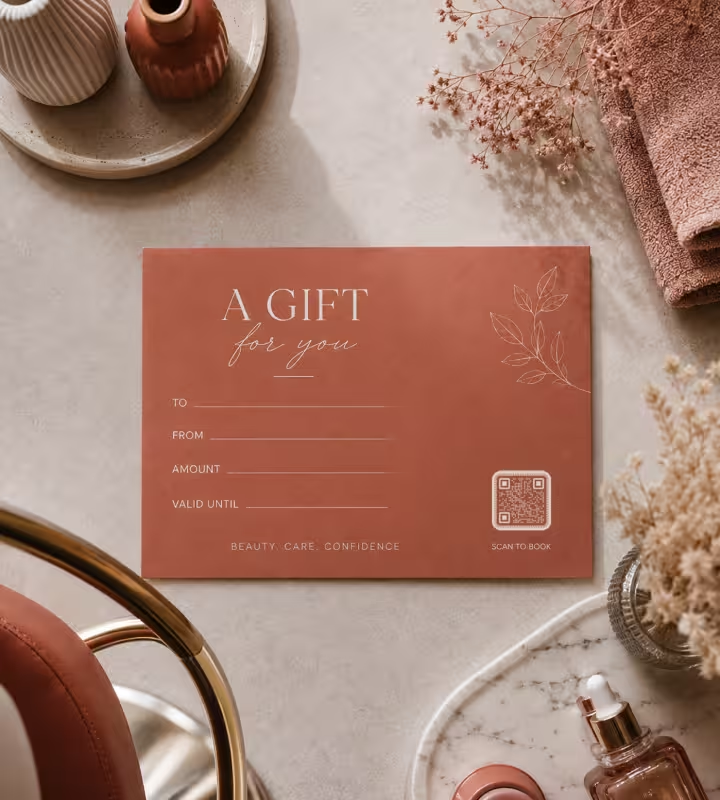
Aftercare Cards, Gift Vouchers and Shelf Edges
Small print works down to about 2 cm, which is enough for an aftercare card, a gift voucher or a shelf strip read at arm's length. Keep the code clear of the fold and the trim edge, and leave the blank margin around it intact rather than letting a border or a price bubble touch the symbol.
Rules That Keep Salon QR Codes Scannable
Most failed salon codes fail for one of ten reasons, and every one of them is decided before printing.
Keep the Code Darker Than Its Background
Scanners expect dark modules on a light background, and salon palettes push against that: blush on cream, sand on beige and pale grey on white are all too close to read reliably. Keep a clear difference in lightness between the code and its background, and save light-on-dark inversion for artwork nobody has to scan in a hurry.
Size the Code for the Read Distance
Use about 1 cm of code width for every 10 cm of scanning distance, with 2 x 2 cm as the practical floor. A station card read at 60 cm needs roughly 3 cm, a counter card at 40 cm about 4 cm, and a window sign read from 2 m about 20 cm.
Keep the Margin Around the Code Clear
A quiet zone is the blank margin around a QR code that lets a scanner find where the symbol begins. Keep at least four modules of clear space, and do not let a foil border, a price bubble or a decorative frame touch the code.
Skip Foil, Metallic Ink and Gloss
Rose gold foil and metallic ink suit a salon price list and scan badly. The finish is mirror-like, so it throws the mirror lights and ring lights straight back into the camera, and the scanner reads a bright patch where dark modules should be. Print the code in flat ink with a matte or satin laminate, and keep the foil for the border.
Never Ask a Client to Scan a Reflection
A QR code seen in a mirror is reversed, and most phone cameras will not read a mirrored code. Place station codes so the client's camera points at the printed code itself, and order inside-the-glass window decals as reverse-read prints.
Choose Materials That Survive Acetone and Colour
Nail desks and colour bars meet acetone, alcohol and peroxide splashes every day. UV-laminated vinyl, polycarbonate labels and engraved plates hold up; unlaminated inkjet and thermal prints smear or fade, usually within weeks at a nail station.
Keep the Center Logo Small and Retest
Error correction is the redundancy built into a QR code that keeps it readable when part of the symbol is covered, and it has a limit. Keep a center logo small relative to the symbol, then scan the printed card again - a logo that works on screen can fail on a 3 cm station card.
Say What the Scan Does
Label every code with its outcome: "Scan to book your next appointment", "Scan for lash aftercare", "Scan to see what is in this bottle". A bare code beside a logo gets ignored, because nobody scans when they cannot tell what they will get.
Be Honest About Static Versus Dynamic
KoloQR generates static QR codes: the data sits in the symbol, so a printed code cannot be repointed and cannot count scans. If you need to change a destination after printing, or to measure which station brings in rebookings, use a dynamic QR service - or point the static code at a URL you control and change what lives there.
Re-Scan After Every Reprint
Test the physical item, not the file. Print scaling, upscaled PNGs and cheap sticker stock all lose module edges, and that damage only shows up on the card in your hand.

Create Your Salon's QR Codes
Paste the destination, style the code, download SVG and PNG. Free, no account, unlimited codes.
A practical order of work: make the booking code for the desk and the mirror stations first, then one aftercare code per service that generates questions, then the retail shelf and the window. Print a single test card, scan it from the chair under the salon's own lights, and only then order the batch.
Generate QR CodeQuestions? Answered
Paste the link you want clients to open - the booking calendar, an aftercare page, a stylist's portfolio or your Wi-Fi details - into a QR code generator, style the code, and download it as SVG or PNG. KoloQR, a free QR code generator with circular and custom-shaped QR codes, needs no account. Print it at the size the read distance requires, then scan the printed copy before ordering the batch.
Yes. Generating static QR codes on KoloQR is free, with no account, no limit on how many you create, and both SVG and PNG exports included. Costs only appear if you choose a dynamic QR service, which hosts a redirect so you can change the destination after printing and count scans per code.
No. The built-in camera on iPhones running iOS 11 or later and on Android 8 or later reads QR codes directly - the client points the camera and taps the link that appears. Some older Android phones need Google Lens or the Google app. Nobody has to install the salon's own app in order to scan a code.
About 3 cm, because a client in the chair reads it from roughly 50-70 cm. The working rule is 1 cm of code width for every 10 cm of scanning distance, with 2 x 2 cm as the floor. A counter card read at 40 cm needs about 4 cm, and a window sign read from 2 m needs about 20 cm.
At reception for booking, the price list and gift vouchers; on mirror frames and trolleys for rebooking and portfolios; on shelf edges for retail products; in the window for prices and opening hours. Keep codes off wash basins, off the part of a nail desk that holds the remover bottle, and off any surface a towel gets dragged across.
Yes, as long as the client's camera points at the printed code itself - a decal on the glass or a card in the mirror frame both work. What fails is a code positioned so it gets scanned as a reflection: a mirrored QR code reaches the camera reversed, and most phones will not decode it. The same applies to window decals scanned from the street, which need a reverse-read print.
Usually the material rather than the code. Acetone, remover and alcohol wipes dissolve unlaminated inkjet and thermal prints, and the module edges blur before the label looks obviously damaged. Print nail-station codes on UV-laminated vinyl, polycarbonate or an engraved plate, keep them away from the remover bottle, and replace them on a schedule instead of waiting for a client to report a dead code.
Yes, within two limits. The code has to stay clearly darker than its background, so blush on cream or pale grey on white will not scan reliably - deepen the code colour rather than tinting the background. That is how aesthetic QR codes keep a soft look: one deep ink on a pale ground. And print in flat ink instead of metallic foil, because a mirror-like finish reflects salon lighting back into the camera. Styling never improves scan performance, so test the printed card at its final size. A center logo is fine too, as long as it stays small - the guide to error correction shows how much cover each level tolerates.
Yes, and it is one of the better uses of a code in a salon. Give each stylist a code pointing at their own portfolio, booking link or profile, printed on a station card or on the back of a business card. Because static codes are free and unlimited, a salon of eight can print eight different codes without a subscription.
Static codes suit anything pointed at a URL you control: booking pages, aftercare instructions, portfolios and Wi-Fi details. Dynamic codes are worth paying for when you need scan counts per station, campaign tests, or the ability to repoint a printed code after it is printed. Most salons use static codes for permanent signage and dynamic codes only for marketing campaigns.
Keep Exploring
Pages that pick up where this one leaves off - the same setting, the same kind of code, or the next thing worth deciding.
Marketing Agencies
Produce campaign codes for client print runs: sized per placement, exported as vector, and pointed at a redirect the client keeps.
Amazon QR Code
Take a scan straight to a product page, a storefront, or a wish list.
Shopify QR Code
Open a product, a collection, or a pre-filled basket in a single scan.
Product Packaging
What a code on a carton, pouch, label or bottle has to survive - sizes, finishes that kill a scan, and what the scan should open.
Stickers & Labels
Die-cut stickers, jar labels and thermal roll stock - the sizes that work, and why clear labels and gloss laminate break scans.
Barbershops
Window bookings, one code per chair for rebooking, reviews and Instagram - with sizes in cm and finishes that survive hairspray and station lights.
Why KoloQR?
- Create QR codes for websites, menus, Wi-Fi, PDFs, and business cards
- Customize colors, logos, and unique shapes
- Download high-quality PNG and SVG files
- Built for both print and digital
