QR Code Capacity: How Much Data Fits, by Symbol Version and Encoding Mode
by KoloQR TeamBasics
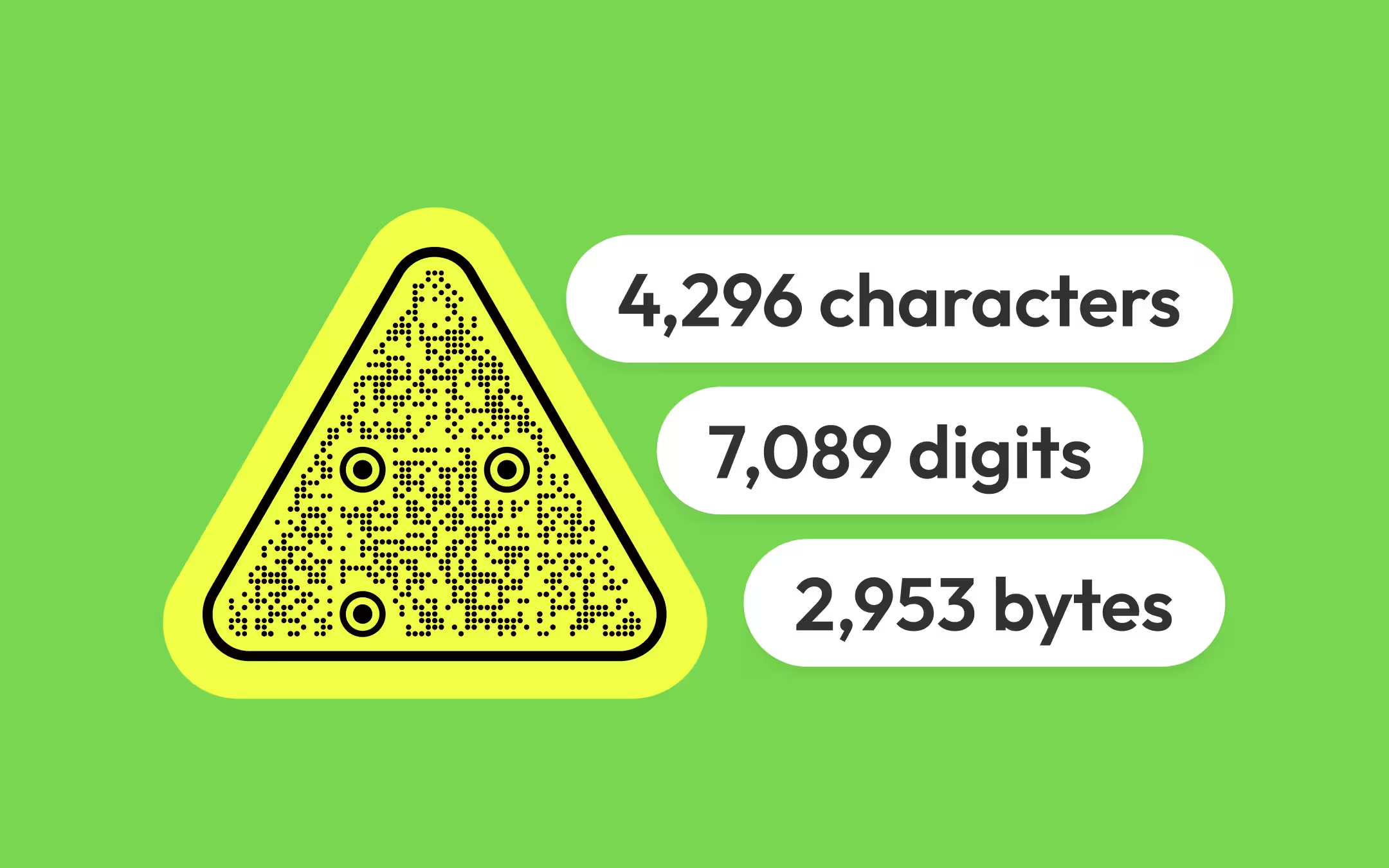
A QR code holds at most 7,089 digits, 4,296 alphanumeric characters, 2,953 bytes or 1,817 kanji characters, and those maxima all describe the same symbol: version 40 at 177 × 177 modules, at the lowest error correction level. Every smaller code holds proportionally less, and the number that matters in practice is never the maximum - it is how many modules your particular payload forces, because the module count decides how large the code has to be printed.
Key points
- The maximum capacity of a QR code is 7,089 digits, 4,296 alphanumeric characters, 2,953 bytes or 1,817 kanji characters - all at version 40, 177 × 177 modules, at error correction level L.
- Capacity is fixed by three things together: the symbol version, the encoding mode and the error correction level. Change any one and the number changes.
- The smallest code, version 1 at 21 × 21 modules, holds 17 bytes at level L and 7 bytes at level H. A bare domain name is already a version 2 or 3 code.
- A URL written in capitals can encode in alphanumeric mode at 5.5 bits per character instead of 8, which often saves a whole symbol version. Only the scheme and host are safe to capitalise; the path is case-sensitive.
- Capacity is rarely the real limit. A 200-character URL at level H needs a 77 × 77 module symbol, which cannot honestly be printed below about 34 mm - the payload sets the size long before it approaches any maximum.
How Much Data Can a QR Code Hold?
A QR code holds at most 7,089 digits, 4,296 alphanumeric characters, 2,953 bytes or 1,817 kanji characters. Those four figures describe one symbol - version 40, 177 modules on a side, at error correction level L - and they are the ceiling for the format rather than a target anyone should design towards.
| Error correction level | Numeric | Alphanumeric | Byte | Kanji |
|---|---|---|---|---|
| L | 7,089 | 4,296 | 2,953 | 1,817 |
| M | 5,596 | 3,391 | 2,331 | 1,435 |
| Q | 3,993 | 2,420 | 1,663 | 1,024 |
| H | 3,057 | 1,852 | 1,273 | 784 |
The practical range is much narrower than the ceiling suggests. A version 40 symbol printed at the 0.4 mm module floor for coated stock is 71 mm across before its margin, and every module in it has to survive being photographed - so codes that size appear in industrial marking and almost nowhere in signage, packaging or print.
For ordinary use the useful question is the opposite of the maximum: given this payload, what is the smallest symbol that holds it, and what does that symbol cost in printed millimetres. The last two sections of this page answer that directly.
What a Symbol Version Is
The symbol version is the QR standard's name for a code's module count, running from version 1 at 21 × 21 modules up to version 40 at 177 × 177. A version V code is 4V + 17 modules on each side, so the versions step in fours: 21, 25, 29, 33, 37 and so on.
A version is not something you choose. The encoder picks the smallest version that holds the payload at the requested error correction level, which means the version is a result of two decisions you do make - what the code says and how much damage it should survive.
Two consequences follow, and both catch people out. First, capacity moves in steps rather than continuously: adding one character to a payload can be free or can push the code up an entire version. Second, a higher version is not a bigger picture - it is a denser one. At a fixed printed width, a version 10 code's modules are roughly 40% narrower than a version 4 code's - 57 cells across the same space instead of 33 - and small modules are what scan failures are made of.
Not all of a symbol is available for content. In a version 1 code, 233 of the 441 modules are function patterns and format information rather than data - finder patterns and QR code anatomy accounts for where they go. What remains after that is split between your data and its error correction.
The Four QR Encoding Modes
An encoding mode is the scheme a QR code uses to turn characters into bits, and the standard defines four: numeric, alphanumeric, byte and kanji. Each packs characters at a different density, so the same symbol holds a very different number of them depending on which mode the content permits.
| Mode | What it accepts | Bits per character | Capacity at version 40, level L |
|---|---|---|---|
| Numeric | The digits 0 to 9 | 3⅓ | 7,089 digits |
| Alphanumeric | 0 to 9, A to Z, space, and $ % * + - . / : | 5½ | 4,296 characters |
| Byte | Any byte, which in practice means UTF-8 text | 8 | 2,953 bytes |
| Kanji | Shift JIS double-byte characters | 13 | 1,817 characters |
Alphanumeric mode is the one worth understanding, because it is the only one that applies to URLs. It is the QR encoding scheme that packs two characters into 11 bits, using a 45-character set of digits, capital letters, space and eight punctuation marks. Lower-case letters are not in that set, and neither are the question mark, the ampersand, the equals sign or the underscore.
The mode is chosen by the encoder, not by the person typing the payload. Some encoders analyse the content and switch modes automatically, some split a payload into segments and use a different mode for each, and many encode everything in byte mode regardless. That last case is common enough that the only reliable way to know is to generate the code and count its modules.
QR Code Capacity by Version and Mode
The table below is the reference the rest of this page is built on: how many characters each symbol version holds, in each mode, at each error correction level. Read it by finding the row for your level and the version whose figure first exceeds your payload.
| Version | Modules | Level | Numeric | Alphanumeric | Byte | Kanji |
|---|---|---|---|---|---|---|
| 1 | 21 × 21 | L | 41 | 25 | 17 | 10 |
| 1 | 21 × 21 | M | 34 | 20 | 14 | 8 |
| 1 | 21 × 21 | Q | 27 | 16 | 11 | 7 |
| 1 | 21 × 21 | H | 17 | 10 | 7 | 4 |
| 2 | 25 × 25 | L | 77 | 47 | 32 | 20 |
| 2 | 25 × 25 | M | 63 | 38 | 26 | 16 |
| 2 | 25 × 25 | H | 34 | 20 | 14 | 8 |
| 3 | 29 × 29 | L | 127 | 77 | 53 | 32 |
| 3 | 29 × 29 | M | 101 | 61 | 42 | 26 |
| 3 | 29 × 29 | H | 58 | 35 | 24 | 15 |
| 4 | 33 × 33 | L | 187 | 114 | 78 | 48 |
| 4 | 33 × 33 | M | 149 | 90 | 62 | 38 |
| 4 | 33 × 33 | H | 82 | 50 | 34 | 21 |
| 5 | 37 × 37 | L | 255 | 154 | 106 | 65 |
| 5 | 37 × 37 | M | 202 | 122 | 84 | 52 |
| 5 | 37 × 37 | H | 106 | 64 | 44 | 27 |
| 6 | 41 × 41 | L | 322 | 195 | 134 | 82 |
| 6 | 41 × 41 | M | 255 | 154 | 106 | 65 |
| 6 | 41 × 41 | H | 139 | 84 | 58 | 36 |
| 10 | 57 × 57 | L | 652 | 395 | 271 | 167 |
| 10 | 57 × 57 | M | 513 | 311 | 213 | 131 |
| 10 | 57 × 57 | H | 288 | 174 | 119 | 74 |
| 15 | 77 × 77 | L | 1,250 | 758 | 520 | 320 |
| 15 | 77 × 77 | M | 991 | 600 | 412 | 254 |
| 15 | 77 × 77 | H | 530 | 321 | 220 | 136 |
| 20 | 97 × 97 | L | 2,061 | 1,249 | 858 | 528 |
| 20 | 97 × 97 | M | 1,600 | 970 | 666 | 410 |
| 20 | 97 × 97 | H | 919 | 557 | 382 | 235 |
| 25 | 117 × 117 | L | 3,057 | 1,853 | 1,273 | 784 |
| 25 | 117 × 117 | M | 2,395 | 1,451 | 997 | 614 |
| 25 | 117 × 117 | H | 1,286 | 779 | 535 | 330 |
| 40 | 177 × 177 | L | 7,089 | 4,296 | 2,953 | 1,817 |
| 40 | 177 × 177 | M | 5,596 | 3,391 | 2,331 | 1,435 |
| 40 | 177 × 177 | H | 3,057 | 1,852 | 1,273 | 784 |
Two cells in this table are worth reading together. Version 25 at level L holds 1,273 bytes, and version 40 at level H holds exactly the same 1,273 bytes - a symbol with more than twice the module area, spending the whole difference on recovery. Capacity gained by growing the code and capacity lost by raising the level are the same currency, which is why both decisions belong in one table rather than two.
Why the Same URL Fits in a Smaller Code in Capitals
A URL written in capitals can encode in alphanumeric mode at 5.5 bits per character instead of byte mode's 8, which is a 31% saving and frequently drops the symbol by a whole version. HTTPS://EXAMPLE.COM/MENU uses only characters from the 45-character alphanumeric set; https://example.com/menu does not, because lower-case letters are not in it.
| Payload length | Byte mode, level M | Capitals, level M | Byte mode, level H | Capitals, level H |
|---|---|---|---|---|
| 30 characters | Version 3 | Version 2 | Version 4 | Version 3 |
| 45 characters | Version 4 | Version 3 | Version 6 | Version 4 |
| 70 characters | Version 5 | Version 4 | Version 8 | Version 6 |
| 120 characters | Version 7 | Version 5 | Version 11 | Version 8 |
| 200 characters | Version 10 | Version 8 | Version 15 | Version 11 |
The catch is that only part of a URL is safe to capitalise. Schemes and host names are case-insensitive, so HTTPS://EXAMPLE.COM and https://example.com reach the same server. Everything after the host is case-sensitive on most web servers, so capitalising a path can produce a code that scans perfectly and lands on a 404.
What that leaves is a rule with a narrow but real application: capitalise the scheme and domain, keep the path exactly as the server expects it, and check whether the symbol actually shrank. A payload that mixes cases falls back to byte mode entirely, so a single lower-case character in the path removes the whole saving.
Two further limits are worth stating honestly. The alphanumeric set has no question mark, ampersand, equals sign or underscore, so any URL carrying query parameters is in byte mode whatever its case. And the encoder has to support mode switching at all - many generate every payload in byte mode, in which case capitalising changes nothing. Generate the code both ways, count the modules on one side, and compare: if the number is the same, the mode did not change.
Error Correction Is Half the Capacity Question
Raising the error correction level from L to H removes about 57% of a symbol's capacity, because the recovery codewords and the data codewords come out of the same fixed budget. At every version, the four levels divide the same total: level L spends about 7% of it on recovery, M about 15%, Q about 25% and H about 30%.
| Level | Bytes at version 2 | Bytes at version 5 | Bytes at version 10 | Approximate recovery |
|---|---|---|---|---|
| L | 32 | 106 | 271 | 7% |
| M | 26 | 84 | 213 | 15% |
| Q | 20 | 60 | 151 | 25% |
| H | 14 | 44 | 119 | 30% |
The interaction that surprises people runs the other way as well. Because capacity moves in steps, raising the level often costs nothing at all: if your payload is 40 bytes, level M and level Q both land you on version 4, and the higher level is free. Generate the code at your chosen level, note the module count, generate it one level higher, and take the higher level whenever the grid is unchanged.
Error correction levels L, M, Q and H covers what the recovery capacity actually buys, how large a logo each level tolerates, and why raising the level after a scan failure usually makes the code worse rather than better.
From URL Length to Printed Size
Payload length decides the symbol version, and the symbol version decides the smallest size the code can honestly be printed at. This is the chain that matters in a layout, and it is why shortening a URL is a print decision rather than a tidiness decision.
| URL length | Version at level M | Smallest printed width | Version at level H | Smallest printed width |
|---|---|---|---|---|
| 25 characters | 2 (25 × 25) | 13.2 mm | 4 (33 × 33) | 16.4 mm |
| 50 characters | 4 (33 × 33) | 16.4 mm | 6 (41 × 41) | 19.6 mm |
| 75 characters | 5 (37 × 37) | 18.0 mm | 8 (49 × 49) | 22.8 mm |
| 100 characters | 6 (41 × 41) | 19.6 mm | 10 (57 × 57) | 26.0 mm |
| 150 characters | 8 (49 × 49) | 22.8 mm | 12 (65 × 65) | 29.2 mm |
| 200 characters | 10 (57 × 57) | 26.0 mm | 15 (77 × 77) | 34.0 mm |
| 300 characters | 13 (69 × 69) | 30.8 mm | 18 (89 × 89) | 38.8 mm |
The last two rows are the argument for link shortening in one place. A 200-character tracking URL at level H cannot be printed below about 34 mm on coated stock, and a 25-character one can go to 16 mm - the same information, delivered by the same code, at less than a quarter of the area.
These are floors, not recommendations. A code should also be sized for its reading distance, which is roughly 1 cm of width for every 10 cm of scanning distance, and whichever of the two numbers is larger is the one that governs. The minimum size for print takes that calculation end to end, and the QR print size calculator runs it for a given distance.
What to Do When a Payload Does Not Fit
A payload that will not fit at a workable size is almost always a URL problem rather than a QR code problem. The symbol is doing what it was asked; the ask is too long. In rough order of how much they save:
- Remove the tracking parameters. A full UTM set with a click ID routinely adds 80 to 120 characters, which is three or four symbol versions on its own. Attach the campaign data at the destination instead of in the printed code.
- Drop www and the trailing slash. Small, free, and worth about a version on a short URL where every character counts.
- Use a short path. example.com/menu rather than example.com/restaurant/our-menus/lunch-menu-2026. On print, the path is read by a camera, never typed by a person, so its readability buys nothing.
- Point at a redirect you control. A short path on your own domain that forwards to the long URL keeps the code small and keeps the destination changeable, which a static code otherwise cannot be.
- Encode the minimum for the payload type. A Wi-Fi code carries the network name, password and security type and nothing else; a phone code carries digits. Extra fields cost versions - see QR code types for what each payload actually needs.
- Lower the error correction level, if there is no logo. Going from H to M is not a small saving. It nearly doubles the capacity at every version - 44 bytes to 84 at version 5 - and level M is entirely adequate for a clean code on flat, coated stock.
- Split the job. If the content genuinely is long - a menu, a document, a certificate - put it behind a URL rather than inside the code. A QR code that holds 2,000 characters is a code nobody can scan.
One thing not to do: raise the printed size to fit a long payload and stop there. It works, but it hides the cause, and the next version of the artwork will hit the same wall with a slightly longer URL and less space to give it.
Why Capacity Thresholds Are Uneven
Capacity does not rise smoothly with version, and three separate mechanisms are responsible. Knowing them explains the jumps that otherwise look arbitrary in the table above.
The character count indicator widens. The character count indicator is the short header inside a QR code that states how many characters the payload contains, and its width in bits changes with the symbol version. In byte mode it is 8 bits at versions 1 to 9 and 16 bits from version 10 upward, so crossing that boundary costs a byte of overhead before any content is stored.
Error correction blocks divide unevenly. From version 5 the data is split into blocks of differing sizes so the recovery arithmetic stays tractable, and the block structure changes at almost every version. Two adjacent versions can therefore gain 20 bytes and then 38.
Remainder bits are left over. Some versions have 3, 4 or 7 modules left after the codewords are laid out, which are filled with zeroes and carry nothing. They are part of why the module count and the capacity do not track each other exactly.
None of this changes what to do. It does explain why adding one character to a URL sometimes costs nothing and sometimes adds four modules to every side - and why the only trustworthy way to know the version is to generate the code and count, rather than to estimate from the character count.
When Capacity Is Not the Real Limit
Most codes hit a physical limit long before a capacity limit, and mistaking one for the other is the common error on this subject. A version 20 symbol holds 666 bytes at level M, which sounds generous until the code has to be printed: 97 modules per side at the 0.4 mm floor is 42 mm of footprint, and squeezed onto a 30 mm table tent its modules fall to 0.29 mm - below what most print processes hold and below what a phone camera resolves at arm's length.
The limits that bite first, in the order they usually arrive:
- Printed module size. Modules should be 0.4 mm or larger on coated stock and 0.5 mm or larger on uncoated. This is what turns a payload length into a minimum width, and it is not negotiable by the design.
- Reading distance. A code needs roughly 1 cm of width for every 10 cm between it and the camera. A dense code on a wall sign fails at the distance people stand, not at the distance it was designed at.
- Camera focus. Phone cameras have a minimum focus distance of about 10 cm. A very small, very dense code forces the reader closer than the camera can focus, which reads as a code that will not scan.
- Contrast and finish. A dense code has less tolerance for low contrast and for glare, because each module contributes fewer pixels - check a colour pair with the QR contrast checker before committing to it.
- Export resolution. A raster export needs whole pixels per module; a dense code at a small pixel size produces anti-aliased module edges. Resolution and DPI has the arithmetic, and SVG avoids the problem entirely.
KoloQR, a free QR code generator with circular and custom-shaped QR codes, exports both PNG and SVG, so a code whose payload forces a high symbol version can be placed as vector artwork and stay geometrically exact at any printed size. That solves the export half of the problem and none of the other four: a long payload still needs a physically larger code, whatever it is exported as.
Common Mistakes About QR Code Capacity
The most common mistake is treating the 2,953-byte maximum as a working budget. It describes a 177 × 177 module symbol at the lowest error correction level, which is not a code that belongs on a menu, a label or a poster - and a payload anywhere near it will have failed for physical reasons long before capacity becomes the constraint.
| Do | Why |
|---|---|
| Check the module count after generating, not the character count before | Capacity moves in steps, and the version is the number that decides the printed size |
| Decide the error correction level before measuring capacity | Level H removes 57% of a symbol's capacity, so a capacity figure without a level is not an answer |
| Shorten the URL before enlarging the code | Removing a UTM set is worth three or four versions and costs nothing in the layout |
| Try one level higher and compare the grid | Stepping up a level is often free, because the payload already fits the same version |
| Size the code from the version, then from the reading distance | Both produce a minimum width, and the larger of the two is the one that governs |
| Don't | Why |
|---|---|
| Quote a capacity figure without naming the version and level | The same mode ranges from 7 bytes to 2,953 bytes depending on those two numbers |
| Capitalise a whole URL to save space | Only the scheme and host are case-insensitive; capitalising the path can produce a scannable code that 404s |
| Put long content inside the code instead of behind a URL | A code dense enough to hold a document is a code no phone camera resolves at a normal distance |
| Assume a longer URL only makes the picture bigger | It makes the picture denser at the same width, which is the direct cause of most print scan failures |
| Estimate the version from the character count | Indicator widths, block structures and remainder bits make the thresholds uneven; generate and count instead |
Make Your QR Code
Free, with no account and no watermark. Choose a shape, add a logo, check the contrast, and export SVG, PDF, EPS or PNG - a static code with no subscription behind it.
Generate QR CodeQuestions? Answered
7,089 digits, 4,296 alphanumeric characters, 2,953 bytes or 1,817 kanji characters. All four figures are for version 40 - a 177 × 177 module symbol - at error correction level L. At level H the same symbol holds 1,273 bytes, because recovery codewords come out of the same budget as data.
Technically up to 2,953 characters, practically about 100. Beyond roughly 100 characters the symbol version climbs fast, and a version 15 code at level H cannot be printed below about 34 mm on coated stock. Removing tracking parameters is worth three or four versions and is almost always the better fix.
Version 1, at 21 × 21 modules, holds 17 bytes at level L, 14 at M, 11 at Q and 7 at H. That is not enough for most URLs: https://example.com is 19 characters, so even a bare domain is usually a version 2 or version 3 code.
It makes it denser, which forces it to be printed bigger. A longer payload raises the symbol version, which adds modules to each side without changing the picture's dimensions, so each module shrinks at a fixed printed width. To keep the modules readable, the printed size has to grow with the version.
Capital letters, digits and eight punctuation marks belong to the 45-character alphanumeric set, which packs two characters into 11 bits instead of byte mode's 8 bits per character. That is a 31% saving and often drops a whole version. Capitalise only the scheme and host - paths are case-sensitive on most servers.
Yes, substantially. Data codewords and recovery codewords share one fixed budget per version, so level L leaves about 7% for recovery and level H about 30%. Moving from L to H removes about 57% of the capacity at every version. A version 5 code holds 106 bytes at L and 44 at H.
A centre logo means error correction level H in practice, which is the lowest-capacity column of every version. At level H a version 4 code holds 34 bytes, version 6 holds 58 and version 10 holds 119. A URL with tracking parameters plus a logo is what pushes codes past version 12.
Only in the sense that 2,953 bytes is smaller than any usable image file. QR codes hold text, and a file has to be encoded as text to fit at all, which multiplies its size. Host the file and put the URL in the code - a 30-character link scans from across a room and a 2,953-byte payload does not.
The symbol version is the standard's name for a code's module count, from version 1 at 21 × 21 modules to version 40 at 177 × 177. A version V code is 4V + 17 modules per side. The encoder picks the smallest version that holds your payload at the error correction level you asked for.
Keep Exploring
Pages that pick up where this one leaves off - the same setting, the same kind of code, or the next thing worth deciding.
Event Agencies
Codes produced for someone else's event: client redirects, exhibitor spec sheets, badge runs and signage sized for the room.
Marketing Agencies
Produce campaign codes for client print runs: sized per placement, exported as vector, and pointed at a redirect the client keeps.
Colored QR Codes
Put your palette on a QR code without breaking it: which color goes on the pattern, and which belongs on the frame.
Transparent QR Codes
Codes with no background of their own - which surfaces they scan on, which ones break them, and how to place one on photos, video, glass and clear labels.
Banners
Roll-ups, exhibition and outdoor banners - the size the distance demands, the height that works, and why mesh and wind break scans.
How to Scan a QR Code With a Phone, a Screenshot, or a Second Device
The camera does it on both platforms, but the awkward cases - a screenshot, a code on the phone you are holding, a login code - each need a different move.
Why KoloQR?
- Create QR codes for websites, menus, Wi-Fi, PDFs, and business cards
- Customize colors, logos, and unique shapes
- Download high-quality PNG and SVG files
- Built for both print and digital
