Turn Your WhatsApp Number Into a Scannable Chat Link
Enter your number in full international format, style the code to match your brand, and download a QR code that opens a WhatsApp conversation with you in one tap.
Opens in Google Maps. Coordinates work too - "37.4224, -122.0841".
The code opens your business's "Write a review" form. Paste the Place ID, or a Google Maps link that carries one.
A UPI link carries no checksum, so a mistyped ID produces a code that scans perfectly and pays somebody else. Paste the ID from your payment app rather than typing it, and send yourself one rupee before printing.
Paste it exactly as copied. KoloQR does not assemble the payload - it encodes the one your bank issued, and checks it before you print it.
SVG, PNG, JPG • Max 2 MB
First month free
then $9/month
Dynamic QR Codes Are Coming
Change your link anytime, even after printing. See who scans, when and where.
- Edit without reprinting
- Scan analytics
- Bulk & custom domains
You're on the List
We'll email you once, when dynamic codes with scan analytics launch.
What Is a WhatsApp QR Code?
A WhatsApp QR code is a QR code that stores a wa.me link containing your phone number. Scanning it opens a WhatsApp chat with you immediately, so the person never has to save your number as a contact first. The number is encoded in the pattern itself, which means the printed code needs no app, no account and no service behind it.

How a WhatsApp QR Code Works
Three things sit between the scan and an open chat window:
- The Number - your WhatsApp number in full international format, digits only: country code first, no plus sign, no spaces, no brackets, and no leading zero.
- The wa.me Link - the number becomes https://wa.me/15551234567, WhatsApp's official click-to-chat address, and that link is what the pattern stores.
- The Chat - the camera opens WhatsApp on a conversation with you, ready to type. On a laptop the same link opens WhatsApp Web instead.
A pre-filled message is one parameter away. Adding ?text= to the link, with the message URL-encoded, opens the chat with that sentence already in the input box - https://wa.me/15551234567?text=I%27d%20like%20a%20quote - so the person only has to press send. It is the single most useful thing you can do with this code type: it tells you which sign, table or box the message came from, because each one can carry a different opening line.
wa.me Link vs. WhatsApp's Own QR Code
WhatsApp generates a QR code of its own inside the app, under Settings, and it is not the same object as the one on this page. WhatsApp's in-app code is a contact-add code: it is read by WhatsApp's built-in scanner rather than by the phone camera, it can be reset at any time - which silently kills every copy already printed - and its appearance is fixed. A wa.me QR code is an ordinary web link, so any native camera reads it, any printer reproduces it, and it keeps working until you change your number. The trade-off is honest: the in-app code adds you as a contact, while a wa.me code opens a conversation. For anything printed, the wa.me version is the one that survives, and it is what KoloQR generates. If you want people to store your details rather than message you, a phone number QR code is the closer fit.
Generate QR Code
Where WhatsApp QR Codes Are Used
Anywhere a question is faster to type than to ask, and anywhere your staff are not standing. The placements that earn their space:
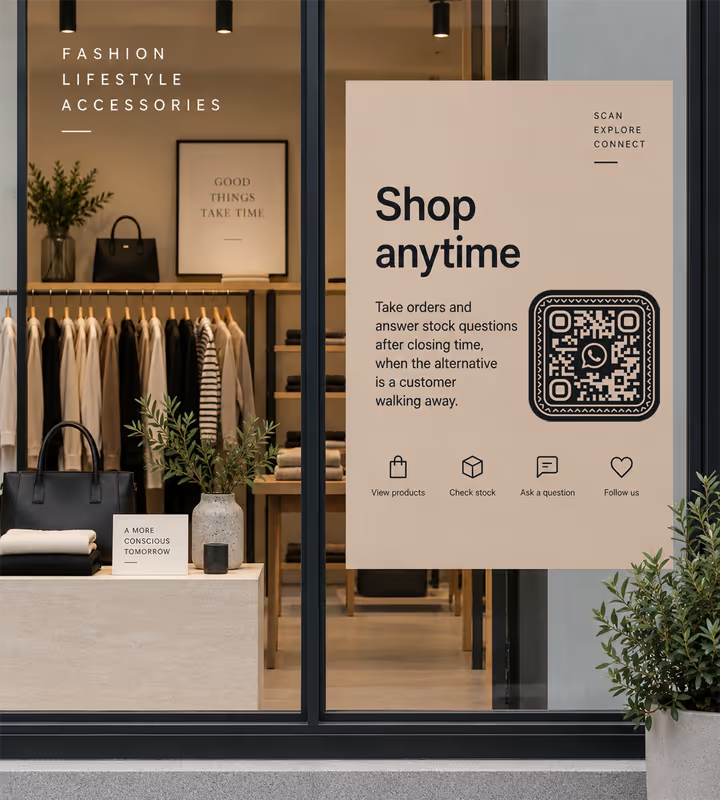
Shop Windows and Counters
Take orders and answer stock questions after closing time, when the alternative is a customer walking away.
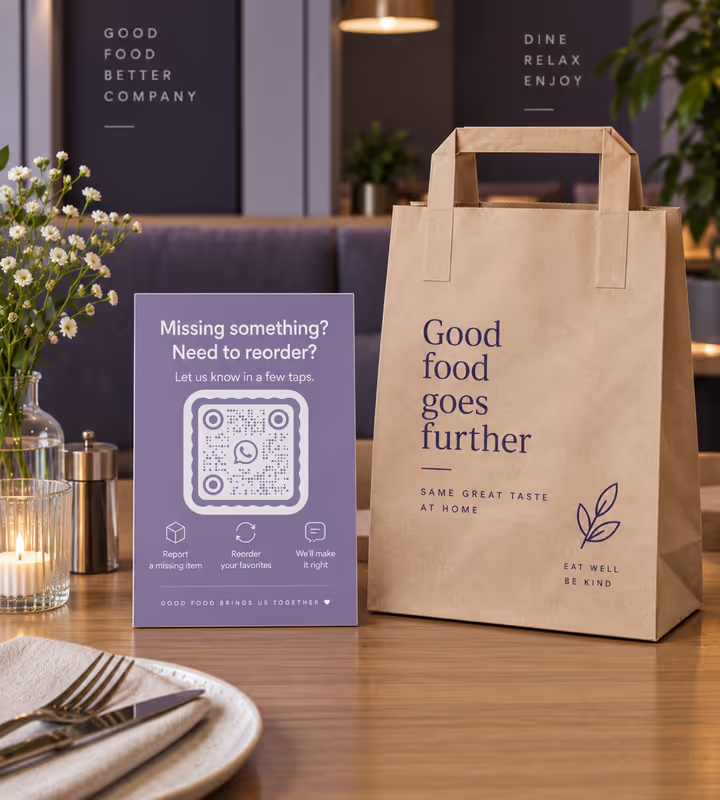
Restaurant Tables and Takeaway Bags
Let people flag a missing item or reorder without hunting for the right number on a receipt.
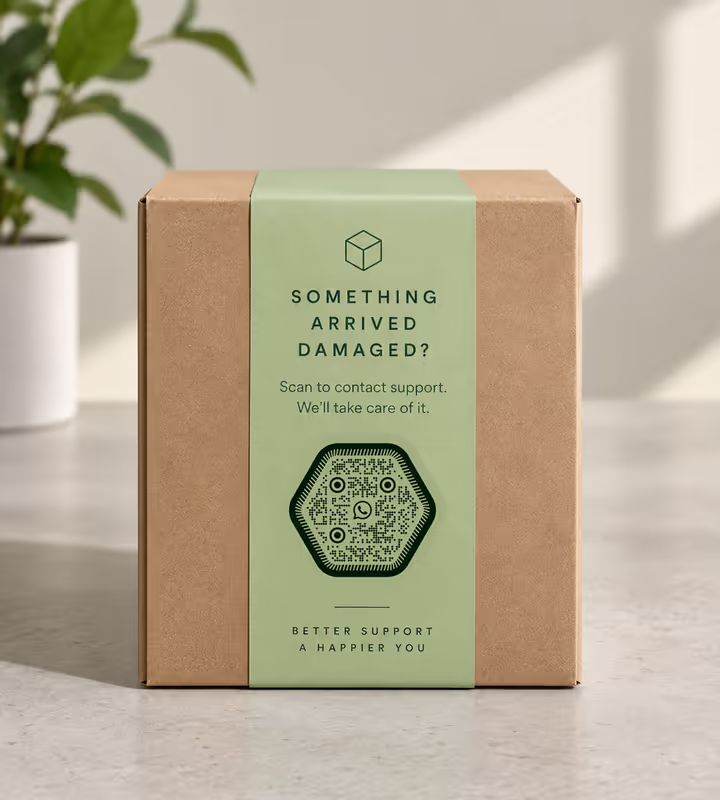
Packaging and Delivery Notes
Put support one scan from the product, with a pre-filled message naming the item so you know what arrived broken.
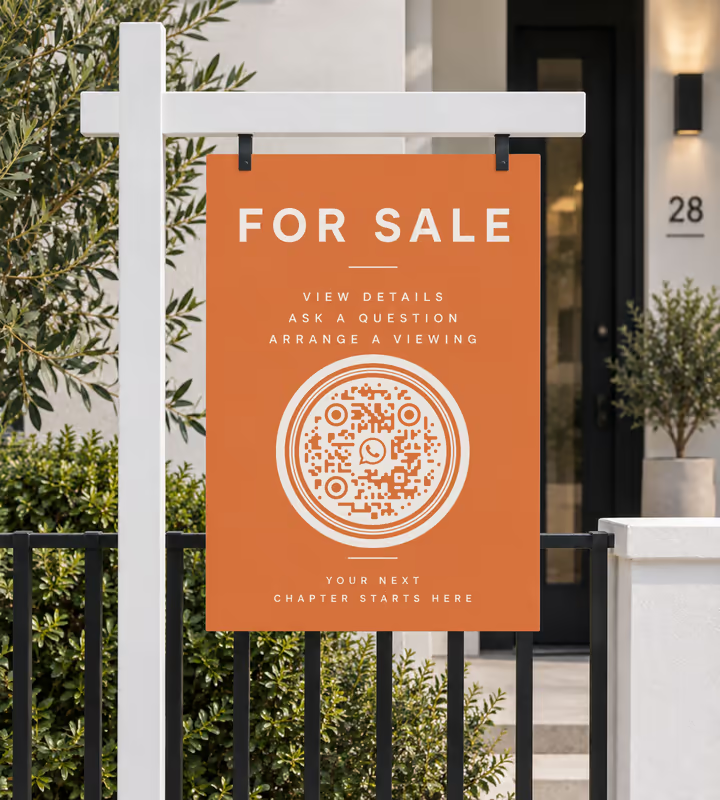
For Sale and To Let Signs
Passers-by message about a property from the pavement instead of memorising a number they will forget by the car.
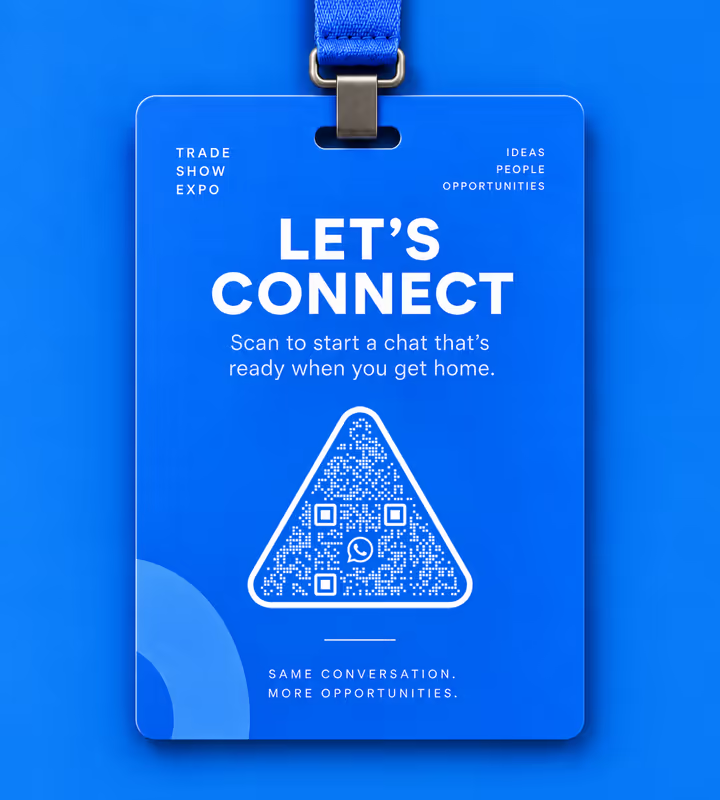
Trade Show Stands and Badges
Swap a business card for a chat that already exists in someone's phone when they get home.
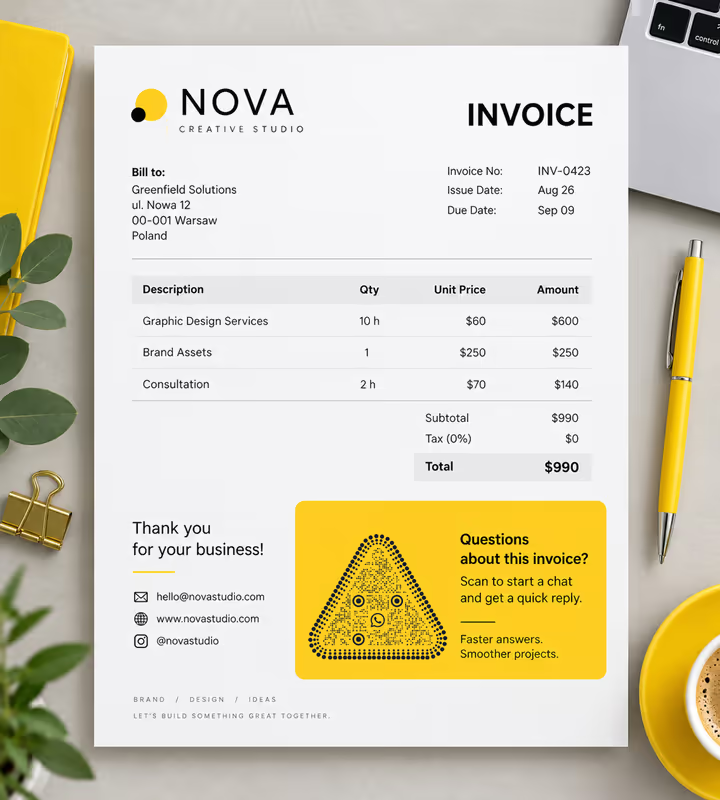
Invoices, Receipts and Email Signatures
Give a paper document a live reply channel, which a printed phone number is not.
- 1
Pick WhatsApp and Enter Your Number
Type the number with its country code and nothing else - 15551234567, not +1 (555) 123-4567. WhatsApp's link format accepts digits only.
- 2
Add a Pre-Filled Message if You Want One
Paste the full link with ?text= on the end to open the chat with an opening line already written. Use a different line per placement to see where scans come from.
- 3
Customize the Design
Choose a shape, set the colors to match your signage, and add a logo if you have one. Keep the pattern darker than its background.
- 4
Test It, Then Print It
Scan the exported file with a phone that has never messaged you. Export PNG for screens, SVG or PDF for anything printed.

Which File Format Should You Download?
KoloQR exports your WhatsApp QR code in three formats. Pick by where it will be seen, not by file size:
- PNG for websites, order confirmations, slides, and social posts, where the code is shown at one fixed size.
- SVG for shop windows, vinyl signage, and anything a printer will scale - the edges stay sharp at any size.
- PDF for handing to a print shop or dropping into an invoice template at print-ready quality.
The rule that decides it: vector for paper and vinyl, raster for screens. A WhatsApp code often ends up on a small sticker or a bag, where a PNG scaled up in a layout program turns the modules soft and the scan slow.
Generate QR CodeBest Practices for WhatsApp QR Codes
A chat code fails differently from a link code: it can scan perfectly and still waste the scan. These are the ones worth getting right:
Use the Full International Number
Country code first, digits only, and drop the trunk zero. A UK number written 07700 900123 is 447700900123 in a wa.me link, and the leading zero is the single most common reason one fails.
Confirm the Number Has WhatsApp on It
wa.me does not check. A number with no WhatsApp account opens a dead end reading that the number is not on WhatsApp, and the scan is spent.
Pre-Fill a Message That Identifies the Placement
Give each sign, table tent or box its own opening line. It costs nothing, needs no analytics, and tells you which placement is working.
Say What Happens Before They Scan
A line like “Scan to message us on WhatsApp” sets the expectation. People are warier of a code that might dial them than of one that opens a page.
Answer It, or Don't Print It
An unanswered chat is worse than no channel at all, because the customer can see the message was delivered. Put the code where someone is watching the inbox.
Keep the Pattern Dark on a Light Background
Brand green is tempting on a WhatsApp code and often fails: mid-green on white is low contrast. Darken the pattern rather than matching the logo exactly.
Protect the Quiet Zone
Leave a clear margin of about four modules on every side. Crowding it with a slogan or a border is what stops an otherwise perfect code.
Size It for the Scan Distance
Roughly one tenth of the distance it will be read from: about 2 cm on a table tent, about 30 cm on a code read from 3 metres across a forecourt.
Keep the Logo Small
Error correction tolerates a centre logo, but a WhatsApp mark large enough to be recognised is usually large enough to break the read. Keep it modest and rescan.
Use a Business Number You Can Keep
The number is baked into the pattern, so changing it means reprinting. Use a line that will outlive the print run rather than a personal mobile.
Why Your WhatsApp QR Code Isn't Working
A WhatsApp code either opens a chat with the right person or it doesn't, and the reason is nearly always one of these four.
WhatsApp Says the Number Is Not Valid
- Cause
- The number was encoded the way it is written locally. A plus sign, spaces, brackets, dashes or a national trunk zero all break the wa.me format, which accepts digits only.
- Fix
- Rewrite it as country code plus subscriber number with nothing between them - 447700900123, not +44 (0)7700 900123 - and regenerate. Open the link in a browser once before printing.
The Scan Opens WhatsApp's Download Page
- Cause
- The person scanning has no WhatsApp installed, or is on a desktop browser not signed in to WhatsApp Web. The link is correct; the destination has nowhere to send them.
- Fix
- Nothing on the code can fix this, so label it. “Message us on WhatsApp” tells someone without the app to ignore it, instead of blaming your sign for a broken scan.
The Pre-Filled Message Arrives Mangled
- Cause
- The message text was pasted raw. Spaces, question marks, ampersands and apostrophes have to be percent-encoded inside a URL, and an un-encoded one truncates the message at the first special character.
- Fix
- URL-encode the text - spaces become %20, an apostrophe becomes %27 - or keep the pre-filled line to plain words and spaces only, then scan once and read what actually lands in the box.
It Scans on Your Phone but Not From the Window
- Cause
- The code is printed too small for the distance, or it is behind glass that reflects. Both leave the camera with too few pixels per module to resolve the pattern.
- Fix
- Print it about a tenth as wide as the reading distance, mount it at eye level, and check it in daylight with the glare on it rather than at the desk where you made it.
Still not sure whether the fault is the file or the print? Drop the exported image into the QR code scanner - if it decodes on a desktop and not on paper, the fault entered after the file.
Questions? Answered
A WhatsApp QR code stores a wa.me link with your phone number in it. Scanning it with a phone camera opens a WhatsApp chat with you, so the person can message you without saving your number as a contact. Using LINE instead? A LINE QR code adds a friend from an official account or a personal ID.
Choose the Social type in KoloQR, pick WhatsApp, and enter your number in full international format with digits only. Style it if you like, then download a PNG or SVG. No account is needed and the code has no watermark.
Country code followed by the number, digits only - no plus sign, spaces, brackets, dashes, or leading zero. A UK mobile written 07700 900123 becomes 447700900123. This is the format the wa.me link requires.
Yes. Add ?text= to the wa.me link with the message URL-encoded, and the chat opens with that line already typed. Give each poster or product its own line so you can tell where a message came from.
No. WhatsApp's in-app code adds you as a contact and only WhatsApp's own scanner reads it, and resetting it invalidates printed copies. A wa.me QR code is a normal web link that any phone camera reads and that opens a chat.
Yes. Without the app - or WhatsApp Web on a desktop - the link lands on WhatsApp's download page instead of a chat. Label the code so people know what it opens before they scan it.
Not in a code already printed. The number is encoded in the pattern, so a new number means a new code. If the number might change, point the code at a page you control and put the chat link on that page instead.
Yes. A wa.me link works the same for WhatsApp Business, which is usually the better inbox for a printed code - it supports away messages, quick replies and a catalogue, so a scan outside opening hours still gets a reply.
Yes, but with a caveat. A group invite link can be encoded like any URL, and it works until the group admin revokes or regenerates the invite - at which point every printed copy stops working. Use it for short-lived events, not signage.
Usually the number format, low contrast, or size. Check the number is digits only with a country code, keep the pattern dark on a light background, leave a clear margin, and print it about a tenth as wide as the reading distance.
Keep Exploring
Pages that pick up where this one leaves off - the same setting, the same kind of code, or the next thing worth deciding.
Telegram QR Code
Open a Telegram chat, channel, group, or bot with a single scan.
Facebook QR Code
Open your Facebook Page, group, or Messenger chat with one scan.
LinkedIn QR Code
Share your LinkedIn profile or company page with a code any phone camera can read.
How to Scan a QR Code With a Phone, a Screenshot, or a Second Device
The camera does it on both platforms, but the awkward cases - a screenshot, a code on the phone you are holding, a login code - each need a different move.
How to Scan a QR Code on an iPhone, From the Camera or From a Photo
Every built-in way an iPhone reads a QR code - the Camera app, the Code Scanner control, a saved photo, a code inside Safari - and the one setting that switches it off.
X (Twitter) QR Code
Send people straight to your X profile, a single post, or a one-tap follow prompt.
Why KoloQR?
- Create QR codes for websites, menus, Wi-Fi, PDFs, and business cards
- Customize colors, logos, and unique shapes
- Download high-quality PNG and SVG files
- Built for both print and digital
