Distorted QR Codes: What a Scanner Corrects, What It Cannot, and How to Fix Yours
by KoloQR TeamTroubleshooting
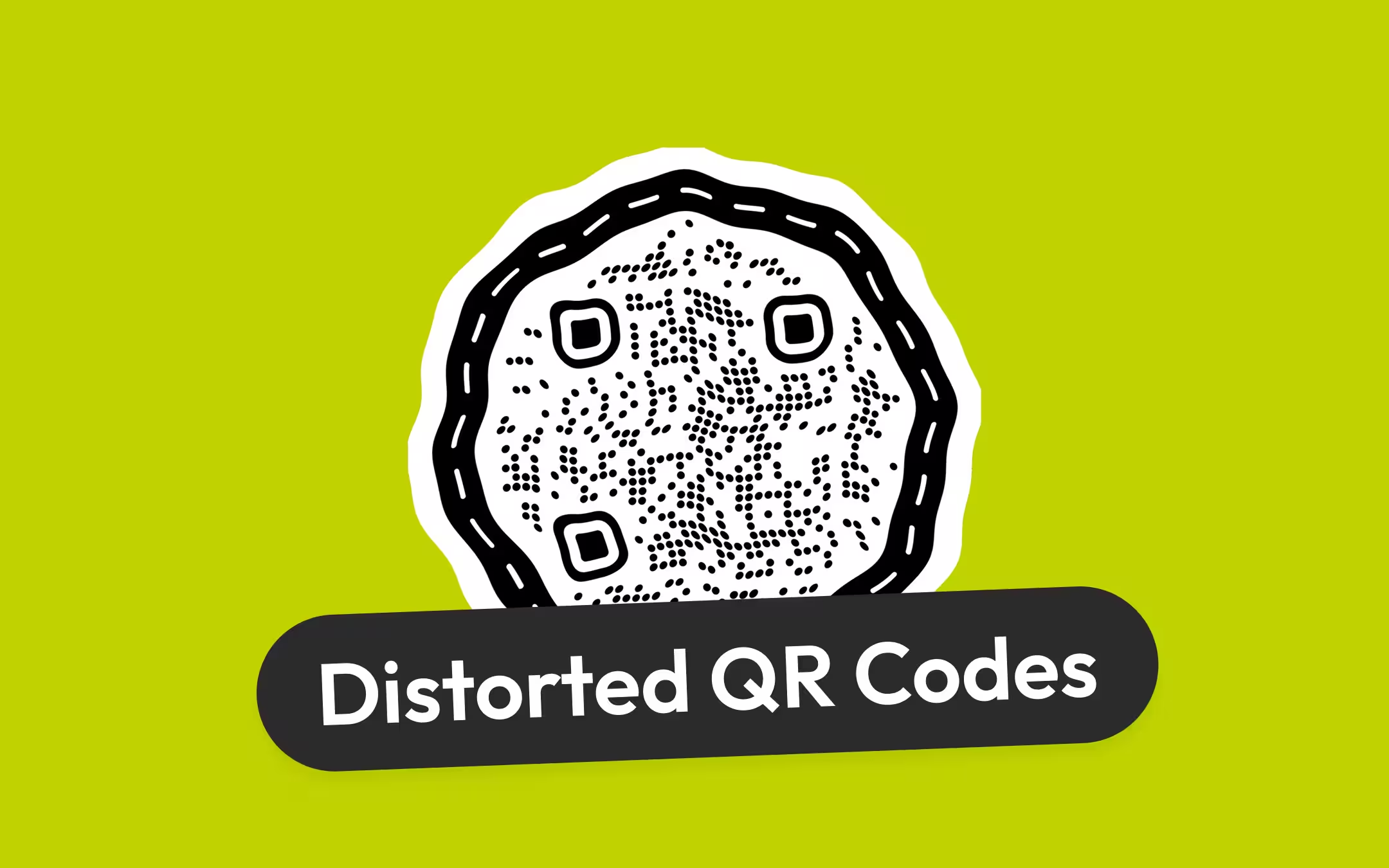
A distorted QR code is a QR code whose module grid is no longer square and evenly spaced, because of how it was resized, placed, printed or photographed. Most distortion is survivable: a code stretched to three times its width, sheared by 25° or rotated by 45° decoded at every one of 16 positions in our test, because the three corner squares let a decoder undo any flat, straight-line warp. What breaks a code is a surface that is not flat - a bottle wrap past about 15% of the circumference failed - a camera angle steep enough to shrink the far edge below about 70% of the near one, or blur that merges neighbouring modules. The fix is almost never to un-stretch the picture; it is to re-export the code with its proportions locked, or to move it to a flatter place.
Key Points
- There are five kinds of distortion - stretch, shear, perspective, curvature and blur - and they are not equally serious. The first three keep the code on a flat plane, and a decoder corrects for them using the three corner squares. Curvature and blur do not, and they are what actually stop scans.
- In our test on 22 September 2026, a QR code stretched to 3:1, sheared by 25° and rotated by 45° each decoded at 16 of 16 positions. A camera keystone held to 80% and collapsed between 70% and 60%. A cylinder wrap held while the code was 15% of the circumference or less and failed from 25%.
- Rule of thumb for bottles, mugs and cans: keep the code's width at or under about 15% of the circumference. A 7 cm-diameter bottle is about 22 cm around, so about 3.3 cm of code. Phones tolerate more than the open decoder we measured with, but not by a margin worth designing into.
- A stretched code that still scans is still worth fixing, because the stretch halves the module width in one axis and spends headroom the code needs for print, light and distance. Re-export from the generator with proportions locked; do not un-stretch a raster by eye.
- A code that looks distorted but is actually blurry or pixelated has a resolution problem, not a geometry problem. The fix is a vector file or a raster with a whole number of pixels per module, not a straighter placement.
What a Distorted QR Code Is, and the Five Ways One Gets Distorted
A distorted QR code is a QR code whose module grid is no longer square and evenly spaced, because of how it was resized, placed, printed or photographed. Five things do that in practice, and naming which one you have decides the fix, because three of the five are corrected by the scanner and two are not.
A module is one square cell of a QR code, and the smallest unit a scanner has to resolve. Every distortion is a change to the grid those modules sit on, and the useful question about each is whether the grid is still a flat, straight-lined map of the original:
- Stretch. The code is wider than it is tall, or the reverse, because a side handle was dragged in Canva, Word, PowerPoint or a slide tool. Every module becomes a rectangle, but every row and column stays straight and parallel.
- Shear, or skew. The code leans, like italic type: one edge has slid sideways relative to the opposite edge. A label applied askew to a flat box, or artwork pushed through a skew transform, does this. Lines stay straight; squares become parallelograms.
- Perspective, or keystone. The camera is not square-on, so the far edge of the code looks shorter than the near edge and the module pitch shrinks towards it. A poster read from below, a table tent read from standing height, a code mounted above eye level.
- Curvature. The code is wrapped around a bottle, can, mug or pipe, or lies across a fold, a wrinkle or a bulge. The surface is no longer a plane, so no single straight-line map describes the whole grid.
- Resampling blur and pixelation. A small PNG scaled up, a screenshot, a JPEG, or a code printed at a size where each module lands on a fraction of a printer dot. The grid is geometrically intact but the module edges are soft or stepped, which people describe as distorted because the code no longer looks crisp.
The first three are flat: the whole code still lies on one plane and every straight line in the original is still a straight line in the picture. That is the property a decoder exploits, and it is why the next section reads the way it does.
What a Decoder Corrects on Its Own, and What It Cannot
A decoder corrects any flat distortion - stretch, shear, rotation and perspective - by fitting a projective map through the three finder patterns and the alignment patterns, and it cannot correct a surface that is not a plane or a blur that merges modules. Those two limits are where real codes fail, and both are placement faults rather than artwork faults.
The three corner squares are what make the flat cases free. Three points on a plane are enough to recover any affine map - scale in each axis, shear and rotation together - which is why a stretched or skewed code decodes without the decoder even knowing it was distorted. With a fourth reference point, a decoder can fit a full perspective map, and that fourth point is what the alignment patterns provide. QR code finder patterns explains the corner squares and the 1:1:3:1:1 ratio that lets a scanner find them at any size and angle.
An alignment pattern is a five-module square that lets a decoder correct for perspective distortion when a QR code is photographed at an angle or printed on a curved surface. ISO/IEC 18004 places at least one in every symbol from version 2 upward - the 25-module code and larger - and six or more from version 7, so a decoder has interior reference points to re-fit the grid between rather than trusting one estimate from corner to corner. Perspective distortion is the change in a QR code's apparent shape when the camera views it from an angle, so that the far edge looks shorter than the near one, and the alignment patterns exist because that is the distortion every handheld scan has some of.
What no reference point can fix is a grid that has stopped being a single map. Wrap a code around a cylinder and the module pitch shrinks continuously towards the edges as the surface turns away from the camera; the decoder can re-fit locally between alignment patterns, but a version 2 to 6 code has only one, near the bottom-right, and the outer columns are on their own. A crease across a code is worse: two planes meeting at a line, with a shadow along it. Blur is a different failure again - the geometry is perfect and the dark and light modules have simply bled into one grey. Error correction repairs modules that were read wrong; it does nothing for modules the decoder never separated, which error correction levels sets out.
How Much Distortion a QR Code Can Take: What We Measured
In our measurement, every flat straight-line distortion we tried decoded perfectly - a 3:1 stretch, a 25° shear and a 45° rotation each at 16 of 16 positions - while a camera keystone collapsed between 70% and 60% and a cylinder wrap failed once the code spanned 25% of the circumference. The numbers come from the site's own measurement rig, scripts/distortion-decode-rig.mjs, run on 22 September 2026 with jsQR as the decoder, and the full table is in reports/distortion-decode/results-2026-09-22.txt.
The method, in brief: one 41-module code at level H with a four-module quiet zone, warped by inverse mapping so nothing is resampled twice, blurred as a sharp phone frame would be, sampled at 6 and at 4 captured pixels per module, and handed to the decoder at 16 sub-pixel positions per condition. A cell of 16 means every position read the exact payload; a cell of 0 means none did.
| Warp | What a decoder does with it | Where jsQR stopped reading |
|---|---|---|
| Stretch, one axis only | Affine; the three finders carry it and the decoder never notices | Did not stop: 16/16 at every factor from 1.1x to 3.0x, at both 6 and 4 px per module |
| Shear, or skew | Affine; carried by the finders while their shape is still recognisable | 16/16 up to 25°, then 0/16 at 30° at both densities |
| Rotation | Affine; the three-corner asymmetry gives the orientation | Did not stop: 16/16 at 15°, 30° and 45° |
| Perspective keystone, top edge as a share of the bottom | Projective; fitted through the finders and the alignment pattern | 16/16 down to 80%; 70% gave 16 and 13; 65% gave 13 and 8; 60% gave 3 and 0; 50% gave 0 |
| Cylinder wrap, code width as a share of the circumference | Not a flat map; only local re-fitting between reference points helps | 16/16 at 10% and 15%; 20% gave 10 and 13; 25% gave 0 and 2; 30% and beyond gave 0 |
Two things follow from that table, and they are the practical content of the page. First, the two rows that degrade are the two the artwork cannot cause: a keystone is the camera's position and a wrap is the object's shape, so both are fixed by placement rather than by re-exporting. Second, the decoder we measured with is the strict end of the range. Apple's and Google's camera decoders are closed, publish no tolerance figures, and are generally more forgiving than jsQR, so treat every threshold here as where the curve turns, not as where a phone gives up.
Stretched QR Codes: Why a Dragged Handle Rarely Breaks a Code, and Why to Fix It Anyway
A QR code stretched to three times its width still decoded at every position in our test, so a stretched code that will not scan almost always has a second fault - too few pixels per module, a soft JPEG edge, or a lost quiet zone - riding on the stretch. Fix the stretch first anyway, because it is the fault you can see and it is spending headroom the others need.
The mechanism is simple: a stretch is a uniform scale in one axis, and the three finder patterns stretch with it, so the decoder's fitted grid is rectangular from the start. What the stretch costs is resolution. Squash a code to half its height and every module is half as tall, which is the same as printing the whole code at half size along that axis. A code sized for 0.5 mm modules is now at 0.25 mm in one direction, below the print floor the minimum size guide sets, and no amount of decoder tolerance restores the missing millimetres.
The cases that reach print, and what caused each:
- A side handle in Canva, Word, PowerPoint or Keynote. Corner handles typically keep proportions; side handles typically stretch a graphic, or crop a photo. A code placed as a graphic and pulled from a side edge is the usual way a stretched code reaches print.
- A width and height typed separately. Any dialog with two boxes and an unlocked link between them. Microsoft's help page for Office names the setting Lock aspect ratio; Illustrator's Transform panel has a lock typically labelled Constrain Width and Height Proportions.
- A template slot with a fixed shape. A wide banner slot filled with a square code, or an image placeholder that scales to fit. The code is stretched by the layout rather than by a hand.
- A print driver set to fit the page. Fit to page scales both axes together on most drivers, but a scale-to-fill or stretch option on some label printers does not.
Do not repair a stretched raster by dragging it back. A code squashed and then re-stretched has been resampled twice, and each pass softens the module edges. Regenerate it, export it as SVG or as a PNG at the final pixel size, and place it with proportions locked - the SVG vs PNG guide covers which file each tool wants. KoloQR, a free QR code generator with circular and custom-shaped QR codes, exports SVG, PNG, PDF and EPS with the quiet zone included, so a fresh export drops in at any size without a second resample.
Skewed and Rotated QR Codes
Rotation does not affect a QR code at all - 15°, 30° and 45° all decoded at 16 of 16 - and a shear decoded fully up to 25° before dropping to nothing at 30°. A code pasted at an angle is therefore safe; a code that leans like italic type is safe up to a slant most people would already call wrong.
The difference between the two results is instructive, and our reading of it is this rather than a measurement: rotation leaves each finder pattern a square, so a line through its centre still crosses the 1:1:3:1:1 runs the locator looks for in both axes. A shear turns the finder into a parallelogram, and by 30° the vertical cross-check through a leaning square no longer meets the ratio, so the decoder never concludes there is a code in the frame. That is a detection failure, and it behaves like one - total silence, not a marginal read - which is the first symptom in why a QR code is not scanning.
In practice skew reaches a code from two directions. Artwork skew is a design choice - a code set into a perspective mock-up, or dragged through a skew or distort handle in Illustrator or Photoshop - and the fix is to undo it and rotate instead, which costs nothing. Applied skew is a label put on a box at an angle, and it is skew only if the box face is flat; a label askew on a cylinder is a curvature problem, treated below.
If a design needs a code to sit in a leaning composition, rotate it. A QR code has no up: the three finder patterns in three corners and the empty fourth corner tell the decoder which way round it is at any angle, so a code at 45° reads as well as a level one. That is the one free effect in this list.
QR Codes Photographed at an Angle: Perspective and Keystone
A code viewed at an angle decodes cleanly while the far edge is at least 80% of the length of the near edge, degrades between 70% and 60%, and fails at 50%, in our measurement with one open decoder. Every handheld scan has some perspective in it; the failure is a code mounted where every reader has to look at it steeply.
Perspective distortion is the change in a QR code's apparent shape when the camera views it from an angle, so that the far edge looks shorter than the near one. The keystone number is a shape, not an angle, on purpose. The same 70% keystone comes from a slight tilt close up or a steep one far away, because the camera's distance and focal length change how strongly perspective compresses the far edge. What the reader controls is the shape they see on screen: if the code on the phone display looks like a trapezoid whose short side is under about three quarters of the long side, they are past where the open decoder we tested held.
Where this happens on real installations:
- A code above eye level. A poster at 2 m read by someone 1.7 m tall, a code on a shop fascia, a menu board over a counter. Everyone reads it from below, and the shorter the reader, the steeper the keystone.
- A code flat on a table or counter. Table tents and stickers on a counter are read from standing height at a steep downward angle. Angling the tent or raising the code onto a stand removes most of it.
- A code in a window or behind glass. Readers stand to one side to avoid their own reflection, and take the keystone with them.
- A code on the floor. Wayfinding decals are read from directly above only by someone standing on them.
Two fixes, both placement. Mount the code at the height of the reader's phone, roughly chest to eye height for a standing adult, and tilt a flat piece towards the reader where the piece allows it. Then buy margin with size: the pillar's 1 cm of width per 10 cm of reading distance is written for a square-on read, and an angled read needs more. A code that has to be read steeply from a fixed spot should be checked from that spot on two phones before the run is printed, which the print checklist puts into its proofing step.
QR Codes on Curved Surfaces: Bottles, Mugs and Cans
Keep a QR code's width at or under about 15% of the circumference of the cylinder it wraps. That is where our measurement held at 16 of 16; at 20% it dropped to 10 and 13, at 25% to 0 and 2, and from 30% nothing read. Phones tolerate more than the open decoder we measured with, but a code designed at the edge of a stricter decoder's range is a code with headroom on a phone.
The arithmetic, done once. Circumference is π times diameter. A 7 cm-diameter bottle is π × 7 ≈ 22 cm around, and 15% of 22 cm is about 3.3 cm - so a code on that bottle should be at most about 3.3 cm wide. A 6.6 cm drinks can (about 21 cm around) gives about 3.1 cm; a 9 cm mug (about 28 cm) about 4.2 cm; a 3 cm vial (about 9.4 cm) about 1.4 cm, which is below the 2 cm floor a printed code needs and means the code does not belong on the vial's curve at all.
Two things make the rule bite harder than it looks:
- The width is what wraps; the height is free. A cylinder is flat along its axis, so only the code's width spends the 15%. The code cannot be made taller to compensate - it is square - but the label around it can carry the copy in the direction that costs nothing.
- A small code needs a short payload. 3.3 cm holding a 41-module code gives 0.8 mm modules, comfortable on any stock. The same 3.3 cm holding a 77-module code from a long tracking URL gives 0.43 mm, below the 0.5 mm floor for uncoated stock. QR code capacity has the module count per version; shorten the URL before shrinking the code.
Where the rule cannot be met, move the code off the curve. A cap or lid, a hang tag, the flat base of a box, a neck label that stands off the bottle, or the flattest face of a tapered container all read as flat codes. Flexible packaging is the hard case: a pouch or a wrapped sweet has no fixed curve and will crease across the code, and a crease is two planes and a shadow, which nothing corrects. Put the code where the pack is held taut, or on the outer carton.
Blurry or Pixelated QR Codes: The Distortion That Is Not Geometry
A QR code that looks distorted but has straight edges and square corners is not distorted; it is under-resolved, and the fix is a better file rather than a better placement. Blur and pixelation are what happens when a code is exported too small, saved as a JPEG, scaled up from a raster, screenshotted, or printed at a size where a module is a fraction of a printer dot.
The tell is the module edges. Resampling gives them a soft grey fringe; lossy compression gives them ringing and blocks; scaling up a small PNG gives them a stepped, stair-cased edge that is sharp but wrong. In all three the grid is where it should be, so the flat-distortion tolerance above buys nothing, and the failure shows up as a code that reads on screen and not on paper, or reads only up close.
The rule is a whole number of pixels per module at the final size, or a vector file that has no pixels to get wrong. QR code resolution and DPI has the arithmetic in both directions and the DPI calculator runs it; SVG vs PNG settles which format each destination takes. A screenshot of a QR code is never the right file for anything printed.
How to Diagnose and Fix a Distorted QR Code
Work out which of the five distortions you have before changing anything, because three of them are fixed in the file and two are fixed on the wall. The procedure takes about ten minutes and starts, as every scan diagnosis should, by splitting the artwork from the placement.
- Decode the File You Placed. Drop the export into the QR code scanner tool. If the file reads and the placed code does not, the fault entered in the layout, the export or on the object.
- Check the Code Is Square in the Layout. Select the placed code and read its width and height. Any difference is a stretch; a value that is not a multiple of the module count at a whole pixel is a resample.
- Look at the Finder Patterns. The three corner squares should be squares. Rectangles mean stretch, parallelograms mean skew, and a soft or stepped edge means the file was resampled.
- Stand Where the Reader Stands. Look at the code on the phone screen from the real position. A trapezoid whose short edge is under about three quarters of the long edge is a placement fault, not an artwork fault.
- Measure the Code Against the Curve. On a cylinder, divide the code's width by the circumference. Over about 15%, shrink the code, shorten the payload, or move the code to a flat part.
- Regenerate Rather Than Repair. For a stretch, skew or resample, export a fresh code as SVG or a PNG at final pixel size and place it with proportions locked. Do not drag a raster back into shape.
- Validate the Artwork, Then Proof One Piece. Run the export through the QR code validator for margin, contrast and module size, then print one piece on the real object and scan it from the real position on two phones.
The two tools do different jobs. The QR code scanner reads a file you already have - a stretched PNG, a photo of the bottle - and tells you whether a decoder can get the payload out of it. The QR code validator checks the artwork you are about to place, and reports the margin, the contrast and the module size at a stated printed width, which is the number a curved or angled placement eats first.
The Fix by Tool and Situation
Almost every distortion has a one-line fix once it is named, and the table pairs each place a code gets distorted with the action that undoes it. Menu labels shift between versions, so the names are what to look for rather than exact wording; for the Figma row, copy a QR code to Figma has the paste route that keeps the code as vectors.
| Where it happened | What went wrong | Fix |
|---|---|---|
| Canva | A side handle stretched the code, or a corner handle was dragged without proportions held | Delete and re-add the export; resize from a corner handle only, typically with Shift held; never from a side handle |
| Word, PowerPoint, Keynote, Google Slides | Width and height set separately, or a side handle dragged | Tick Lock aspect ratio in the size settings, or hold Shift on a corner handle; re-insert the original file |
| Illustrator, InDesign, Affinity | Non-uniform scale or a skew applied to placed art | Place the SVG, scale with the proportions lock on (typically Constrain Width and Height Proportions), rotate instead of skewing |
| Figma | A placed raster resized from a side handle, or a frame resized with its contents set to scale | Paste the SVG as vectors and resize from a corner with Shift held |
| A label on a bottle, can or mug | Code wider than about 15% of the circumference | Shrink the code and shorten the payload, or move it to the cap, tag or a flat panel |
| A poster, board or fascia above eye level | Every reader sees a steep keystone | Mount at phone height, tilt the piece towards the reader, or add width for the angle |
| A table tent, counter sticker or floor decal | Read from standing height at a steep downward angle | Angle the piece up, raise it onto a stand, or make it larger |
| A screenshot, a JPEG, or a small PNG scaled up | Soft or stepped module edges; nothing geometric | Export SVG, or a PNG at a whole number of pixels per module at final size |
| A pouch, bag or wrapped item | The code creases across a fold | Print the code where the pack is held flat, or on the outer carton |
One last thing worth ruling out before any of this: a code that reads perfectly on the phone and then does nothing useful was never distorted. The symbol did its job and the destination behind it did not, which the troubleshooting pillar covers under destination faults. Styling never improves scan performance, and a styled code on a curve or at an angle has less tolerance to spend than a plain one, because decorative modules put less ink in each cell - do custom QR shapes scan has the measurements.
Make Your QR Code
Free, with no account and no watermark. Choose a shape, add a logo, check the contrast, and export SVG, PDF, EPS or PNG - a static code with no subscription behind it.
Generate QR CodeQuestions? Answered
Usually, if the distortion is flat. A code that is stretched, leaning or rotated keeps every straight line straight, and a decoder undoes that through the three corner squares - in our test on 22 September 2026, a 3:1 stretch, a 25° shear and a 45° rotation all read at 16 of 16 positions. A code wrapped tightly around a cylinder, creased across a fold, or blurred into grey is the kind that fails.
Because a stretch is a uniform scale in one axis, and the three finder patterns stretch with it, so the decoder fits a rectangular grid from the start and reads the modules where they are. The stretch is still worth fixing: it halves the module width in one direction, which is the same as printing the code smaller, and it takes the headroom the code needs for print, distance and poor light.
Delete the stretched copy and place the original file again, then resize only from a corner handle - typically with Shift held in Canva, and with Lock aspect ratio ticked in PowerPoint or Word, which is the name Microsoft's help page gives the setting. Dragging the stretched copy back to square resamples it a second time and softens every module edge, so it is not a repair.
Yes, if the code's width is a small share of the circumference. Our measurement held at 16 of 16 while the code was 15% of the circumference or less and failed from 25%, so the working rule is about 15%: on a 7 cm bottle, about 22 cm around, that is roughly 3.3 cm of code. Wider than that, use the cap, a hang tag or a flat panel instead.
No. A QR code has no up: the three finder patterns sit in three corners and the empty fourth corner tells the decoder which way round the symbol is, at any angle. In our test a code at 15°, 30° and 45° read at 16 of 16 positions each. Rotation is the one transform a designer can apply freely; a skew or a non-uniform stretch is not the same thing.
A shear of up to 25° read fully in our test with an open decoder, and at 30° nothing read at all, in either resolution. Our reading is that by then the leaning finder patterns no longer match the 1:1:3:1:1 ratio the locator checks in both axes. Phones may hold a little further, but a code slanted enough to look like italic is already near the edge, so rotate instead of skewing.
Because the file is under-resolved, not distorted: it was exported too small and scaled up, saved as a JPEG, screenshotted, or printed at a size where a module falls on a fraction of a printer dot. The grid is geometrically fine, so straightening the placement changes nothing. Export SVG, or a PNG at a whole number of pixels per module at the final size.
No. Error correction repairs modules that were read wrongly after the grid has been fitted, and distortion is a fault in fitting the grid. A keystone or a wrap that misplaces the grid produces errors in whole regions at once, beyond what any level recovers, and a higher level makes every module smaller. Fix the geometry or the placement; leave the level where the generator set it.
You can, and you should not ship the result. Scaling a raster back to square is a second resample on top of the first, and both passes blur the module edges; the code may still read, with less margin than before. If the original file or the destination URL is available, regenerate the code and place the fresh export. Un-stretching is a last resort for a code whose source is lost, and it should be validated before printing.
Almost certainly, and by an amount nobody publishes. Our figures come from jsQR, an open decoder, because it is the only one whose behaviour can be reproduced; Apple's and Google's camera decoders are closed and generally more forgiving. Treat the thresholds as where the curve turns rather than where a phone gives up, and design inside them so the phone's extra tolerance is margin rather than the plan.
Keep Exploring
Pages that pick up where this one leaves off - the same setting, the same kind of code, or the next thing worth deciding.
QR Code Validator
Measure a code against what breaks in print: contrast, quiet zone, module size, symbol version and error correction.
Event QR Codes
One scan connects guests to tickets, schedules, directions and RSVPs - on invites, posters and signage.
Healthcare
Booking pages, intake forms and aftercare instructions on posters, leaflets, prescription bags and bedside cards.
QR Code Shapes
The whole shape taxonomy - modules, eyes and frames - with the trade-offs behind round, triangle, hexagon and square codes.
Triangle QR Codes
Angular, geometric QR designs - how triangular styling works and when to use it.
QR Code SVG and Vector Files: Download a Sample, See What Is Inside, Use It Anywhere
A real sample SVG QR code to download and inspect, what a KoloQR SVG export contains, how to place and recolour a vector QR code in each design tool, and the edits that break it.
Why KoloQR?
- Create QR codes for websites, menus, Wi-Fi, PDFs, and business cards
- Customize colors, logos, and unique shapes
- Download high-quality PNG and SVG files
- Built for both print and digital
