A Round QR Code Is a Square QR Code in a Costume
by KoloQR TeamResearch
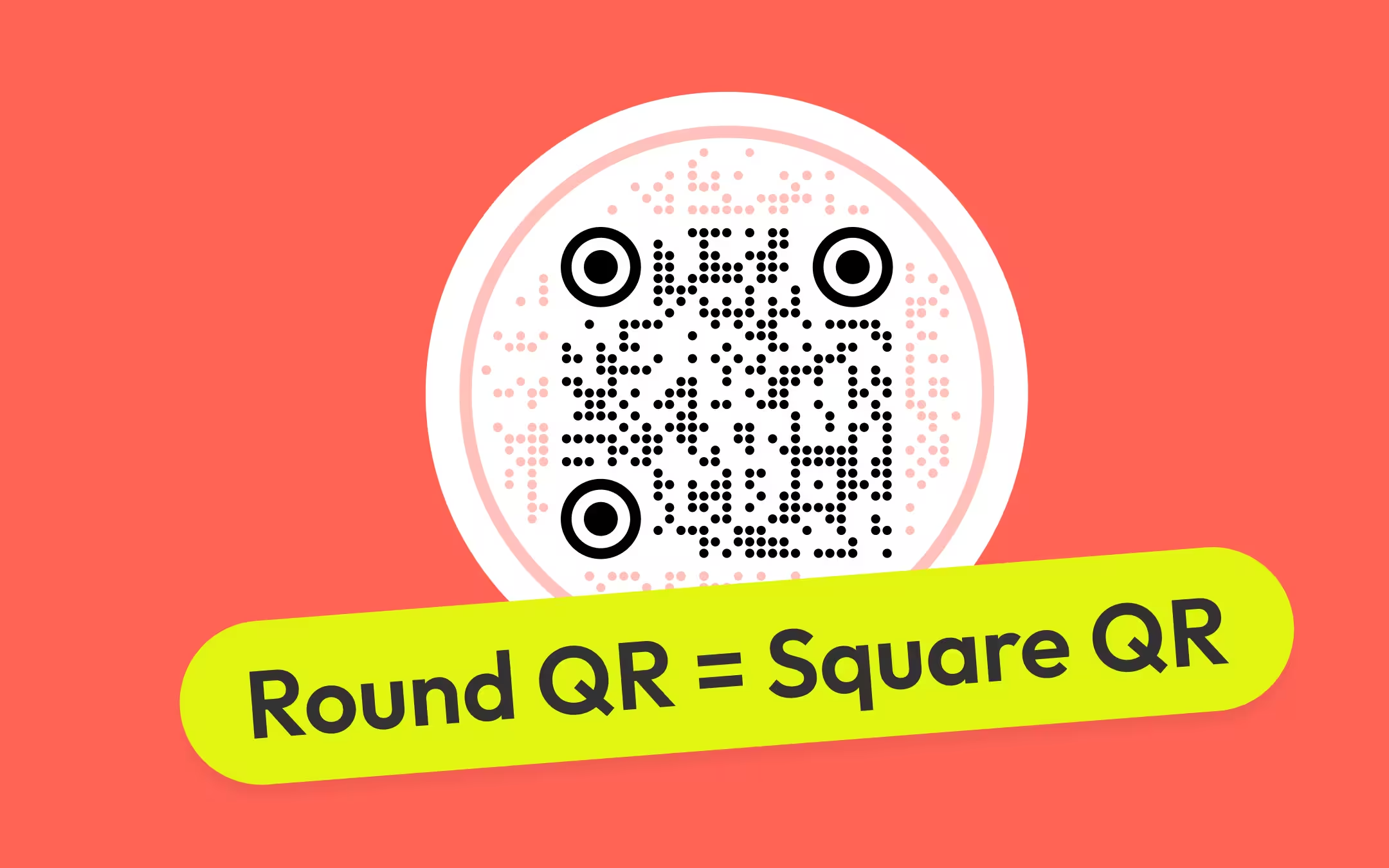
Round, triangular and hexagonal QR codes scan, and they scan for an unglamorous reason: the shape is decoration drawn around a square data matrix that is never touched. What the outline does cost is width. Measured out of KoloQR's own renderer, the data matrix takes about 38% of a triangular code's base, 53% of a hexagon's width and 55-60% of a circle's diameter - against roughly 70% of a plain square export. Print a shaped code at the size you would have given a square one and you have quietly shrunk every module - by a fifth for a circle, by nearly half for a triangle - which is the actual reason shaped codes get a reputation for being unreliable.
Key Points
- A shaped QR code is a square QR matrix presented inside a non-square outline, where the outline is decoration and the matrix carries all of the data. ISO/IEC 18004 defines the symbol as a square array of modules, and no mainstream phone camera reads anything else.
- The three finder patterns are what a scanner locates first, and it locates them by a 1:1:3:1:1 ratio of dark to light along any line through their centre. Styling that preserves that ratio survives; styling that breaks it stops the code being found at all, at any error correction level.
- The real cost of a shape is width. The data matrix occupies about 38% of a triangular code's base, 53% of a hexagon's flat-to-flat width and 55-60% of a circular code's diameter, against roughly 70% of a plain square export.
- Decorative modules cost ink. A dot drawn at 80% of its cell width inks about half the area a square module fills, which is why a styled code fails at a small print size before a plain one does.
- Error correction repairs the data area only. Damage to a finder pattern, to a timing pattern or to the quiet zone is not recoverable at any level, which is why a shape has to be built outside the code rather than over it.
The Shape Is a Frame, and the Matrix Underneath Stays Square
A shaped QR code is a square QR matrix presented inside a non-square outline, where the outline is decoration and the matrix carries all of the data. Round, triangular and hexagonal codes are all the same object underneath: the same square grid a plain generator produces, sitting in the middle of some artwork that is not square. Nothing about the encoding changes, which is why the answer to "does it scan?" is yes before any design decision has been made.
This is not a limitation of any particular tool. ISO/IEC 18004, the QR code standard, defines a symbol as a square array of modules, in 40 versions running from 21 x 21 modules at version 1 to 177 x 177 at version 40, four modules larger on each side per version. There is no clause for a hexagonal data area, and a phone camera has no code path for one. A generator that promised a genuinely six-sided data region would be promising something the format does not have.
So a shaped generator has exactly one honest move available: leave the matrix alone and put the shape around it. In KoloQR's circular, triangular and hexagonal modes the square matrix is drawn at full size in the middle of the artwork, never clipped and never distorted, and the outline is reached by filling the space beyond the code with decorative modules in the same colour. The circle, the triangle and the hexagon are made of ink that carries no data at all.
That distinction is worth holding on to when you look at a shaped code and worry about it, because it tells you where to look for problems. Nothing outside the matrix can corrupt the payload, since nothing outside the matrix is read. The failure modes of a shaped code are the ordinary ones - too small, too pale, too crowded - arriving earlier than usual because the shape has eaten the space the code needed.
What a Scanner Has to Find Before It Reads Anything
A decoder does not start with the data. It starts by locating three markers, establishing the grid they imply, correcting for the angle the photo was taken at, and only then sampling modules. Everything in that sequence happens before error correction exists as a concept, which is why the parts involved in it tolerate almost no styling.
A finder pattern is one of the three square markers in the corners of a QR code that a scanner locates before it reads any data. Each one is seven modules square in ISO/IEC 18004: a 3 x 3 dark core, a one-module light ring, a one-module dark ring. What the decoder actually hunts for is the ratio that structure produces along any line through its centre - dark, light, dark, light, dark in proportions of 1:1:3:1:1. A scan line that finds that run three times has found a QR code.
That ratio is the reason corner styling is the most dangerous thing on a design panel and the reason it is still possible at all. Rounding the corners of the outer ring keeps the run intact, because the ratio is measured through the centre. Filling the light ring, thinning the dark ring, or dropping a brand mark over one corner changes the run and the code is never detected - it does not fail to decode, it fails to be seen.
| Part of the symbol | What it does | How much styling it survives |
|---|---|---|
| Finder patterns (three 7 x 7 corners) | Locate the symbol by their 1:1:3:1:1 dark-light ratio | Outline changes only. The ring structure and the seven-module footprint have to stay |
| Timing patterns (row 6 and column 6) | Set the module grid so the decoder knows where each cell is | None worth risking. These are single-module alternating lines and a decoration crossing them misaligns the whole read |
| Alignment patterns (5 x 5, from version 2 up) | Correct for perspective and for paper that is not flat | None. They are small, they are inside the code, and there is no reason to touch them |
| Quiet zone (4 modules, ISO/IEC 18004) | Tells the scanner where the symbol ends | This is where a frame or a decorative field encroaches. It carries no error correction |
| Format information (beside the finders) | Records the error correction level and mask pattern | None, though it is BCH-protected and stored twice, so it survives more than the parts above |
| Data and error correction modules | Carry the payload and its recovery capacity | The whole styling budget lives here - module shape, colour, and whatever a logo covers |
This is also why the honest version of the question is not "do custom shapes scan" but "which parts did the shape touch". A hexagonal outline drawn a centimetre away from the code touches nothing. A hexagonal frame whose border sits two modules from the matrix has eaten half the quiet zone, and that is a real risk with a clean-looking cause that no amount of error correction will fix.
The Cost of a Shape Is Width, Not Scannability
A shaped QR code needs to be printed larger than a square one to hold the same module size, because the outline is width the data does not use. This is the part that gets left out of every article on the subject, and it is the only part that changes what you do in a layout.
The numbers below are read out of KoloQR's renderer as it stands today, and they are stable across payload lengths because each shape's bands scale with the matrix. A triangular code builds an equilateral triangle with a base 2.6 times the width of the matrix. A hexagonal code adds a band of 11 modules on each side of the matrix, scaled to the matrix size. A circular code clears the matrix's half-diagonal and then adds a quiet zone plus a continuation band. A plain square export is the matrix plus the four-module quiet zone plus two modules of padding.
| Shape | Data matrix as a share of the artwork's width | Print it this much wider than the square export |
|---|---|---|
| Square | About 70% | 1x - this is the baseline |
| Circular | 55-60% of the diameter | About 1.3x |
| Hexagon | About 53% flat to flat | About 1.4x |
| Triangle | About 38% of the base | About 1.9x |
Worked through with real numbers: a 34-character URL encoded at error correction level H is a version 4 symbol, 33 x 33 modules, per the ISO/IEC 18004 capacity tables. Printing that at a module size of 0.4 mm - a reasonable floor for phone cameras on paper - needs 13.2 mm of matrix. As a square export that is an 18 mm sticker. As a circle it is 23 mm across, as a hexagon 25 mm, and as a triangle a 34 mm base. The same code, the same payload, the same reliability, and nearly twice the footprint on the label.
Reverse the arithmetic and the failure becomes obvious. Give a triangular code the 18 mm you had budgeted for the square one and the matrix inside it is 6.9 mm wide, which puts each module at 0.21 mm - well under what a phone resolves on paper, and a code that scans on the monitor and dies on the shelf. Nothing about the triangle caused that. The width did.
The practical rule: decide the module size first, work outwards to the matrix, then apply the shape's multiplier, and only then check whether the result fits the space. Doing it in the other order - picking a nice size for the artwork and letting the code land where it lands - is what produces most of the shaped codes that do not work. How to size a code for its scanning distance is a separate calculation that sits on top of this one.
What Styled Modules Cost in Ink
Every decorative module shape removes ink from a cell that a square module fills completely, and the decoder is reading exactly that ink. This is a second, smaller cost than width, and it lands on the same failure - a code that works at a comfortable size and stops working at a tight one.
The geometry is easy to check. A circular module drawn at the full width of its cell covers pi/4, about 78.5%, of the cell's area. KoloQR draws its dot modules at 80% of the cell width, which comes out at just over half the area of the cell - so switching square modules to dots removes roughly half the ink from every dark cell in the code. The small-squares pattern draws at 74% of the cell width, or about 55% of its area.
None of that matters on a screen, where the camera has resolution to spare and the modules are perfectly rendered. It matters at 0.4 mm modules on uncoated stock, where the printed dot is already spreading and blurring towards its neighbours and the camera is averaging a mostly-white cell. A working floor, rather than anything the standard says: keep decorative modules at 70% of the cell width or above, and treat anything below that as a decision about print size rather than a decision about style.
Two of KoloQR's patterns deliberately go under that floor, and they are worth naming rather than glossing. The two-size-dots pattern draws half of its modules at 80% of the cell and the other half at 56%, and the stars and hearts patterns are shapes with concave edges that ink less of the cell than a circle of the same width. They are the most decorative options in the panel and the ones to test hardest at final size. On a poster read from two metres, none of this is detectable. On a 20 mm sticker, it is the whole margin.
The rule that follows is simple and unpopular: the more decorative the module shape, the larger the code has to print. A styled code is not less reliable than a plain one at the same module size. It is less reliable at the same overall width, which is the comparison anybody designing a label is actually making.
Where the Recovery Budget Actually Goes
Error correction is what pays for everything above, and it is a fixed budget with more claims on it than most people count. ISO/IEC 18004 defines four levels recovering approximately 7% (L), 15% (M), 25% (Q) and 30% (H) of a symbol's codewords, and every code uses exactly one of them.
KoloQR encodes every code at level H, with no control for it in the interface. That is a deliberate trade and it costs something: level H needs more modules for the same payload, so a code that would have been 29 x 29 at level M arrives as 33 x 33, and each module is proportionally smaller at a fixed printed width. What it buys is the whole 30% recovery budget being available for the decorative choices the tool exists to offer - and for the logo, the ink spread, the fingerprint and the slightly-out-of-focus camera, all of which draw from the same pool.
When a logo is added, KoloQR blanks an 11 x 11 module patch in the centre of the matrix and draws the logo over it, so the decoder reads a hole rather than a half-covered module edge. That patch is 121 modules whatever the payload, which produces a result most people get backwards: a shorter URL makes the logo proportionally larger and therefore riskier. On a 29 x 29 symbol those 121 modules are 14% of the code; on a 37 x 37 symbol the same logo is 8.8%. Both are inside what level H handles comfortably, but the direction of the effect is the opposite of the intuition that a shorter link is always safer.
The limit that no budget covers, and the one worth repeating in a section anybody might read on its own: error correction repairs the data area only. Damage to a finder pattern, to a timing pattern or to the quiet zone is not recoverable at any level, because the decoder needs all three before it has any data to repair. The full trade-off between recovery capacity and module size is a longer subject than one section, and it is the guide to read before choosing a level in a tool that lets you.
When a Shaped Code Is the Wrong Choice
A shape is a design decision that spends width and tolerance, so there are jobs where it should not be spent. Naming them is more useful than another reassurance that shapes are fine.
- Anything under about 20 mm. A shaped code at that size leaves a matrix under 12 mm wide, and small codes are where module size decides everything. Business card codes and small product labels are square codes.
- Codes read by fixed or handheld scanners rather than phones. Warehouse imagers and point-of-sale scanners are tuned for plain high-contrast symbols and are frequently older than the phone in your pocket. Laser scanners cannot read a QR code of any shape at all, since they read one line rather than an image.
- Anything governed by a specification. The Swiss QR-bill, the national payment standard for Switzerland and Liechtenstein, specifies error correction level M, a 46 x 46 mm symbol, a minimum module size of 0.4 mm and a 7 x 7 mm Swiss cross in the centre. A round version of that code is not a design variation, it is non-compliant. The same applies to regulated pharmaceutical and food-traceability labels.
- Surfaces that are already busy. A shaped code needs clear space around it to read as a code at all, and a decorative outline against a photographic background is the combination that most reliably confuses a person before it confuses a scanner.
- Where the code is the product. If somebody has to scan it to be paid, to board, or to be treated, the correct amount of decoration is none.
There is one further limit worth stating because people search for it: a genuinely non-square QR symbol does exist, and it is not what anyone means by a hexagon code. ISO/IEC 23941:2022 defines rMQR, a rectangular Micro QR symbol built for narrow surfaces such as cable labels and medical vials, and ISO/IEC 18004 itself defines Micro QR at 11 x 11 to 17 x 17 modules with a two-module quiet zone. Both are real standards, and Micro QR codes and rMQR covers what each is for. Neither is something the native camera app on a phone can be relied on to read, which is why a rectangular QR code for the general public is still a square symbol in a rectangular layout.
How to Test a Shaped Code Before It Is Printed
Testing a shaped code is not different from testing a plain one, but the margin for error is smaller, so the test that gets skipped is the one that catches it. This takes about ten minutes and it is the entire quality process.
- Measure the Matrix, Not the Artwork. Open the exported SVG and measure the square block of modules inside the shape, then divide by the number of modules across it. That figure is your module size, and it decides everything else. Below about 0.4 mm in print, enlarge the artwork rather than adjusting anything else.
- Print It at Final Size on the Final Stock. An office laser print on plain paper is not the test if the job is going on kraft, fabric or a curved bottle. Ink spread differs by material and it is subtracted from the same budget as the styling.
- Scan With Two Different Phones, Native Camera Only. Use the built-in camera app rather than a dedicated scanning app. Scanning apps are more tolerant than the native ones, and the native camera is what your customer will use.
- Scan at the Distance and Light It Will Actually Have. Test a table code seated, a shelf code at arm's length, a poster code from across the room. Then repeat one of them in poor light, which is where a low-ink module pattern shows its cost first.
- Scan It at an Angle. Hold the phone at roughly 30 degrees off square. This is what the alignment patterns exist for, and it is the test that catches a decorative field crowding the quiet zone, since the perspective correction has less to work with.
- Change Something and Test Again. If it failed, change one thing - enlarge the code, switch the module shape back to squares, raise the contrast - and re-run the same five steps. Changing three things at once tells you nothing about which one mattered.
One thing not to bother with: testing at 400% zoom on a monitor. Every code passes that test, including the ones that are about to fail in print, which makes it worse than no test at all.
Which Shape Fits Which Job
The shape choice is a layout question rather than a technical one, since all four scan when they are sized correctly. What differs is how much space each one asks for and what it reads as. The full map of QR code shapes sets the four families beside each other and names the layer each one restyles.
- Square. The default, and the right answer whenever space is tight, the code is small, or somebody else's specification is involved. It uses the least width per module of any option.
- Circular. Costs about a third more width than a square and fits round objects - jar lids, coasters, badges, bottle caps - where a square code fights the surface it is on. The most forgiving of the three shaped options; see round QR codes for where they land.
- Hexagon. Similar cost to a circle, with a more deliberate, engineered look. It reads as geometric rather than soft, which is why hexagon QR codes end up on technical packaging, event badges and anything already using a hex motif.
- Triangle. The most expensive shape by a distance - a base nearly twice the square export's width for the same matrix - and the most distinctive. Worth it on a poster, an A5 flyer or a large label, which is most of what triangle QR codes are used for. Not worth it on anything you can hold between two fingers.
- A frame around a square code. Frequently the better answer than a shaped code: a border, a label and a call to action cost no module size at all, because a QR code frame sits outside the quiet zone rather than eating into the artwork's width. Branded QR codes are mostly this rather than shape changes.
KoloQR, a free QR code generator with circular and custom-shaped QR codes, offers all four outlines with twelve module patterns and two corner styles, encodes at level H, checks contrast before export, and exports SVG, PDF and EPS for print. You can build one in the generator and measure the exported file against the numbers above rather than taking them on trust - which is the point of stating them as measurements instead of assurances.
And the answer to the question in the headline, restated for anybody who arrived at this section on its own: round, triangular and hexagonal QR codes scan reliably, because the shape is decoration around an untouched square matrix. Size them for the matrix inside rather than for the outline outside, and they behave exactly like the plain code they contain.
Make Your QR Code
Free, with no account and no watermark. Choose a shape, add a logo, check the contrast, and export SVG, PDF, EPS or PNG - a static code with no subscription behind it.
Generate QR CodeQuestions? Answered
Yes. A hexagon QR code is a normal square matrix with a six-sided field of decorative modules around it, so the data a scanner reads is unchanged. The one thing to get right is size: in KoloQR's hexagonal mode the matrix takes about 53% of the flat-to-flat width, so print the hexagon roughly 40% wider than you would print the square version of the same code.
Not in a form a phone will read. ISO/IEC 18004 defines a QR symbol as a square array of modules, so a genuinely circular data area is not part of the format and no native camera app decodes one. Every round QR code you have scanned is a square matrix inside round artwork. That is not a workaround - it is the only construction that exists.
Not at the same module size. They are less reliable at the same overall width, which is the comparison most people are unknowingly making. A circular code's matrix is 55-60% of its diameter against about 70% for a square export, so swapping one for the other in a fixed space shrinks every module by roughly a fifth. Keep the module size and the shape costs nothing.
Because both costs of a shaped code scale with size and neither is visible on screen. The outline takes width the matrix needed, and decorative modules ink less of each cell than square ones - a dot at 80% of its cell width inks about half the area. At 40 mm neither matters. At 15 mm they are the whole margin. Enlarge the code before changing anything else.
They carry no data and are never decoded, because a scanner locates the symbol by its three finder patterns and reads only the grid those imply. The genuine risk is different: ISO/IEC 18004 specifies a four-module quiet zone around the symbol, and a decorative field reduces the visual separation a scanner has to work with. Test a shaped code at final size and at an angle, which is where that shows up if it is going to.
Gently, and only their outline. A scanner finds a QR code by a 1:1:3:1:1 ratio of dark to light along any line through a corner marker's centre, so rounding the outer ring keeps the ratio and the code stays detectable. Filling the light ring, thinning the dark ring or covering a corner with a logo breaks it, and the code is then never found - a failure error correction cannot reach, because detection happens before decoding.
Not for the shape itself, since the decoration sits outside the matrix and damages nothing. It needs one for what usually accompanies a shape - a centre logo, low-ink module patterns, coloured artwork. KoloQR encodes every code at level H, which recovers approximately 30% of the codewords, so the budget is there by default. On a tool that lets you choose, Q is the sensible floor for a styled printed code.
Yes, and it is probably not what you want. ISO/IEC 23941:2022 defines rMQR, a rectangular Micro QR symbol designed for narrow surfaces such as cable labels and medical vials. It is a real standard with real hardware behind it, and native phone cameras cannot be relied on to read it. For a rectangular look aimed at the public, use a square symbol inside a rectangular layout.
Size the matrix, then apply the shape's multiplier. Aim for at least 0.4 mm per module in print: a 33 x 33 module code needs 13.2 mm of matrix, which is an 18 mm square export, a 23 mm circle, a 25 mm hexagon or a 34 mm triangle base. For scanning distance, the usual rule of about one centimetre of code per ten centimetres of distance applies to the matrix, not to the outline.
Assume not, and check before committing. Laser scanners read a single line and cannot read a QR code of any shape at all. Imaging scanners can, but they are tuned for plain high-contrast symbols and are often much older than a current phone. Anything scanned by fixed equipment rather than by customers should be a plain square code at the size the equipment's documentation asks for.
Keep Exploring
Pages that pick up where this one leaves off - the same setting, the same kind of code, or the next thing worth deciding.
QR Code Shapes
The whole shape taxonomy - modules, eyes and frames - with the trade-offs behind round, triangle, hexagon and square codes.
Dot QR Codes
Round modules instead of square ones - how large the dots have to stay, what we measured when they shrink, and where the softer look fits.
QR Code Error Correction: How L, M, Q and H Actually Work
What each error correction level recovers, how much data it costs, how large a logo it allows, and why raising the level can make a printed code harder to scan.
How to Copy a QR Code Into Figma as Editable Vectors
The clipboard SVG route into Figma, what the pasted layers actually contain, which edits keep the code scannable, and how the workflow compares with a Figma plugin.
Fifty QR Code Colour Pairs, and Which of Them Survive Print
Fifty QR code colour pairs with the contrast ratio computed for each, grouped by whether they clear the print threshold, the screen one, or neither.
A QR Code Decodes at 1.2:1. Do Not Design Anywhere Near It
The contrast floor for a QR code is around 1.24:1, and that is not remotely where you should design. What eats the margin is the paper, the light and the lens - not the phone.
Why KoloQR?
- Create QR codes for websites, menus, Wi-Fi, PDFs, and business cards
- Customize colors, logos, and unique shapes
- Download high-quality PNG and SVG files
- Built for both print and digital
