Make a Discord QR Code That Doesn't Expire Next Week
Set your invite to never expire, paste it here, and download a code that opens your server in the app or the browser - styled to match your artwork and ready for print.
Opens in Google Maps. Coordinates work too - "37.4224, -122.0841".
The code opens your business's "Write a review" form. Paste the Place ID, or a Google Maps link that carries one.
A UPI link carries no checksum, so a mistyped ID produces a code that scans perfectly and pays somebody else. Paste the ID from your payment app rather than typing it, and send yourself one rupee before printing.
Paste it exactly as copied. KoloQR does not assemble the payload - it encodes the one your bank issued, and checks it before you print it.
SVG, PNG, JPG • Max 2 MB
First month free
then $9/month
Dynamic QR Codes Are Coming
Change your link anytime, even after printing. See who scans, when and where.
- Edit without reprinting
- Scan analytics
- Bulk & custom domains
You're on the List
We'll email you once, when dynamic codes with scan analytics launch.
What Is a Discord QR Code?
A Discord QR code is a QR code that stores a server invite link - a discord.gg address. Scanning it opens the invite in the Discord app if it is installed, or in a browser if it isn't, and offers to join the server. The link is encoded in the pattern, so the code itself never changes; the invite behind it can.

Discord Invites Expire by Default
This is the single most important thing about printing a Discord code, and it catches almost everyone the first time:
- Seven Days - the default expiry on a new invite. Create one the normal way, print it, and it stops working the week after the posters go up.
- 100 Uses - the default cap. Even set to never expire, an invite created with the default max-uses dies the moment the hundredth person joins - which is a success turning into a failure.
- Never / No Limit - what you must set both to. Open the invite dialog, choose Edit invite link, set Expire After to Never and Max Number of Uses to No Limit, then copy that link.
There is no way to tell from the URL which settings an invite carries - discord.gg/aB3xY9 looks identical either way - so the check has to happen in Discord before you generate anything. Telegram invite links have the same trap with gentler defaults, and it is the same fix: strip the limits first, encode second.
Never Scan Discord's In-App QR Code From a Stranger
Discord does show a QR code in its own app, and it is not a share code - it is a login code. The desktop and web clients display it so you can sign in by scanning it with a phone that is already authenticated, which means anyone who gets you to scan their code is asking you to log their session into your account. This is an active and common scam: a message or a poster promising free credit or a giveaway, a QR code, and an instant account takeover with no password ever typed. Two rules follow. Never scan a Discord QR code that someone else put in front of you, and never publish Discord's in-app code as a way of sharing your server, because it does not do that and because you are training people to scan the exact thing they should refuse. What you want on a poster is a code generated from your own discord.gg invite link - which does nothing but open an invite, cannot log anyone into anything, and can be revoked from the server's settings if it is ever abused.
Generate QR Code
Where Discord QR Codes Are Used
Discord is where a community lives after the event ends, so the useful placements are the ones that catch people while they are still in the room:
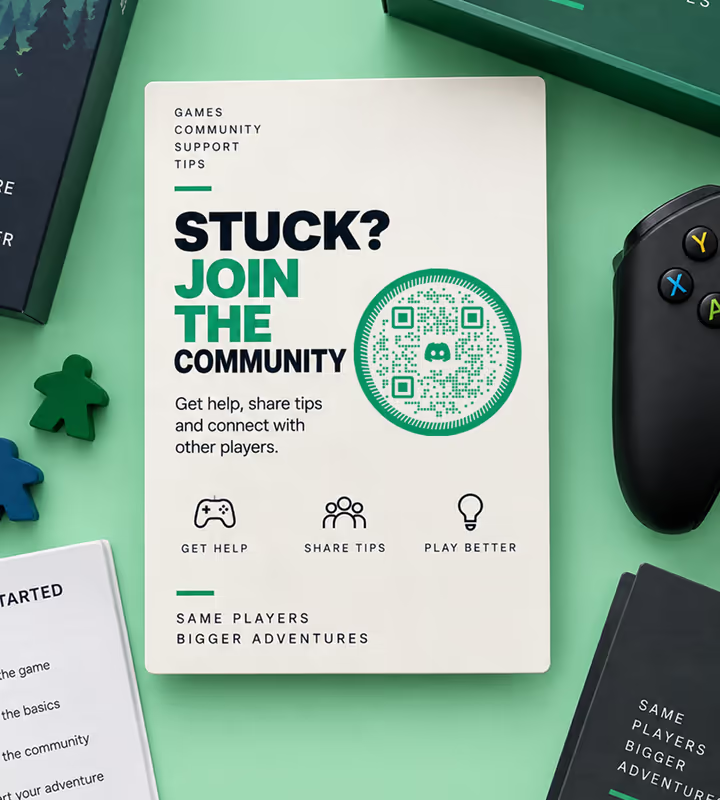
Game Box Inserts and Manuals
The official server is where players go when they are stuck, and the card in the box is where a stuck player is already looking.

Convention Stands and Booth Banners
A large code on a banner converts a queue into members while they are standing there with a phone in hand.
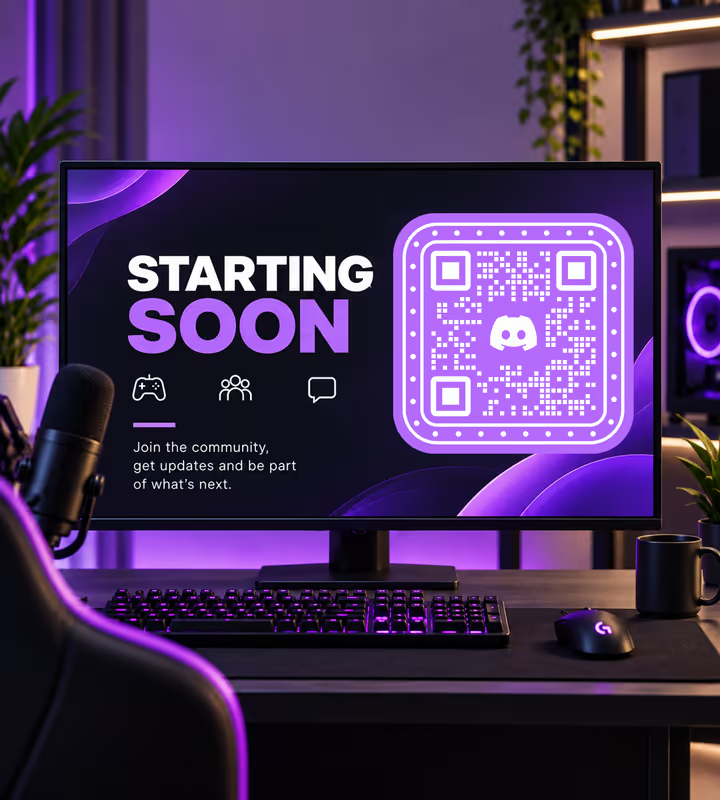
Stream Overlays and Panels
A code on the starting-soon screen has the minutes it needs - but make it large, because a video encoder eats small modules.
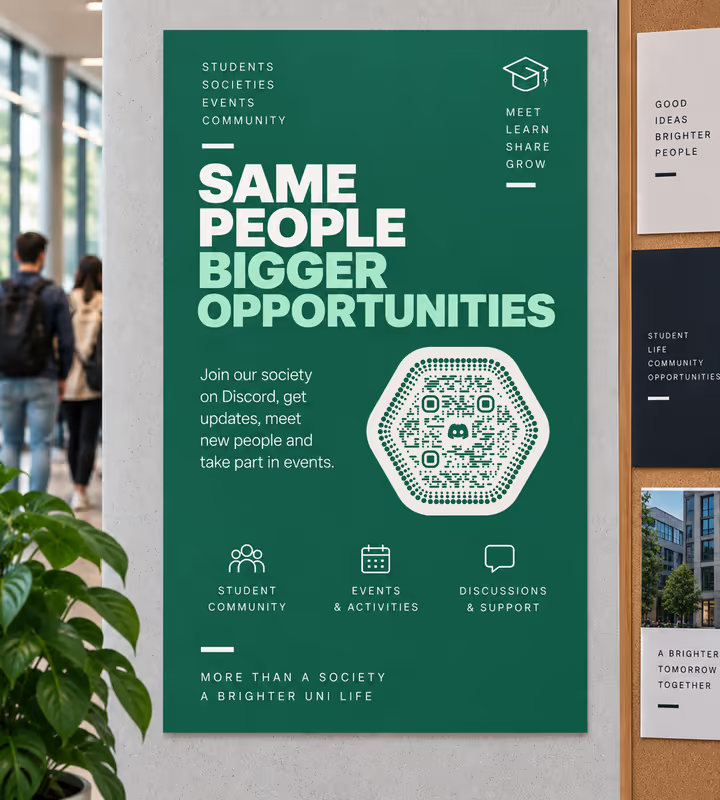
University Society Posters
Freshers' week runs on Discord now, and a poster code beats a society name typed into a search box.
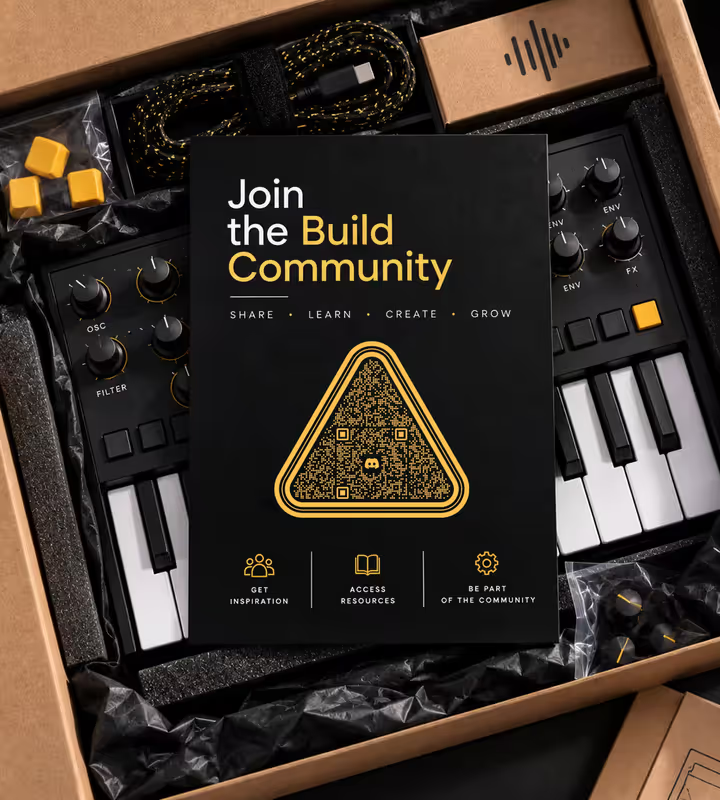
Hardware and Kit Packaging
Keyboards, 3D printers, synths - the build community is the real support channel, and the box is the natural handoff.
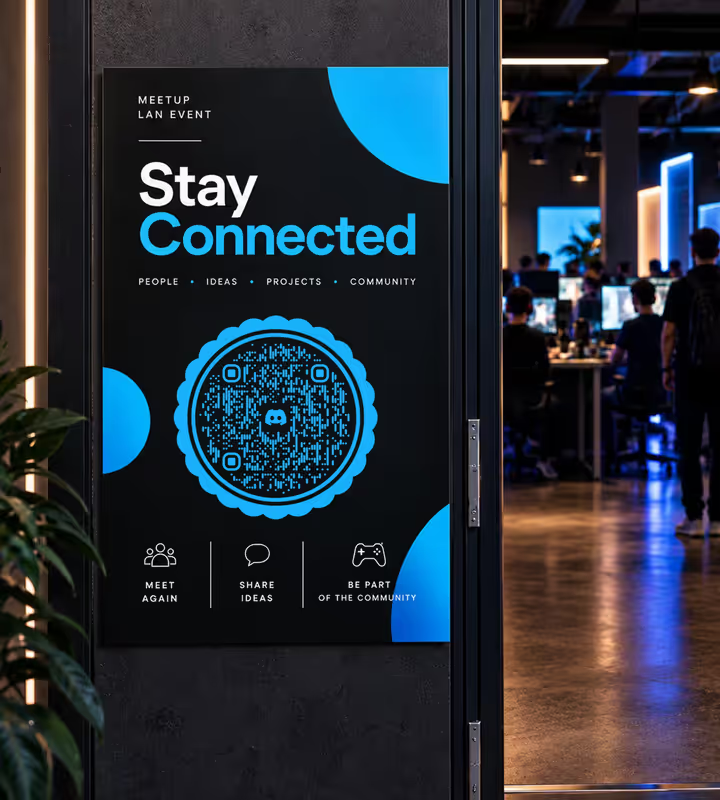
Meetup and LAN Event Signage
A code at the door keeps the conversation going after everyone goes home, which is the point of the event.
How to Create a Discord QR Code
One step in Discord, three here - and the first one matters most:
Generate QR Code- 1
Create an Invite Set to Never Expire
In your server, open the invite dialog, choose Edit invite link, and set Expire After to Never and Max Number of Uses to No Limit. Copy that link, not the one the dialog offered first.
- 2
Consider a Vanity URL if You Have One
Level 3 boosted servers can claim discord.gg/yourname. It is no more permanent than a no-expiry invite, but it is readable and it survives you revoking invite codes.
- 3
Paste the Link and Style the Code
Choose Discord in the Social picker and paste the invite. Then pick a shape and colors - Discord's blurple is a mid tone, so test it in the pattern rather than assuming it works.
- 4
Test the Join, Not Just the Scan
Scan with a phone that is not in the server and follow it all the way to the join screen. A code that scans but lands on “Invite Invalid” looks identical until you do this.

Which File Format Should You Download?
KoloQR exports your Discord QR code in three formats. Pick by where it will be seen:
- PNG for overlays, panels, and web pages - export it larger than the slot and scale down, never up.
- SVG for booth banners, box inserts, and stickers, where a printer scales it and the edges have to stay hard.
- PDF for handing to a print shop or an event signage supplier at print-ready quality.
A discord.gg invite is one of the shortest social URLs there is - about 25 characters - so the pattern is sparse and prints small comfortably. That is a real advantage on a box insert or a sticker, and it is the argument for the invite link over a long tracking URL wrapped around it.
Generate QR CodeBest Practices for Discord QR Codes
Nearly every printed Discord code that fails does so because of the invite, not the pattern:
Set Expire After to Never Before You Encode
The seven-day default is the single most common reason a printed Discord code is dead on arrival. There is nothing in the URL to warn you.
Set Max Uses to No Limit Too
A hundred-use cap turns a successful campaign into a broken code at exactly the moment it is working. Both settings, every time.
Never Publish Discord's In-App QR Code
That code logs a device into your account. Publishing it invites account theft and teaches your community to scan the thing that is used to steal from them.
Set the Server Up for Arrivals
A scan lands a stranger in your server. Enable a rules screen or a welcome channel, and check what someone with no roles can actually see.
Turn On Server Verification for Public Codes
A code on a poster is a public invite, and public invites attract bots. A verification level requiring a verified email or account age filters most of them out.
Say What the Server Is For
“Scan to join the build help server” earns scans that a bare Discord logo does not, and it sets the expectation the arrival screen has to meet.
Test the Blurple in the Pattern
Discord's blurple is a mid tone. It sometimes carries the modules on white and sometimes does not, depending on the printer - which means testing the exported file, not the screen preview.
Protect the Quiet Zone
Four modules of clear margin on every side. On a sticker or a box insert, the artwork tends to crowd right up to the code.
Size It for the Distance
Roughly a tenth of the reading distance: about 2 cm on a box insert, 30-50 cm on a convention banner read from 3-5 metres. On a stream overlay, at least 220 px on a 1080p canvas.
Keep One Invite Alive for Print
Revoking invites is how you cut off abuse - and it kills your printed code with them. Keep the printed invite separate, label it in Discord, and revoke the others.
Why Your Discord QR Code Isn't Working
Discord codes fail at the invite far more often than at the pattern. These four cover nearly every case.
The Scan Says “Invite Invalid” or “Expired”
- Cause
- The invite was created with Discord's default seven-day expiry, or its 100-use cap was reached, or someone revoked it while clearing out old invites.
- Fix
- Create a fresh invite with Expire After set to Never and Max Number of Uses set to No Limit, regenerate the code from it, and label that invite in Discord so nobody deletes it later.
It Worked for the First Hundred People Then Stopped
- Cause
- The max-uses cap. The invite was set never to expire but kept its default usage limit, so it died at the hundredth join.
- Fix
- Both settings have to be changed, not just the expiry. Reissue with no limit on either, and reprint - there is no way to lift the cap on an invite already in circulation.
New Members Arrive and See an Empty Server
- Cause
- Channel permissions hide everything from a member with no roles, or the rules screen was never completed, so arrivals are stuck at a gate with nothing to read.
- Fix
- Open the server in a second account with no roles and look at what it sees. Set up a welcome channel and a rules screen, then re-test the whole journey from scan to first message.
The Code Won't Scan From a Stream
- Cause
- The video encoder is smearing the module edges, and viewers at lower quality are seeing a downscaled version on top of that. This is a video problem, not an invite problem.
- Fix
- Make it at least 220 px on a 1080p canvas, put it on a static scene rather than over gameplay, use pure black on white, and leave it up for a full minute.
Still not sure whether the fault is the file or the print? Drop the exported image into the QR code scanner - if it decodes on a desktop and not on paper, the fault entered after the file.
Questions? Answered
A Discord QR code stores a discord.gg server invite. Scanning it opens the invite in the Discord app if installed, or in a browser if not, and offers to join the server.
Almost certainly the invite expired. Discord invites default to seven days and 100 uses, and neither limit is visible in the URL. Reissue with Expire After set to Never and Max Uses to No Limit.
In the invite dialog, choose Edit invite link, set Expire After to Never and Max Number of Uses to No Limit, then copy that link. Do this before generating the code, not after printing it.
Only if you know what it is. Discord's own in-app code is a login code - scanning a stranger's signs their device into your account. A code made from a discord.gg invite link is safe; it can only open an invite.
Create a no-expiry, no-limit invite, then choose the Social type in KoloQR, pick Discord, and paste the discord.gg link. Style it, then download PNG or SVG. No account is needed.
If your server is Level 3 boosted, yes - discord.gg/yourname is readable and survives you revoking individual invite codes. It's the same length in practice, so the pattern doesn't change much.
No. The code encodes that specific invite, so revoking it kills every printed copy. Keep the printed invite separate from the ones you hand out day to day, and label it in Discord so it isn't cleared out.
No. Without the app the invite opens in a browser, where they can join through Discord's web client or create an account. With it, the phone deep-links straight to the join screen.
At least 220 px square on a 1080p canvas, on a static scene, in pure black on white. Viewers at 480p see less than a quarter of that, and the encoder is already working against the fine detail.
Not directly, but Discord counts uses per invite. Issue a separate no-expiry invite for each printed campaign and the server's invite list tells you which poster brought people in.
Keep Exploring
Pages that pick up where this one leaves off - the same setting, the same kind of code, or the next thing worth deciding.
X (Twitter) QR Code
Send people straight to your X profile, a single post, or a one-tap follow prompt.
YouTube QR Code
Send people straight to a channel, a single video, a playlist, or the subscribe prompt.
Twitch QR Code
Open your Twitch channel from a stream overlay, a convention stand, or a merch insert.
Event QR Codes
One scan connects guests to tickets, schedules, directions and RSVPs - on invites, posters and signage.
Schools & Classrooms
Permission forms, newsletters, library links and student work, with the print sizes and privacy rules a school actually needs.
Spotify QR Code
Open a playlist, album, artist, or track in Spotify with one scan from any camera.
Why KoloQR?
- Create QR codes for websites, menus, Wi-Fi, PDFs, and business cards
- Customize colors, logos, and unique shapes
- Download high-quality PNG and SVG files
- Built for both print and digital
