Make a Twitch QR Code for Your Overlay or Your Stand
Enter your channel name, style the code to match your branding, and download one that opens twitch.tv in the app or the browser - sized and contrasted to survive a video encoder.
Opens in Google Maps. Coordinates work too - "37.4224, -122.0841".
The code opens your business's "Write a review" form. Paste the Place ID, or a Google Maps link that carries one.
A UPI link carries no checksum, so a mistyped ID produces a code that scans perfectly and pays somebody else. Paste the ID from your payment app rather than typing it, and send yourself one rupee before printing.
Paste it exactly as copied. KoloQR does not assemble the payload - it encodes the one your bank issued, and checks it before you print it.
SVG, PNG, JPG • Max 2 MB
First month free
then $9/month
Dynamic QR Codes Are Coming
Change your link anytime, even after printing. See who scans, when and where.
- Edit without reprinting
- Scan analytics
- Bulk & custom domains
You're on the List
We'll email you once, when dynamic codes with scan analytics launch.
What Is a Twitch QR Code?
A Twitch QR code is a QR code that stores the web address of a Twitch channel, video, or clip. Scanning it opens that page in the Twitch app if it is installed, or in a mobile browser if it isn't. The address lives in the pattern, so the code works from a printed banner and from a screen alike, with nothing behind it.

A Code on an Overlay Has to Survive the Encoder
Most Twitch codes are shown on stream rather than printed, and a live video pipeline is hostile to fine detail in three specific ways:
- Compression - video encoders spend bitrate on what moves and starve high-contrast fine detail, which is precisely what a QR pattern is. Small modules smear into grey.
- Downscaling - a viewer on 480p is seeing your 1080p overlay at less than a quarter size. A code that is 120 px on your canvas is under 60 px on their screen, which is below what any scanner can resolve.
- Time on Screen - a camera needs a second or two of steady framing. A code that flashes up for three seconds during a transition is gone before anyone has picked up their phone.
The practical consequence is that an overlay code has to be far bigger and far sparser than a printed one. Aim for at least 220 px square on a 1080p canvas, use a short channel URL rather than a clip link, keep it pure black on pure white, and leave it up for a full minute rather than a beat.
Your Channel Is Two Different Pages
A twitch.tv channel URL resolves to whatever the channel is doing at that moment, which makes it unlike every other social profile link. Live, it opens the stream and the scan does exactly what you hoped. Offline - which for most channels is most of the week - the same address opens the offline screen: your banner, your panels, your recent videos and clips. That second page is the one a printed code will land on far more often than the first, because a convention stand, a merch insert or a business card is read at a time nobody chose. So the offline channel page is what you should actually design for. Fill in the panels, pin a trailer or a recent highlight as the offline video, and make sure the schedule is visible, because for a first-time visitor arriving from a printed square that page is the whole of what Twitch is. Then, for anything shown on stream while you are live, the same code is fine - it just resolves to the better version of the page.
Generate QR Code
Where Twitch QR Codes Are Used
Twitch viewers are usually already on a screen, so a code earns its place at the moments they are not - or on a second screen they can reach:
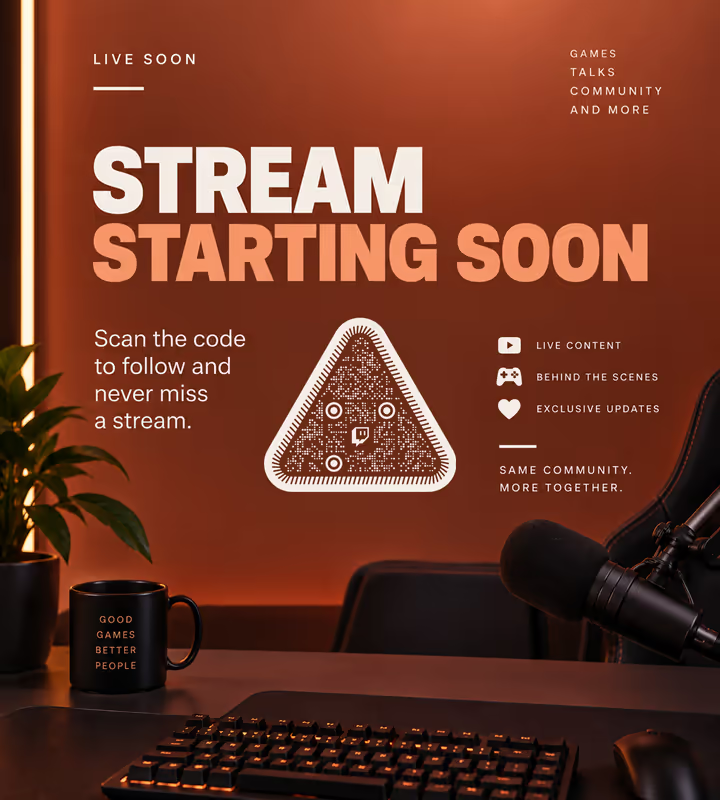
Stream Overlays and Starting-Soon Screens
The pre-stream screen is the one place a code has minutes rather than seconds, and viewers on a desktop can scan it with a phone.
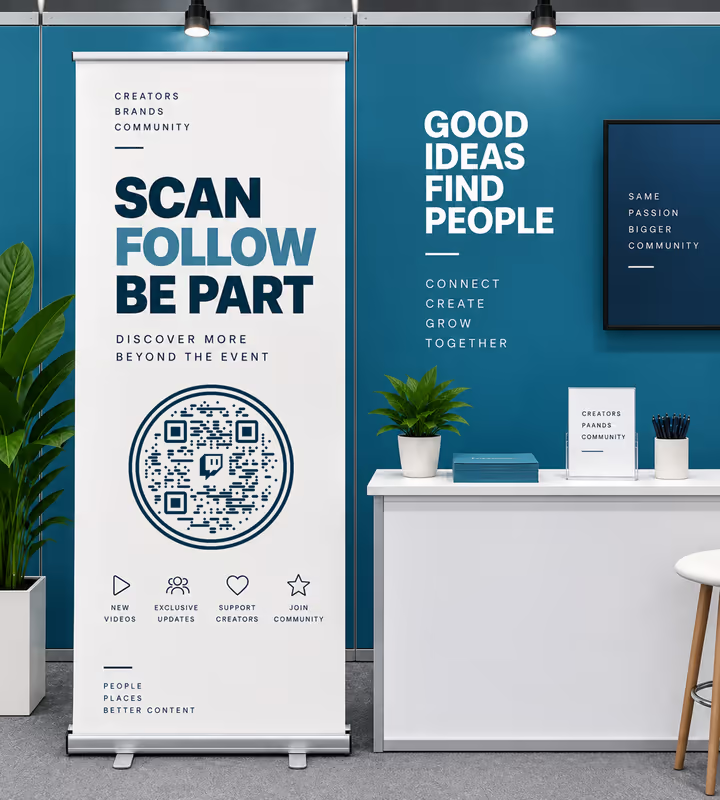
Convention and Expo Stands
A metre-tall code on a pull-up banner is how a creator turns a queue of passers-by into channel visits.
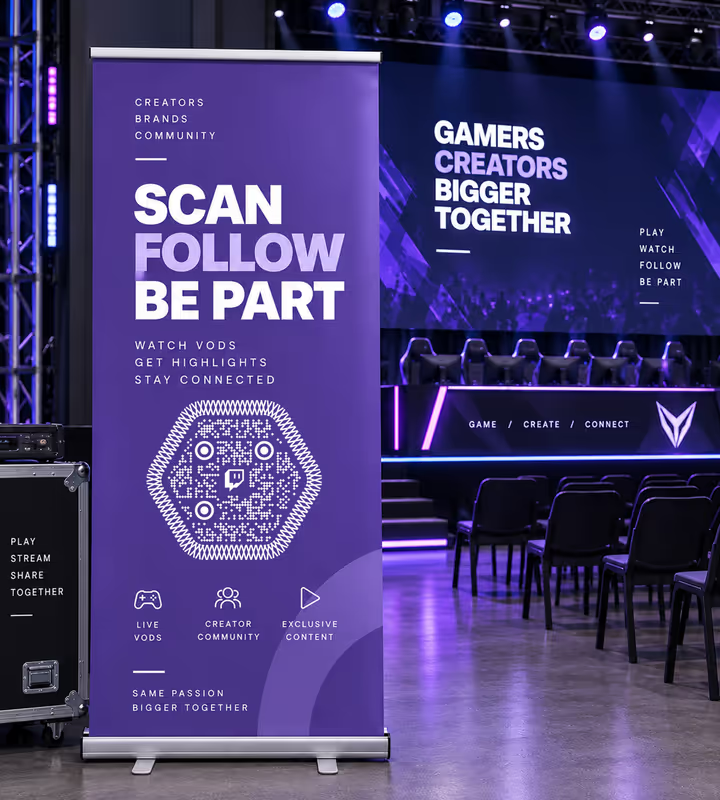
Esports Events and LAN Venues
Signage beside a stage points at the channel that will carry the VOD, which is what people want the next morning.
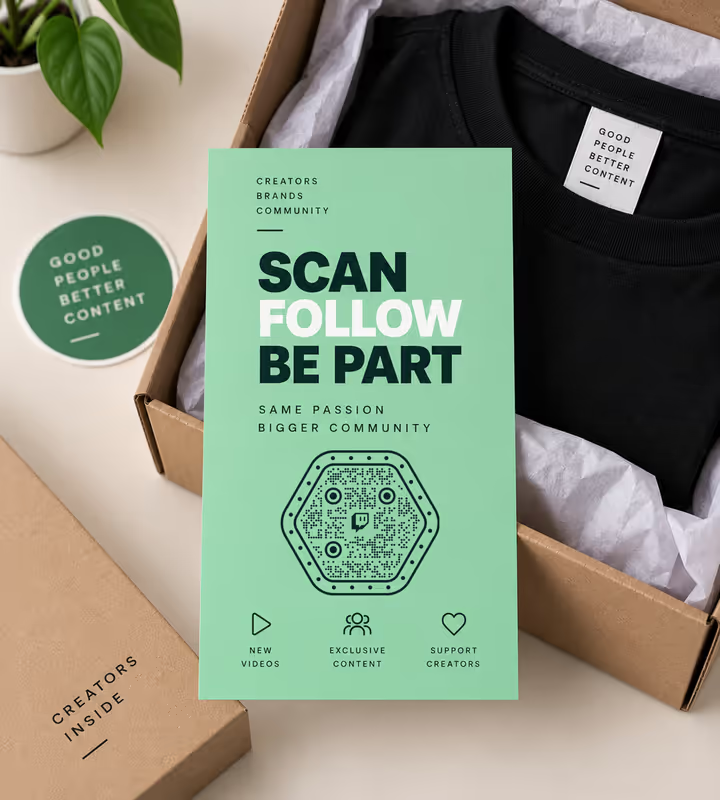
Merch Inserts and Sticker Packs
The card in the parcel is read once, carefully, by someone who already likes you - the best conversion a printed code gets.
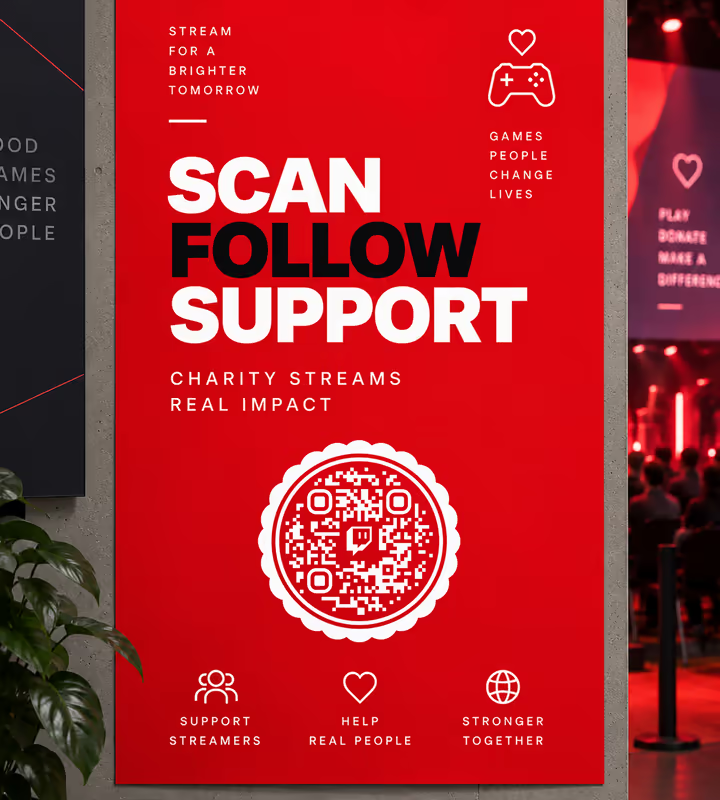
Charity Stream Posters
Physical posters in a venue reach the people in the room, and a code is the only way they arrive at the right channel.
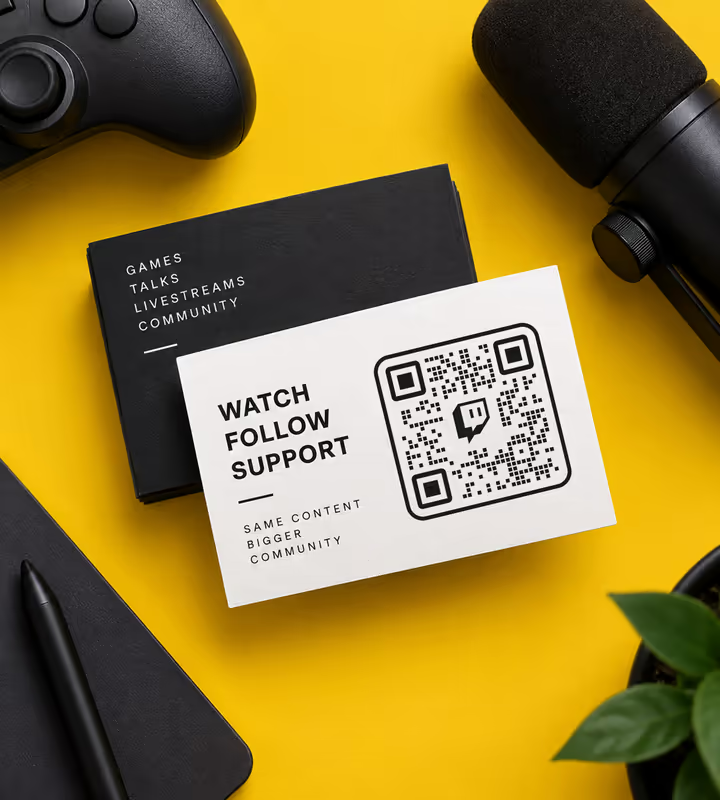
Business Cards for Creators and Casters
One square carries a channel name nobody has to spell, which matters when the handle has numbers in it.
- 1
Pick Twitch and Enter Your Channel Name
Type the channel name as it appears in your URL - KoloQR adds twitch.tv/ in front. Paste a full URL instead for a specific video or clip.
- 2
Use the Channel, Not a Clip, for Anything Long-Lived
A channel URL is short and permanent. Clip and VOD links are longer, make a denser pattern, and expire with the video's retention period.
- 3
Style It, but Keep the Modules Black
Choose a shape and add your logo. Twitch purple is a mid tone - it is fine as a background or a frame, and unreliable as the pattern colour, especially once an encoder has been at it.
- 4
Export and Test Through the Real Path
For print, export SVG or PDF. For an overlay, export PNG at 2-3x the size you think you need, then test by scanning your own stream from a phone at 480p - not by scanning the file on your desktop.

Which File Format Should You Download?
KoloQR exports your Twitch QR code in three formats. Pick by where it will be seen:
- PNG for overlays, panels, and social posts - export it larger than the slot and let the scene scale it down, never up.
- SVG for pull-up banners, stand graphics, and stickers, where a printer will scale it and the edges have to stay hard.
- PDF for handing to a print shop or an event's signage supplier at print-ready quality.
Overlay work is the one case where exporting PNG oversized is the right answer. A code placed at 240 px but exported at 240 px has no headroom; exported at 720 px and scaled down in your scene, every module edge lands on a clean pixel boundary, which is what gives the encoder something solid to hold on to.
Generate QR CodeBest Practices for Twitch QR Codes
Half of these are about video, which is what makes a Twitch code different from every other social code you will make:
Make Overlay Codes at Least 220 px Square
On a 1080p canvas that survives the drop to 480p with modules still resolvable. Anything under about 150 px is decoration rather than a scannable code.
Leave It on Screen for a Minute, Not a Beat
A viewer has to notice the code, find their phone, unlock it, and frame the screen. Starting-soon and be-right-back scenes are where that time exists.
Keep It Pure Black on Pure White for Video
Colour and low contrast cost you twice on stream: once to the encoder, once to the viewer's screen settings. Save the styling for print, where nothing is throwing detail away.
Put It on a Static Part of the Scene
Encoders allocate bitrate to motion. A code sitting over gameplay is being re-encoded every frame; a code on a still panel or a solid background is not.
Use the Channel URL, Not a Clip
twitch.tv/yourname is about 22 characters. A clip URL runs past 60 and makes a pattern with roughly twice the modules - the opposite of what video needs.
Design the Offline Page Before You Print
A printed code lands on the offline screen most of the time. Panels, a pinned trailer and a visible schedule are what a first-time visitor actually sees.
Say What the Scan Gets Them
“Scan to watch live” and “scan for the VOD” ask for different moments. A bare square beside a logo asks for nothing.
Protect the Quiet Zone
Four modules of clear margin, and on an overlay that margin must be solid background - a code sitting flush against gameplay has no quiet zone at all.
Size Printed Codes for the Distance
Roughly a tenth of the reading distance: about 2 cm on a merch insert, 30-50 cm on an expo banner read from 3-5 metres.
Test at the Worst Quality Your Viewers Use
Scan your own stream from a phone with the quality forced to 480p. If it reads there, it reads everywhere; if you only test the source file, you have tested nothing.
Why Your Twitch QR Code Isn't Working
A Twitch code usually fails on the way to the viewer rather than in the pattern. These four cover nearly every case.
It Scans From the File but Not From the Stream
- Cause
- The video encoder is destroying the module edges. Compression starves fine high-contrast detail, and a viewer watching at a lower quality is seeing a downscaled version on top of that.
- Fix
- Make it bigger - 220 px minimum on a 1080p canvas - put it on a static background rather than over gameplay, and switch it to pure black on white. Then retest by scanning your own stream at 480p.
Nobody Scans It Even Though It Reads Fine
- Cause
- It is on screen for a few seconds during a transition, or it is on a scene where viewers are watching rather than idle. There is no time to reach for a phone.
- Fix
- Move it to the starting-soon or be-right-back scene and leave it there for the whole segment. Those are the only moments in a stream with time to spare.
The Scan Lands on an Empty-Looking Channel
- Cause
- The channel is offline and the offline screen has no panels, no pinned video, and no schedule - so a first-time visitor sees a banner and nothing to do.
- Fix
- Treat the offline page as the landing page it is: pin a highlight as the offline video, fill in the panels, and publish the schedule. The code is fine; the page it lands on was empty.
A Clip Link Has Stopped Working
- Cause
- Twitch VODs and clips have retention limits that depend on account type, and clips can be deleted with the video they came from. A printed clip link is pointing at something temporary.
- Fix
- Point printed and long-lived codes at the channel, and use clip links only for short campaigns you will not print. Export the clip as a highlight if it needs to survive.
Still not sure whether the fault is the file or the print? Drop the exported image into the QR code scanner - if it decodes on a desktop and not on paper, the fault entered after the file.
Questions? Answered
A Twitch QR code stores the web address of a Twitch channel, video, or clip. Scanning it with a phone camera opens that page in the Twitch app if it's installed, or in the browser if it isn't.
Choose the Social type in KoloQR, pick Twitch, and enter your channel name. Style the shape, colors, and logo if you like, then download PNG for an overlay or SVG for print. No account needed.
At least 220 px square on a 1080p canvas. Viewers watching at 480p see less than a quarter of that, and below roughly 60 px on their screen no scanner can resolve the modules.
The encoder is smearing the module edges. Compression starves fine detail, and lower-quality viewers get a downscaled version too. Make it larger, put it on a static background, and use pure black on white.
Your channel. twitch.tv/yourname is about 22 characters and permanent; a clip URL runs past 60, makes a much denser pattern, and can expire with the video's retention period.
On your offline channel screen - banner, panels, schedule, and recent videos. Printed codes land there far more often than on a live stream, so treat that page as the real destination.
For print, sometimes - test the exported file. For an overlay, no: purple is a mid tone, and once the encoder and the viewer's screen have both taken a share of the contrast, there isn't enough left.
A full minute at least. Viewers have to notice it, find a phone, unlock it, and frame the screen. Starting-soon and be-right-back scenes are where that time exists in a stream.
No. Without the app the link opens the mobile web version of the channel, which plays streams and VODs in the browser. With it, the phone deep-links into the app.
Not on its own - a static code has no server in the middle. Point it at a link you control with tracking on it, then redirect that to Twitch. A Discord QR code is the one case where the platform counts for you, since Discord tracks uses per invite.
Keep Exploring
Pages that pick up where this one leaves off - the same setting, the same kind of code, or the next thing worth deciding.
Photographers
Client galleries, print reorders, portfolio links and guest photo uploads, on cards, albums, prints and event signs.
X (Twitter) QR Code
Send people straight to your X profile, a single post, or a one-tap follow prompt.
LinkedIn QR Code
Share your LinkedIn profile or company page with a code any phone camera can read.
Reddit QR Code
Open a subreddit, a profile, or a single post with one scan.
Invitations
Weddings, parties and formal invitations - where the code belongs, how small it can go, and which finishes and overlays block it.
Tickets
Entry codes and information codes on the same stub - how to separate them, size them, and stop thermal stock fading before the door opens.
Why KoloQR?
- Create QR codes for websites, menus, Wi-Fi, PDFs, and business cards
- Customize colors, logos, and unique shapes
- Download high-quality PNG and SVG files
- Built for both print and digital
