QR Codes for Universities: Campus Posters, Lecture Halls and Lab Equipment
A QR code on a campus noticeboard has to work for a student walking past at arm's length, and the same link on a wayfinding sign has to work from two meters away - which means the two codes are printed at different sizes. Point each code at one page on a university domain you control, size it to the distance it will be read from, and print the URL in text beside it so the sign still works when a phone camera does not.
Generate QR Code- Sized by read distance
- Print-ready SVG export
- Free, no account
Why Universities Print QR Codes
A QR code is a printed link, so it earns its place on campus wherever someone is standing still with a phone in hand: reading a noticeboard, sitting in a lecture, waiting at a lab bench, or finding a room on an open day.
Noticeboard Posters Get Scanned, Long URLs Do Not
A society event or research recruitment poster on a campus noticeboard competes with thirty others, and nobody transcribes a URL with a department path and a form ID in it. A QR code turns the poster into a one-second action, which is the only interaction most passers-by will give it.
Lecture Material Reaches Students Without a Login Step
A QR code on a lecture slide or a printed handout sends students to reading lists, slide decks, feedback forms or seminar sign-up sheets in one scan. The destination can still sit behind the university login - the code only carries the address, so the authentication happens on the page, not in the code.
Open Days and Orientation Work for Visitors With No App
Prospective students, parents and conference visitors do not have the campus app or a university account. Every current iPhone and Android phone scans QR codes from the built-in camera, so a printed code on a wayfinding sign or an orientation pack reaches a visitor's phone with nothing to install.
Lab and Workshop Instructions Stay Current at the Point of Use
A QR code fixed to a centrifuge, kiln or 3D printer links to the standard operating procedure, risk assessment or demonstration video for that exact machine. Updating the page updates what every user sees, which is faster and safer than reprinting a laminated sheet on every bench.
Two Things to Settle Before You Generate the Code
A campus QR code fails for one of two reasons: the link it points at moves at the end of term, or nobody scanned the printed version before five hundred copies went to the print room.

One Stable URL on a Domain the University Controls
Point the QR code at a redirect on your own university domain - for example a short path under your department's site - rather than directly at the deep URL of a booking system, timetable or form. The redirect target can be changed later; the printed code cannot. Avoid links containing session IDs, tokens or query strings copied out of a logged-in system, because those addresses expire and often stop working the moment the printed poster goes up.
A Test Print Scanned at the Real Distance on Two Phones
Print the code at its final size on the final material, then scan it on one iPhone and one Android phone from the distance a student will actually stand - 40 cm for a noticeboard, 2 m for a corridor sign. Test it under the lighting of the room it will live in: lecture-hall spotlights and glossy lamination together produce a reflection that hides part of the symbol. If both phones read it in under two seconds, the artwork is ready for the print run.

How to Make a QR Code for a Campus Poster or Sign
Generating the code takes about a minute. The size and material decisions above are what determine whether it works on the wall.
Generate QR Code- 1
Paste the University URL
Paste the address the code should open - a course page, event registration form, campus map or lab procedure. Use the https:// version and check the page loads on a phone before you encode it, because a QR code cannot fix a destination that is broken on mobile.
- 2
Apply the Faculty Colors and the Crest
Choose a square or circular symbol, apply your faculty colors, and add the university crest in the center. Keep the code darker than its background: dark modules on white scan reliably, and a light code on a dark poster is the most common reason a campus QR code fails.
- 3
Download SVG for the Print Room, PNG for Slides
Download SVG for anything going to a printer - a vector file stays sharp whether it is placed at 3 cm on an A4 flyer or 25 cm on a pull-up banner. Download PNG for lecture slides, digital signage and social posts, and export it at least three times the pixel size it will be displayed at.
Where Campus QR Codes Go, and What Size Each One Needs
Size follows read distance. The working rule of thumb is roughly 1 cm of code width for every 10 cm of scanning distance, with 2 cm as the practical minimum for any printed code. Every size below is that rule applied to a real campus surface.
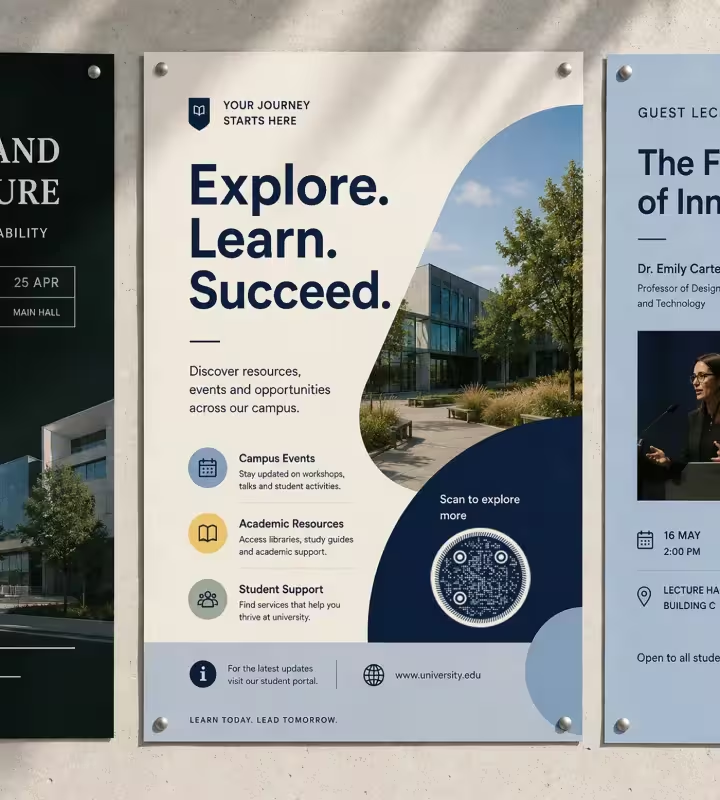
Noticeboard and Corridor Posters
Print the code 3-4 cm wide on an A4 or A3 poster, placed in the lower third where a standing reader's hand naturally reaches. Students read noticeboards from about 40 cm, so 3 cm is enough - and leave the bottom 2 cm of the sheet clear, because that is where posters get stapled and overlapped by the next one.

Lecture Slides and Seminar Handouts
On a projected slide, make the QR code at least one sixth of the slide height and leave it on screen for 20 seconds or more, because students at the back of a raked lecture hall need both size and time. Add the short URL underneath in text: anyone beyond about 10 m from the screen will type it instead of scanning.
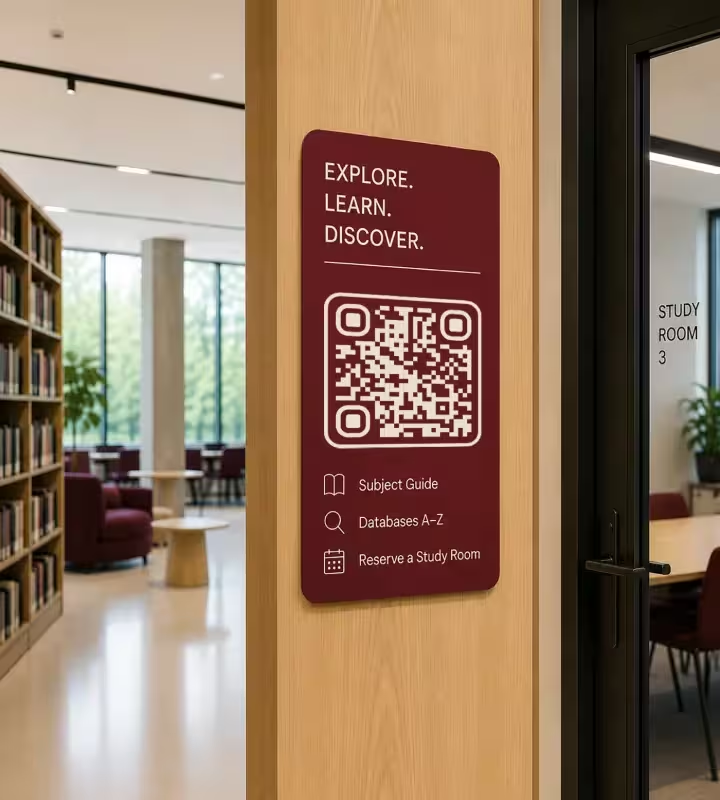
Library Shelf Ends and Study Room Doors
A 3 cm code at eye level on a shelf end or study room door is read from 30-40 cm and can open a subject guide, a room booking page or a database A-Z list. Mount it at 140-160 cm from the floor so it is reachable from a wheelchair as well as comfortable for a standing reader.
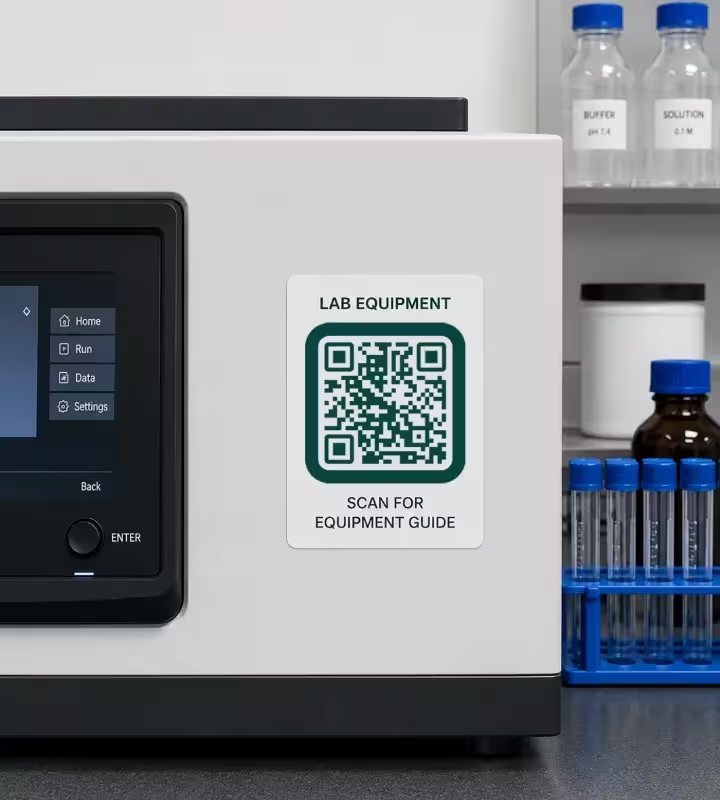
Lab and Workshop Equipment Labels
Use a 2.5-3 cm code on a polypropylene or polyester label for equipment, not paper, and expect it to be wiped with ethanol or isopropanol every week. Place the label on the machine body rather than a moving panel or a heated surface, and keep it out of the splash zone of any sink or reagent bottle.
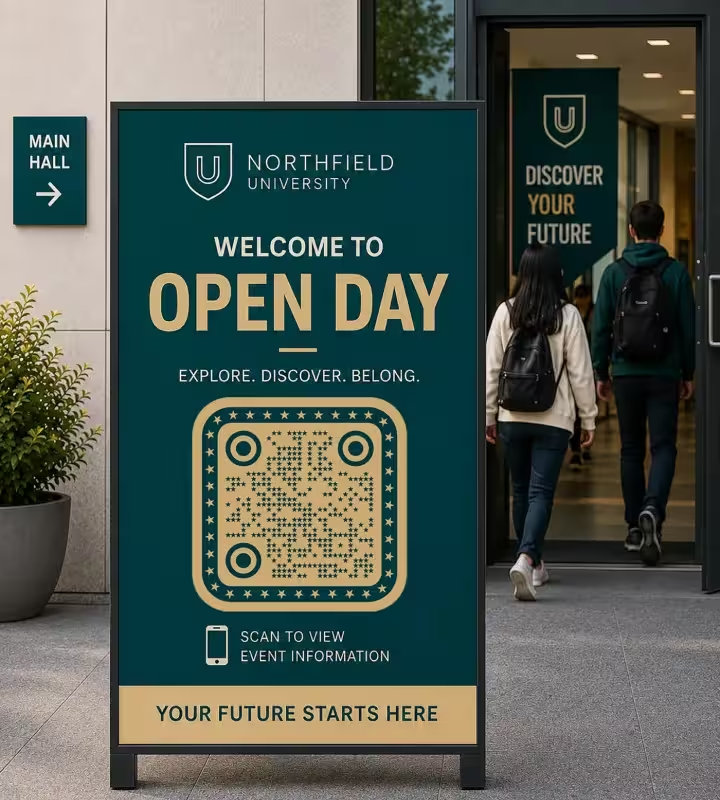
Wayfinding and Open-Day Signs
A code read from 2 m - a corridor sign, a building entrance, an A-board on an open day - needs to be about 20 cm wide. Mount it below 170 cm so a phone can be held square to it, and avoid glass-fronted display cases, where the reflection of a window is often enough to defeat the camera.
Research Posters and Conference Boards
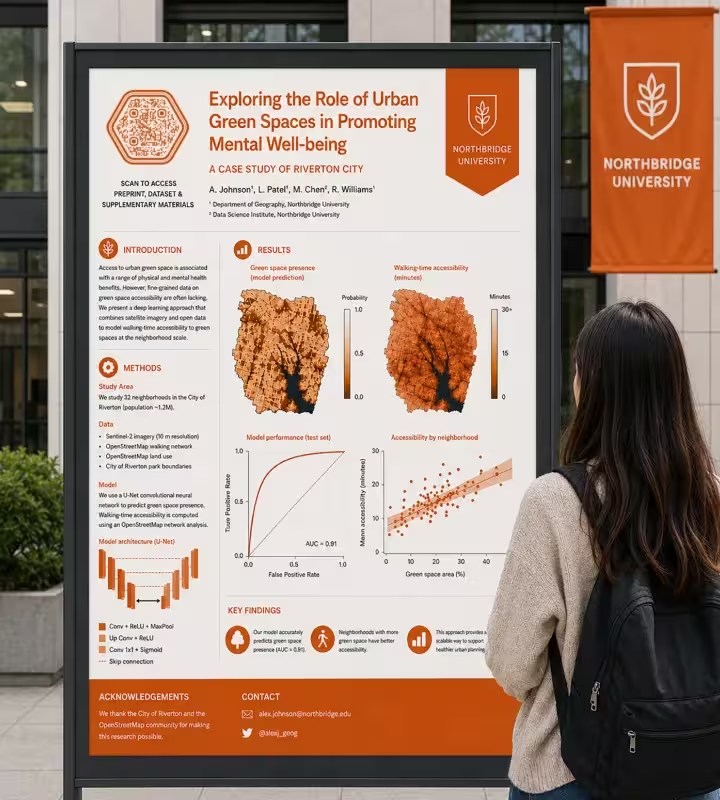
On an A0 research poster, a 4-6 cm code in the bottom right corner is read from about 50 cm, which is where someone stands to read your methods section. Point it at the preprint, dataset or supplementary material rather than your homepage - the specific artifact is what a reader wants at that moment, and it is what they will cite.
Campus QR Code Rules Worth Following
Most failed campus QR codes fail for reasons visible in the artwork before it goes to print. These are the checks that catch them.
Keep the Code Dark on a Light Background
Print dark modules on white or a very light tint, and do not invert a QR code to light-on-dark to match a faculty color scheme. Phone cameras are built to expect a dark symbol on a light field, and inverted codes are read inconsistently across devices even when a test on one phone succeeds.
Keep Four Modules of Blank Margin
A quiet zone is the blank margin around a QR code that lets a scanner detect where the symbol begins and ends, and the QR standard specifies four modules of clear space. In practice, keep a margin roughly the width of four of the small squares free of text, rules, photos and poster borders.
Always Print the URL in Text Beside the Code
A printed URL next to the QR code serves the reader whose camera will not focus, whose phone is out of battery, or who is using a screen reader - a QR code is an image and carries no accessible text. Keep the visible URL short enough to type by hand, which is another reason to use a redirect on your own domain.
Size the Code to the Distance, Then Add a Margin
Apply roughly 1 cm of code width per 10 cm of read distance, then round up rather than down. Rounding up costs a little poster space; rounding down means a student holds their phone closer, casts a shadow on the code, and gives up after two attempts.
Choose Matte for Anything Mounted Under a Downlight
Matte lamination scatters light, gloss lamination reflects it straight back into the camera. Lecture halls, museum cases and lift lobbies are all lit from above at close range, so a matte finish is the safer choice for any code mounted in them.
Keep a Logo Under About 30% of the Code Area
Error correction is the redundancy built into a QR code that lets it stay scannable when part of the symbol is covered or damaged, and level H recovers roughly 30% of the data. A university crest centered over a level-H code is normally fine at that size; a crest covering half the symbol is not, whatever a single test scan suggests.
Never Encode Personal or Credential Data in the Code Itself
A QR code is not encrypted - anyone can decode its contents with a phone. Never encode a student number, email address, exam candidate ID or access token in the symbol. Encode a link to an authenticated page instead, and let the login handle identity.
Do Not Use a QR Code as Proof of Attendance on Its Own
A QR code displayed in a lecture can be photographed and sent to someone who is not in the room, so it cannot verify presence by itself. If a code is part of an attendance workflow, pair it with something that changes - a rotating code, a per-session token, or a check against seat or device data.
Use a Redirect So the Destination Can Change Without Reprinting
A static QR code encodes a fixed URL, so the way to change where it goes is to change what that URL serves. Point the code at a short redirect on the university domain, and you can move the target from the open-day schedule to the enrolment page in September without reprinting the sign.
Re-Test After Printing, Not Only on Screen
Scan the physical print, not the PDF proof. Printing at a lower resolution, on textured or recycled stock, or with ink spread on a laser printer can blur module edges enough to break a code that scanned perfectly in the design file - and the difference only shows on paper.

Generate a QR Code for Your Campus Poster or Sign
Paste the university URL, set the size and the crest, and download SVG for print or PNG for slides. KoloQR, a free QR code generator with circular and custom-shaped QR codes, requires no account and adds no watermark.
KoloQR generates static QR codes, which encode the URL directly and never expire. Static codes have no built-in scan analytics and no dashboard for changing the destination later, so if a department needs per-campaign scan counts or the ability to repoint a printed code without touching a server, a dynamic QR service is the better fit. For most campus signage, a short redirect on the university domain gives the same flexibility, keeps the link on a domain students recognize, and leaves the scan data in your own web analytics.
Generate QR CodeQuestions? Answered
Paste the destination URL into a QR code generator, set the colors and logo, and download the SVG for print. For a poster read at arm's length, place the code 3-4 cm wide in the lower third of the sheet, with the URL printed in text beside it. Scan the finished print on an iPhone and an Android phone before the full run.
3-4 cm wide is right for an A4 or A3 poster read from about 40 cm. The underlying rule is roughly 1 cm of code width for every 10 cm of scanning distance, so a sign read from 2 m needs around 20 cm. Below 2 cm, printed codes become unreliable regardless of distance.
No. Every current iPhone and Android phone scans QR codes from the built-in camera app, with no download required. Very old handsets may need a scanner app, which is one more reason to print the URL in text next to the code so nobody is locked out of the information.
Not in the code itself - a static QR code encodes a fixed URL permanently. The workable approach is to encode a short redirect on your university domain and change what that redirect serves. Do this before printing, not after: a code pointing directly at a booking system cannot be repointed once it is on the wall.
A QR code on its own is not accessible: it is an image with no text a screen reader can announce, and locating it requires sight. Always print the URL in readable text beside it, keep that URL short enough to type or dictate, and make sure the destination page itself meets your institution's accessibility standard.
Only as one part of a system. A code shown on a lecture slide can be photographed and forwarded to a student who is not present, so it proves nothing about attendance by itself. Institutions that rely on codes typically rotate them per session or check the scan against device, seat or network data.
The four usual causes are a code printed smaller than 2 cm, a light code on a dark background, text or a border encroaching on the blank quiet-zone margin, and gloss lamination reflecting overhead light. Check those in that order, and always test the physical print rather than the on-screen proof.
Static codes suit campus signage that points at a stable page, and they never expire or depend on a third-party service staying online. Dynamic codes suit campaigns that need scan analytics or a destination changed after printing. A short redirect on the university domain gives most of the dynamic benefit without an external dependency.
Yes. Keep the crest under roughly 30% of the code area and use error correction level H, which recovers about 30% of the symbol. Use brand colors for the dark modules only and keep the background light - a code in two mid-tone brand colors often has too little contrast for a phone camera to resolve.
Link to the specific artifact: the preprint, the dataset, the code repository or the supplementary methods, not your lab homepage. Place a 4-6 cm code in the bottom right corner of an A0 poster, where readers stand about 50 cm away, and use a persistent identifier such as a DOI so the link still resolves years later.
Keep Exploring
Pages that pick up where this one leaves off - the same setting, the same kind of code, or the next thing worth deciding.
Hotel QR Codes
Menus, WiFi, check-in and guest info - one scan from every room, desk and table.
Schools & Classrooms
Permission forms, newsletters, library links and student work, with the print sizes and privacy rules a school actually needs.
Zoom QR Code
Open a Zoom meeting, webinar registration, or personal room from a printed sign.
Form QR Code
Open a survey, application, or sign-up form from anything printed.
Event QR Codes
One scan connects guests to tickets, schedules, directions and RSVPs - on invites, posters and signage.
Beauty Salons
Rebooking at the chair, per-service aftercare and a portfolio per stylist, with codes that survive acetone, colour and hairspray.
Why KoloQR?
- Create QR codes for websites, menus, Wi-Fi, PDFs, and business cards
- Customize colors, logos, and unique shapes
- Download high-quality PNG and SVG files
- Built for both print and digital
