Inverted QR Codes: When a White Code on a Dark Background Scans, and When It Does Not
by KoloQR TeamDesign
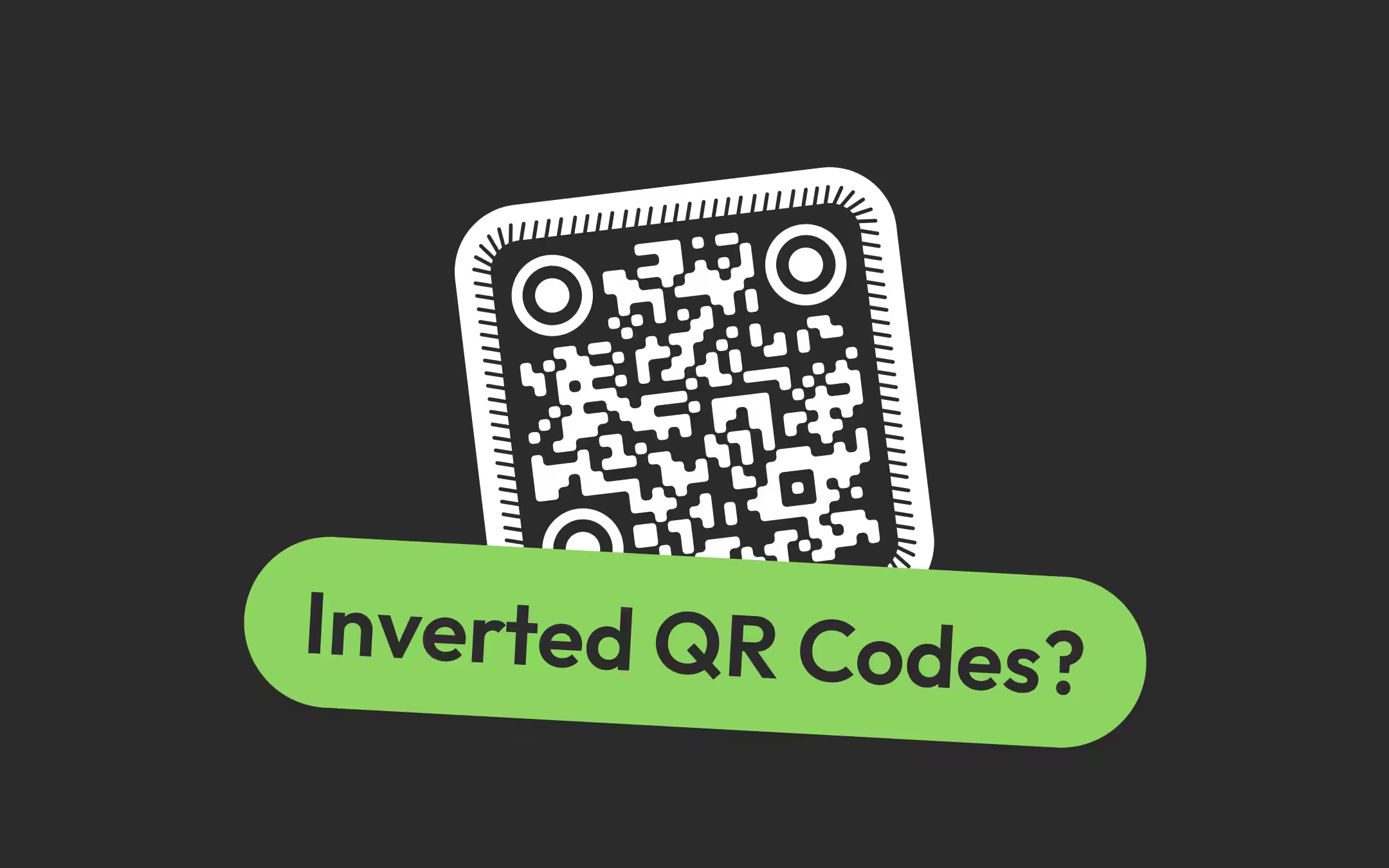
An inverted QR code is a QR code drawn with light modules on a dark background, the reverse of the usual dark-on-light pattern. The QR code standard allows it, and current phone cameras typically read one, but only a decoder that tries the inverted image can. In our test, white on pure black read exactly as well as black on white, while white on a mid-dark grey failed at a 7:1 contrast ratio that reads perfectly the other way round. Use a near-black ground, keep the quiet zone dark, never export a white code with a transparent background onto a light page, and anywhere the reader is unknown, put a dark code in a light panel instead.
Key Points
- An inverted QR code is legal: ISO/IEC 18004:2015 says symbols are intended to be read whether they are marked dark on light or light on dark. Whether a particular reader tries the inverted image is a software setting, not a property of the code.
- In our test on 2 October 2026, white on black decoded at 16 of 16 positions with a decoder that tries both polarities and at 0 of 16 with one that does not. Polarity was decided entirely by that one setting.
- The ground has to be genuinely dark. White modules on #333333, navy, deep purple and dark red always read; white on #595959 - a 7:1 ratio - failed at 6 and 0 of 16 while the same two greys read 16 of 16 dark-on-light. Near-black is the rule, not 'enough contrast'.
- The quiet zone of an inverted code must be the dark ground colour. A white code exported with a transparent background disappears on a white or pale page: 0 of 16 on #F5F5F5 and on white in our test.
- Where the reader is unknown - a till scanner, a warehouse imager, an old phone - put a dark code inside a light panel on the dark design. It keeps the look and removes the bet.
What an Inverted QR Code Is, and Whether the Standard Allows It
An inverted QR code is a QR code drawn with light modules on a dark background, the reverse of the usual dark-on-light pattern. A white QR code on a black card, a cream code on navy packaging, a laser-engraved code on black anodised aluminium and chalk on a blackboard are all inverted codes, whether or not anyone chose the word.
Reflectance reversal is the QR code standard's name for marking a symbol light on dark instead of dark on light. ISO/IEC 18004:2015, the current QR code standard's 2015 edition, states in section 6.2 that symbols are intended to be read when marked so that the image is either dark on light or light on dark, and that its specifications are written for dark on light, so in a reversed symbol every reference to dark and light modules swaps. An inverted code is therefore not a hack or a misuse; it is a variant the standard names.
A module is one square cell of a QR code, and the smallest unit a scanner has to resolve. In an inverted code the modules that carry data - the ones the standard calls dark - are printed light, and everything else, including the margin around the symbol, is dark. Nothing about the encoding changes: the same payload, the same error correction and the same mask produce the same grid, only with the two colours swapped.
What the standard does not do is oblige every reader to look for both. A decoder can be written, configured or simply old enough to look only for dark patterns on a light ground, and that is the whole risk of an inverted code. Competing pages split between 'works on any modern phone' and 'never do it'; both are overstatements of a question that has a measurable answer.
Does an Inverted QR Code Scan on iPhone and Android?
Usually, on current phones, and without a guarantee. The iPhone Camera app and Google Lens are typically reported to read white-on-dark QR codes, but neither Apple nor Google documents how their decoders treat polarity, so there is no official statement to rely on. Older phones, third-party scanner apps and fixed scanners vary, and some never try the inverted image.
The open decoders, whose settings can be read, show why the answer varies. Each one makes inversion a configurable option, and they disagree on the default:
| Reader | Tries the inverted image? | Where that is stated |
|---|---|---|
| jsQR (JavaScript, used by many web scanners) | Yes by default (attemptBoth); its README says the default will probably change to dontInvert in a future version | jsQR README, inversionAttempts option |
| zxing-cpp (C++, wrapped for Python, .NET, Go, Android and iOS) | Yes by default (tryInvert: true) | ReaderOptions.h in the zxing-cpp source |
| ZXing (Java, the original library) | Only if the app passes the ALSO_INVERTED hint | DecodeHintType.java in the ZXing source |
| zxing-android-embedded (a common Android scanner component) | Only if the app requests INVERTED_SCAN or MIXED_SCAN | The library maintainer's answer in discussion #668 |
| iPhone Camera, Google Lens, Android camera apps | Typically yes; not documented | No official documentation |
| Laser and older fixed scanners | Generally no; they look for dark marks on light | Scanner vendors' documentation, e.g. Scanbot's inverted barcode guide |
The practical reading of that table: a code read by the phone's own camera app is a reasonable bet, and a code read by a business's own scanning app, a till, a ticket gate or a warehouse handheld is not, because someone else chose that app's setting. If a phone will not read an inverted code at all, the step-by-step fixes for each platform are in how to scan a QR code on iPhone and on Android; switching to Google Lens or a scanner app that tries both polarities is the quickest test.
What We Measured: Inverted Versus Normal in an Open Decoder
In our measurement, polarity cost nothing once the decoder tried both ways - white on black read 16 of 16, the same as black on white - and everything once it did not, at 0 of 16. What did cost an inverted code was a ground that was dark grey rather than near-black. The rig is scripts/inverted-decode-rig.mjs, run on 2 October 2026, and the full output is in reports/inverted-decode/results-2026-10-02.txt.
The method, in brief: one 41-module code at level H, drawn with square modules, a four-module quiet zone and six modules of surrounding surface, blurred as a sharp phone frame would be, sampled at 6 and at 4 captured pixels per module, and handed to jsQR 1.4.0 at 16 sub-pixel positions per condition. A cell of 16 means every position read the exact payload.
| Condition | Dark on light | Light on dark |
|---|---|---|
| Black and white, decoder does not try the inverse | 16 and 16 | 0 and 0 |
| Black and white, decoder tries both | 16 and 16 | 16 and 16 |
| #595959 and white swapped, 7:1 | 16 and 16 | 6 and 0 |
| #7F7F7F and white swapped, 4:1 | 16 and 16 | 0 and 0 |
| White on near-black brand grounds (#0F172A, #0B1F3A, #1E293B, #333333) | Not applicable | 16 and 16 |
| White on deep colour grounds (#4C1D95, #7F1D1D, #831843) | Not applicable | 16 and 16 |
| White on #064E3B, #0C4A6E and #404040, 9.5 to 10.4:1 | Not applicable | 16 and 10, 16 and 11, 16 and 8 |
| White on #4D4D4D, 8.5:1 | Not applicable | 16 and 0 |
| Grey modules on pure black, down to #1D1D1D (1.25:1) | Not applicable | 16 and 16 at every step |
| White on a #595959 tile placed on a white page | Not applicable | 16 and 16 |
Three results carry the page. First, polarity is a switch: the identical white-on-black file went from nothing to perfect when the decoder was allowed to try the inverse. Second, contrast ratio does not predict an inverted read: 7:1 failed as white on grey and read perfectly as grey on white, and grey modules on pure black read all the way down to 1.25:1. Third, the failing grounds were rescued by a white page around the dark tile, which points at the mechanism in the next section rather than at the colours themselves.
Why a Dark Grey Ground Fails Where Black Does Not
A decoder in the ZXing family assumes that a flat, featureless area is light paper, so a large dark-grey ground is classified as light before the decoder ever tries the inverted image - and inverting that picture turns the quiet zone dark. Pure black escapes the assumption, which is why white on black reads and white on mid-grey does not. This is our reading of the source code, consistent with every row of the measurement.
The detail, for anyone checking: jsQR, like ZXing's HybridBinarizer it was ported from, splits the image into 8 x 8 pixel blocks and picks a dark-or-light threshold for each one. A block whose lightest and darkest pixels are within 24 levels of each other has no edge to measure, so the decoder sets its threshold at half the block's darkest value and, in the words of the source comment, effectively whites it out, because 'dark barcode symbology is always surrounded by some amount of light background'. A flat #595959 block, at level 89, gets a threshold of about 44 and comes out light. A flat black block, at level 0, gets a threshold of 0 and comes out dark, which is correct.
Inversion in jsQR then flips the black-and-white picture it already made rather than starting again from the camera image. A ground that was wrongly classified light becomes dark in the flipped picture, exactly where the inverted code needs its light quiet zone, and the three corner squares lose the margin that makes them findable. The quiet zone guide covers why that margin is the first thing a decoder needs.
The rules that follow, labelled as rules of thumb from one open decoder:
- Make the ground near-black. Every ground whose grey level, as the decoder computes it, was 51 or less out of 255 read perfectly - #333333, slate #1E293B, navy #0B1F3A, deep purple #4C1D95 and dark red #7F1D1D among them. Grounds around level 61 to 64 started failing at the smaller size.
- Do not trust the contrast ratio for an inverted code. Deep red at 10:1 read perfectly while petrol blue #0C4A6E at 9.5:1 and grey #404040 at 10.4:1 lost reads at the smaller size, because the decoder's grey weights green heavily and the ratio formula does not rank colours the same way. Judge by darkness, then test.
- A dark tile on a light page is safer than a dark page. The same white code on a #595959 tile read perfectly once a white page surrounded the tile, because the decoder had a real light area to learn from. A full-bleed dark poster or a dark screen offers no such reference.
- Keep the ratio well above 7:1 anyway. The QR code contrast checker gives the same advice for inverted pairs; this measurement explains why 7:1 is not enough on its own and why near-black is the safe end of the range.
White QR Codes on Black, Dark and Coloured Backgrounds
A white QR code scans best on black or a near-black colour that fills the quiet zone, with every part of the code - modules, corner squares and any logo surround - in the light colour. White on black, white on navy and white on deep purple, dark red or slate all read perfectly in our test; white on mid-tones and on light colours did not.
Three combinations go wrong in practice, and none of them is about the colour pair the designer picked:
- Mixed polarity. Light modules with dark corner squares, or dark modules with a light logo plate punched into a dark ground. A decoder reads one polarity per pass; a code that is half each has no consistent pass. Set the eye colour to the same light colour as the pattern.
- A light pastel on a dark ground. Pale yellow, pink or mint modules on navy look high-contrast on screen, and the ratio can be over 10:1, but the margin is thinner than white's. The fifty QR colour pairs table marks its inverted pairs 'test it' for this reason.
- A dark ground that is really a mid-tone. Brand 'dark' colours are often charcoal, forest or petrol blue in the 60 to 90 range out of 255, which is where our measurement failed. Darken the ground behind the code, even if the rest of the design keeps the brand colour.
Where the design is dark and the brand colour is not dark enough, the alternative costs one rectangle: a light panel behind a dark code, sitting on the dark design. That is not an inverted code at all, so every reader on earth handles it. The minimum contrast scan test sets out the design targets of 4:1 on screen and 7:1 in print for the normal polarity.
The Quiet Zone of an Inverted QR Code Must Be Dark
The quiet zone is the empty margin around a QR code that lets a scanner detect where the symbol begins and ends, and the standard specifies four modules on every side. In an inverted code, the quiet zone has to be the dark ground colour, because it must match the background modules - and a white code that runs straight into a white margin has no detectable edge at all.
Our measurement put a number on how much dark margin an inverted code needs when a white page lies beyond it: a dark margin of one to four modules read at 15 or 16 of 16, and no dark margin at all read 0 of 16. The mirror case - a normal code on a white tile with a black page beyond - gave the same figures. Design to the standard's four modules anyway; one module was enough for a clean, flat digital image, which is not what a phone sees through a lens at an angle.
The common way an inverted code loses its quiet zone is a white export dropped into a layout as if it were a black one: a white code on a dark tile that is trimmed to the outer modules, a dark sticker die-cut too close, or a white code placed on a dark photo where the 'dark' around it is full of light detail. The rule is the same as for a normal code, with the colours swapped: four modules of flat, unbroken ground colour on every side.
Why a White QR Code With a Transparent Background Disappears
A white QR code exported with a transparent background draws only the white modules, so its background and quiet zone become whatever surface it lands on. On a dark surface that works; on a white or pale page the code is white on white and vanishes - 0 of 16 on #F5F5F5 and on white in our test, and no better than 6 of 16 on any mid-grey we tried.
This is the most common white-QR-code failure because it is invisible in the place the file was made. A design tool shows a transparent white code on a grey chequerboard, and a slide or web page with a dark theme shows it beautifully; the same file in a document with a white page, an email in light mode or a print layout on white stock shows nothing. The transparent QR codes page covers the general case: a transparent code is only as scannable as the surface behind it.
The reverse mistake catches ordinary black codes. A black QR code with a transparent background, placed in an email signature or a web page that a reader views in dark mode, becomes black on dark grey - an unreadable code from a file that was correct. If the placement could change colour, export with a solid background so the code carries its own quiet zone.
KoloQR, a free QR code generator with circular and custom-shaped QR codes, has a Transparent background switch on its Colors tab, and its contrast badge judges a transparent code against white, since that is where a transparent code usually lands. A white pattern with the switch on therefore shows a failing ratio of 1:1, which is the correct warning. For a white code meant for a dark surface, set the Background colour to that surface's colour instead, and the badge judges the real pair.
Inverted QR Codes on Screens and in Dark Mode
On a screen, an inverted QR code reads as well as it does on paper and often better, because a screen's black is truly dark and its white is emitted light. The screen-specific risks are a dark mode that changes the page around a code, a display at low brightness, and a phone camera exposing for a mostly dark frame.
- Dark mode does not invert an image. A QR code inside an image stays the colour it was exported in; only the page around it turns dark. A code with its own quiet zone keeps working, and a code relying on the page as its margin loses it - scanning a QR code from an image has the screenshot version of this failure. Some forced dark modes in browsers and email apps recolour simple two-colour images, so a code on a page that will be read in dark mode is worth checking in dark mode.
- Low brightness flattens the ground towards grey. A phone showing a white-on-black code at minimum brightness, or a projector in a lit room, lifts the black and dims the white. That moves an inverted code from the safe near-black end towards the mid-grey ground our measurement saw fail.
- Auto-exposure works against an inverted code. A camera pointed at a mostly dark frame brightens it, so a printed black reaches the decoder as a grey and a white module blooms. That is reasoning rather than measurement, and it is the reason to fill less of the frame with dark ground: hold the phone so the code, not the poster, fills the view.
For an app or a site with a dark theme, the safe pattern is a dark code on a white rounded panel, which reads in every reader and looks deliberate. An inverted code is a reasonable choice for a slide, a video end card or a social post viewed and scanned on phones, provided the ground is near-black.
Printing an Inverted QR Code: White Ink, Knockouts, Foil and Engraving
Print an inverted QR code as a knockout from a single dark ink, or in an opaque light ink on a dark material, and test the actual piece. A knockout is a shape left unprinted in a solid ink area so that the material underneath shows through. Each print method has its own way of losing the light modules:
| Method | What goes wrong | What to do |
|---|---|---|
| Knockout from a dark ink on white stock | Ink spread closes the white modules; a rich black built from four inks misregisters and fringes them with colour | Knock out of a single ink, not rich black; size the code for the stock; proof one sheet |
| White ink on dark card, kraft or fabric | White ink is less opaque than black, so the dark material greys the modules | Ask the printer for a double hit or an underbase of white; test the result against near-black |
| Screen-printed or vinyl white on a dark T-shirt or vehicle | Fabric texture and stretch break module edges; a vehicle is read from unknown phones | Prefer a light panel with a dark code; see the T-shirt and vehicle pages |
| Metallic foil on a dark ground | A mirror finish reflects whatever is opposite it, so foil can look light from one angle and dark from another | Avoid foil for the code itself, or test at the angles people will hold the phone |
| Spot UV or clear varnish on black | Gloss against matt is a sheen difference, not a light-dark one; at most angles there is no code | Never use spot UV alone as the code; print it in ink |
| Laser engraving on anodised aluminium, slate or dark wood | The mark is lighter than the material, so the code is inverted by nature | Engrave into the darkest available finish, keep the quiet zone unmarked, and test with the phones your users have |
| White vinyl on a glass door or window | The ground is whatever is behind the glass, so the code is inverted against a dark interior and nearly invisible against a bright one | Put a solid backing panel behind the vinyl |
One result from the rig is worth knowing before arguing with a printer about it: in a purely geometric model of ink spread, where dark areas grow into light ones by a fraction of a module per edge, the inverted code was not the weaker one - it held to 20% of a module per edge, where the normal code had already failed. What makes inverted print harder is physical: light ink that does not fully cover, solid areas that spread more than fine detail on absorbent stock, and finishes that reflect. The print checklist has the proofing step that settles it on the real piece.
For the specific objects people most often want to invert, the existing pages give the per-surface answer, and all of them land on a light panel: QR codes on business cards, on T-shirts and on product packaging.
When to Avoid an Inverted QR Code, and What to Use Instead
Avoid an inverted QR code wherever the reader is not a current phone camera - tills, ticket gates, warehouse and point-of-sale scanners, payment terminals, and any app chosen by someone other than the person scanning. Use one freely where phones are the only readers and the ground is near-black, and test it either way.
- If the code is read by fixed or retail equipment, choose dark on light. Laser scanners cannot read an inverted code, and many imagers are configured for one polarity. Black on white, verified, is the only safe answer.
- If the code is on a dark design and must work for everyone, choose a dark code in a light panel. It keeps the dark design and removes the polarity bet for the cost of one rectangle.
- If the code is a poster, slide, social post or packaging scanned by phones, an inverted code is a reasonable design choice - on near-black, with a dark quiet zone and every part of the code in the light colour.
- If the ground is a brand mid-tone, choose a darker ground behind the code or a light panel. In our measurement, white codes on grounds of 7:1 to 8.5:1 - ratios that pass most contrast checks - failed at the smaller size.
- If you cannot test on the actual readers, choose dark on light. An inverted code that has not been scanned on the target phones is an untested assumption about software nobody documents.
The same decision is the first symptom in the troubleshooting pillar: a light-on-dark code that does nothing on one phone and reads on another is a polarity problem, not a broken code. Why a QR code is not scanning treats it under detection faults.
How to Make an Inverted QR Code
Make an inverted QR code by setting the pattern and corner colours to a light colour and the background to a near-black, with a solid rather than transparent background, then exporting a vector file and testing it. In the KoloQR generator that is the Colors tab and three pickers.
- Enter the Content and Keep It Short. Type the URL or text. A shorter payload gives fewer, larger modules, which buys margin an inverted code spends on its ground and its ink.
- Set the Pattern and Eye Colours to the Light Colour. On the Colors tab, set Pattern to white or the lightest brand colour, and set Eye to the same colour. Dark corner squares on a light-pattern code are mixed polarity and will not read.
- Set the Background to a Near-Black. Pick black or a very dark brand colour for Background and leave Transparent background off, so the quiet zone is exported in the dark colour.
- Check the Contrast Badge and the Ground. The badge should pass comfortably. Then check that the ground is genuinely dark, not a mid-tone: aim well above 7:1, near-black for neutral greys.
- Export SVG or a Large PNG. Export SVG for print and a PNG at the final pixel size for screens. Place it without trimming the dark margin and without a light keyline around it.
- Test With a Reader That Does Not Invert. Scan the export on several real phones, including an older one and a third-party scanner app, then print one piece and scan it from the real distance and angle.
Testing an inverted code has one trap. The QR code scanner on this site asks its decoder to try both polarities, so a white-on-black file that passes there proves the code is valid, not that a dark-on-light-only reader will see it. Use the scanner to confirm the file, the QR code validator to check margin and module size, and real phones to decide whether the inversion is safe. Styling never improves scan performance, and a styled inverted code - dots, rounded modules, a logo - has less margin than a plain one; do custom QR shapes scan has the measurements.
KoloQR makes static codes only, so the destination of a printed code cannot be changed later. Where an inverted code is going onto expensive or long-lived print and might need to be corrected, a dynamic code service with a redirect is the better fit - the polarity question is the same either way.
Make Your QR Code
Free, with no account and no watermark. Choose a shape, add a logo, check the contrast, and export SVG, PDF, EPS or PNG - a static code with no subscription behind it.
Generate QR CodeQuestions? Answered
Yes. A white QR code on a dark background is an inverted QR code, and ISO/IEC 18004:2015 says symbols are intended to be read light on dark as well as dark on light. The code must be white on a genuinely dark ground, with a dark quiet zone and white corner squares, and it only scans in readers that try the inverted image - which current phone cameras typically do.
Typically, in the Camera app on a current iPhone, but Apple does not document it, so there is no guarantee to point to. Test the actual code on the iPhones your audience uses. Third-party scanner apps on the same iPhone can behave differently, because each app's decoder setting decides whether the inverted image is tried at all.
Usually through Google Lens and recent camera apps, less predictably across older phones and third-party apps. Many Android scanner apps are built on ZXing libraries, where inversion is a setting: zxing-cpp tries it by default, while the Java ZXing library and the common zxing-android-embedded component try it only if the app asks. Test on a few Android phones before printing.
Usually because the ground is not dark enough, the quiet zone is light, or the corner squares are a different colour. In our test white on #595959, a 7:1 ratio, failed while white on #333333 read perfectly, because the decoder treated the flat grey ground as light paper. Darken the ground, keep four modules of it around the code, and make the eyes white too.
It was exported with a transparent background. A transparent white code draws only the white modules, so on a white or pale page there is nothing to see and nothing to decode - 0 of 16 in our test on white and on #F5F5F5. Re-export it with a solid dark background colour so the code carries its own ground and quiet zone wherever it is placed.
Often not. Laser scanners cannot read inverted codes at all, and many fixed imagers, point-of-sale scanners and warehouse handhelds are configured for dark marks on a light background. Some support inversion as a setting that someone has to enable. For anything read by equipment rather than by customers' phones, print the code black on white.
Not by inverting it: dark mode changes the page around an image, not the image. What breaks is a code that relied on the page as its quiet zone, such as a black code with a transparent background, which becomes black on dark grey. Export codes for emails and dark-themed sites with a solid background, and check them once in dark mode.
No. Many web scanners, including the one on this site, try both polarities, so a pass proves the file is a valid code, not that a reader configured for dark-on-light will find it. Use the tool to confirm the file, then scan the printed piece on real phones, including an older one and a third-party scanner app.
For reliability, yes. A dark code inside a light panel is a normal QR code, so every reader handles it, and it still sits on the dark design. An inverted code is a fine choice for phone-only placements on a near-black ground, but the panel is the answer whenever the reader, the ground colour or the print method is uncertain.
No. The payload, error correction level and mask are the same; only the two colours are swapped, which the standard calls reflectance reversal. A decoder that tries the inverted image reads the same text from it. The cost is entirely on the reading side - whether the reader tries the inverse, and whether it recognises the dark ground as background.
Keep Exploring
Pages that pick up where this one leaves off - the same setting, the same kind of code, or the next thing worth deciding.
Colored QR Codes
Put your palette on a QR code without breaking it: which color goes on the pattern, and which belongs on the frame.
Transparent QR Codes
Codes with no background of their own - which surfaces they scan on, which ones break them, and how to place one on photos, video, glass and clear labels.
Why a QR Code Is Not Scanning, and How to Tell Which Fault You Have
The three ways a QR code fails - never detected, read badly, or read perfectly into a broken destination - and how the symptom tells you which one you have before you measure anything.
Nine Things to Check Before a QR Code Goes to Print
The nine checks between a QR code file and a print run that works, each with the number it has to clear and the page that explains why.
Fifty QR Code Colour Pairs, and Which of Them Survive Print
Fifty QR code colour pairs with the contrast ratio computed for each, grouped by whether they clear the print threshold, the screen one, or neither.
How to Share Your Wi-Fi Password From an iPhone - With an iPhone, an Android Phone or a Room Full of Guests
The three ways to give someone your Wi-Fi from an iPhone - Apple's Share Password prompt, a QR code from the Passwords app, or a printed Wi-Fi QR code - why the prompt fails to appear, and how to scan a Wi-Fi QR code on any phone.
Why KoloQR?
- Create QR codes for websites, menus, Wi-Fi, PDFs, and business cards
- Customize colors, logos, and unique shapes
- Download high-quality PNG and SVG files
- Built for both print and digital
