
KoloQR vs qr.io: Which QR Code Generator Fits the Job?
KoloQR and qr.io are built for two different problems. KoloQR, a free QR code generator with circular and custom-shaped QR codes, produces a print-ready static code in the browser with no account, no watermark and no expiry, and its source code is open. qr.io is a subscription platform built around dynamic QR codes, where the destination stays editable after printing and every scan is recorded in a dashboard. The deciding question is simple: if the code will point at one URL for its entire life, a free static code is enough; if the destination has to change after the print run or the scans have to be counted, a dynamic service is the correct tool and KoloQR is not it.
Feature Comparison
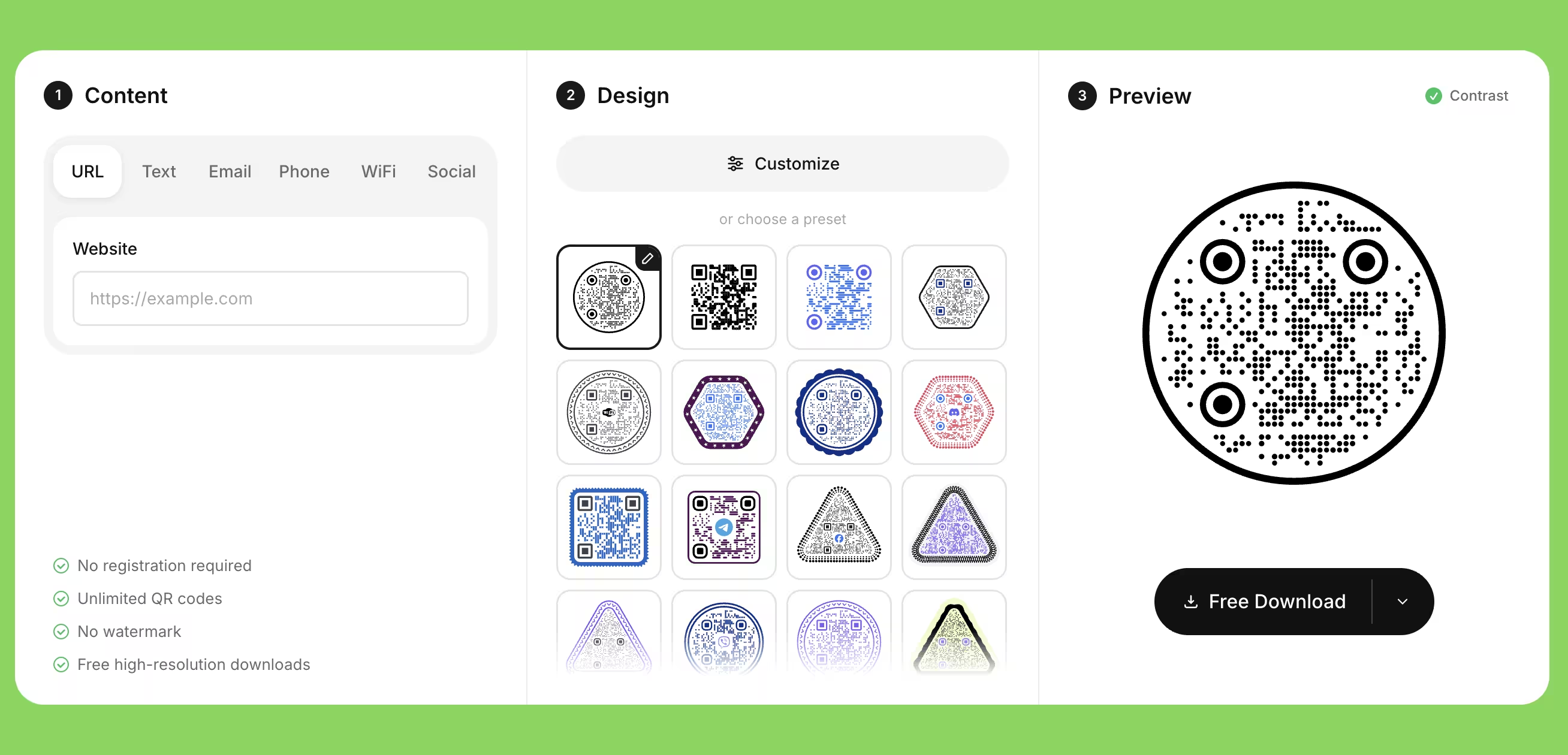
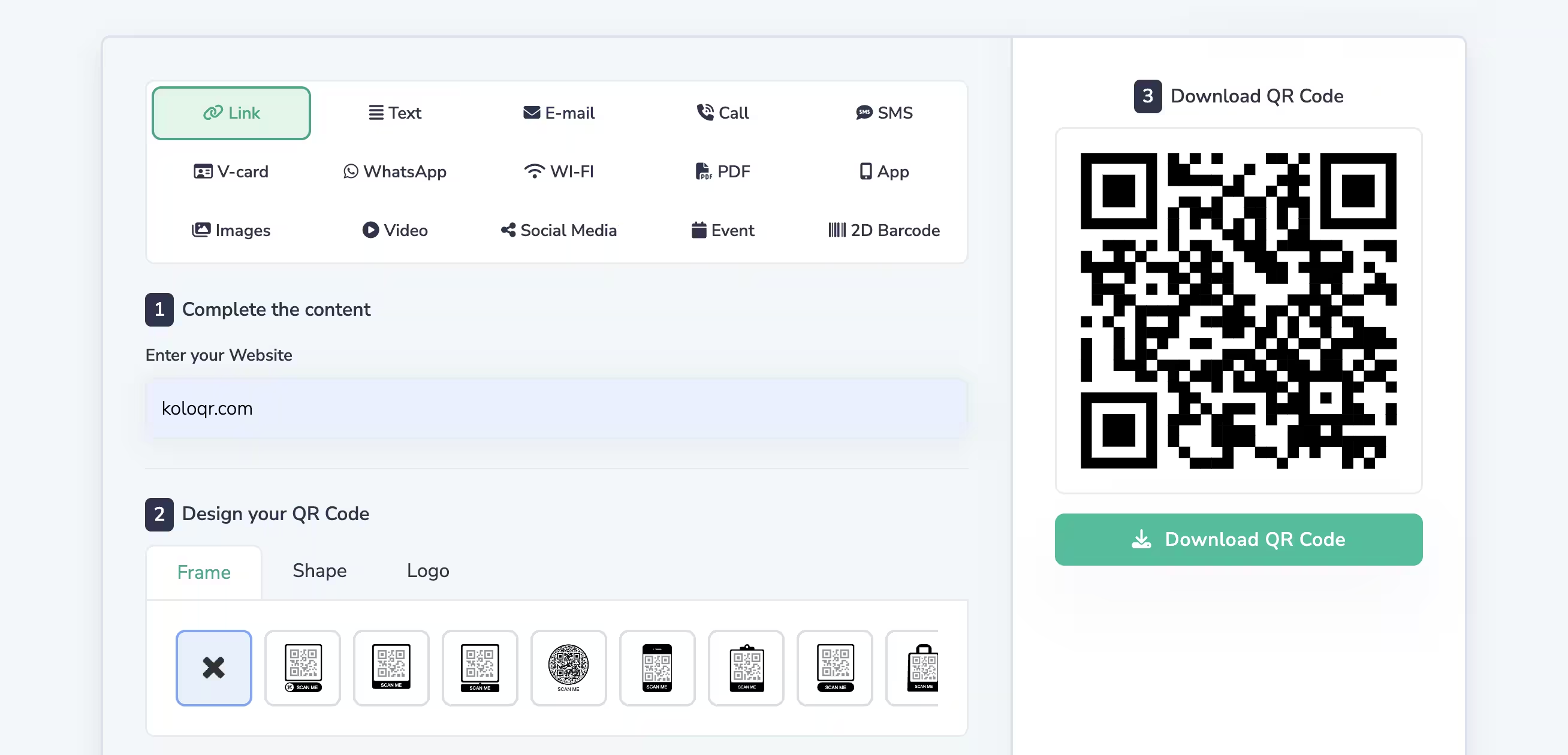
The rows below cover code design, export and workflow, which is where the two tools differ most. They do not cover dynamic QR codes or scan analytics - that is qr.io territory and KoloQR has no equivalent, which the overview under the table sets out in full. Verified against the qr.io pricing and features pages in July 2026.
Downloads Without Signup
Download QR codes instantly without creating an account.
KoloQRYesqr.ioNoOpen Source
Inspect, modify, and self-host the source code.
KoloQRYesqr.ioNoCustom QR Shapes
Create rectangular, circular, triangular, and hexagonal QR codes.
KoloQRYesqr.ioNoPremium QR Frames
Ready-to-use designer QR frames.
KoloQRYesqr.ioYesVector Export
Export SVG, PDF, and EPS for professional printing.
KoloQRYesqr.ioYesCopy to Figma
Copy QR codes directly into Figma.
KoloQRYesqr.ioNoChrome Extension
Create QR codes from any webpage.
KoloQRYesqr.ioNoContrast Checker
Ensure your QR code has enough contrast for reliable scanning.
KoloQRYesqr.ioNo
What Each Tool Is Actually For
KoloQR is a design and export tool for static QR codes. qr.io is a hosting and tracking service for dynamic QR codes. A static QR code stores the destination inside the pattern itself, so it works forever and cannot be edited. A dynamic QR code stores a short redirect URL, so the destination stays editable and every scan passes through the provider's server, which is what makes tracking possible.
KoloQR: Design the Code, Own the File
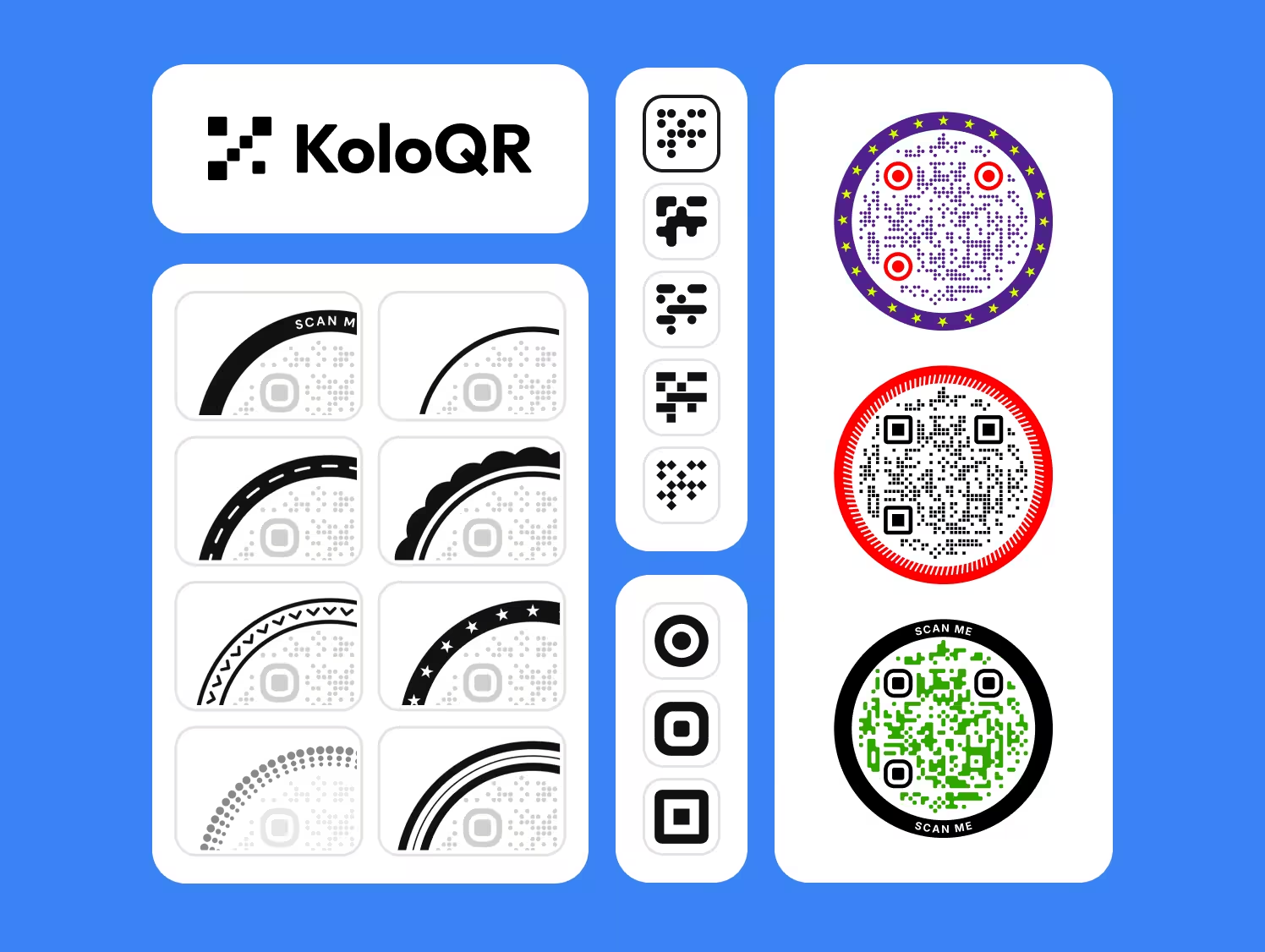
KoloQR, a free QR code generator with circular and custom-shaped QR codes, runs the whole job in the browser: paste a URL, pick a shape, set the colors, drop in a logo, download the file. There is no account, no watermark, no scan limit and no expiry date, and the generated code belongs to whoever made it. Because the codes are static, nothing routes through KoloQR servers after the download - the phone goes straight to the destination.
- No Account, No Watermark, No Expiry - A KoloQR code is generated and downloaded without signing up, and it keeps working as long as the destination URL exists. Nothing is stored on a plan that can lapse, so a code printed on packaging in 2026 still resolves in 2031.
- Shapes the Standard Square Does Not Cover - KoloQR outputs rectangular, circular, triangular and hexagonal QR codes, plus custom colors, a center logo and ready-made frames. Shape and color never improve scan performance - contrast, size and quiet zone do that - but they let a code sit inside a brand layout instead of fighting it.
- Print-Ready Vector Export - SVG, PDF and EPS are vector formats, so a KoloQR code scales from a 2 cm business-card corner to a 3 m building wrap with no loss of edge sharpness. PNG covers screens and email. Most print shops will ask for the vector file.
- Open Source, and a Contrast Checker Built In - The KoloQR source code can be inspected, modified and self-hosted, which matters when a legal or security review asks where a URL was processed. The built-in contrast checker flags foreground and background combinations likely to fail on a phone camera before the file reaches the printer.
What Is qr.io? Editable Destinations and Scan Statistics
qr.io is a paid QR code platform. A single subscription - listed at $39.99 per month or $350 per year in July 2026, after a 7-day trial - covers unlimited codes and scans, dynamic and static codes, PNG and SVG download, custom landing pages, scan statistics by count, date and location, API access, bulk creation and five team seats. Creating anything requires an account, and the free trial is time-limited rather than a permanent free tier.
qr.io is the better fit when the destination is not settled: a campaign landing page that will be swapped, a menu URL that moves between seasons, a printed catalogue whose links outlive the pages behind them. It also wins on volume - bulk creation and an API beat generating hundreds of codes by hand. KoloQR does none of that, and pretending otherwise would waste a print run. Where KoloQR is the stronger choice is a code with a fixed destination, a design that has to match a brand, and a budget of zero.
Generate QR Code
Choosing Between Them, and Getting the Code Right Either Way
The tool matters less than four decisions: static or dynamic, how big the code is printed, how much contrast it has, and whether anyone tested the exported file. The list below covers the choice first, then the print rules that apply whichever generator produced the code.
Decide Static or Dynamic Before Designing Anything
Ask one question: will this URL still be correct in three years? A fixed destination - a homepage, a Wi-Fi login, a vCard, a permanent product page - is a static code, and paying a subscription for it adds a dependency without adding value. A destination that will move, or one whose scan count decides a budget, needs a dynamic code from a service such as qr.io. Switching later means reprinting, so decide before the artwork is signed off.
A Redirect on Your Own Domain Buys Flexibility Without a Subscription
Encoding a short URL you control - koloqr.com/menu rather than the destination itself - gives a static code an editable destination, because the redirect is changed server-side while the printed pattern stays identical. This is the standard workaround for the static-only limitation and it costs nothing beyond the domain. Two conditions: the redirect must exist before the print run, and the domain must be renewed for as long as the printed material is in circulation.
Size the Code for the Distance It Is Read From
As a rule of thumb, a QR code needs about 1 cm of width for every 10 cm of scanning distance, with 2 cm as the practical minimum for anything printed. A table tent read from 30 cm works at 3 cm; a poster read from 3 m needs roughly 30 cm. Measure the real distance rather than guessing from the mockup, because the mockup is always closer than the pavement.
Leave the Quiet Zone Empty
The quiet zone is the blank margin around a QR code that lets a scanner find where the symbol starts and ends. ISO/IEC 18004 specifies four modules - four of the small squares that make up the code - on every side. Layouts break this constantly: a price band, a border rule or a photo edge creeping into the margin is one of the most common reasons a code that scanned in the file fails on the printed sheet.
Keep the Modules Darker Than the Background
Most phone cameras expect dark modules on a light field, and inverted codes - light modules on a dark background - fail on a meaningful share of devices even though some scanners handle them. Brand colors are fine as long as the contrast ratio stays high and the direction stays conventional. Pale yellow on white and mid-grey on black are the two combinations that look best on screen and fail most often in a shop.
Keep a Center Logo Small, Then Rescan
Error correction is the redundancy built into a QR code that keeps it readable when part of the symbol is damaged or covered. Levels L, M, Q and H recover roughly 7%, 15%, 25% and 30% of the symbol. A center logo eats into that budget, so keep it well under a quarter of the code area, raise the error correction level when covering more, and rescan the finished file - the logo that looks balanced at 100% zoom can push a small print over the edge.
Shorten the URL Before Generating the Code
Fewer characters mean a lower QR version, fewer modules and therefore larger individual modules at the same printed size - which is the single cheapest way to make a small code more reliable. A 30-character URL produces a visibly coarser, more forgiving pattern than a 200-character link with tracking parameters. Strip the parameters, or put them behind a short redirect on your own domain.
Export Vector for Print and PNG for Screens
SVG, PDF and EPS are vector formats: the code is stored as geometry, so it stays sharp at any size and print shops can place it without resampling. PNG is a raster format and is the right choice for email, slides, social posts and anything that will only ever be viewed on a screen. Sending a print shop a 600-pixel PNG for an A1 poster is the classic way to get a blurry, unscannable code back.
Test the Exported File on Two Phones, at Full Size
Scan the final artwork at its printed dimensions, from the distance the reader will actually stand at, on one iPhone and one Android device. The on-screen preview in any generator is backlit, perfectly flat and pixel-sharp, which hides the three problems that matter in print: size, reflection and quiet-zone clipping. This one test catches more failures than every design decision that preceded it.
Print the URL and a Phone Number Next to the Code
A QR code should be the fast path, never the only path. Some people will not scan a code at all, some older or budget Android phones still need a scanner app, and no code works in a cellar bar with no signal. A short readable URL and a phone number beside the code cost a line of type and remove the failure mode entirely.
Questions? Answered
KoloQR is free. Codes are generated and downloaded without an account, without a watermark and without a scan limit, and there is no charge for commercial use. The codes are static, so nothing runs on a subscription that can lapse - the code keeps resolving as long as the destination URL exists.
qr.io offers a 7-day free trial rather than a permanent free tier, and an account is required before anything can be created. After the trial, access to the platform is a paid subscription, listed at $39.99 per month or $350 per year in July 2026. qr.io states that static codes made during the trial keep working afterwards. Confirm current pricing on the qr.io pricing page.
A static QR code stores the destination inside the pattern itself, so it works without any service behind it and cannot be edited after printing. A dynamic QR code stores a short redirect URL owned by the provider, so the destination can be changed at any time and every scan is logged. Dynamic codes need an active account; static codes do not.
Not directly - KoloQR generates static codes, and the destination is baked into the pattern. The standard workaround is to encode a short URL on your own domain and redirect it server-side, so the printed code stays identical while the destination moves. That redirect has to be in place before the print run, not after it, and the domain has to stay renewed.
No. KoloQR has no analytics, because static codes send the phone straight to the destination without passing through any server that could count them. The closest approximation is giving each printed placement its own URL or UTM parameter and reading the traffic in your web analytics. That measures page visits rather than raw scans, so the totals run slightly low, but the comparison between placements is reliable. For real scan counts, use a dynamic service.
Use a static code from KoloQR if the menu lives at a stable URL such as yoursite.com/menu, and update the page rather than the code. Use a dynamic code from a service such as qr.io if the menu URL itself changes each season or lives on a platform that generates new links. Table codes are read from about 30 cm, so 3 cm of code width is enough.
No. A static QR code has no expiry mechanism - the pattern encodes the destination directly, so it resolves for as long as that URL exists. This is a real difference from dynamic codes on any platform, which route through the provider and stop resolving if the account ends or the redirect is disabled. It is the main reason to prefer a static code for packaging, signage and anything printed once.
qr.io states that static codes continue to work after the trial expires. Dynamic codes on any platform, qr.io included, depend on the provider's redirect staying active, so they can stop resolving when a plan ends. Check the current terms with qr.io before printing dynamic codes at scale, and treat a lapsed plan as a reprint risk rather than an inconvenience.
Yes, when the module grid, the quiet zone and the contrast are intact - the shape affects the frame and the styling around the symbol, not the data it carries. Styling never improves scan performance, so size, contrast and a clear four-module quiet zone still decide whether a code works. Rescan every styled code at printed size before signing off the artwork.
KoloQR, for two practical reasons: codes copy directly into Figma, and a Chrome extension opens the generator in any tab, so during layout work a code is a click away without leaving the page you are on. Vector export in SVG, PDF and EPS then hands the print team a file they can scale. qr.io has no Figma path, so its codes arrive as downloaded files.

Generate a Free QR Code and See Whether That Is All You Need
Paste a URL into KoloQR, choose a shape, set the brand colors and download SVG for print or PNG for screen. No account, no watermark, no expiry, and no charge for commercial use. If the destination turns out to need editing or the scans need counting, a dynamic service such as qr.io is the honest recommendation - but most printed codes point at one URL and never move.
Before committing to a subscription, try the free route once: generate the static code, put a redirect on your own domain behind it, and print a single proof at full size. If that covers the job, the recurring cost was never necessary. If it does not, you will know exactly which capability you are paying for rather than buying a plan and hoping.
Generate QR CodeKeep Exploring
Pages that pick up where this one leaves off - the same setting, the same kind of code, or the next thing worth deciding.
Do QR Codes Expire? The Pattern Never Does
The pattern never expires, and four things behind it do. Which one failed, how to tell them apart, and which of them you can fix without reprinting.
Static or Dynamic? Decide It Before Anything Is Printed
The difference is where the destination lives, and price, analytics and every failure mode follow from it. Four questions that settle which one to print.
Best QR Code Generator in 2026: Six Free Tools Compared
Free resolves to three different arrangements - a code you keep, a code you rent, and a trial that ends - and the vendor's pricing page is rarely where the difference is stated.
Seven Flowcode Alternatives and What Each Replaces
Flowcode's free plan stops at 2 codes and 500 scans, and the first paid step is $25 a month - here is what seven alternatives cost, and why none of them can rescue a code that is already printed.
A Free QR Tiger Alternative, No Signup
A design-first, open-source QR generator compared with a campaign-focused tracking platform. See which one fits your project.
KoloQR vs QRStuff
A free open-source generator for static, print-ready QR codes compared with a paid platform for dynamic codes and scan analytics.
Why KoloQR?
- Create QR codes for websites, menus, Wi-Fi, PDFs, and business cards
- Customize colors, logos, and unique shapes
- Download high-quality PNG and SVG files
- Built for both print and digital
