

KoloQR vs QR Batch: One Code, or Thousands From a Spreadsheet
KoloQR and QR Batch both make static QR codes, and they are not really competing for the same job. KoloQR, a free QR code generator with circular and custom-shaped QR codes, designs one code in the browser and exports it as SVG, PDF, EPS or PNG with no account and no payment. QR Batch, a product of the Indian company Trycon, is a bulk generator: you upload a CSV or Excel file of up to 100,000 rows, apply one shared design to the whole batch, pay for the batch, and download the codes as a ZIP of images or as printable label sheets. QR Batch charges per QR code rather than per month - $0.50 each for the first ten images in August 2026, falling as the volume rises - and requires an account before anything but a small plain-text test batch. If you need one good-looking code, KoloQR gives you the finished file for nothing. If you need 5,000 unique serial codes on 5,000 different boxes, KoloQR cannot do it at all and QR Batch is built for exactly that.
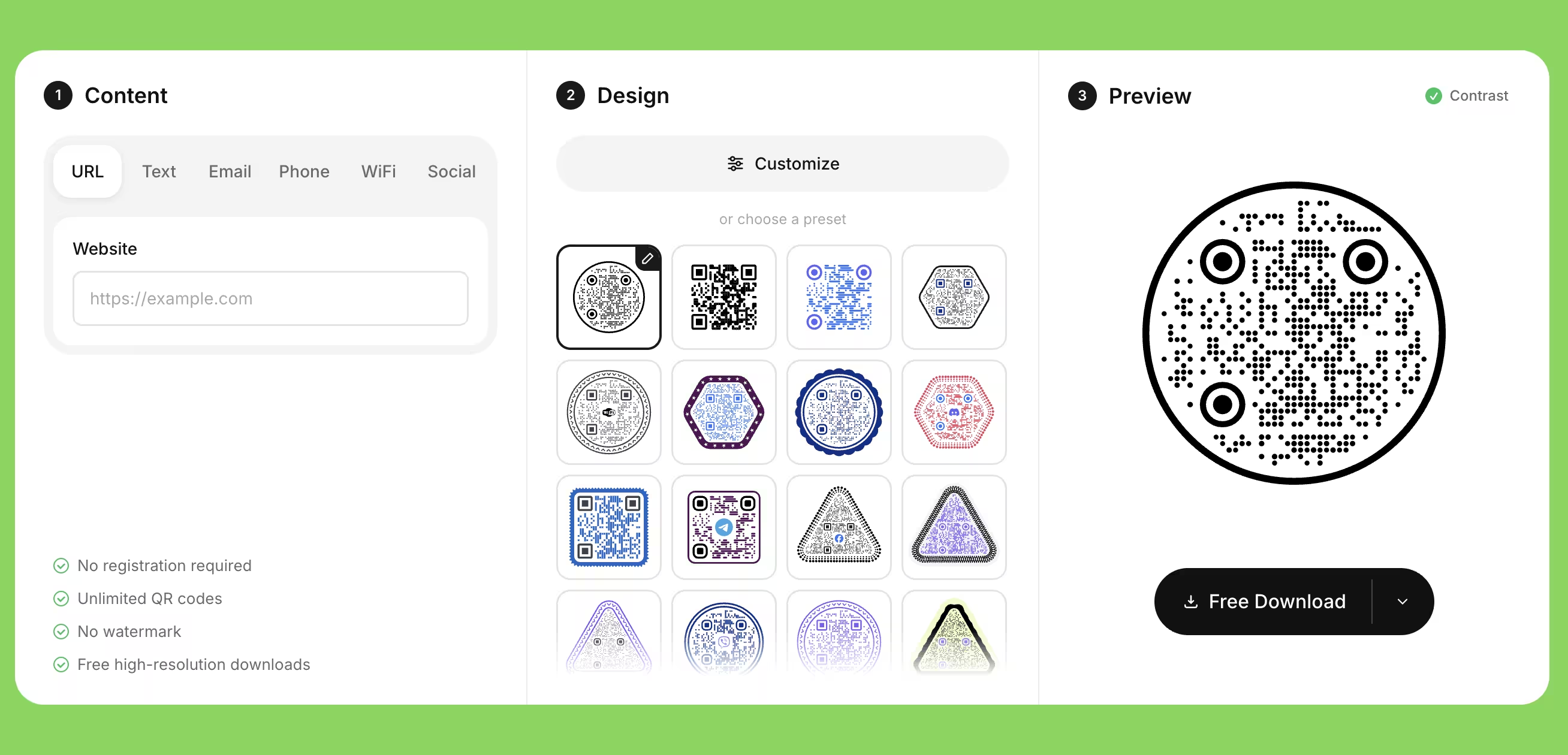
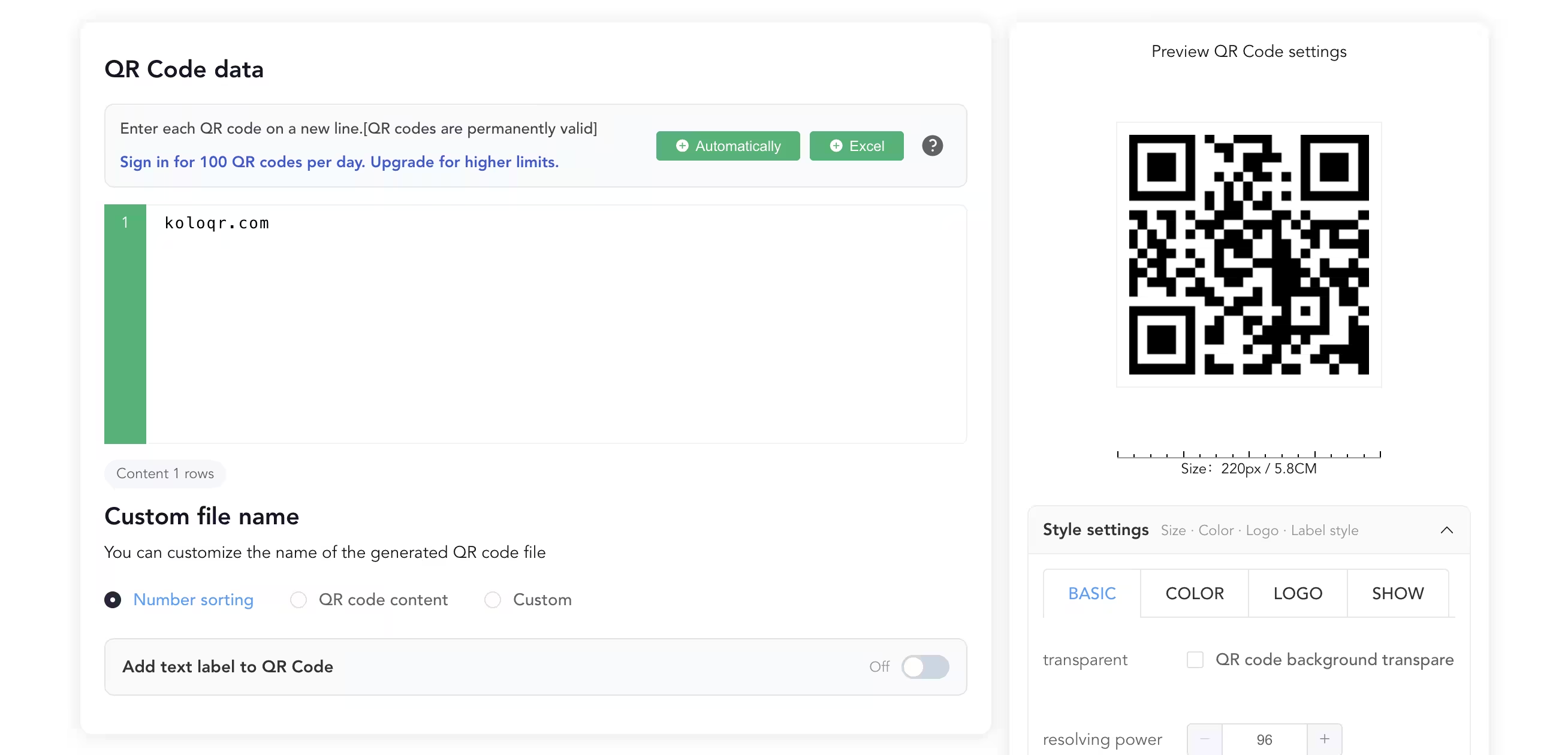
Feature Comparison
These rows cover the design and export workflow for a single code, plus the bulk row where QR Batch is the only one of the two that can help at all. They do not cover dynamic QR codes or scan analytics: neither tool offers them, because both produce static codes only. Verified against qrbatch.io in August 2026.
Downloads Without Signup (All Formats)
Download QR codes in all available formats without creating an account. QR Batch requires a free account, and the free batch is limited to 50 plain-text codes exported as JPG.
KoloQRYesQR BatchNoOpen Source
Inspect, modify, and self-host the source code. QR Batch is proprietary hosted software, certified to ISO/IEC 27001 and SOC 2 rather than open to inspection.
KoloQRYesQR BatchNoCustom QR Shapes
Create rectangular, circular, triangular, and hexagonal QR codes. QR Batch styles the modules, eyes, colors and background inside a square symbol; the outline stays square.
KoloQRYesQR BatchNoPremium QR Frames
Ready-to-use designer QR frames. QR Batch supports frames and caption text, but frames sit in its custom-design path, which is a paid export rather than part of the free batch.
KoloQRYesQR BatchPaid batchesVector Export
Export SVG, PDF, and EPS for professional printing. QR Batch exports SVG, EPS, PDF and DXF as well - the widest format list of the two, DXF included - once the batch is paid for.
KoloQRYesQR BatchPaid batchesCopy to Figma
Copy QR codes directly into Figma. A QR Batch code reaches a design file as a downloaded file from the batch ZIP.
KoloQRYesQR BatchNoChrome Extension
Create QR codes from any webpage. QR Batch publishes no browser extension; every code starts from a data row in its web app.
KoloQRYesQR BatchNoContrast Checker
Ensure your QR code has enough contrast for reliable scanning. QR Batch has no contrast check in the editor, which matters more in bulk: one bad color pair is repeated across the whole batch.
KoloQRYesQR BatchNoBulk Generation From a Spreadsheet
Turn a CSV or Excel file into thousands of different QR codes in one run. QR Batch accepts up to 100,000 rows per batch and exports them as images or label sheets. KoloQR makes one code at a time and has no import or API.
KoloQRNoQR BatchYes
What Each Tool Is Actually Built to Do
KoloQR is a design tool for the one code that has to look right. QR Batch is a production line for the ten thousand codes that have to be different from each other. Both produce static QR codes that never expire, so the choice is about volume and workflow rather than about the codes themselves.
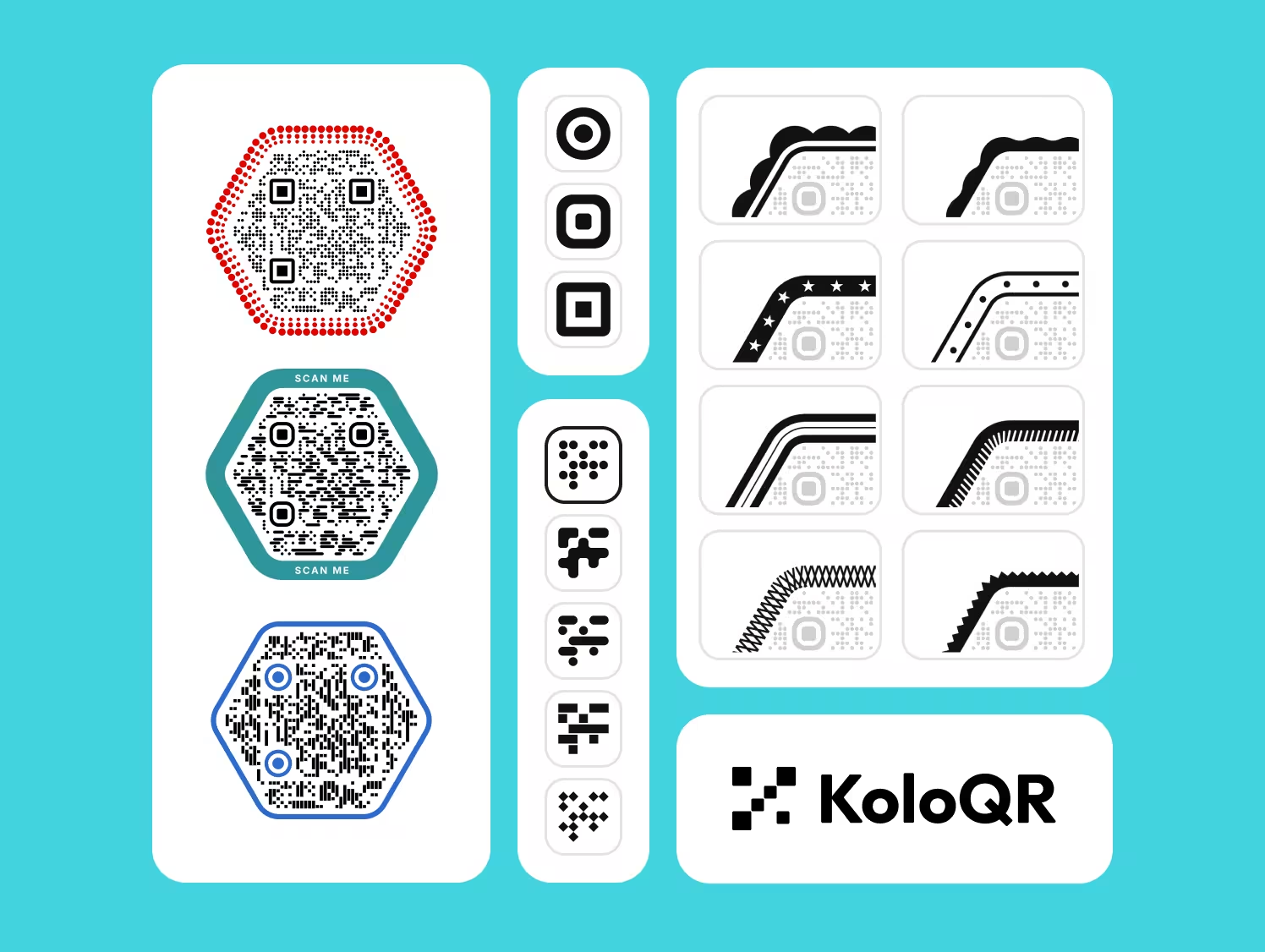
KoloQR: One Designed Code, Free and Print-Ready
KoloQR, a free QR code generator with circular and custom-shaped QR codes, is a browser editor for a single code at a time. A static QR code is a code whose destination is stored in the pattern itself, so no server sits between the scan and the page. Pick a shape, set the colors, drop in a logo, check the contrast, download the file - no account, no watermark, no payment and no per-code price.
- Every Format, No Account - KoloQR exports SVG, PDF and EPS for print and PNG for screen, all without a signup, an email address or a payment. The vector files are the ones a printer asks for, and they are not held back behind a purchase.
- Shapes Beyond the Square - KoloQR renders the whole symbol as a rectangle, circle, triangle or hexagon, not only the modules and eyes inside a square outline. A circular code fits a bottle cap, a coaster or a round table decal where a square code wastes the corners.
- Contrast Checked Before Export - KoloQR warns when the foreground and background colors are too close for a camera to separate. On a single code that saves one reprint; the same mistake in a batch of 10,000 identical designs is a much more expensive lesson.
- Open Source and Self-Hostable - KoloQR's source code is published, so the generation logic can be inspected, modified or run on your own infrastructure. Teams that cannot send a destination URL to a third-party service can generate codes without one.
What Is QR Batch? A Paid Production Line for Codes That Differ Row by Row
QR Batch is a bulk static QR code generator from Trycon, the Indian company that also publishes Scanova, QR API and Ticket Generator. Its workflow is four steps: supply the data by hand for up to 100 codes or by CSV, XLS or XLSX upload for up to 100,000, apply one design that every code in the batch shares, pay for the batch, then export. It covers five content types - website URL, plain text, vCard, serial code and random code - and its random-code generator produces up to 100,000 hard-to-guess codes, which is the feature behind most anti-counterfeit and warranty-label projects. Batches take between a few minutes and eight hours to process depending on size.
QR Batch prices per code, not per month, and there is no subscription. In August 2026 pay-as-you-go started at $0.50 per QR code image for the first ten, $0.60 for labels and $0.65 for custom-design images, with the unit price falling as the batch grows; credit packs listed at $5 for 10 codes, $23 for 100, $80 for 1,000, $187 for 10,000 and $602 for 100,000. A free account generates a batch of up to 50 static codes exported as JPG, and QR Batch states there is no free trial beyond downloading the first code of a batch for testing. The parts KoloQR has no answer to are worth naming plainly: 43 ready-made label layout sheets in square, rectangle and circle formats exported as print-ready PDF or DXF, exact output sizing in pixels, inches, centimetres or millimetres, DXF export for cutting and engraving machines, and one design applied consistently across every row of a spreadsheet. QR Batch confirms that its codes are static and permanent - encoded directly, not linked to the service - so a paid batch keeps working whether or not the account does.
Create a Free QR Code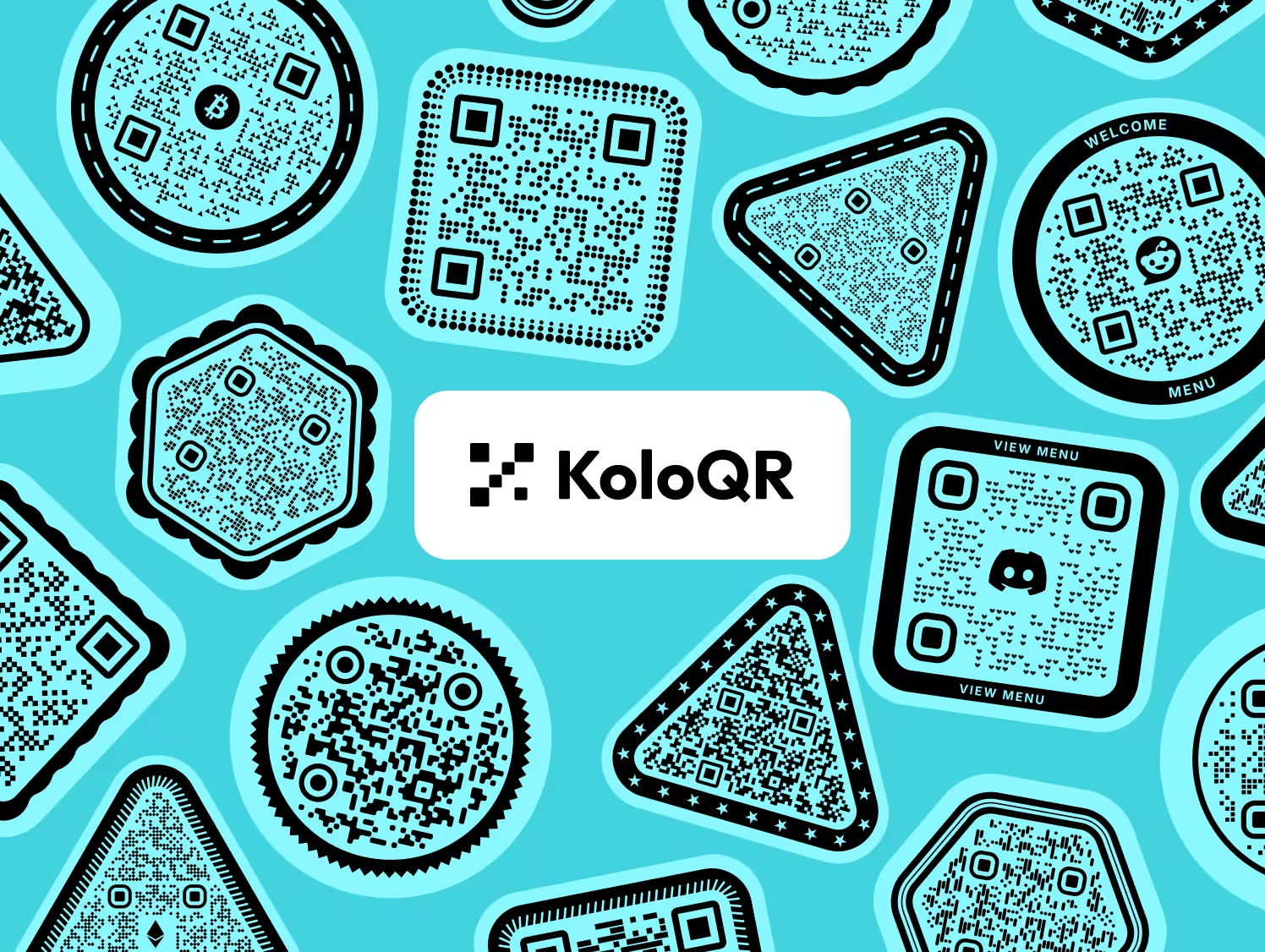
How to Choose Between a Single-Code Editor and a Bulk Generator
One question settles it: does every code carry different data? If yes, you need batch generation and KoloQR is the wrong tool. If no, you need one good file, and paying per code buys you nothing. These rules apply whichever tool you pick.
Count the Distinct Destinations Before You Count the Features
A batch generator earns its price only when the codes differ from each other. One poster reprinted 10,000 times needs one QR code file, generated once and placed in the artwork - the print run does the duplicating, not the generator. Ten thousand product boxes with a unique serial each need 10,000 different symbols, which is a spreadsheet job. Work out which of the two you have before comparing anything else.
Test One Code From the Batch Before You Pay for All of Them
QR Batch lets you download the first code of a batch for testing before purchase, and that free sample is the only chance to catch a design fault cheaply. Scan it with an iOS phone and an Android phone, at the real distance, printed at the real size. Every design decision in a QR Batch run is shared by the whole batch, so a logo that covers too much of one code covers too much of all of them.
Get an Editable Destination Without a Subscription Using Your Own Redirect
Point a static QR code at a URL on your own domain, such as example.com/menu, and configure that path as a 302 redirect to the real page. The printed code never changes; the redirect target can be edited whenever you like. Neither KoloQR nor QR Batch offers dynamic codes, so this is the only way to keep a destination editable with either tool - and it keeps working as long as you own the domain, which is not true of a platform-owned short link. The 302 matters: a browser caches a 301, so it would keep going to the old destination after you change it.
Use Serial or Random Codes, Not Sequential URLs, for Anything Unique
A sequential URL such as example.com/w/1001 tells anyone holding one code how to guess the next thousand. For warranty registration, prize codes, ticketing or anti-counterfeit labels, generate random codes instead - QR Batch's random-code category exists for this, and its output is deliberately hard to guess. Sequential numbering is fine for internal asset tags that nobody gains anything by forging.
Size the Code by Scanning Distance, Not by What Fits the Layout
As a rule of thumb, a QR code needs about 1 cm of width for every 10 cm of scanning distance, so a poster read from 3 m needs roughly 30 cm. Treat 2 cm as the absolute floor for a code scanned at arm's length and 3 cm as the safe minimum. On small labels, a longer data string is the hidden danger: more data means more modules in the same square, and each module gets smaller.
Keep the Quiet Zone Clear on Every Design
A quiet zone is the empty margin around a QR code that lets a scanner detect where the symbol begins and ends. The QR standard, ISO/IEC 18004, specifies four modules of clear space on all four sides. QR Batch adds a quiet zone by default and KoloQR keeps one intact even on circular and hexagonal codes, but a tight label layout or a decorative frame added later in artwork can still eat it.
Raise Error Correction Before Adding a Logo, Not After
Error correction is the redundancy built into a QR code that allows it to remain scannable when part of the symbol is damaged or covered. Levels L, M, Q and H recover roughly 7%, 15%, 25% and 30% of the symbol. Use level H when placing a logo in the center, keep the logo under about a quarter of the code area, and test on a real phone. On labels that will be handled, scuffed or curved around a bottle, level H buys back the margin the surface takes away.
Keep the Code Dark on Light, Never Inverted
Most smartphone cameras expect dark modules on a light background. An inverted code - light modules on a dark background - is legal in the standard but decoded inconsistently across scanner apps and phone models. If a dark brand background is unavoidable, place the code inside a light panel rather than inverting it.
Export Vector for Anything That Goes to Print
SVG, PDF and EPS are vector formats that stay sharp at any size; PNG and JPG are raster formats that soften the module edges when scaled up. JPEG compression is the worse of the two for QR codes, because it blurs exactly the hard black-to-white edges a scanner reads. Send the printer a vector, or generate the raster at final physical size and at least 300 DPI.
Print the Destination in Text Beside the Code
A short readable URL next to the QR code makes the content reachable for anyone whose camera fails, whose phone is old, or who simply does not scan codes. On a batch of unique codes, print the serial in human-readable text as well - support cannot help a customer who can only describe a square pattern. A QR code should always be the fast path to the content and never the only path.
Test the Printed Code, on Paper, Before the Full Run
Print one copy at final size on the final material and scan it with at least two phones, one iOS and one Android, at the real distance and under the real lighting. Gloss lamination under a downlight and ink spread on uncoated stock are the two failures that never appear on screen. A single test print costs less than a reprint of the whole job, and far less than a batch of 10,000 labels.
Questions? Answered
No. KoloQR creates one QR code at a time and has no spreadsheet import, no batch queue and no API. For runs where every code carries different data - serial numbers, ticket codes, one link per asset - QR Batch accepts up to 100,000 rows from a CSV, XLS or XLSX file and returns the codes as a ZIP. KoloQR is the better fit when one designed code is duplicated by the printer.
Only in a limited form. A free QR Batch account generates a batch of up to 50 static QR codes exported as JPG, and you can download the first code of any batch for testing before paying. Everything beyond that is paid per code: in August 2026 pay-as-you-go started at $0.50 per image for the first ten, with the unit price falling as the batch grows. There is no free trial and no subscription.
In August 2026 QR Batch listed a 10,000-credit pack at $187, where one credit equals one QR code, and a 100,000-credit pack at $602. Pay-as-you-go pricing for the same volume is a sliding scale that starts at $0.50 per image for the first ten codes and falls steeply with quantity. Labels and custom-design exports cost more per code than plain images.
No. QR Batch states that its codes are static, that the data is encoded directly into the symbol, and that the code is not linked to the QR Batch service in any way. A paid batch keeps working after the account lapses. KoloQR's codes are static for the same reason. With either tool, the only thing that can break a code is the destination behind it going away.
No. Both QR Batch and KoloQR produce static codes only, so the destination is fixed in the pattern once it is printed. Neither tool offers dynamic codes. If the destination has to change later, point the static code at a URL on your own domain and use a 302 redirect, or use a dynamic QR platform such as Scanova, QR Tiger or QRFY instead.
No. QR Batch customizes what is inside the symbol - eye and data patterns, colors, a center logo, a background image, frames and caption text - but the symbol outline stays square. KoloQR renders the whole code as a rectangle, circle, triangle or hexagon, which matters when the code has to sit inside a round sticker or a hexagonal label.
DXF is a CAD vector format that laser cutters, engravers and die-cutting machines read directly, which is why QR Batch offers it for both images and label sheets. KoloQR exports SVG, PDF and EPS but not DXF. If a code is being engraved into metal or cut into a physical surface, QR Batch's DXF output saves a conversion step - though most engraving software will import an SVG.
No. QR Batch states that all QR codes in a batch share the same design; only the encoded data varies row by row. To ship two designs you run two batches and pay for both. This is worth knowing before quoting a job that mixes, say, blue codes for one product line and green for another.
Use QR Batch. Unique serials are exactly what a bulk generator is for, and its serial-code and random-code categories plus 43 label layout sheets cover the whole path from spreadsheet to printable PDF. KoloQR would mean generating each code by hand. Design the look in KoloQR first if it helps - it is free - then rebuild it once in QR Batch for the run.
The four usual causes are a quiet zone eaten by a frame or label layout, a raster file enlarged past its resolution, ink spread on uncoated paper closing the gaps between modules, and gloss lamination throwing a reflection into the camera. On small labels, add a fifth: too much data packed into too small a symbol. Print one copy at final size on the final stock and test it before approving the run.

Make a Print-Ready QR Code Now, for Free
If you need one QR code rather than a spreadsheet of them, KoloQR gives you the finished file in the browser: pick a shape, set the colors, add a logo, check the contrast, download SVG, PDF, EPS or PNG. No account, no watermark, no per-code price and no expiry date on the code.
If every code in the run carries different data - serial numbers on packaging, warranty codes on inserts, one vCard per employee, a unique link per asset - KoloQR cannot generate them and QR Batch can, and we would rather say so than sell you the wrong tool. The two also combine: design the look in KoloQR to see how a shape, a logo and a color pair actually scan, then rebuild that design once in QR Batch and apply it to the whole spreadsheet. For everything else - the menu sign, the shop window, the business card, the event poster - one free code from KoloQR is the whole job.
Create Your QR CodeKeep Exploring
Pages that pick up where this one leaves off - the same setting, the same kind of code, or the next thing worth deciding.
Do QR Codes Expire? The Pattern Never Does
The pattern never expires, and four things behind it do. Which one failed, how to tell them apart, and which of them you can fix without reprinting.
Static or Dynamic? Decide It Before Anything Is Printed
The difference is where the destination lives, and price, analytics and every failure mode follow from it. Four questions that settle which one to print.
Best QR Code Generator in 2026: Six Free Tools Compared
Free resolves to three different arrangements - a code you keep, a code you rent, and a trial that ends - and the vendor's pricing page is rarely where the difference is stated.
Seven Flowcode Alternatives and What Each Replaces
Flowcode's free plan stops at 2 codes and 500 scans, and the first paid step is $25 a month - here is what seven alternatives cost, and why none of them can rescue a code that is already printed.
A Free QR Tiger Alternative, No Signup
A design-first, open-source QR generator compared with a campaign-focused tracking platform. See which one fits your project.
KoloQR vs QR Planet
Two free generators that both hand over a print-ready vector file without an account - the rarest thing in this collection. The decision comes down to whether you need a code that isn't square, or a PDF already separated into CMYK.
Why KoloQR?
- Create QR codes for websites, menus, Wi-Fi, PDFs, and business cards
- Customize colors, logos, and unique shapes
- Download high-quality PNG and SVG files
- Built for both print and digital
