
KoloQR vs QR Planet: Which Free QR Code Generator Should You Use?
KoloQR and QR Planet are the two generators in this comparison set that both give away a print-ready vector file with no account and no watermark, so the usual free-versus-paywalled argument does not apply here. KoloQR, a free QR code generator with circular and custom-shaped QR codes, exports SVG, PDF, EPS and PNG, renders the whole symbol as a rectangle, circle, triangle or hexagon, and publishes its source code. QR Planet exports SVG, EPS and PDF too, in RGB or CMYK, and states that static QR codes created on its site never expire and may be used commercially - its own FAQ says you can create as many static QR Codes as you like without registering. Behind that generator sits a QR management platform run from Vienna: dynamic codes, landing pages, scan analytics and GDPR paperwork, with a free account capped at 100 scans a day. Choose on two questions, not on price: does the code have to be a shape other than a square, and does the printer want CMYK.
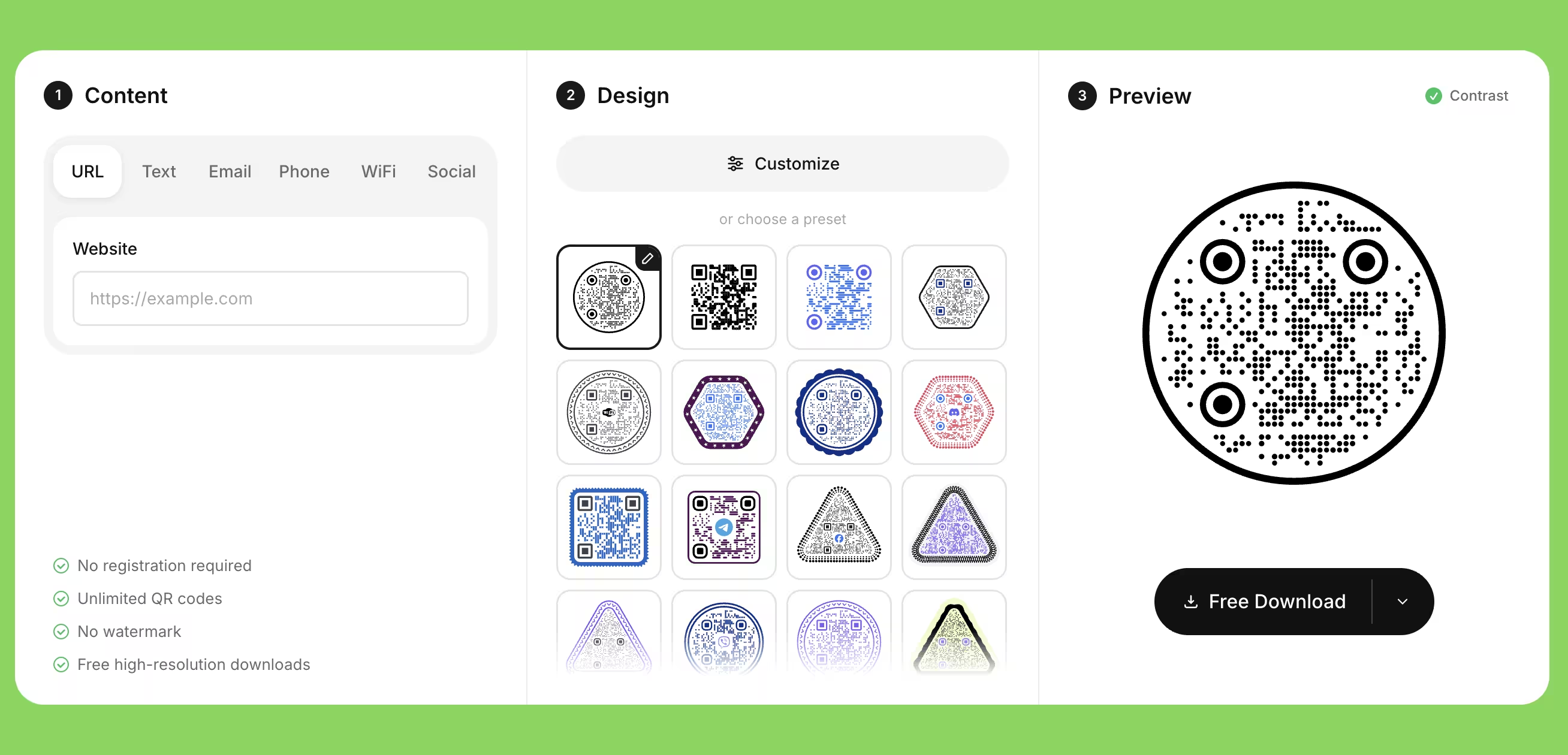
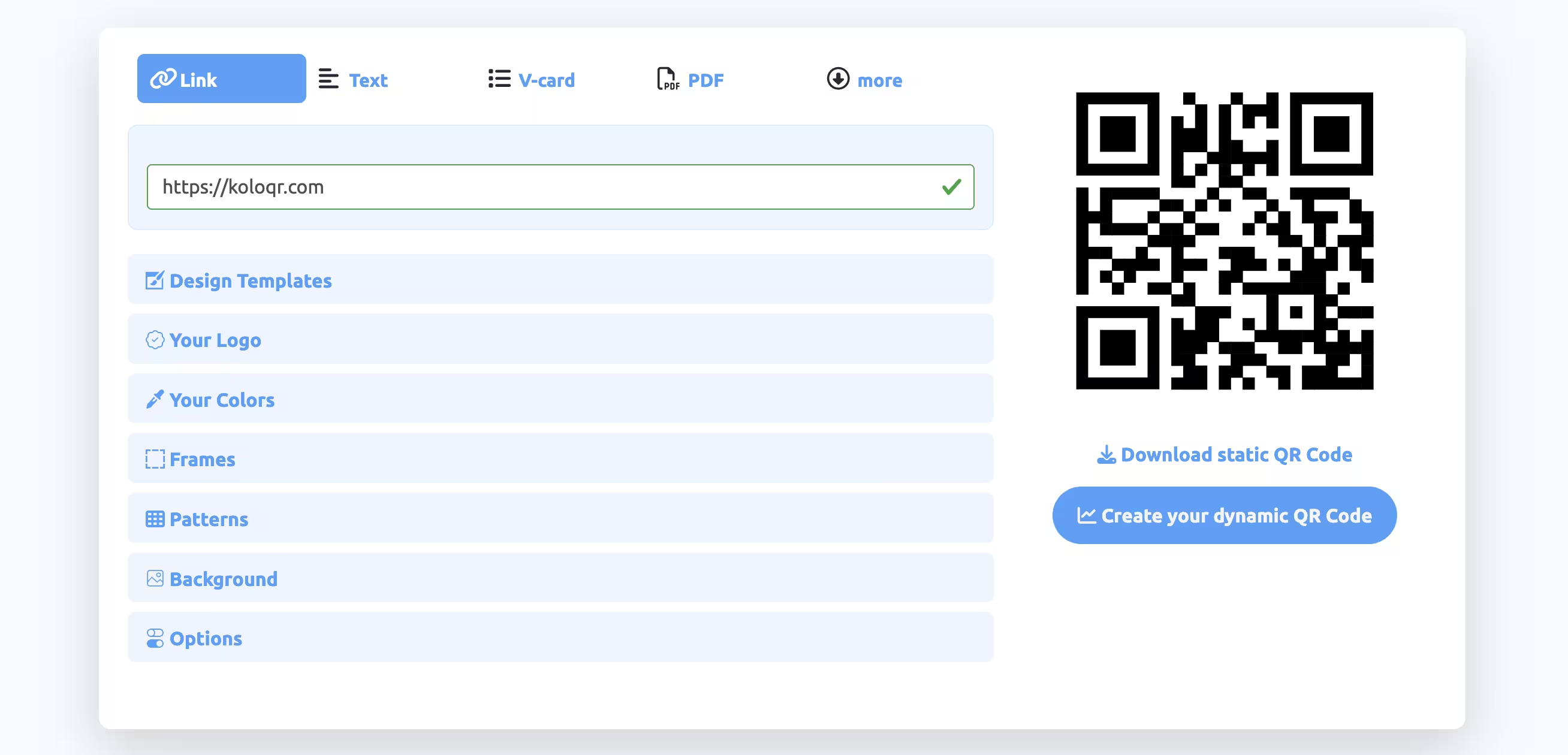
Feature Comparison
These rows cover the free design and export workflow, which is where the two tools overlap most. They do not cover dynamic codes, landing pages, scan analytics, team seats or the API - QR Planet sells all five and KoloQR offers none of them, and the overview under the table sets that out in full. Verified against qrplanet.com in August 2026.
Downloads Without Signup (All Formats)
Download QR codes in all available formats without creating an account. QR Planet does the same for static codes: its FAQ states you can create as many static QR Codes as you like without registering, vector formats included.
KoloQRYesQR PlanetYesOpen Source
Inspect, modify, and self-host the source code. QR Planet is proprietary hosted software, run by QR Planet GmbH in Vienna.
KoloQRYesQR PlanetNoCustom QR Shapes
Create rectangular, circular, triangular, and hexagonal QR codes. QR Planet restyles the body, eye and eyeball inside the symbol; the outline of the code itself stays square.
KoloQRYesQR PlanetNoPremium QR Frames
Ready-to-use designer QR frames. QR Planet's frames come with or without a label and let you set the call-to-action text, its font and the frame colour.
KoloQRYesQR PlanetYesVector Export
Export SVG, PDF, and EPS for professional printing. QR Planet exports the same three and adds a CMYK colour space, which KoloQR does not offer - its files are RGB.
KoloQRYesQR PlanetYesCopy to Figma
Copy QR codes directly into Figma. A QR Planet code reaches a design file as a downloaded SVG placed by hand.
KoloQRYesQR PlanetNoChrome Extension
Create QR codes from any webpage. QR Planet's generator runs on its website; no QR Planet extension is listed on the Chrome Web Store.
KoloQRYesQR PlanetNoContrast Checker
Ensure your QR code has enough contrast for reliable scanning. QR Planet's help advises using contrasting colours, but the generator does not measure the pair you chose.
KoloQRYesQR PlanetNo
What Each Tool Is Actually Built to Do
KoloQR is a design and export tool that gives the file away and nothing else. QR Planet is a QR management platform whose free static generator is unusually complete. Both hand over vector; what differs is the shape of the code and the colour space of the file.
KoloQR: A Free Static Generator That Changes the Shape of the Code
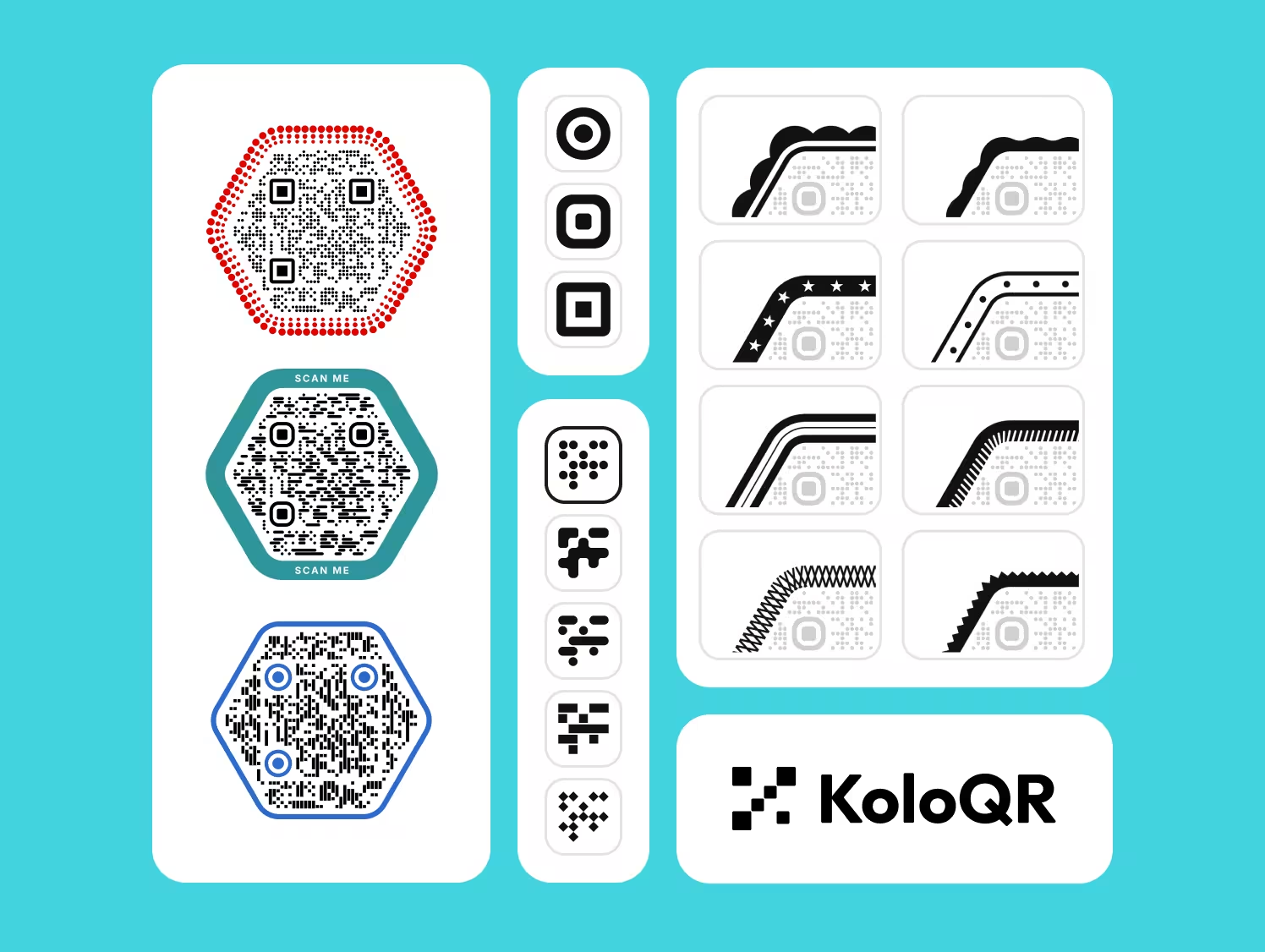
KoloQR, a free QR code generator with circular and custom-shaped QR codes, encodes the destination directly into the symbol and hands you the file. A static QR code is a code whose destination is stored in the pattern itself, so no server sits between the scan and the page. Nothing counts the scans, nothing can deactivate the code, and no account exists to lose access to: a KoloQR code works for as long as the URL it points at works.
- Shapes Beyond the Square - KoloQR renders the whole symbol as a rectangle, circle, triangle or hexagon, not only the modules and eyes inside a square outline. A circular code fits a bottle cap, a coaster or a round table decal where a square code wastes the corners.
- Every Format, No Account - KoloQR exports SVG, PDF and EPS for print and PNG for screen, all without a signup, an email address or a payment. The vector files are the ones a printer asks for, and no format is held back for a paid tier.
- Open Source and Self-Hostable - KoloQR's source code is published, so the generation logic can be inspected, modified or run on your own infrastructure. Teams that cannot send a destination URL to a third-party service can generate codes without one.
- Checks Built Into the Editor - KoloQR measures the contrast between the code colour and its background while you design, and copies the finished code straight into Figma. Both save the round trip of exporting a file, placing it, and finding out on the proof that the pair was too close.
What Is QR Planet? A Vienna Platform With an Unusually Complete Free Generator
QR Planet is run by QR Planet GmbH from Vienna, with a second office in Barcelona, and traces back to qrd.by, which merged into the QR Planet brand in January 2023. Its free static generator gives away more than most: 15-plus code types including Wi-Fi, vCard, PDF and cryptocurrency, body, eye and eyeball shapes, gradients, a logo, ready-made templates, and frames whose call-to-action label, font and colour you set yourself. The download is vector - SVG, EPS or PDF - in RGB or CMYK, and QR Planet states that static QR Codes created with our service never expire and that codes made on the site can be used free of charge and commercially. On CMYK output QR Planet is ahead of KoloQR, whose exports are RGB.
The paid product at QR Planet is the account, not the file. Signing in adds dynamic QR codes whose destination can be changed after printing, hosted landing pages, scan statistics covering unique visitors, devices and location, and e-mail alerts on scans - none of which KoloQR does. The free account is small on purpose: 1 QR code, 1 landing page, 25 MB of webspace, and QR Planet states that 100 QR Code scans are possible per day with the free account, with dynamic codes in free accounts not expiring if they are scanned less than 50 times per day. Above it sit Starter, Premium and White Label tiers by code count, and an Enterprise plan from 250 EUR a month; the pricing terms in August 2026 read 15-days trial, no monthly billing and a minimum term of 3 months. Read that last line before you start a trial - the commitment is quarterly, not monthly.
Create a Free QR Code
How to Choose Between Two Free QR Code Generators
When both tools are free and both export vector, price stops being the deciding factor and the file itself becomes it. These rules apply whichever generator you use.
Ask the Printer for the Colour Space Before You Export
CMYK is the four-ink colour space commercial presses print in; RGB is the additive colour space screens display in. A print shop that wants CMYK artwork can take a QR Planet PDF as it is, while a KoloQR SVG or PDF arrives in RGB and has to be converted. For a code printed in flat black the conversion is trivial - set the dark colour to 100% K and nothing else - but for a coloured or gradient code, ask first, because an uncontrolled conversion is where module edges pick up a colour fringe.
Decide Whether the Code Has to Be Square
If the code sits in a rectangle on a flyer, a menu or a business card, both tools are equally capable and the question never comes up. If it has to sit inside a round sticker, a bottle cap, a hexagonal label or a circular badge, only a generator that reshapes the whole symbol will do - QR Planet restyles the modules and eyes but keeps the outline square. Decide this before designing, because it is not a setting you can change at export.
Size the Code by Scanning Distance, Not by What Fits the Layout
As a rule of thumb, the ratio between scanning distance and QR code size is 10:1 - QR Planet publishes the same figure and gives 20 × 20 mm as the minimum for a code read from 20 cm, and 1 square metre for one read from 10 m. Treat 2 cm as the absolute floor for a short-range code and 3 cm as the safe one, and measure the real reading distance rather than guessing it from the mock-up.
Keep the Quiet Zone Clear on Every Design
A quiet zone is the empty margin around a QR code that lets a scanner detect where the symbol begins and ends. The QR standard, ISO/IEC 18004, specifies four modules of clear space on all four sides, and QR Planet's print guidance repeats it as about 4 blocks in the code's own background colour. Decorative frames, background images and tight layouts are the most common cause of a code that scans in the design file and fails on the printed sheet.
Raise Error Correction Before Adding a Logo, Not After
Error correction is the redundancy built into a QR code that allows it to remain scannable when part of the symbol is damaged or covered. Levels L, M, Q and H recover roughly 7%, 15%, 25% and 30% of the symbol. QR Planet sets the level to its highest value automatically when a logo is placed and says the logo may take up to 30% of the surface at level H; treat a quarter of the area as the working ceiling and keep the logo off the three corner eyes.
Add One Design Element at a Time and Rescan After Each
Gradients, patterned modules, rounded eyes, a logo and a frame each remove a little of the contrast a camera relies on, and QR Planet states the point plainly: the more designer elements you add to the QR code, the more difficult the QR code becomes to read. Scan after every change rather than at the end, so the element that broke it is the last one you added instead of one of five suspects.
Get an Editable Destination Without a Subscription Using Your Own Redirect
Point a static QR code at a URL on your own domain, such as example.com/menu, and configure that path as a 302 redirect to the real page. The printed code never changes; the redirect target can be edited whenever you like. This gives you the main benefit of a dynamic code without a recurring fee, and the redirect keeps working as long as you own the domain - which is not true of a platform-owned short link. The 302 matters: a browser caches a 301, so it would keep going to the old destination after you change it.
Check the Scan Allowance Before You Print a Dynamic Code
A dynamic QR code routes every scan through the provider's server, so the provider's limits are your limits. QR Planet's free account allows 100 QR code scans a day; other platforms count per month. Estimate the scans your print run will generate on its busiest day, not its average one, and buy the tier that covers the peak - a code that stops resolving on the one day the campaign works is the expensive failure.
Avoid EPS When the Code Uses a Gradient
EPS does not carry gradients as true vector artwork, which is why QR Planet recommends PDF or SVG for gradient codes and reserves EPS for flat black and white. If a print workflow insists on EPS and the design has a gradient, either flatten the gradient to a single dark colour or supply a PDF instead. A gradient that survives the export but not the RIP is discovered on the proof, not on screen.
Print One Copy at Final Size Before the Full Run
Print a single copy at the final size on the final material and scan it with at least two phones, one iOS and one Android, at the real distance and under the real lighting. QR Planet's own advice is to always do scan tests before printing QR codes in high volume, and its help warns off reflective surfaces, materials that crease and strongly curved objects. Gloss lamination under a downlight and ink spread on uncoated stock are the two failures that never appear on screen.
Questions? Answered
Yes, for static codes. QR Planet states that you can create as many static QR Codes as you like without registering, that static QR Codes created with our service never expire, and that codes made on the site can be used free of charge and commercially. The vector download is included. The free account, which is a separate thing, is limited to 1 QR code and 100 scans a day.
No. KoloQR's SVG, PDF and EPS exports are RGB, so a press that wants CMYK artwork needs the file converted - trivial for a flat black code, worth checking for a coloured or gradient one. QR Planet exports vector in CMYK as well as RGB and is the better choice when the print shop insists on separations in the supplied file.
No. QR Planet's designer changes the body, eye and eyeball shapes inside the code, along with colors, gradients, a logo and a frame, but the symbol's outline stays square. KoloQR renders the entire code as a rectangle, circle, triangle or hexagon, which is what matters when the code has to fill a round sticker or a hexagonal label rather than sit in a square box inside one.
QR Planet's free plan lists 1 QR code, 1 landing page and 25 MB of webspace, with paid Starter, Premium and White Label tiers stepping up to 5, 100 and 250 codes, and Enterprise from 250 EUR a month. The terms shown in August 2026 state a 15-day trial with no credit card, no monthly billing and a minimum term of 3 months, with about 20% off for annual billing.
For a menu at a stable URL, either generator works and neither costs anything - point the code at your own domain so you keep the ability to redirect it later. Choose QR Planet if the menu link changes seasonally and you want scan numbers per table tent. Choose KoloQR if the code has to be round, hexagonal or otherwise shaped to the table stand it sits in.
Static codes keep working, because the destination is inside the pattern and no server is involved in a scan. Dynamic codes are the ones at risk: every scan is a request to QR Planet, so anything that ends the account or exceeds the plan's scan allowance affects the printed sheet. Confirm the current terms with QR Planet before printing a run that depends on a dynamic code.
No. KoloQR generates static QR codes and has no analytics layer, no dashboard and no account, so nothing is recorded on our side. If you need scan counts, either use a platform such as QR Planet, or point a static code at a URL on your own site and read the visits in your existing web analytics. The second option gives you page visits rather than true scan counts.
A gradient lowers the contrast between the dark modules and the light background at one end of the code, and a camera needs that contrast across the whole symbol. Keep both ends of the gradient clearly dark against the background, or apply it to a light background rather than the modules. Note also that EPS does not store gradients as true vector, so a gradient code should be exported as SVG or PDF.
Send PDF unless the printer asks otherwise: it carries vector artwork, embeds colour information reliably and opens in every prepress tool. SVG is the better file for web use and for design tools, and EPS suits older print workflows and flat black and white codes. All three stay sharp at any size, which a PNG does not - a raster file enlarged past its pixel count softens the module edges first.
Yes. QR Planet states that codes created on its website can be used free of charge and commercially, and KoloQR places no licence conditions on the codes it generates. The QR code format itself is covered by ISO/IEC 18004 and is free to use - Denso Wave, which invented it, does not charge for the specification. Check the licence on any logo you place in the middle, which is a separate question.

Design Your QR Code and Download the Vector, Free
If the destination is not going to change, KoloQR gives you the finished file in the browser: pick a shape - rectangle, circle, triangle or hexagon - set the colors, add a logo, check the contrast, then download SVG, PDF, EPS or PNG. No account, no watermark, no scan counter and no expiry date on the code.
If your printer needs CMYK separations in the file itself, QR Planet's free generator produces them and KoloQR does not - that is a real reason to use the other tool, and we would rather say so than watch a proof come back wrong. The same goes for re-pointing a code after it is printed, hosted landing pages or scan statistics: those are what a QR platform is for. A middle path worth trying first is a free static code pointed at a redirect URL on your own domain, which keeps the destination editable without a subscription and costs nothing if the campaign never needs analytics.
Create Your QR CodeKeep Exploring
Pages that pick up where this one leaves off - the same setting, the same kind of code, or the next thing worth deciding.
Do QR Codes Expire? The Pattern Never Does
The pattern never expires, and four things behind it do. Which one failed, how to tell them apart, and which of them you can fix without reprinting.
Static or Dynamic? Decide It Before Anything Is Printed
The difference is where the destination lives, and price, analytics and every failure mode follow from it. Four questions that settle which one to print.
Best QR Code Generator in 2026: Six Free Tools Compared
Free resolves to three different arrangements - a code you keep, a code you rent, and a trial that ends - and the vendor's pricing page is rarely where the difference is stated.
Seven Flowcode Alternatives and What Each Replaces
Flowcode's free plan stops at 2 codes and 500 scans, and the first paid step is $25 a month - here is what seven alternatives cost, and why none of them can rescue a code that is already printed.
A Free QR Tiger Alternative, No Signup
A design-first, open-source QR generator compared with a campaign-focused tracking platform. See which one fits your project.
KoloQR vs Bitly
A free open-source generator that hands you a finished vector file, compared with the best-known link platform, whose QR code is a bit.ly short link drawn as a symbol. The deciding question is whether your printed code should depend on someone else's server.
Why KoloQR?
- Create QR codes for websites, menus, Wi-Fi, PDFs, and business cards
- Customize colors, logos, and unique shapes
- Download high-quality PNG and SVG files
- Built for both print and digital
