
KoloQR vs Pageloot: Which QR Code Generator Fits Your Job?
KoloQR and Pageloot both start the same way - a QR code designed in the browser, downloaded in seconds - and then go in opposite directions. KoloQR, a free QR code generator with circular and custom-shaped QR codes, exports SVG, PDF, EPS and PNG with no account, renders the whole symbol as a rectangle, circle, triangle or hexagon, and publishes its source code. Pageloot is a subscription QR platform run by Pageloot OÜ from Tallinn, Estonia: its free generator makes a static code without signup, and its paid plans add dynamic codes you can re-point after printing, scan analytics down to city level, hosted QR pages and file hosting. The practical difference at the download button is that Pageloot's free tier hands over a PNG, while its own plan table puts PDF on the paid tiers and SVG from Premium up. Decide on two questions: does the destination need to change after the code is printed, and does the artwork need to be vector and non-square.
Feature Comparison
These rows cover the design and export workflow, which is the part of the two tools that overlaps. They do not cover dynamic codes, editable destinations, scan analytics, hosted QR pages or file hosting - Pageloot sells all five and KoloQR offers none of them, and the overview under the table sets that out in full. Checked against pageloot.com in August 2026.
Downloads Without Signup (All Formats)
Download QR codes in all available formats without creating an account. Pageloot's free generator downloads a PNG without an account; its plan table lists PDF export on the paid tiers and SVG from Premium up.
KoloQRYesPagelootNoOpen Source
Inspect, modify, and self-host the source code. Pageloot is proprietary hosted software, run by Pageloot OÜ from Tallinn, Estonia.
KoloQRYesPagelootNoCustom QR Shapes
Create rectangular, circular, triangular, and hexagonal QR codes. Pageloot restyles the dots and corner eyes - square, round, dash, stripe, pixel or diamond - inside an outline that stays square.
KoloQRYesPagelootNoPremium QR Frames
Ready-to-use designer QR frames. Pageloot's frames carry a call-to-action line of up to 30 characters, with the wider frame choice reserved for its higher plans.
KoloQRYesPagelootYesVector Export
Export SVG, PDF, and EPS for professional printing. Pageloot exports PDF on its paid plans and SVG from Premium up; EPS is not among the formats it lists.
KoloQRYesPagelootYesCopy to Figma
Copy QR codes directly into Figma. A Pageloot code reaches a design file as a downloaded PNG or SVG placed by hand.
KoloQRYesPagelootNoChrome Extension
Create QR codes from any webpage. Pageloot's generator runs on its website; no Pageloot extension is listed on the Chrome Web Store.
KoloQRYesPagelootNoContrast Checker
Ensure your QR code has enough contrast for reliable scanning. Pageloot lists readability scores - instant feedback on contrast and colors - as a feature of its paid plans rather than of the free generator.
KoloQRYesPagelootPaid plans
What Each Tool Is Actually Built to Do
KoloQR is a design and export tool that gives the file away and keeps nothing. Pageloot is a QR management platform sold by subscription, with a free static generator as its entry point. One ends at the download; the other begins there.
KoloQR: A Free Static Generator That Ends at the Download
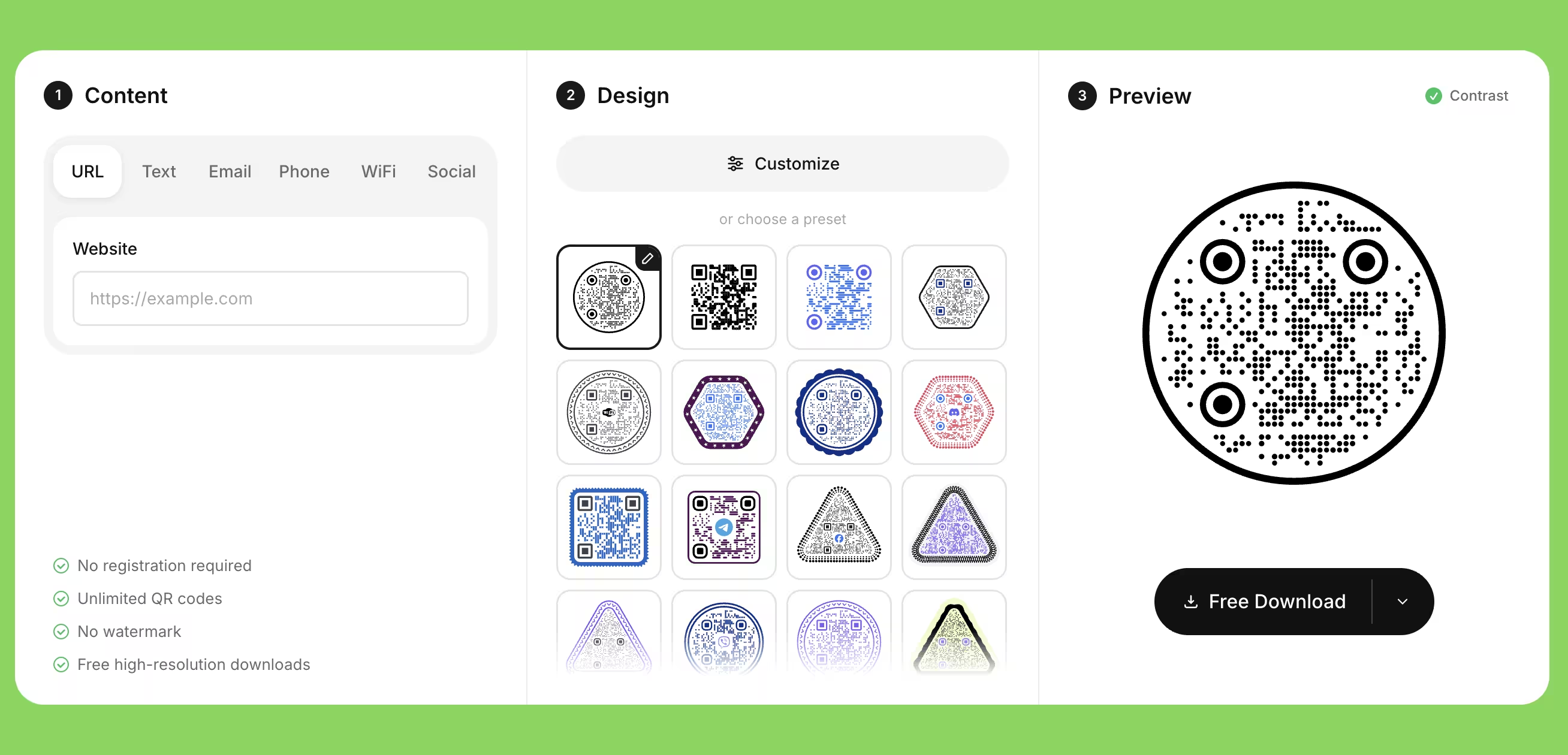
KoloQR, a free QR code generator with circular and custom-shaped QR codes, encodes the destination directly into the symbol and hands you the file. A static QR code is a code whose destination is stored in the pattern itself, so no server sits between the scan and the page. Nothing counts the scans, nothing can deactivate the code, and there is no account to lose access to: a KoloQR code keeps working for as long as the URL it points at works.
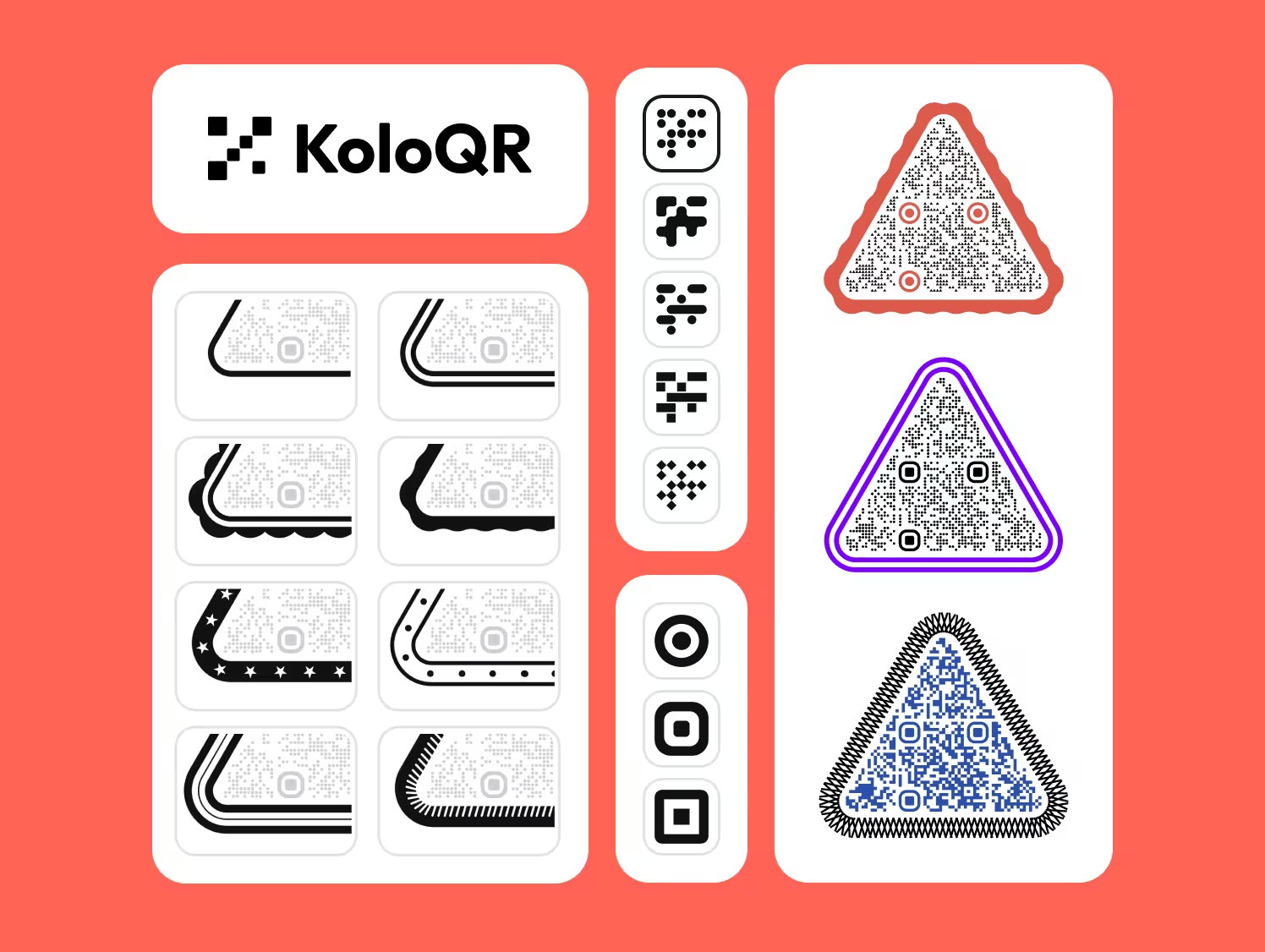
- Shapes Beyond the Square - KoloQR renders the whole symbol as a rectangle, circle, triangle or hexagon, not only the dots and eyes inside a square outline. A circular code fits a bottle cap, a coaster or a round table decal where a square code wastes the corners.
- Every Format, No Account - KoloQR exports SVG, PDF and EPS for print and PNG for screen, with no signup, no email address and no payment. The vector files are the ones a printer asks for, and no format is held back for a paid tier.
- Open Source and Self-Hostable - KoloQR's source code is published, so the generation logic can be inspected, modified or run on your own infrastructure. Teams that cannot send a destination URL to a third-party service can generate codes without one.
- Checks Built Into the Editor - KoloQR measures the contrast between the code colour and its background while you design, and copies the finished code straight into Figma. Both save the round trip of exporting a file, placing it, and finding out on the proof that the two colours were too close.
What Is Pageloot? A Subscription QR Platform With a Free Front Door
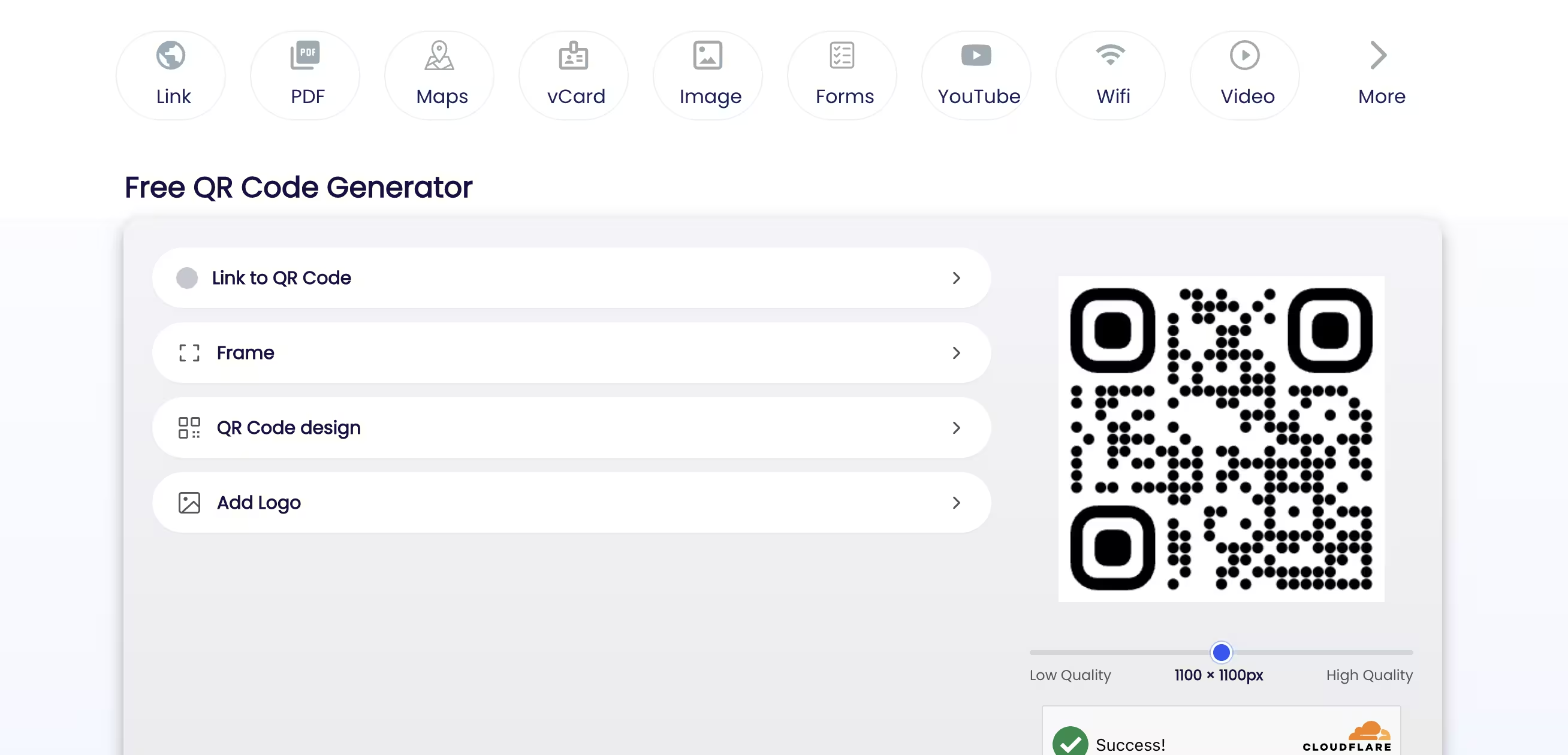
Pageloot is run by Pageloot OÜ from Tallinn, Estonia, was founded in 2019, and says it is trusted by 20,000+ companies in 110 countries. Its free generator needs no account and makes a static code from more than 25 content types, including link, PDF, image, video, vCard, Wi-Fi, maps and forms. The editor is a capable one: dot styles square, round, dash, stripe, pixel and diamond, separate styling for the corner frames and balls, solid or gradient colours in four gradient directions, a transparent background, an uploaded logo, and a frame with a call-to-action line of up to 30 characters. The free download is a PNG at up to 1100 × 1100 pixels; the PDF and SVG buttons lead to a plan.
The subscription is where Pageloot's real product lives, and it does several things KoloQR does not do at all. Paid plans add dynamic QR codes whose destination can be edited after printing, scan tracking with country-level data on every tier and city-level and device data higher up, CSV export of that data, hosted QR pages for link-in-bio, vCard and app-store routing, file hosting from 50 MB to 750 MB, folders, bulk print export and an ad-free scan experience. The plans are sized by active codes and annual scans - Pageloot lists 2 codes and 15,000 scans a year on Starter, 60 and 50,000 on Premium, 300 and 250,000 on Pro, and unlimited on its Custom tier - with scan history running from 60 days on Starter to a year on Pro. Billing is roughly €60 a year for Starter, €144 for Premium and €432 for Pro, with a noticeably higher month-to-month rate, a 14-day trial that asks for no card, a 30-day money-back guarantee and a lifetime deal advertised from time to time. Pageloot's own troubleshooting page states the trade-off plainly: a disabled code can only happen if you were using a paid version, and the QR code will work as long as your subscription is active.
Create a Free QR Code
How to Choose Between a Free Generator and a QR Subscription
The choice is decided by the destination, not by the design. These rules apply whichever of the two tools you use, and they are the ones that prevent an expensive reprint.
Decide Whether the Destination Will Ever Change
A static QR code stores the destination in the pattern, so changing it means printing a new code. A dynamic QR code stores a redirect URL, so the destination can be edited afterwards - which is what Pageloot's paid plans are for. Ask one question about the print run: if this URL turned out to be wrong six months from now, would I reprint or would I be stuck. A poster reprinted every season can be static; 5,000 stickers already applied to product cannot.
Use Your Own Redirect Instead of a Subscription Where You Can
Point a static QR code at a URL on your own domain, such as example.com/menu, and configure that path as a 302 redirect to the real page. The printed code never changes; the redirect target can be edited whenever you like. This gives you the main benefit of a dynamic code without a recurring fee, and the redirect keeps working for as long as you own the domain - which is not true of a platform-owned short link. Choose the platform instead when you need per-scan data that a web analytics tool cannot infer. The 302 matters: a browser caches a 301, so it would keep going to the old destination after you change it.
Check What the Free Tier Actually Downloads Before You Design
Free QR code generators differ less in the editor than at the download button. Pageloot's free generator gives a PNG, and its plan table lists PDF export on the paid tiers and SVG from Premium up; KoloQR gives SVG, PDF, EPS and PNG with no account. Find out which file you will end up with before spending twenty minutes on colours, because a PNG at 1100 pixels is fine for a business card and short of what a large-format printer wants.
Send Vector to the Printer and Keep the PNG for Screens
A vector file stores the QR code as shapes, so it stays sharp at any size; a PNG stores it as pixels and softens at the module edges once it is enlarged past its pixel count. Send PDF unless the print shop asks otherwise, use SVG for design tools and the web, and keep PNG for email signatures, slides and social posts. A 1100 × 1100 pixel PNG prints cleanly at about 9 cm at 300 dpi and no larger.
Size the Code by Scanning Distance, Not by What Fits the Layout
As a rule of thumb, the ratio between scanning distance and QR code size is about 10:1, so a code read from 30 cm needs roughly 3 cm across and one read from 3 m needs roughly 30 cm. Treat 2 cm as the absolute floor for a short-range printed code and 3 cm as the safe one. Measure the real reading distance in the room rather than estimating it from the mock-up, where everything looks close.
Keep the Quiet Zone Clear on Every Design
A quiet zone is the empty margin around a QR code that lets a scanner detect where the symbol begins and ends. The QR standard, ISO/IEC 18004, specifies four modules of clear space on all four sides, in the code's own background colour. Decorative frames, background photographs and tight layouts are the most common cause of a code that scans in the design file and fails on the printed sheet - and a call-to-action frame is exactly the element that tends to eat the margin.
Raise Error Correction Before Adding a Logo, Not After
Error correction is the redundancy built into a QR code that allows it to remain scannable when part of the symbol is damaged or covered. Levels L, M, Q and H recover roughly 7%, 15%, 25% and 30% of the symbol. Set the level to H before placing a logo, keep the logo to about a quarter of the code's area rather than the theoretical 30%, and keep it clear of the three corner eyes, which carry the position patterns a camera locks onto first.
Treat Gradients and Dot Styles as Contrast Decisions
Dash, stripe and pixel dot styles thin the dark modules, and a gradient lightens one end of the code, so both reduce the contrast a camera relies on even though the symbol still looks correct on screen. Keep the darkest and the lightest point of the code clearly separated, and apply gradients to the background rather than to the modules where you can. Add one styling element at a time and rescan after each, so the change that broke it is the last one you made.
Estimate Scans on the Busiest Day, Not the Average One
A dynamic QR code routes every scan through the provider's server, so the provider's allowance is your ceiling. Pageloot counts scans per year - 15,000 on Starter, 50,000 on Premium, 250,000 on Pro - and a campaign that works usually spends its allowance in bursts rather than evenly. Estimate the peak week, not the yearly average, and buy the tier that covers it. A code that stops resolving on the one day the campaign lands is the expensive failure.
Print One Copy at Final Size Before the Full Run
Print a single copy at the final size on the final material and scan it with at least two phones, one iOS and one Android, at the real distance and under the real lighting. Gloss lamination under a downlight and ink spread on uncoated stock are the two failures that never appear on screen. Test the destination page on mobile data as well as Wi-Fi, since a scan that resolves to a page that will not load reads to the customer as a broken code.
Questions? Answered
The static generator is free and needs no account: choose a type, design the code and download a PNG at up to 1100 × 1100 pixels, with no expiry on the code. Vector output and everything else is paid - Pageloot's plan table lists PDF export on its paid tiers and SVG from Premium up, alongside dynamic codes, analytics and hosted QR pages.
No to both. KoloQR generates static QR codes with no account and no server in the scan path, so there is nothing to record scans and nothing to re-point. If you need either, Pageloot is the right tool. The middle path is a static code pointed at a redirect on your own domain: the destination stays editable, and your web analytics counts the visits.
No. Pageloot's editor changes the dot style - square, round, dash, stripe, pixel or diamond - along with the corner frames and balls, colours, gradients, a logo and a frame, but the outline of the code stays square. KoloQR renders the entire symbol as a rectangle, circle, triangle or hexagon, which is what matters when the code has to fill a round sticker rather than sit in a square box inside one.
Pageloot's plans are sized by active codes and annual scans: Starter at 2 codes and 15,000 scans, Premium at 60 and 50,000, Pro at 300 and 250,000, and a Custom tier with no cap. Billed yearly that works out at roughly €60, €144 and €432, with a considerably higher month-to-month rate. There is a 14-day trial with no card, a 30-day money-back guarantee, and a lifetime deal offered periodically.
Dynamic codes depend on the subscription. Pageloot's own troubleshooting page states that a disabled code can only happen if you were using a paid version and that the QR code will work as long as your subscription is active. A static code downloaded from the free generator has no such dependency, because the destination is inside the pattern. Print dynamic codes only where a reprint would be cheap.
Pageloot if the menu link changes seasonally or you want scan counts per table tent, since editing the destination without reprinting is exactly what it sells. KoloQR if the menu URL is stable and the code needs to be round, hexagonal or sized for a specific table stand. Either way, point the code at your own domain so you keep the option to redirect it later.
Yes. Pageloot's free static codes carry no expiry and are meant to be used, and KoloQR places no licence conditions on the codes it generates. The QR code format itself is specified by ISO/IEC 18004 and is free to use - Denso Wave, which invented it, does not charge for the specification. The separate question worth checking is the licence on any logo you place in the middle.
Almost always size, quiet zone or ink. A code that is comfortable at 4 cm on a monitor may be printed at 1.5 cm, the four-module margin is often cropped by a frame or a bleed, and ink spread on uncoated stock thickens the dark modules until the light ones close up. Print one copy at final size on the final material and scan it before committing to the run.
It depends entirely on the printed size. At 300 dpi, 1100 pixels covers about 9 cm across, which is plenty for a business card, a flyer or a table tent and short of what a poster or a vehicle wrap needs. Above roughly 9 cm the module edges start to soften. Use a vector file - SVG, PDF or EPS - whenever the final size is not fixed at the moment you export.
A static code cannot be moved, because its destination is fixed in the pattern - switching tools means a new code and a reprint. A dynamic code cannot be moved either, since the short URL belongs to the platform. The one design that survives a change of tool is a code pointing at a URL on your own domain: any generator can encode it, and the redirect is yours to re-aim.

Design Your QR Code and Download the Vector, Free
If the destination is not going to change, KoloQR gives you the finished file in the browser: pick a shape - rectangle, circle, triangle or hexagon - set the colors, add a logo, check the contrast, then download SVG, PDF, EPS or PNG. No account, no watermark, no scan counter and no subscription that the code depends on.
If you do need to re-point a printed code, count scans by city, host a vCard or link-in-bio page, or hand a client a report, Pageloot sells all of that and KoloQR builds none of it - that is a real reason to choose the other tool, and we would rather say so than have you find out after buying. Worth trying first, though: a free static code pointed at a redirect URL on your own domain keeps the destination editable without a recurring fee, and your existing web analytics will show the visits even if it cannot separate a scan from a click.
Create Your QR CodeKeep Exploring
Pages that pick up where this one leaves off - the same setting, the same kind of code, or the next thing worth deciding.
Do QR Codes Expire? The Pattern Never Does
The pattern never expires, and four things behind it do. Which one failed, how to tell them apart, and which of them you can fix without reprinting.
Static or Dynamic? Decide It Before Anything Is Printed
The difference is where the destination lives, and price, analytics and every failure mode follow from it. Four questions that settle which one to print.
Best QR Code Generator in 2026: Six Free Tools Compared
Free resolves to three different arrangements - a code you keep, a code you rent, and a trial that ends - and the vendor's pricing page is rarely where the difference is stated.
Seven Flowcode Alternatives and What Each Replaces
Flowcode's free plan stops at 2 codes and 500 scans, and the first paid step is $25 a month - here is what seven alternatives cost, and why none of them can rescue a code that is already printed.
A Free QR Tiger Alternative, No Signup
A design-first, open-source QR generator compared with a campaign-focused tracking platform. See which one fits your project.
KoloQR vs Adobe Express
A dedicated QR code generator against a full design application with a QR code quick action bolted on. The question is not which is better software - it is whether the code or the layout around it is the part you actually need help with.
Why KoloQR?
- Create QR codes for websites, menus, Wi-Fi, PDFs, and business cards
- Customize colors, logos, and unique shapes
- Download high-quality PNG and SVG files
- Built for both print and digital
