どんなリンクも、スキャンできるQRコードに
ウェブアドレスを貼り付け、ブランドに合わせてデザインし、1回のタップでページが開くQRコードをダウンロード。スキャンする人にアプリは必要ありません。
Google マップで開きます。座標でも構いません(37.4224, -122.0841)。
ビジネスの「クチコミを書く」フォームが開きます。プレイス ID か、それを含む Google マップのリンクを貼り付けてください。
UPI リンクにはチェックサムがありません。ID を打ち間違えると、問題なく読み取れるのに別人へ支払われるコードになります。決済アプリから ID を貼り付け、印刷前に自分宛てに 1 ルピー送って確認してください。
コピーしたまま貼り付けてください。KoloQR はペイロードを組み立てません。銀行が発行したものをそのまま符号化し、印刷前に検査します。
SVG・PNG・JPG • 最大2MB
初月無料
以降 $9/月
動的QRコード、まもなく登場
印刷後でも、リンクをいつでも変更できます。誰が、いつ、どこでスキャンしたかもわかります。
- 印刷し直さずに編集
- スキャン分析
- 一括作成と独自ドメイン
登録が完了しました
スキャン分析つきの動的コードのリリース時に、1 通だけメールでお知らせします。
URL QRコードとは?
URL QRコードは、ウェブアドレスを保存したQRコードです。スマホのカメラでスキャンすると、ブラウザがそのリンクを自動で開くので、入力は不要です。最も一般的なQRコードの種類で、印刷物・パッケージ・現実の場所を、あらゆるオンラインのページにつなぎます。
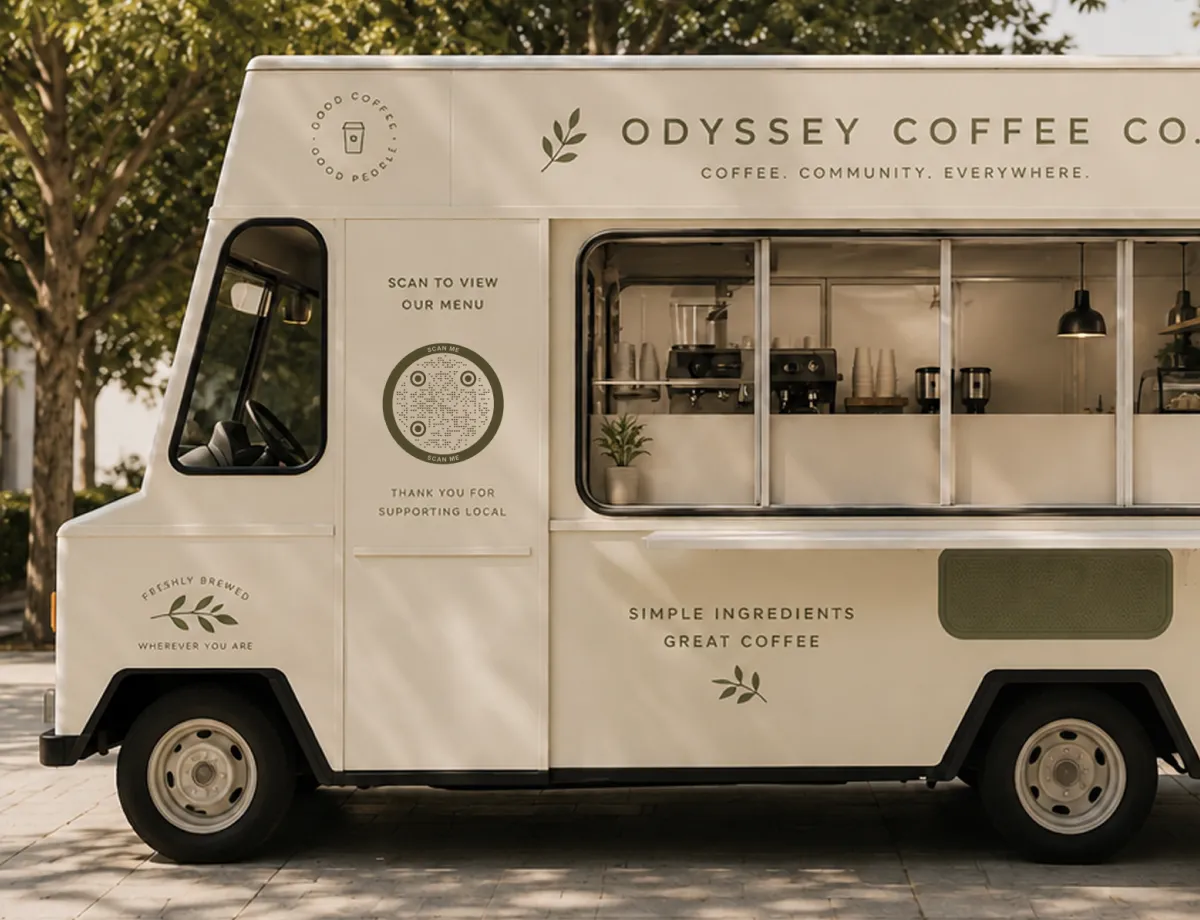
URL QRコードの仕組み
パターンの裏側では、スキャンのたびに3つのシンプルなことが起きています:
- リンク - 相手に届けたいウェブアドレス。トップページでも、特定のリンク先ページでも構いません。
- パターン - そのリンクを、QRコードを構成する白黒のモジュールにエンコードしたものです。
- スキャン - スマホのカメラがパターンを読み取り、ブラウザでリンクを開きます。通常は1秒もかかりません。
アドレスはパターンに直接保存されているため、印刷したコードはオフラインでも機能します。インターネットが必要なのは、読み取った人がリンク先のページを読み込むときだけです。テキストQRコードならさらに一歩進んで、リンクもインターネットも使わず、メッセージそのものを表示します。
静的なURL QRコードと動的なURL QRコード
静的なURL QRコードは、リンクをパターンそのものに保存します。そのため期限切れがなく、第三者のサービスが動き続けているかどうかにも左右されません。その代わり、いったん印刷するとリンク先は固定です。動的QRコードは代わりにリダイレクトを保存するので、後からリンク先を変えられます。ただし提供元のサーバーに依存し、多くの場合はサブスクリプションも必要です。自分で管理する短縮リンクやリダイレクト、たとえば自分のドメイン上のページを使えば、両方のよさが手に入ります。恒久的な静的コードでありながら、リンク先はいつでも変えられるのです。KoloQRはすっきりした静的コードを生成します。だからこそ、自分で管理するリンクと組み合わせるのが、長く使ううえで最も確実な構成になります。
QRコードを作成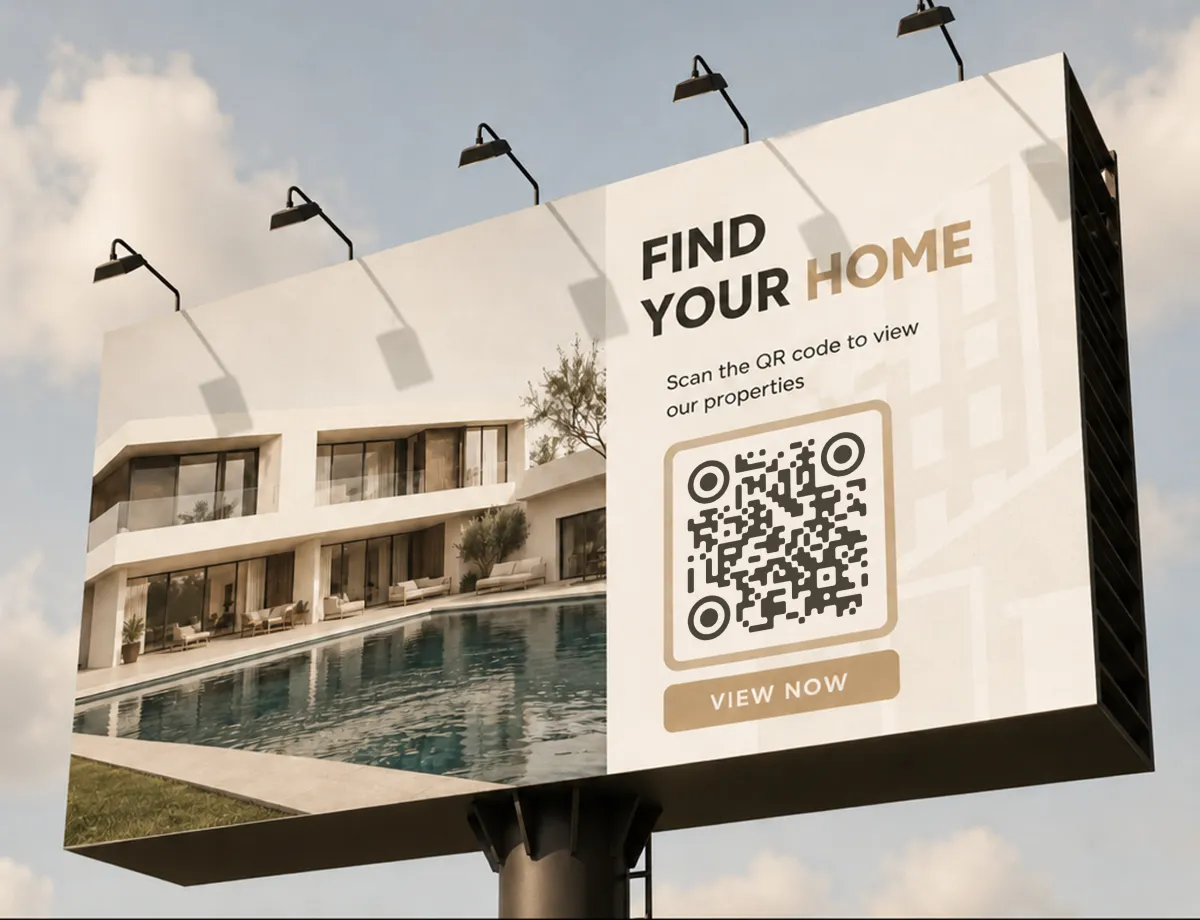
URL QRコードが使われる場面
現実の世界から特定のページへ人を動かしたい場面すべてです。とくに効果的な置き場所をいくつか紹介します。
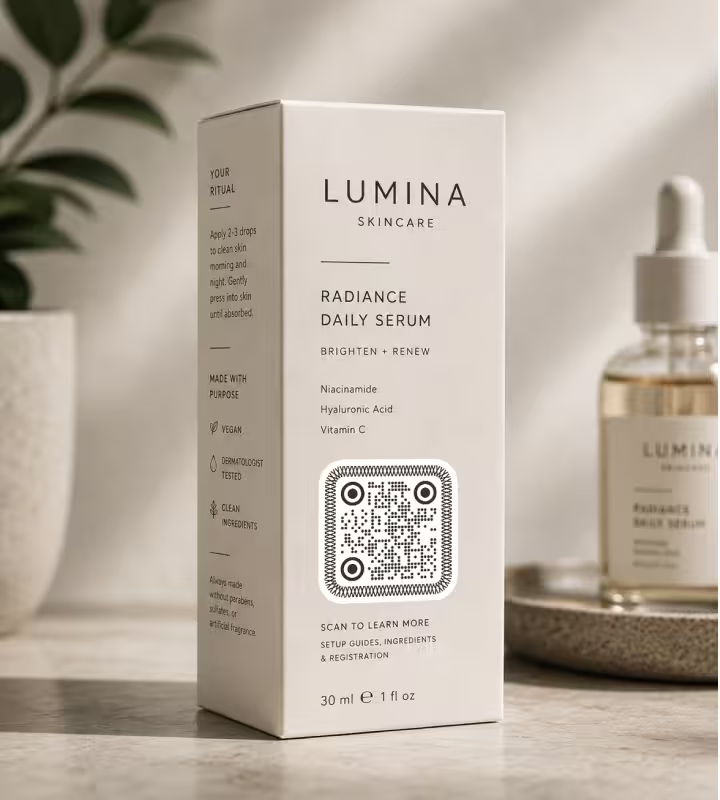
商品パッケージ
設定ガイド、成分の詳細、製品登録ページへ、箱の上から直接リンクできます。
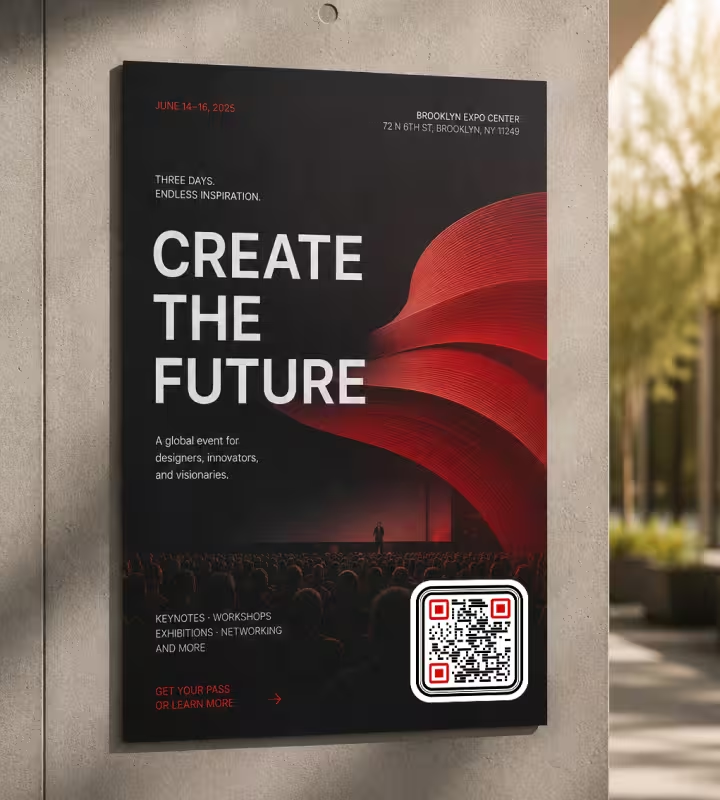
ポスター・チラシ
長いURLを入力させずに、通りがかりの人をイベントページ、申込フォーム、チケット購入画面へ案内できます。
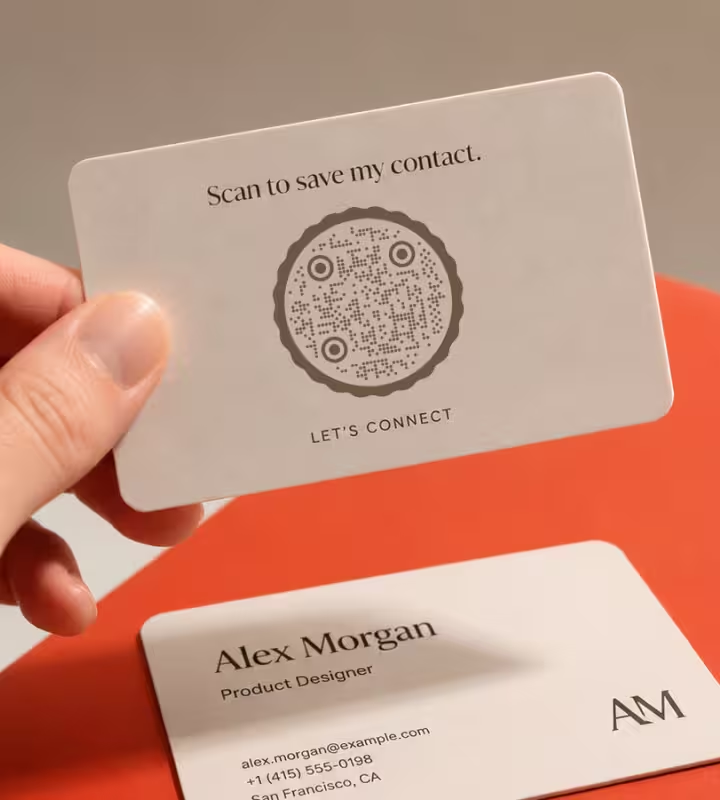
名刺
ポートフォリオ、LinkedIn、予約ページへ誘導すれば、相手はすぐに正しいリンクを保存できます。
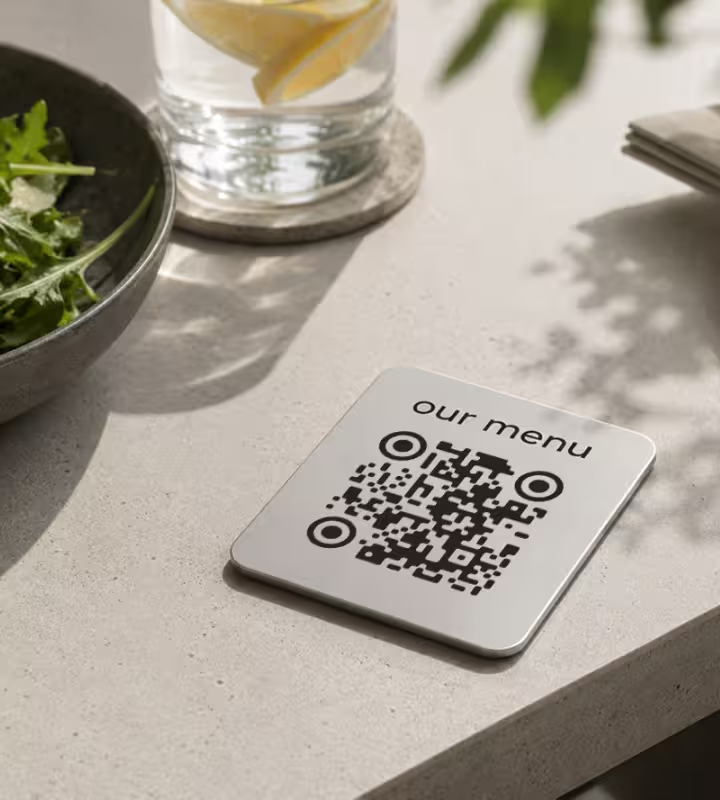
レストランのテーブル
オンラインメニューや注文ページを開きます。QRコードを誰にとっても身近にした、日常的な使い方です。
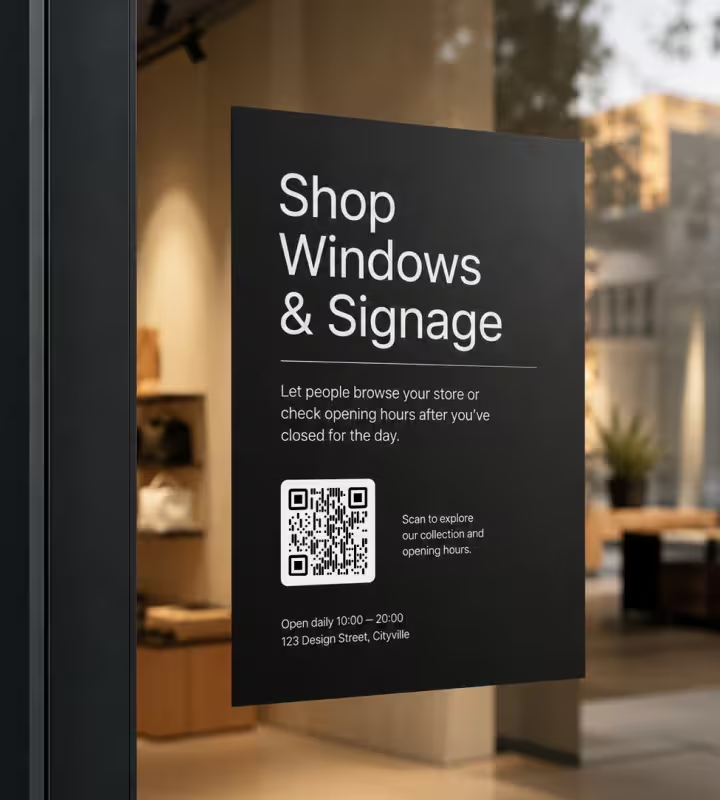
店頭のガラス・看板
閉店後でも、店の商品を見てもらったり、営業時間を確認してもらったりできます。
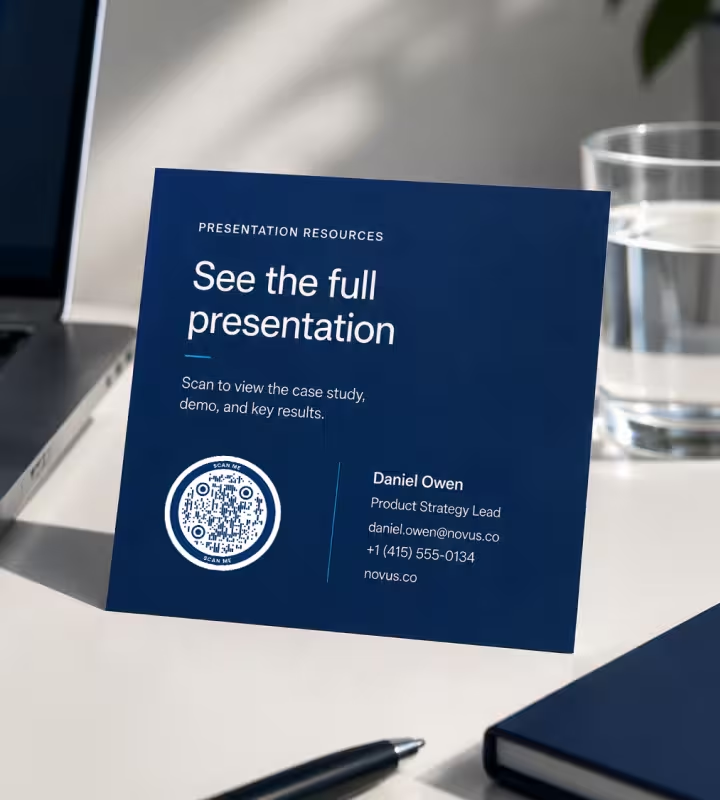
メール署名・スライド
デモ、事例、リンク先ページへのスキャンできるリンクを、どんな資料にも追加できます。
- 1
リンクを貼り付ける
https://を含む完全なウェブアドレスを入力すれば、コードは狙ったとおりの場所を指します。
- 2
デザインをカスタマイズする
形を選び、ブランドに合わせて色を調整し、ロゴがあれば入れましょう。
- 3
スキャンをテストする
確定する前に、いくつかのスマホでスキャンして、リンクが正しいページを開くか確認します。
- 4
ダウンロードして設置する
画面用にはPNG、印刷用にはSVGを書き出し、見てほしい人の目に入る場所に置きましょう。
どのファイル形式をダウンロードすべき?
KoloQRはURL QRコードを3つの形式で書き出せます。どこで使うかで選びましょう:
- PNG はデジタルコンテンツ、ウェブサイト、スライド、SNSなど、固定サイズの画像で足りる場所に。
- SVG は印刷、大型の看板・サイン、輪郭を保ったまま拡大する必要があるものすべてに。
- PDF は印刷所にそのまま渡す場合や、印刷対応の品質でドキュメントに差し込む場合に。
目安として、印刷するものにはSVGかPDF、画面に留まるものにはPNGを使いましょう。ベクター形式はどんなサイズでも鮮明なままです。ポスターのQRコードを部屋の反対側から読み取ってもらうときに、これが効いてきます。
QRコードを作成URL QRコードのベストプラクティス
一発でスキャンできるかどうかは、細かな点で決まります。押さえておきたいのは次の点です:
httpsのリンクを使う
安全なhttps://のアドレスを指しましょう。多くのスマホは、ただのhttpリンクに警告を出したりブロックしたりするため、スキャンの途中で人が離れてしまうことがあります。
URLは短く保つ
リンクが長いほどパターンは密になり、小さいサイズでは読み取りにくくなります。短くすっきりしたアドレスなら、コードはシンプルで確実なままです。
印刷の前にテストする
最終のコードをiPhoneとAndroidの両方でスキャンします。画面では読めるコードでも、縮小したり印刷したりすると失敗することがあります。
余白(クワイエットゾーン)を守る
コードの周囲には、はっきりした余白を何も置かずに空けておきます。文字やグラフィックが縁まで迫ると、スキャンできなくなることがあります。
コントラストを強く保つ
明るい背景に濃いパターンが最もよくスキャンできます。コントラストの低い配色は避け、にぎやかな写真の上にコードを置くのは絶対にやめましょう。
スキャンする距離に合わせてサイズを決める
おおよその目安は、スキャンする距離の10分の1です。3m離れて読むポスターなら、幅30cmほどのコードが必要です。
ロゴを目立たせすぎない
誤り訂正があるので中央のロゴは問題ありませんが、小さく抑えましょう。パターンを覆いすぎると、コードは読み取れなくなります。
スマホで見やすいページへ誘導する
スキャンのほとんどはスマホからです。リンク先が速く読み込まれ、小さな画面でも読みやすいことを確認しましょう。
短い一言を添える
「スキャンしてメニューを見る」のような一文があれば、なぜスキャンするのかが伝わり、実際にスキャンする人が増えます。
自分で管理できるリンクを使う
リンク先が変わる可能性があるなら、自分のドメインか、自分が管理するリダイレクトにコードを向けましょう。恒久的なコードを1つ保ちながら、リンク先だけを更新できます。
URL QRコードが動かないときは
URL QRコードは、正しいページを開くか開かないかのどちらかで、その理由はほぼ次の4つのどれかです。
スキャンすると、ページではなく検索結果が開く
- 原因
- アドレスがスキームなしでエンコードされています。先頭にhttps://がないと、多くのスキャナーはその文字列をただのテキストとみなし、ブラウザではなく検索ボックスに渡してしまいます。
- 対処法
- 作成する前に、アドレスにhttps://を含めます。そのうえで書き出したファイルを一度スキャンし、検索ではなくページが開くことを確認しましょう。
パターンが密で、読み取りに時間がかかる
- 原因
- 長いリンクは同じ正方形に多くのデータを詰め込むため、モジュールが小さくなります。限界を超える原因は、たいていキャンペーンのパラメータ、セッションID、トラッキング用の文字列です。
- 対処法
- ページに不要なものはアドレスから削るか、自分のドメイン上の短いリダイレクトにコードを向けて、トラッキングはその先で行いましょう。
サイトを更新したら404になった
- 原因
- 静的QRコードは、アドレスを恒久的に保存します。サイトを再構成したりページ名を変えたりすると、印刷したコードはすべて、もう何もない場所を指したままになります。
- 対処法
- 古いアドレスを新しいアドレスにリダイレクトすれば、印刷したコードはそのまま使えます。さらによいのは、はじめから自分が管理するリダイレクトに向けておくことです。そうすれば、将来ページを移してもサーバー側の1行で済みます。
自分では開けるのに、お客さんは開けない
- 原因
- 自分のブラウザがログイン済みだったり、社内のネットワークにいたりするから開けているだけです。ログインの内側にあるページ、ステージング用のドメイン、社内ホストは、ほかの人には行き止まりです。
- 対処法
- 書き出したコードを、セッションのないスマホでモバイル回線から開いてみましょう。そこで開けないなら、テーブルスタンドからも開けません。
問題がファイルにあるのか印刷にあるのか判断できない場合は、書き出した画像をQRコードスキャナーに読み込ませてください。パソコンでは読めて紙では読めないなら、原因はファイルより後の工程にあります。
Questions? Answered
URL QRコードは、ウェブアドレスを保存したQRコードです。スマホのカメラでスキャンすると、そのリンクがブラウザで自動的に開くので、何も入力せずにページにたどり着けます。これはQRコードの種類のなかでもっとも一般的で、リンク先がウェブページならまず選ぶべきものです。
ウェブアドレスを作成ツールに貼り付け、好みに応じてデザインを整えて、画像をダウンロードするだけです。KoloQRならロゴを追加し、形を変え、印刷対応のファイルを数秒で書き出せます。登録は不要です。
はい。KoloQRはURL QRコードを無料で生成しますし、コード自体をスキャンする費用もかかりません。このような静的QRコードは、使い続けるためのサブスクリプションも不要です。
静的QRコードでは変えられません。リンクがパターンに保存されているため、変えるには新しいコードを作ることになります。恒久的なコードを1つで済ませたい場合は、自分のドメイン上のリダイレクトに向けて、リンク先が変わるたびにそのリダイレクトを更新しましょう。
静的なURL QRコードに期限はありません。リンクがパターンに直接エンコードされているため、リンク先のウェブページが公開されている限り、コードは使えます。
画面・SNS・スライドにはPNGを使います。印刷・看板・きれいに拡大する必要があるものには、SVGかPDFを使いましょう。ベクター形式はどんなサイズでも鮮明なままです。
はい。QRコードには誤り訂正があるので、中央の小さなロゴでスキャンできなくなることはありません。サイズは控えめに抑え、印刷する前に結果をテストしましょう。
よくある原因は、コントラストが低い、コードの周囲の余白が足りない、印刷が小さすぎる、リンクが切れている、のいずれかです。コントラストとサイズを上げ、はっきりした余白を空けて、URLがスマホで開くことを確認しましょう。
いいえ。最近のiPhoneやAndroidのカメラは、QRコードを標準で読み取ります。カメラを向けて、表示されたリンクをタップするだけです。別途スキャナーアプリは要りません。
はい、最もよくある使い方の一つです。鮮明に印刷するためにSVGかPDFを書き出し、しっかりしたコントラストを保ち、どのくらい離れてスキャンするかに合わせてサイズを決めましょう。ポスターや配布物に載せるGoogleフォームのQRコードは典型的な例で、スキャンするとすぐにフォームが開きます。
関連ページ
このページの続きになるページ - 同じ場面、同じ種類のコード、あるいは次に決めることについて。
イベント
1回のスキャンで、チケット・スケジュール・道順・出欠確認へ。招待状、ポスター、会場サインで使えます。
医療機関
ポスター、リーフレット、薬袋、ベッドサイドカードから、予約ページ、問診票、アフターケアの説明へ。
Googleドライブ QRコード
印刷したものから、ファイル・フォルダ・ダウンロードをそのまま手渡せます。
ポスター
A3からA0まで。人が実際に立てる距離に対してコードがどれだけ大きくあるべきか、そして床から何センチの高さに置くべきか。
車両
バン、乗用車、社用車のラッピング。歩道から見たときに必要なサイズと、リベットや隙間、路面の汚れに耐えるボディの位置。
メールQRコード
スキャン1回でメールを送ってもらえます。宛先・件名・本文まで入力済みの状態です。
KoloQRを選ぶ理由
- ウェブサイト、メニュー、Wi-Fi、PDF、名刺用のQRコードを作成
- 色・ロゴ・オリジナルの形をカスタマイズ
- 高品質なPNG・SVGファイルをダウンロード
- 印刷にもデジタルにも対応
