円形のQRコード:仕組みと使いどころ
丸型のQRコードは、標準の正方形のQRコードをドット状または角丸のモジュールに変え、円の中に収めたものです。データのグリッドは変わらずQRの規格に従うため、ほかのコードと同じようにスキャンできます。円形という形はデザインの選択であって、別の技術ではありません。
Google マップで開きます。座標でも構いません(37.4224, -122.0841)。
ビジネスの「クチコミを書く」フォームが開きます。プレイス ID か、それを含む Google マップのリンクを貼り付けてください。
UPI リンクにはチェックサムがありません。ID を打ち間違えると、問題なく読み取れるのに別人へ支払われるコードになります。決済アプリから ID を貼り付け、印刷前に自分宛てに 1 ルピー送って確認してください。
コピーしたまま貼り付けてください。KoloQR はペイロードを組み立てません。銀行が発行したものをそのまま符号化し、印刷前に検査します。
SVG・PNG・JPG • 最大2MB
初月無料
以降 $9/月
動的QRコード、まもなく登場
印刷後でも、リンクをいつでも変更できます。誰が、いつ、どこでスキャンしたかもわかります。
- 印刷し直さずに編集
- スキャン分析
- 一括作成と独自ドメイン
登録が完了しました
スキャン分析つきの動的コードのリリース時に、1 通だけメールでお知らせします。
丸型のQRコードは何が違うのか?
円形にすると見た目がどう変わり、その内側では何がまったく変わらないのか。円は4つの形の系統のひとつで、それぞれが幅にどれだけかかるかはQRコードの形で比較しています。
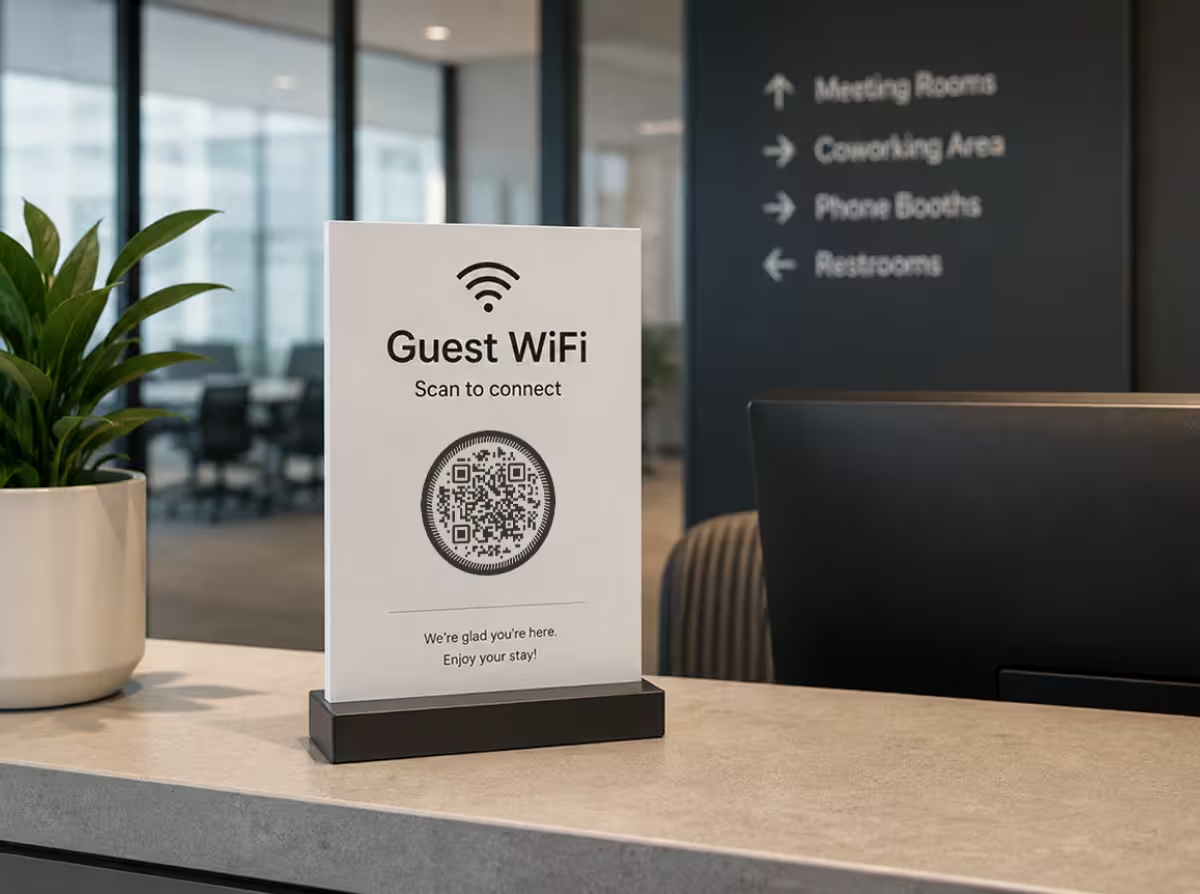
丸型のQRコードの仕組み
表面の下では、丸型のQRコードは正方形のものとまったく同じです。スキャナーは明暗のモジュールのグリッドと3つの角のファインダーパターンを読み取り、その構造は決して変わりません。変わるのはスタイルです。モジュールはドットや角丸の四角として描かれ、角は柔らかくなり、円形のフレームがコードを囲みます。読み取れるグリッドがそのまま残っているため、スマホは同じようにデコードします。コントラストを高く保ち、コードの周囲のクワイエットゾーン(余白)を残していれば大丈夫です。
なぜ丸型のQRコードを選ぶのか?
丸型のQRコードが存在する理由は1つです。四角では収まらない場所に収まるからです。コースター・缶バッジ・封蝋・ボトルキャップ・プロフィールバッジでは、円形なら貼り付けたようには見えず、意図した形として伝わります。丸みのあるロゴやブランドマークとも自然になじみます。機能としては同じコードなので、得られるのは完全に見た目の効果です。だからこそ、面やブランドがすでに丸いときに選ぶ価値があります。
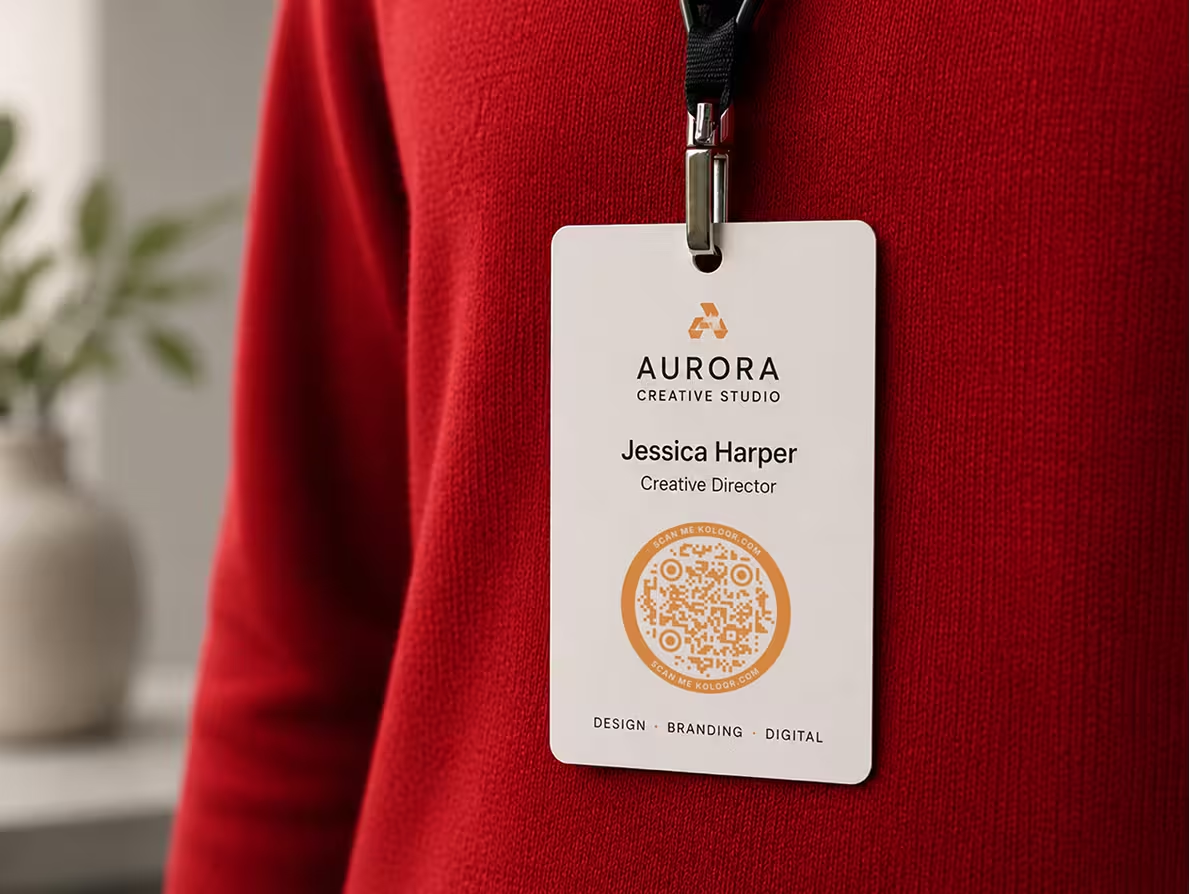
丸型のQRコードが最も活きる場面
形が効いてくる度合いは、場面によって違います。円形が本当に力を発揮するのは次のような場面です。
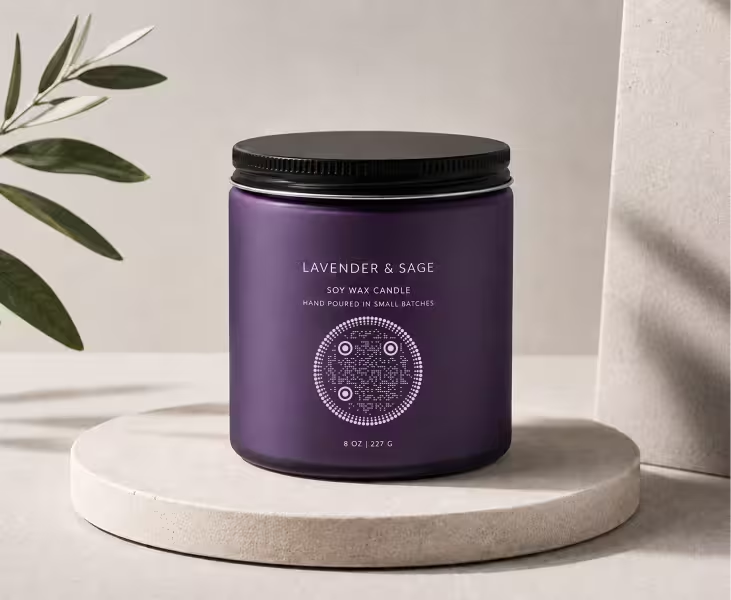
ステッカー・ラベル
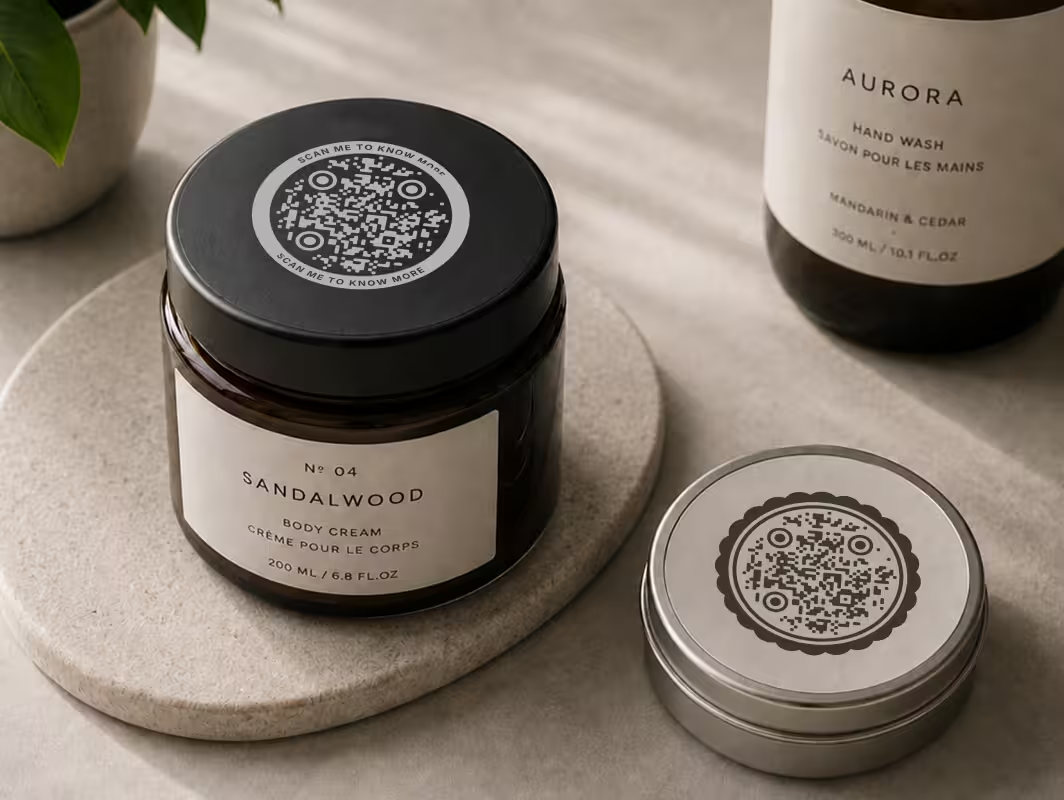
丸いステッカーは印刷でよくある形式で、円形のコードなら四角が残すような不自然な余白なく収まります。ラベルがすでに丸い、商品のシール・瓶のふた・プロモーション用のパックに最適です。
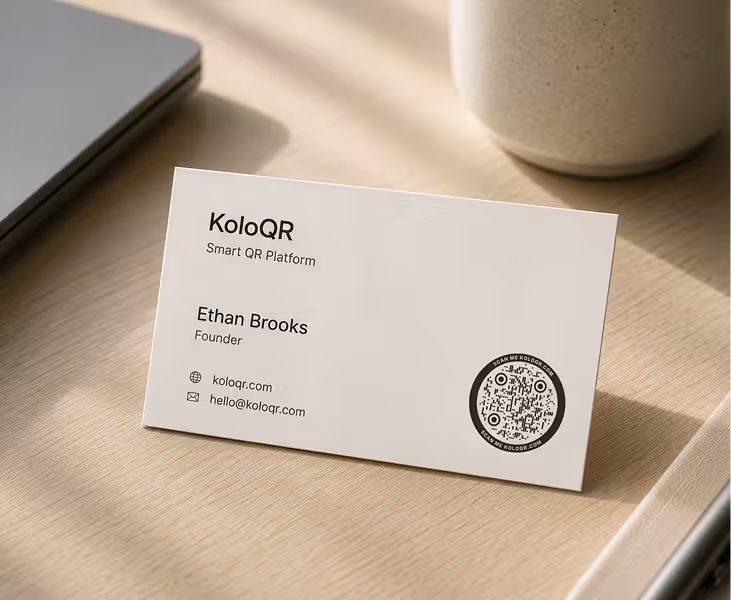
名刺・バッジ
隅に置いても、バッジの中央に置いても、丸型のQRコードは機能のための後付けではなく、意図したデザイン要素として見えます。円形のロゴとも相性がよく、レイアウトもすっきり保てます。
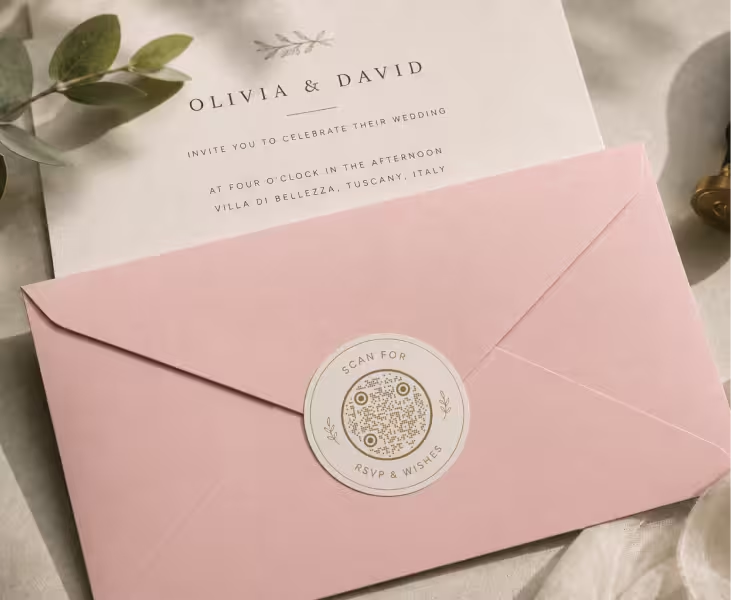
封蝋・スタンプ
円形のコードは昔ながらの封蝋の形を思わせます。だからこそ、結婚式の招待状・高級パッケージ・手仕事の品でよく使われるようになりました。丸いフレームが「封をした」印象を強めます。
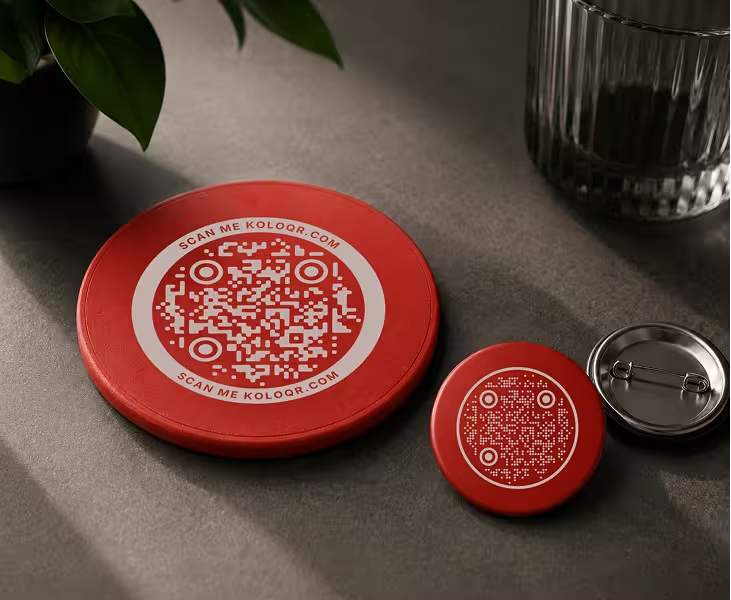
コースター・缶バッジ・ピンバッジ
すでに丸いものなら、どれも自然に合います。コースター・ピンバッジ・キャンペーンバッジに置いた円形のコードは、見た目を妥協せずに面をすべて使えます。
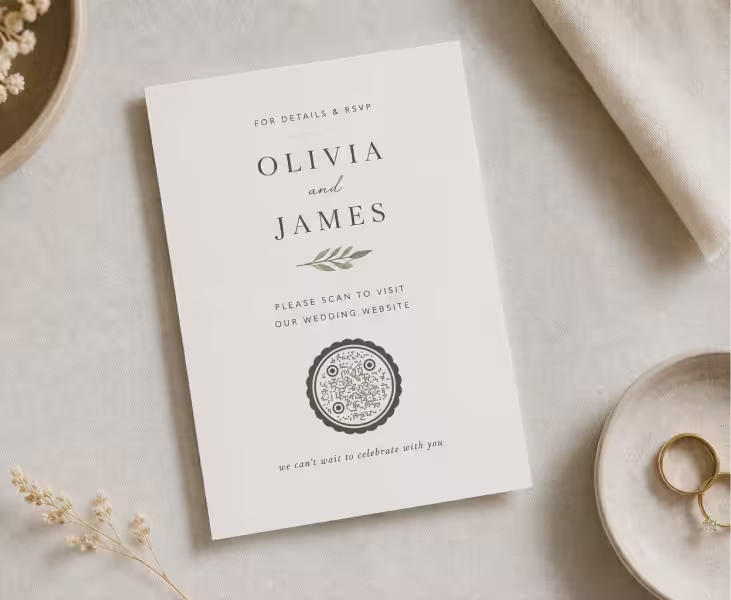
SNSのプロフィールリング・アイコン
プロフィール写真やアプリのアイコンは、もともと丸い形です。円形のコードはその枠にきれいに収まるため、プロフィールのリングやストーリーズのスタンプにスキャンできるリンクを足す手軽な方法になります。
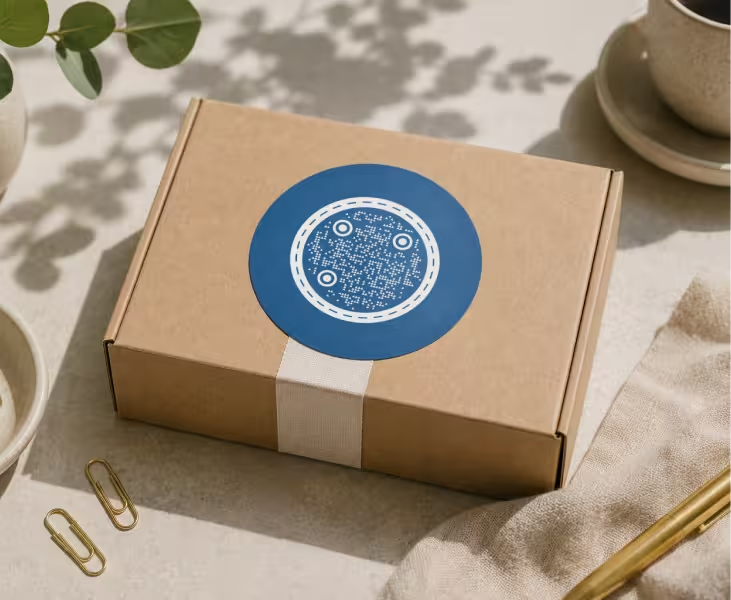
パッケージ・商品ラベル
瓶のふた・ボトルキャップ・缶のトップは、ほとんどが円形です。丸いコードならパッケージがすでに決めている形に沿い、型押しや曲面のスペースにも自然に収まります。
丸型QRコードのデザイン原則
見た目がよく、確実にスキャンできる円形のQRコードは、いくつかの一貫したルールに従っています。それは他のクリエイティブなQRコードデザインすべての土台でもあるルールで、円形は特別な例ではなく選択肢のひとつです。それは他のクリエイティブなQRコードデザインすべての土台でもあるルールで、円形は特別な例ではなく選択肢のひとつです。
確実にスキャンできる丸型QRコードを作る
スキャンできるかどうかは、4つに絞られます。モジュールと背景のコントラストをしっかり保つこと(明るい背景に濃い色が最も安全です)、クワイエットゾーン(コードの周囲の空いた余白)を残すこと、誤り訂正を高いレベルに設定してスタイルが読み取りを壊さないようにすること、そしてコードの縦横比を絶対に歪めないことです。装飾は、角のファインダーパターンがきれいではっきり見えていれば問題ありません。完成したコードは、印刷に回す前に複数のスマホでテストしましょう。
性能を落とさずに丸型QRコードをカスタマイズする
うまくデザインされた丸型のコードは、スキャンを損なわずにブランドに合わせられます。コントラストが高く保たれる範囲でブランドカラーを使い、角丸やドットのモジュールを加え、コード面積の約30%以内に収まる大きさでロゴを中央に置きましょう。高い誤り訂正が、そのすべての余裕を生みます。迷ったら、装飾よりも読み取りやすさを選びます。誰もスキャンできないコードは、ただの図形です。
実際の活用例
実際の場面に当てはめた例を見ると、自分の企画も立てやすくなります。
結婚式のペーパーアイテム
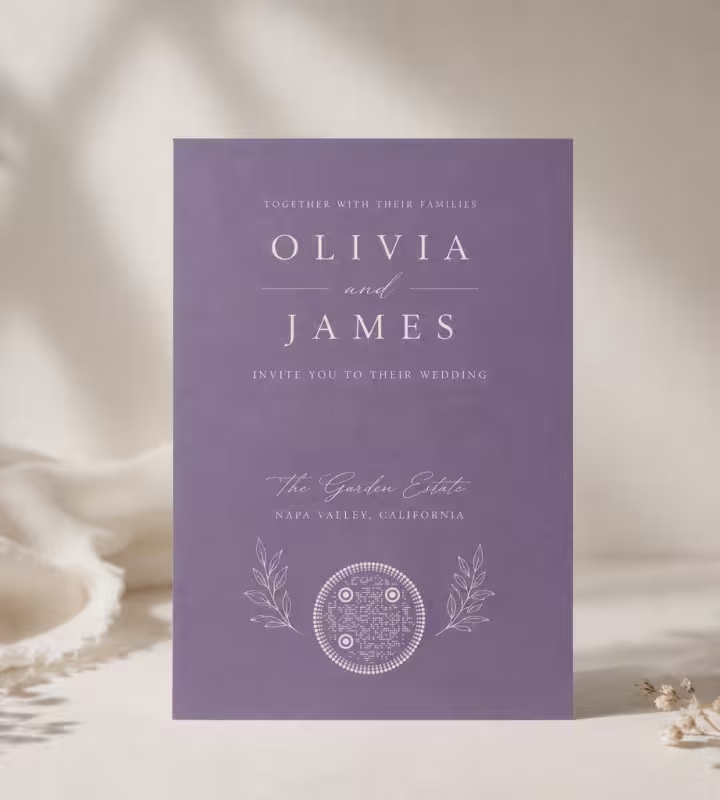
封蝋のようにデザインした丸いコードが、ゲストを出欠確認(RSVP)のページ・ギフトリスト・会場の地図へ案内します。招待状の色や書体に合わせれば、後から足したものではなくデザインの一部として感じられます。
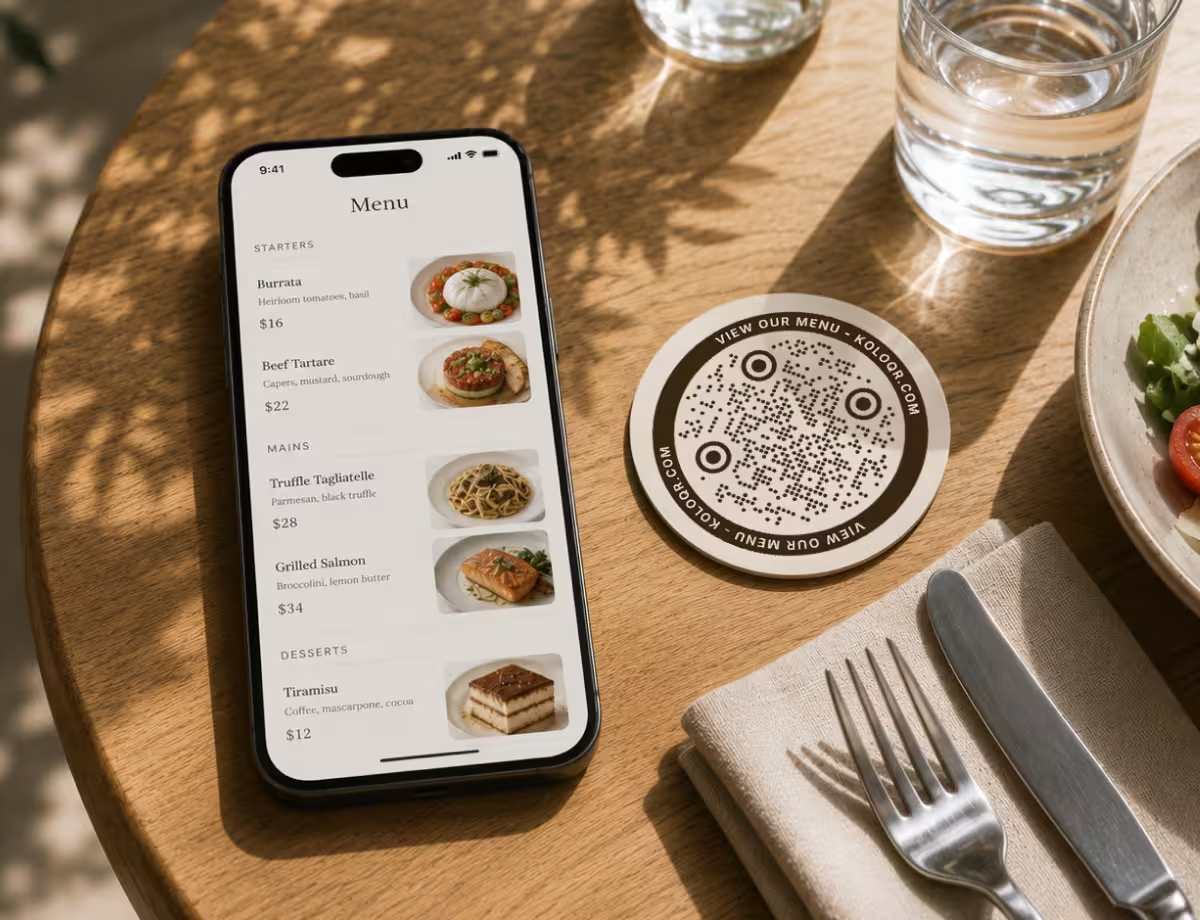
レストランのメニュー
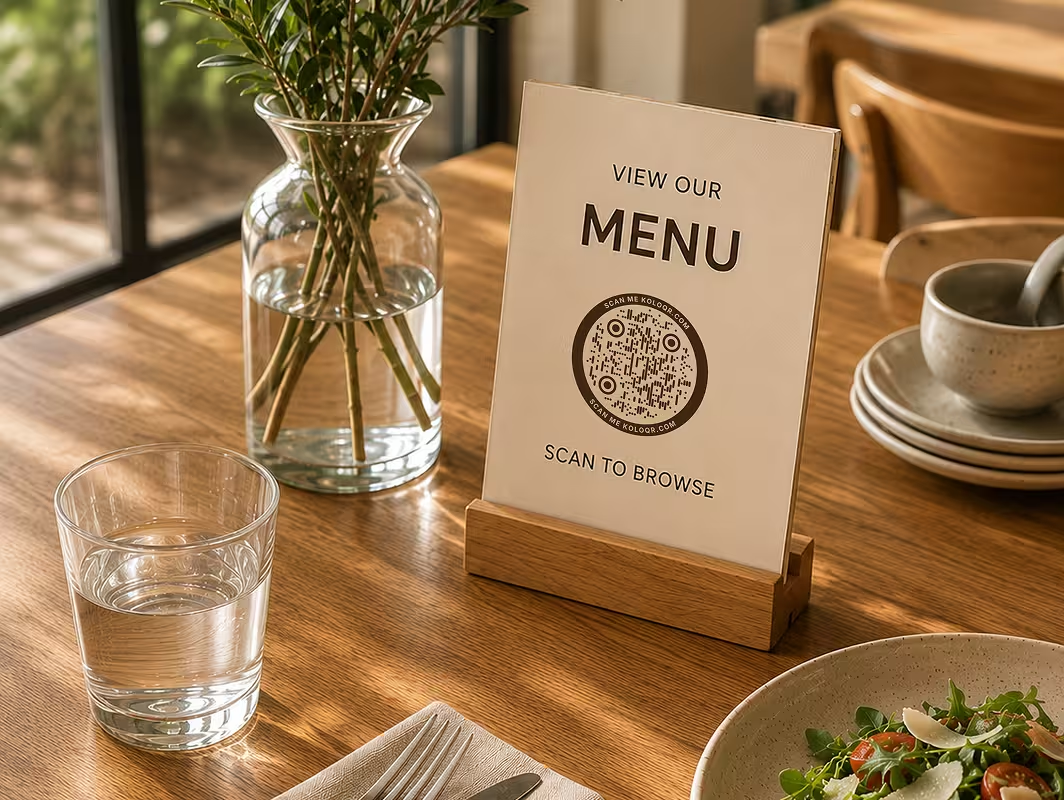
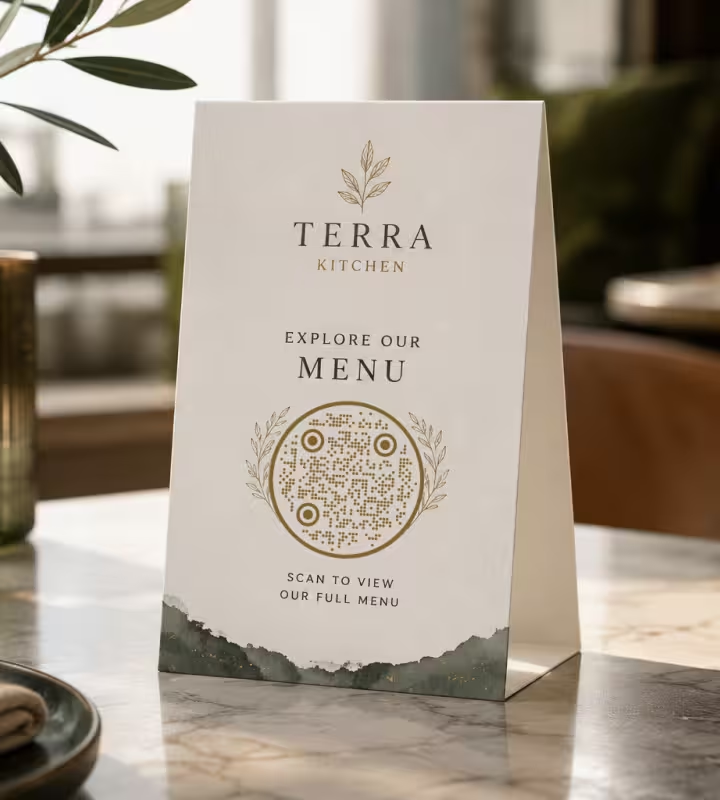
コースター・テーブルスタンド・メニューの隅に置いた円形のコードが、デジタルメニュー全体へつながります。丸いフレームは飲食店のブランディングになじみ、皿やグラスに対して不自然に切れて見えることもありません。
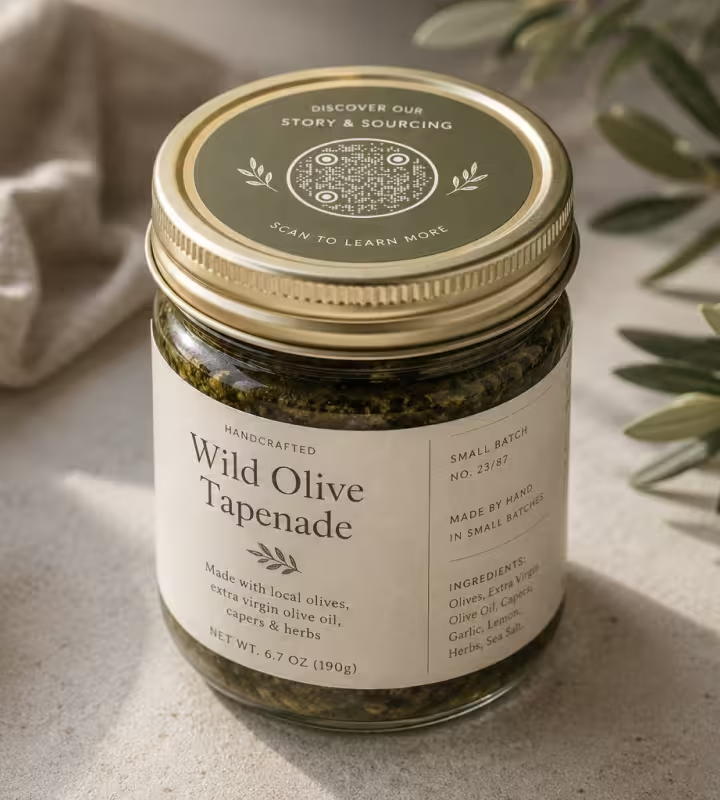
手作り商品のパッケージ
瓶のふたやラベルの小さな丸いコードが、商品の物語・原材料の情報・ロットのページを届けます。落ち着いた土の色のパレットなら、買う人が期待する手仕事の雰囲気に心地よく収まります。
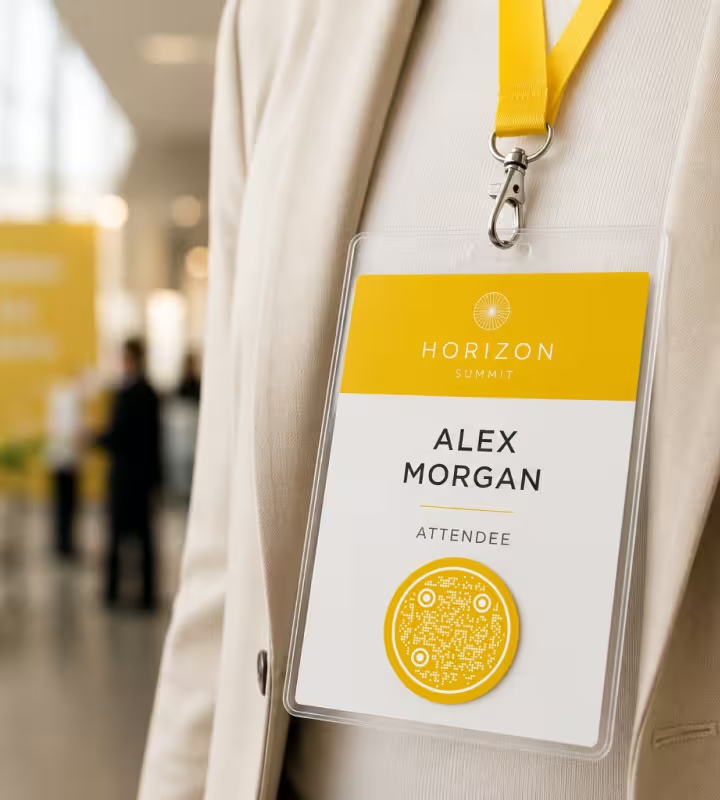
イベントのストラップ
ストラップやネームタグに付けた円形のコードが、スケジュール・登壇者のプロフィール・ネットワーキングのページへつながります。この形は、丸いバッジホルダーに四角よりも自然になじみます。
- 1
URLまたはコンテンツを入力する
ここがQRコードにエンコードされるデータです。リンク・テキスト・Wi-Fiの情報・連絡先カードなど。内容が短いほどグリッドが単純になり、デザインもスキャンもしやすくなります。
- 2
誤り訂正をHに設定する
最も高いレベルは、傷んだコードのおよそ30%を復元します。読み取りを壊さずにロゴを足したり、スタイルを強めたりする余裕が生まれます。
- 3
円形または角丸の出力形式を選ぶ
コードの設定で、形とモジュールの選択肢を探します。角丸またはドットのモジュールに、円形のフレームを組み合わせます。
- 4
ロゴやアイコンを追加する
単色の背景に中央ぞろえで置き、コード面積の約20〜30%以内に収まる大きさにして、ファインダーパターンを覆わないようにします。
- 5
色を調整する
コントラストは高く保ちます。明るい背景に濃いモジュールが最も安全です。決める前に、色の組み合わせをテストしましょう。
- 6
印刷対応の形式で書き出す
無限に拡大できるベクター出力にはSVG、実物の制作物には300DPIの高解像度PNGを使います。
テンプレートから始めるか、ゼロから作る
丸型のQRコードが初めてなら、テンプレートから始めると時間を節約できます。円形のレイアウトを選び、リンクを入れて、色を合わせるだけです。構造はすでに整っています。すべてを自分で決めたい場合は、ゼロから作りましょう。形・モジュール・ロゴ・パレットを自分で設定し、作りながらスキャンを確認できます。
KoloQRなら、どちらもできます。円形のコードを数秒で生成し、自分の色・ロゴ・コンテンツでカスタマイズして、必要な形式で書き出せます。
QRコードを作成どの形式で書き出すべきか?
適したファイルは、コードを使う場所によって決まります。数秒で選べる目安は次のとおりです。
印刷向け
可能なときは必ずSVGを選びましょう。ベクターなので、ポスター・パッケージ・名刺など、どんなサイズにしても鮮明さもスキャンのしやすさも失いません。
デジタル向け
1080px以上の高解像度PNGなら、メニュー・プレゼン資料・メール署名・SNS投稿など、画面での用途はほぼカバーできます。
本格的な印刷
印刷所に渡すなら300DPIの高解像度PNGで書き出すか、SVGを渡します。印刷所が特定の形式を求める場合も、SVGならサイズを決める前に選択肢をすべて残しておけます。
Questions? Answered
丸型のQRコードは、標準のQRコードを角丸またはドットのモジュールに変え、円の中に収めたものです。土台のデータのグリッドは通常のQRの規格に従うため、四角いコードと同じようにスキャンできます。円形という形は、純粋にデザインの選択です。
はい、きちんとデザインされていれば大丈夫です。3つのファインダーパターンとデータのグリッドは変わらずQRの規格に従い、円形のフレームはその周りの装飾です。コントラストが高く、クワイエットゾーンが残され、コードが歪んでいなければ、円形のコードは最近のスマホで確実にスキャンできます。
はい。単色の背景に中央ぞろえで、コード面積の約30%以内に収まる大きさで置けば、ファインダーパターンに重なりません。先に誤り訂正を最も高いレベル(H)に設定しましょう。ロゴの後ろでも読み取れるだけの冗長性が、コードに生まれます。
印刷にはSVGが最適です。ベクターなので、どんなサイズにしても鮮明さを失いません。画面用途には高解像度のPNGがよく合います。本格的な印刷では、SVGか300DPIのPNGを渡しましょう。
正しく作られていれば、そんなことはありません。スキャンされる構造は四角いコードとまったく同じです。問題が出るのは、コントラストが低すぎる、クワイエットゾーンをなくした、コードを引き伸ばした、ロゴがファインダーパターンを覆っている場合だけで、いずれも避けられるデザインの選択です。
4つのレベル(L・M・Q・H)のうち、最も高いレベルHを使いましょう。傷んだり隠れたりしたコードのおよそ30%を復元するため、スキャンを壊さずにロゴを足し、角丸のスタイルを当てるための冗長性が得られます。
面がすでに丸い場所ならどこでも使われます。ステッカーやラベル、コースター、缶バッジやピンバッジ、封蝋、ボトルキャップ、パッケージのふた、バッジ、SNSのプロフィールリングなど。こうした形式では、貼り付けたようには見えず、意図した形として伝わります。
はい。モジュールと背景のコントラストが高く保たれていれば、ブランドカラーもよく機能します。明るい背景に濃いモジュールが最も安全な組み合わせです。コントラストの低い配色はスキャン失敗の最も多い原因なので、印刷前に組み合わせをテストしてください。
目安として、近い距離でスキャンするなら2×2cm(約0.8インチ)以上を保ち、スキャンする距離が長いほど大きくします。よく使われる指針は、最小サイズがスキャン距離÷10です。印刷用には必ず300DPIで書き出しましょう。
KoloQRはブラウザ内でコードを生成します。コード自体には入力したデータだけが含まれ、静的QRコードは間にトラッキングの層を挟まず、リンクへ直接つながります。
関連ページ
このページの続きになるページ - 同じ場面、同じ種類のコード、あるいは次に決めることについて。
QRコードの形
モジュール・アイ・フレームという形の全体像と、丸・三角・六角形・四角それぞれのトレードオフ。
クリエイティブQRコード
意図の伝わる見た目と、確実に読み取れることを両立するQRコードのデザイン方針と実例。
ドットQRコード
四角の代わりに丸いモジュール - ドットをどこまで大きく保つべきか、小さくしたときに何が測定されたか、そして柔らかい見た目が合う場面を紹介します。
QRコードのファインダーパターン:なぜどのQRコードにも角の四角が3つあるのか
QRコードの隅にある3つの四角が実際に担っている仕事、4つめの隅が空いている理由、そしてシンボルのどれだけが入れたデータではなく構造なのかをまとめます。
丸いQRコードは、衣装をまとった四角いQRコードである
形状付きコードが読み取れるのは、形状がデータに一切触れないからです。形状が本当に奪うのは幅で、三角形のコードは内側のマトリックス幅の約2.6倍の底辺を必要とします。
ブランドQRコード
ロゴ・色・カスタムの形でQRコードをブランドに合わせつつ、確実にスキャンできる状態を保ちます。
KoloQRを選ぶ理由
- ウェブサイト、メニュー、Wi-Fi、PDF、名刺用のQRコードを作成
- 色・ロゴ・オリジナルの形をカスタマイズ
- 高品質なPNG・SVGファイルをダウンロード
- 印刷にもデジタルにも対応
