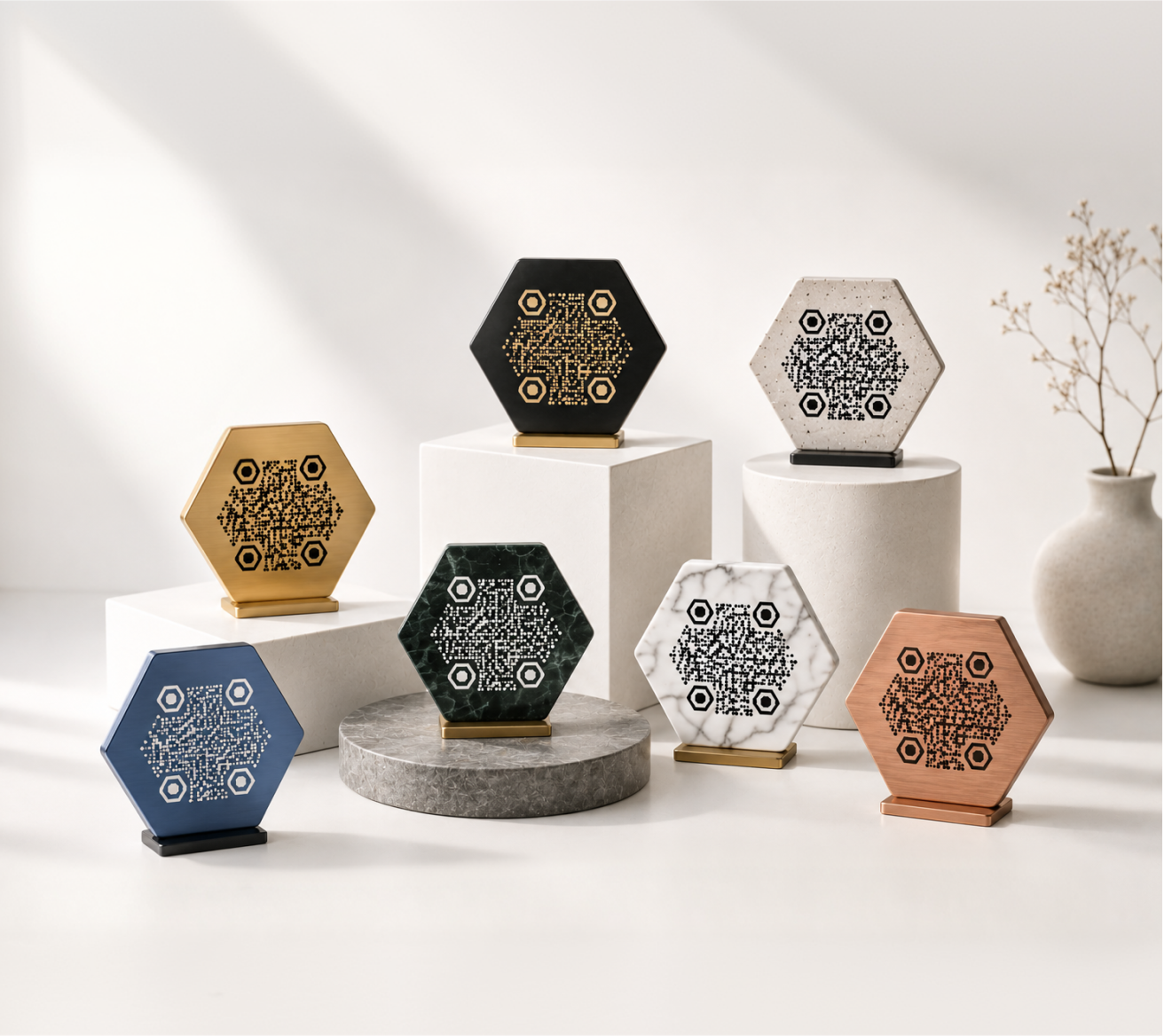
QR codes don't have to look like static noise. When they're designed with intention, they become part of the experience — something people notice, trust, and actually want to scan.
This guide covers practical creative approaches for QR codes across different industries, along with design principles that keep them functional and good-looking at the same time.
Why Design Matters for QR Codes
Most QR codes are functional but forgettable. They sit in the corner of a flyer or on the back of a product and get ignored — not because QR codes don't work, but because nothing about them invites interaction.
A well-designed QR code does two things: it fits the context it lives in, and it gives people a reason to trust it enough to scan. Color, shape, and a small logo go a long way toward both.
The good news is that modern QR codes have significant built-in error correction. This means you can customize colors, add logos, and round off corners without breaking scannability — as long as the contrast stays high and the core structure stays intact.
Creative QR Code Ideas by Use Case
Business Cards
A QR code on a business card can link to your portfolio, LinkedIn profile, contact file (vCard), or booking page. The challenge is fitting it into a small, already-crowded design.
Keep the QR code small but not tiny — around 1.5–2 cm. Match its colors to your card's palette. A rounded QR code with your brand's accent color tends to integrate better than a plain black square dropped onto a white background.
Ideas to try:
- Link to a video introduction instead of a static page
- Use a vCard URL so the contact saves directly to the phone
- Place the code on the back of the card with a short label like "Scan to connect"
Restaurant Menus
QR codes became standard at restaurants during recent years and haven't left. Diners are comfortable with them now, which makes it a good time to make them look intentional rather than improvised.
A QR code printed on a table tent, placed on a wooden stand, or embedded in a branded card holder works better than a paper printout taped to the table. Match the code's color to your restaurant's visual identity.
Ideas to try:
- Seasonal QR codes that link to rotating menus
- Separate codes for food menu, drinks, and desserts
- A code at the end of the meal linking to a loyalty program or review page
Events and Conferences
Events move fast. QR codes can reduce friction at registration, share schedules, and give attendees quick access to speaker bios or session materials.
For events, visibility matters more than elegance. Use high-contrast codes — dark on light — and make them large enough to scan from a comfortable distance. A circular QR code with the event logo in the center works well on badges and signage.
Ideas to try:
- Check-in codes on printed badges
- Session-specific codes on room signage linking to slides or handouts
- A feedback code at the exit with the label "How was today?"
Product Packaging
A QR code on packaging has limited space and needs to survive printing processes like offset, flexo, or digital print. It also needs to work on curved surfaces and in varied lighting.
Keep packaging QR codes simple: high contrast, no overly complex color combinations, and test-print before going to full production. Link to something genuinely useful — care instructions, a recipe, a warranty registration, or a product story.
Ideas to try:
- A "how to use" video linked from a skincare or food product
- Warranty or authenticity verification on electronics or premium goods
- Ingredient or sourcing transparency for food and beverage brands
Education and Classrooms
Teachers and educators use QR codes to link students to supplementary materials, assignment submissions, and resource libraries — without typing long URLs.
Printed QR codes in textbooks or on classroom posters work well. For younger students, a playful design (a code in school colors, or with an icon in the center) makes scanning feel like part of the activity rather than a chore.
Ideas to try:
- A poster in each classroom with a QR code linking to the week's materials
- QR codes on worksheets pointing to tutorial videos
- A parent communication board with a code linking to the class newsletter
Marketing and Print Campaigns
Flyers, posters, banners, and direct mail can all carry QR codes. The design challenge is making the code feel like part of the composition rather than an afterthought.
Use the QR code as a design element. Give it breathing room, add a short call to action near it ("Scan to see it live" or "Get the offer"), and make sure it links to a page that's optimized for mobile.
Ideas to try:
- A billboard with a large-format QR code linking to a product demo
- A direct mail piece with a personalized QR code per recipient
- A social media graphic with a QR code linking to a longer piece of content
Design Principles for Creative QR Codes
Color and Contrast
The scanner reads the QR code by detecting the difference between dark modules and a light background. As long as that contrast is strong, you have real flexibility with color.
Dark foreground on a light background is the safest approach. Inverting this (light on dark) can work but requires careful testing. Avoid low-contrast combinations like dark blue on black or yellow on white.
Logos and Icons
Placing a logo or icon in the center of a QR code is one of the most effective ways to make it recognizable. QR codes are built with error correction that allows a portion of the code to be covered without breaking functionality.
Keep the logo small — covering no more than about 20–25% of the code area. A circular crop tends to look cleaner than a sharp-edged square.
Shape and Style
Standard QR codes use square modules, but the finder patterns (the three corner squares) and the individual dots can be styled. Rounded corners, softer shapes, and circular outer boundaries all work well without sacrificing scan reliability.
KoloQR supports circular QR codes and custom module shapes — useful when the standard grid look doesn't fit your design.
Size and Print Specifications
A QR code needs to be large enough to scan reliably. The general rule: at least 2 cm × 2 cm for short scanning distances (like a table card or a product label), and proportionally larger for banners or signage.
For print, export at a minimum of 300 DPI. Vector formats (SVG, PDF) are preferable for anything going to a professional printer, as they scale without quality loss.
Common Mistakes to Avoid
Low contrast. Pastel-on-white or dark-on-dark combinations fail at the scanner. Always test before printing.
Too small. A QR code under 1.5 cm is difficult to scan reliably, especially on textured or uneven surfaces.
No label. People are more likely to scan a QR code when they know what it does. A single line — "Scan to see the menu" or "Scan to register" — removes hesitation.
Broken links. A QR code is only as good as where it goes. Check the destination URL before printing, and set up a redirect so you can update the destination later if needed.
Not testing on multiple devices. Scan your code with both iOS and Android before finalizing. Different camera apps handle edge cases differently.
How KoloQR Supports Creative Designs
KoloQR is built around the idea that a QR code should fit your design — not the other way around. You can adjust colors, add a logo, choose a circular layout, and export print-ready files in SVG or PDF format.
The generator handles the technical constraints automatically, so you can focus on the visual result without worrying about whether the code will scan.
Start With One Use Case
The best creative QR codes come from a clear purpose. Pick one place where a QR code would genuinely help — a menu, a business card, a product label — and design it for that specific context.
When the code fits naturally into what surrounds it, people scan it. When it looks like it was pasted in at the last minute, they don't.
Create your QR code on KoloQR →